
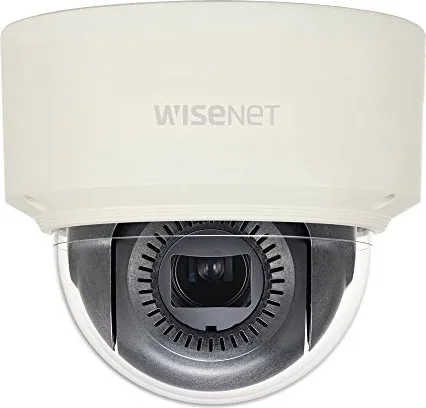
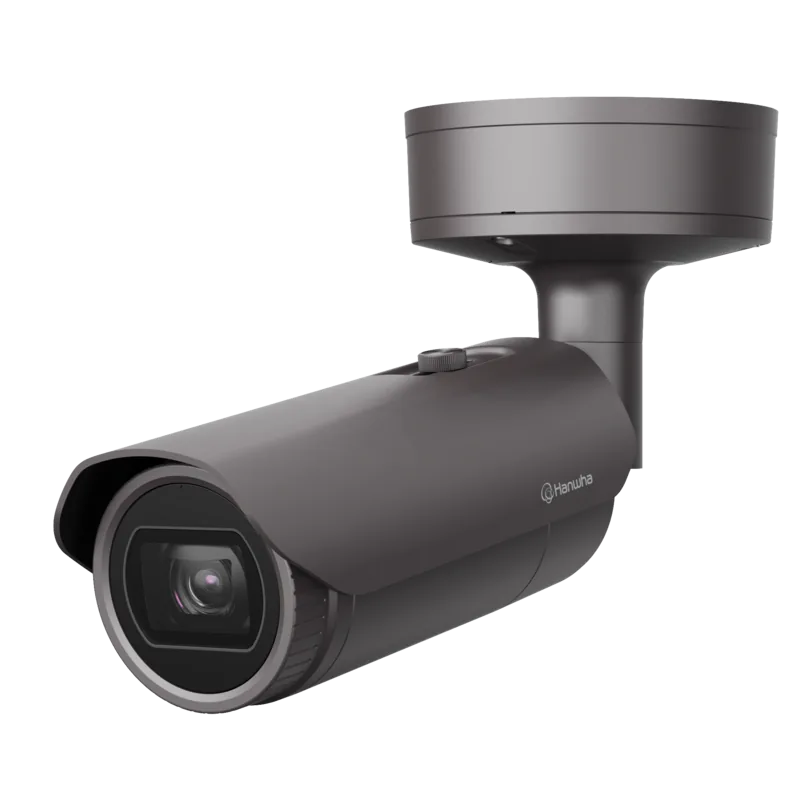
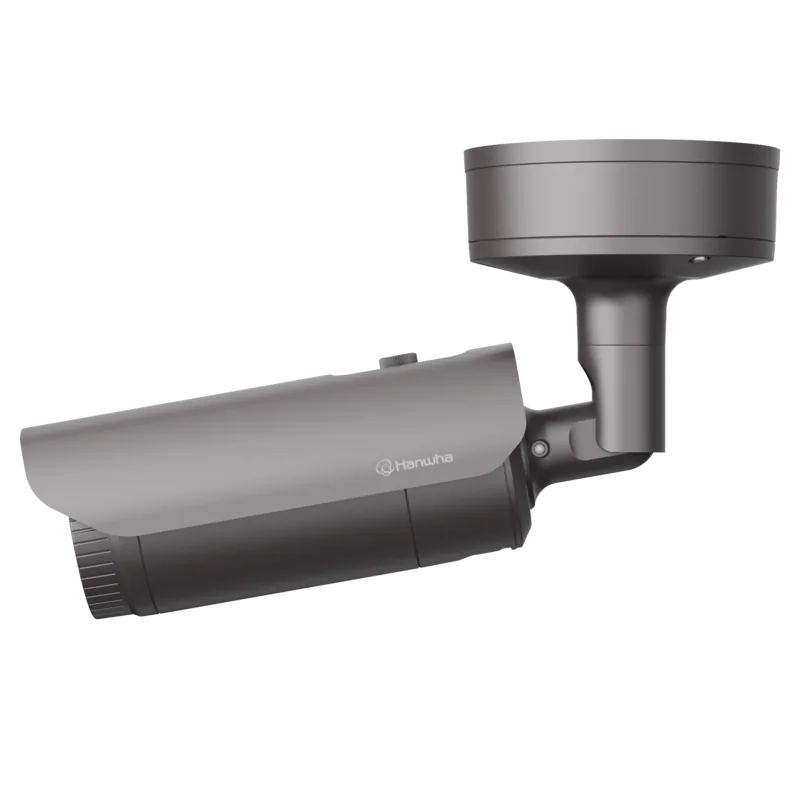
Hanwha XNV-6085 Manual
PDF manual · 79 Pages
English



Quick check
Incorrect answer, please try again.
Chat with your Hanwha XNV-6085 manual using AI
Get instant AI answers from your Hanwha XNV-6085 manual
Ask anything about the Hanwha XNV-6085. Answers come from this manual, with the pages they are based on.
Ask a Question
Do you recommend XNV-6085?
Yes NoFrequently Asked Questions
The camera is described as dustproof and waterproof with IP66/IP67 compliance, making it suitable for outdoor mounting. Installation guidance also notes that the external cable jack connected to the external cable is not covered by the full waterproof rating, so routing and protection (for example under eaves) matter.
Is this answer helpful?
Open a browser on a local PC and enter the camera IP address. The manual explains that the initial password is 4321 for IP setup, and the device commonly uses DHCP by default if a DHCP server exists. If DHCP is not available, the manual references using IP Installer to set a default IP such as 192.168.1.100.
Is this answer helpful?
The manual states that the initial administrator ID is admin, and you must set the password when logging in for the first time. It also recommends changing the password regularly (every three months) to protect personal information and reduce the risk of account compromise.
Is this answer helpful?
The camera supports Micro SD/SDHC/SDXC cards and can also use NAS. The manual recommends Micro SD capacity from 16GB to 256GB using high endurance (for example SanDisk/Transcend families). NAS guidance includes recommended capacity and notes limits on simultaneous camera accesses.
Is this answer helpful?
The manual includes audio and alarm I/O guidance. It describes how to connect audio/alarm cabling to the camera's ports and how to configure alarm input and alarm output usage. It also notes that the alarm out wiring must respect device voltage and current specifications.
Is this answer helpful?
Yes. The manual explains that plugin-free viewing can have lower performance and limits for high quality profiles and saved video playback. For best monitoring of high quality profiles and playback, it recommends using a plugin-based web viewer or SmartViewer depending on browser support.
Is this answer helpful?
The manual instructs you to disconnect power before inserting a Micro SD card, avoid forcing an upside-down card, and avoid handling during heavy rain or high humidity. It also recommends completing cover disassembly quickly to reduce internal dew condensation risk, and to set the device storage to Off before removal.
Is this answer helpful?
Advantages and Disadvantages
Advantages

- IP66/IP67 dustproof and waterproof construction for outdoor and rain exposure use
- 2MP class video with multi-streaming for flexible resolution and quality control
- Intelligent analytics including IVA, fog detection, face detection, and tampering detection
- Event actions support email, FTP, Micro SD, NAS, and alarm output signaling
- Web browser monitoring plus ONVIF Profile S compatibility for easier integration
Disadvantages

- Remote access requires correct network setup such as port forwarding and DDNS
- Plugin-free web viewer has performance and playback limits compared with plugin mode
- First login starts with default admin credentials that must be changed for security
- Outdoor cable waterproofing is installation dependent and can be a weak point if routed poorly
- Micro SD handling guidance is strict to avoid condensation risk and possible data loss
Product Specification
Type
Dome
Image Sensor
1/2" CMOS
Resolution
1920x1080 Pixels (60fps)
Lens
0.16-0.65 in (F0.94)
Light Sensitivity
0.004 Lux (Color), 0.0004 Lux (B/W)
Viewing Angle
26.2-100° (horizontal), 14.8-54° (vertical), 30-116° (diagonal)
Pan
-175° to 175°
Tilt
-73° to 73°
Zoom Function
4x optical, 24x digital
Compression/Codecs
MJPEG, H.264, H.265, G.711, G.726, AAC
Multistreaming
supported
Alarm
1x Alarm input, 1x Alarm output
Connections
1x Audio input (0.14 in jack), 1x Audio output (0.14 in jack), 1x USB 2.0 Micro-B (480Mb/s), 1x RCA Composite Out, 1x RJ-45 100Mb LAN
Data Storage
2x SD Card Slot (max. 512GB)
Power Supply
PoE (Type 1)
Protection Class
IP67, IK10, NEMA 4X
Housing
suitable for outdoor use
System Compatibility
ONVIF (Profile G, S), IPv6
Zone & Analysis Functions
Motion detection, Tampering detection, Sound detection, Face detection, Zone monitoring (Line crossing, Zone entry, Zone exit), Privacy zones
Product Description
Hanwha Techwin XNV-6085 and the Hanwha Techwin XNV-6085 Manual: Outdoor-ready network monitoring
Built for real-world deployments, the Hanwha Techwin XNV-6085 is a 2MP class network camera designed for secure, flexible surveillance. With an IP66/IP67 dustproof and waterproof construction, it is well-suited for outdoor mounting and for locations where weather exposure is a concern. The camera supports multi-streaming, letting you view and record in different resolutions and qualities at the same time, depending on bandwidth and monitoring needs.
From day one, setup is centered on browser-based monitoring. You can access live video through a web browser within your local network, and remote access is possible with proper IP and port configuration. The device is compatible with ONVIF Profile S and supports common network workflows such as static, DHCP, and PPPoE addressing, plus DDNS for easier remote connections.
For storage and event workflows, the XNV-6085 can use Micro SD/SDHC/SDXC cards and also supports NAS for centralized recording. It is recommended to use 16GB to 256GB high endurance Micro SD cards, and NAS deployments are designed for efficient access, with guidance that a single NAS unit can handle up to 16 camera accesses simultaneously. This helps teams scale without rethinking their recording approach each time a new camera is added.
A major strength is intelligent detection. The camera supports motion detection, tampering detection, defocus detection, fog detection, face detection, and IVA (Intelligent Video Analysis) rules. Audio and alarm handling are also built into the I/O capabilities, enabling workflows like alert triggering and audio-aware monitoring when configured.
Key results
- IP66/IP67 outdoor durability with installation guidance to reduce exposure risks
- 2MP multi-stream video plus adaptive codec tools for consistent performance
- Intelligent analytics including IVA, fog detection, face detection, and tampering detection
- Flexible recording using Micro SD/SDHC/SDXC (recommended 16GB-256GB) or NAS
- Browser-based live viewing and playback with optional plugin support
Pros
- Weather-protected housing rated IP66/IP67 for outdoor use
- Multi-streaming for simultaneous monitoring and recording
- Smart codec and adaptive streaming help maintain smoother viewing
- Rich detection suite (IVA, face detection, fog and tampering detection)
- Audio/alarm inputs and outputs support alert-driven scenarios
Cons
- Setup requires careful network configuration (ports, DHCP/PPPoE, DDNS)
- Plugin-free web viewing can be limited versus plugin-based performance
- Default credentials include an admin user that must be updated promptly
- Waterproofing depends on correct cable routing and use of proper cable bushes
- Micro SD insertion/ejection guidance is strict to avoid condensation or data issues
Notes for setup and use
- For first access, set a new administrator password and review encrypted session behavior in the web viewer.
- When using Micro SD, power off before removal and follow condensation-safe handling guidance.
- If you use remote access, confirm port forwarding and firewall behavior before testing.
Search for 67,706 Manuals online


Type-in Brand or Model