
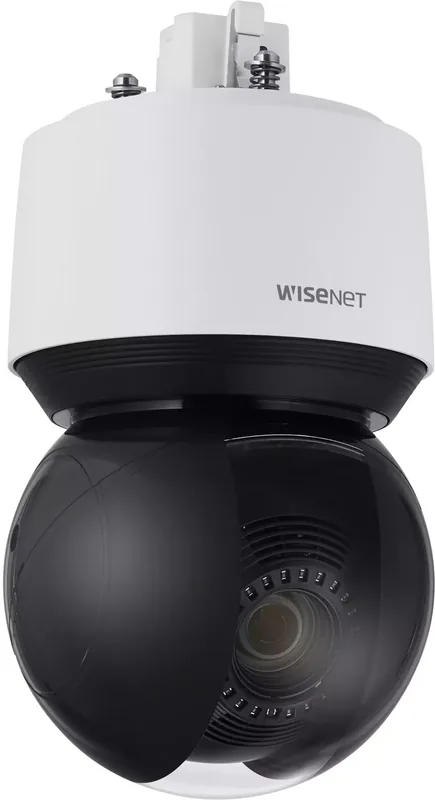
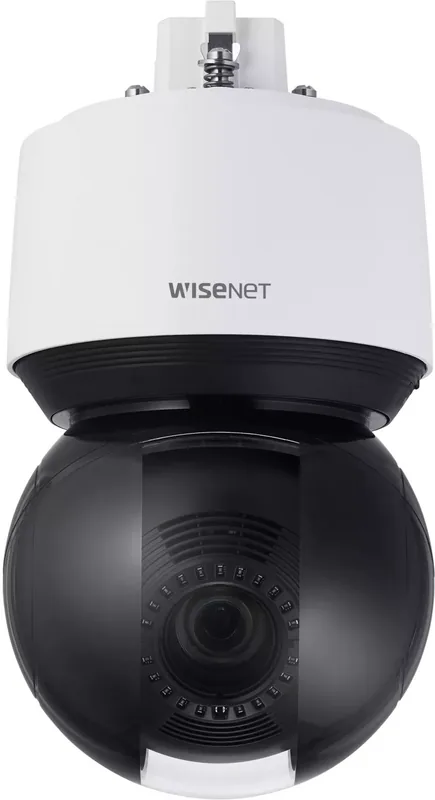
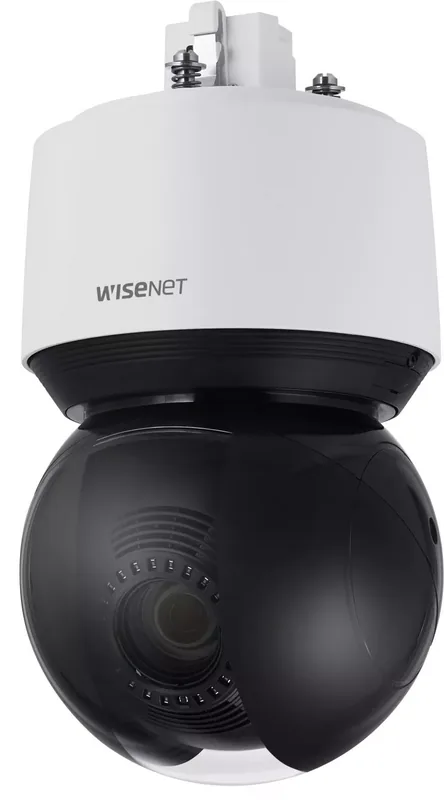
Hanwha XNP-8250R Manual
PDF manual · 28 Pages
English



Quick check
Incorrect answer, please try again.
Chat with your Hanwha XNP-8250R manual using AI
Get instant AI answers from your Hanwha XNP-8250R manual
Ask anything about the Hanwha XNP-8250R. Answers come from this manual, with the pages they are based on.
Ask a Question
Do you recommend XNP-8250R?
Yes NoFrequently Asked Questions
Yes, the device includes a heater that activates automatically when temperatures drop below specific thresholds, allowing operation in freezing conditions.
Is this answer helpful?
The camera supports dual Micro SD card slots, with each slot capable of accepting cards up to five hundred and twelve gigabytes of high endurance storage.
Is this answer helpful?
Press and hold the reset button for about five seconds to restore factory defaults, but be aware this will adjust network settings to DHCP.
Is this answer helpful?
Specific models support HPoE with a 55 Vdc injector or standard PoE plus with 53 Vdc. Ensure the power source matches the unit specifications.
Is this answer helpful?
Remote viewing is available via a web viewer on standard browsers, provided port forwarding is configured correctly on the connected router.
Is this answer helpful?
If the password is lost, you can press the reset button to initialize the product, but you will need to reconfigure network settings manually.
Is this answer helpful?
Basic mounting accessories like bushing clips and wrenches are included. Network I/O boxes and specific mounts are sold separately.
Is this answer helpful?
Advantages and Disadvantages
Advantages

- IP66 Weatherproof Rating
- Power Over Ethernet Support
- Dual Micro SD Storage Slots
- Internal Heater for Cold
- Web Viewer Remote Access
Disadvantages

- Infrared LED Safety Warning
- Default User Credentials Risk
- Specific HPoE Injector Needed
- Micro SD Card Format Limits
- Complex Port Forwarding Setup
Product Specification
Type
Dome
Image Sensor
1/2.8" CMOS
Resolution
3840x2160 Pixels (60fps)
Lens
5.0-125.0mm (F1.6-F3.73)
Sensitivity
0.1 Lux (Color), 0 Lux (IR)
Viewing Angle
2.7-57.4° (horizontal), 1.6-33.5° (vertical)
Pan
360° (Motorized)
Tilt
-20° to 90° (Motorized)
Zoom Function
25x optical, 32x digital
Compression/Codecs
MJPEG, H.264, H.265
Multistreaming
Supported
Connections
1x RJ-45 100Mb LAN
Data Storage
2x microSD Slot (max. 1TB)
Illumination
IR Illumination (656.17 ft)
Protection Class
IP66, IK10, NEMA 4X
Housing
Suitable for outdoor use
System Compatibility
ONVIF (Profile G, S, T), IPv6
Zones & Analysis Functions
Motion detection, Tamper detection, Sound detection, Face detection, Vandalism detection, Zone monitoring (Line crossing, Zone entry, Zone exit), Privacy zones, IR filter
Product Description
Comprehensive Protection with the Hanwha Techwin XNP-8250R
The Hanwha Techwin XNP-8250R is engineered for high-performance security applications requiring reliability in diverse weather conditions. Operating as a network capable device, it integrates seamlessly into existing surveillance infrastructures. The design prioritizes durability while maintaining high optical clarity for critical monitoring. Users relying on the Hanwha Techwin XNP-8250R Manual find instructions for setup that emphasize safety and efficiency. This camera model is part of a series known for robust Pan Tilt Zoom motors and advanced imaging sensors. It supports motion detection algorithms for analytics on the network.
Environmental Durability and Safety
The unit features an IP66 rating, ensuring protection against dust ingress and powerful water jets. This construction allows for outdoor placement without fear of environmental damage. Inside the casing, a heater ensures functionality even in freezing temperatures. However, infrared light exposure poses risks, so users must avoid staring directly at the operating lamp. Safety instructions dictate that the power supply must match specific voltage requirements for optimal operation. Using the incorrect power source could void the warranty provided for essential internal components like the slip ring. Also, users should protect the power cord from being pinched during installation to prevent fire hazards.
Power and Connectivity
Connectivity options include a network port supporting standard Ethernet cables or fiber optic modules via an SFP cage. Power is typically supplied through Power over Ethernet technology. Specific models require an HPoE injector for compatibility. For remote management, the web viewer allows configuration through standard browsers. Initial access requires navigating to the IP address. Setting up static IP addresses is recommended for stability, though DHCP is supported for ease of deployment. Port forwarding rules must be established on routers to enable remote internet access securely from any location. Network I/O boxes can be added for alarm integration.
Storage Solutions and Maintenance
Local recording capabilities are enhanced by dual Micro SD card slots. Each slot accepts high endurance cards up to five hundred and twelve gigabytes. This dual slot configuration provides redundancy and increased storage capacity for extended footage retention. If issues arise, the reset button restores default settings. Always format cards within the camera software before use to prevent compatibility errors. Regular firmware updates ensure new features are integrated and known vulnerabilities are patched effectively. The system supports event notification emails when configured correctly.
Final Thoughts
Installing this equipment requires attention to cable routing and sealing joints to prevent moisture entry. Proper mounting hardware prevents vibration and potential damage from wind. Adhering to these guidelines ensures long-term performance. The system integrates well with NAS devices for additional storage needs. Network administrators should configure access controls carefully to protect sensitive video feeds. Change default passwords regularly to prevent unauthorized access. This ensures security and compliance with recommended maintenance schedules for ongoing operations.
Search for 67,706 Manuals online


Type-in Brand or Model