
Hanwha XNP-6120H Manual
PDF manual · 75 Pages
English



Quick check
Incorrect answer, please try again.
Chat with your Hanwha XNP-6120H manual using AI
Get instant AI answers from your Hanwha XNP-6120H manual
Ask anything about the Hanwha XNP-6120H. Answers come from this manual, with the pages they are based on.
Ask a Question
Do you recommend XNP-6120H?
Yes NoFrequently Asked Questions
It is a PTZ network camera designed for flexible live monitoring, remote control, and advanced event detection. It is especially useful for outdoor security projects that need zoom, movement, and smart analytics.
Is this answer helpful?
Yes. The camera is built with an IP66-rated dustproof and waterproof design. Proper installation is still important, especially sealing cable connections and avoiding locations where water can enter exposed joints.
Is this answer helpful?
It supports micro SD storage and NAS recording, along with event-based saving options. You can also view playback through the web interface when storage is configured correctly.
Is this answer helpful?
Yes. The camera supports web browser viewing for live video, setup, and playback. Some browsers use a plug-in-free viewer, while others may support a plug-in-based mode for broader playback features.
Is this answer helpful?
The camera offers motion detection, tamper detection, audio detection, face detection, fog detection, intelligent video analysis, and disconnected network detection. These features help identify important events faster.
Is this answer helpful?
Set a strong administrator password, confirm network settings, and check the installation carefully. If using storage or PTZ functions, configure them through the setup menus before relying on the camera in daily use.
Is this answer helpful?
Advantages and Disadvantages
Advantages

- Weather-resistant IP66 design for outdoor surveillance.
- Full HD video with multi-stream and smart codec support.
- Rich analytics including motion, audio, face, and fog detection.
- PTZ controls, presets, tours, and tracing add flexible coverage.
Disadvantages

- Installation and wiring require careful attention to detail.
- Browser and plugin behavior can vary by operating system.
- Advanced setup may be complex for first-time users.
- Best results depend on proper storage, network, and password setup.
Product Specification
Type
Dome
Image Sensor
1/2.8" CMOS
Resolution
1920x1080 Pixel (60fps)
Lens
0.20-2.46in (F1.6-F3.0)
Light Sensitivity
0.03 Lux (Color), 0.003 Lux (B&W)
Viewing Angle
54.6° (horizontal), 32.2° (vertical)
Pan
360° (motorized)
Tilt
185° (motorized)
Zoom Function
12x optical, 32x digital
Compression/Codecs
MJPEG, H.264, H.265, G.711, G.726
Multistreaming
supported
Alarm
1x Alarm input, 1x Alarm output
Connections
1x Audio input, 1x Audio output, 1x USB 2.0 Micro-B (480Mb/s), 1x BNC, 1x RJ-45 100Mb LAN
Data Storage
2x SD Card-Slot
Power Supply
PoE (Type 1)
Protection Class
IP66, IK10
Housing
suitable for outdoor use
System Compatibility
ONVIF (Profile G, S), IPv6
Zone & Analysis Functions
Motion detection, Sound detection, Privacy zones
Product Description
Hanwha Techwin XNP-6120H: A Practical PTZ Camera for Serious Outdoor Coverage
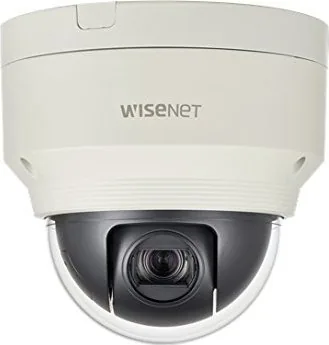
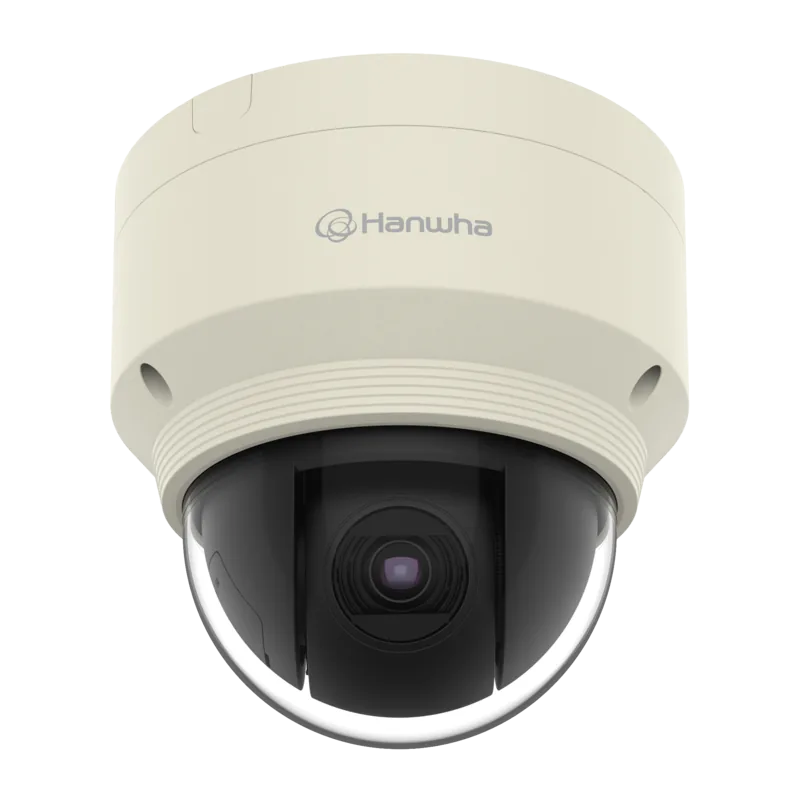
The Hanwha Techwin XNP-6120H is built for users who need flexible surveillance, dependable weather resistance, and strong remote management in one compact system. Designed as a network PTZ camera, it combines Full HD video, wide-ranging pan/tilt/zoom control, and smart analytics that help turn raw footage into useful security insight. For blogs covering modern security gear, the Hanwha Techwin XNP-6120H Manual highlights a camera that balances performance with careful installation and configuration.
One of its biggest strengths is versatility. The camera supports web browser-based viewing, multi-stream output, and a broad set of event features such as motion detection, tamper detection, audio detection, face detection, fog detection, and intelligent video analysis. That makes it suitable for parking lots, building entrances, business campuses, and other outdoor areas where activity changes quickly and visibility matters. The IP66-rated body also helps it stand up to rain and dust when installed correctly.
The setup experience is thorough rather than casual. Users can connect the camera through PoE or DC power, add storage with micro SD cards, and integrate it into NAS environments for longer recording retention. Network configuration options cover static IP, DHCP, PPPoE, DDNS, and port forwarding, which gives installers the control they need in both small and larger deployments. The web viewer adds live monitoring, playback, snapshots, recording, and PTZ operation directly from a browser.
Inside the camera, the configuration depth continues. Administrators can adjust video profiles, bitrate control, smart codec behavior, privacy zones, audio settings, exposure, white balance, backlight compensation, and PTZ presets. This makes the XNP-6120H more than a simple camera; it is a highly tunable security tool for teams that want precise behavior in different lighting and network conditions.
Still, this is not a device for plug-and-play users who want to skip the details. The manual emphasizes safe mounting, waterproofing of cable points, correct power use, password protection, and proper handling of storage media. In return, owners get a reliable surveillance platform that rewards careful installation with stable, professional-grade operation.
Notes:
- Change the default password during first login.
- Keep cable entries sealed when installing outdoors.
- Use suitable storage and network settings for best recording stability.
- PTZ presets and analytics work best after careful calibration.
Search for 67,706 Manuals online


Type-in Brand or Model