
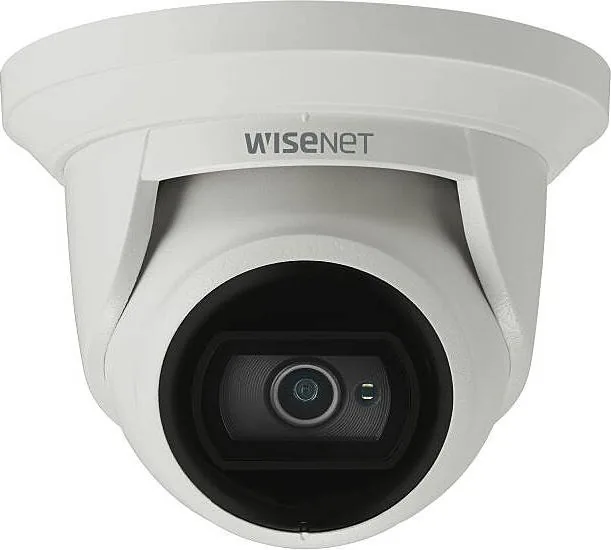
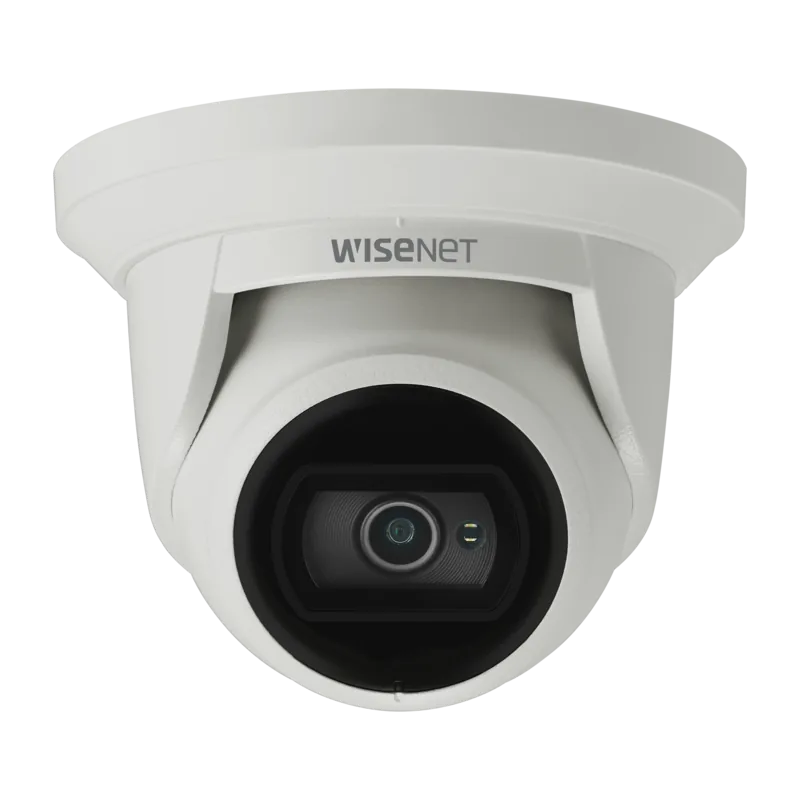
Hanwha QNE-8011R Manual
PDF manual · 34 Pages
English



Quick check
Incorrect answer, please try again.
Chat with your Hanwha QNE-8011R manual using AI
Get instant AI answers from your Hanwha QNE-8011R manual
Ask anything about the Hanwha QNE-8011R. Answers come from this manual, with the pages they are based on.
Ask a Question
Do you recommend QNE-8011R?
Yes NoFrequently Asked Questions
They share the same overall camera platform and capabilities, but differ by lens. QNE-8011R uses a fixed 2.8mm focal length, while QNE-8021R uses a fixed 4mm focal length. Choose based on how wide or how tight you want the coverage area.
Is this answer helpful?
The IR viewable length depends on the model. In the provided specifications, QNE-8011R lists IR viewable length up to 20m (65.62ft). The camera uses IR mode when the IR indicator turns on to help prevent over-bright scenes and improve near-distance identification.
Is this answer helpful?
Yes. The camera can trigger recordings to Micro SD/SDHC/SDXC or to a NAS when analytics or motion events occur. It can also send events via email or FTP based on your registered settings, and you can view and configure everything through the web viewer.
Is this answer helpful?
The camera is intended to use PoE with IEEE 802.3af. It is rated for PoE (48V) operation within the documented current limits. Use a proper PoE switch or router port to power the camera through the Ethernet cable.
Is this answer helpful?
Typically you set up DDNS and configure router port range forwarding so an external PC can reach the camera. The web viewer and IP Installer guide the process, including setting HTTP and VNP ports and verifying the DDNS URL works as intended.
Is this answer helpful?
Log in using the admin user and set a new password immediately. The document notes the initial administrator ID is admin and that you should change the password for security. You are also advised to update your password periodically to reduce the risk of information theft.
Is this answer helpful?
Advantages and Disadvantages
Advantages

- IP67 dustproof and waterproof design for dependable outdoor installation
- 5MP video with H.265/H.264 and multi-streaming for efficient, flexible monitoring
- IR mode for near-distance identification when lighting drops
- Event features include motion detection, tampering detection, and defocus detection
- Storage and alerts supported via Micro SD, NAS, email, and FTP
Disadvantages

- Fixed 2.8mm focal length limits lens flexibility for changing coverage needs
- Outdoor cable jack is not automatically IP67; RJ45 waterproof assembly and tape waterproofing are required
- Remote access setup may require port forwarding and DDNS configuration
- Micro SD handling requires care (power off, correct orientation, avoid frequent removal in high humidity)
- Remember password security requirements; improper password management can create risk
Product Specification
Type
Dome
Image Sensor
1/2.8" CMOS 5.0 MP
Resolution
2592x1944 Pixel (30fps)
Lens
0.11 in (F2.0)
Light Sensitivity
0.15 Lux (Color), 0 Lux (B/W), 0 Lux (IR)
Viewing Angle
104.4° (horizontal), 76.7° (vertical), 136.1° (diagonal)
Pan
350°
Tilt
75°
Compression/Codecs
MJPEG, H.264, H.265
Multistreaming
supported
Connections
1x RJ-45 100Mb LAN
Data Storage
1x microSD-Slot (max. 128GB)
Illumination
IR Illumination (65.62 ft)
Power Supply
PoE (Type 1)
Protection Class
IP67, IK10
Housing
suitable for outdoor use
System Compatibility
ONVIF (Profile G, S, T), IPv6
Zone & Analysis Functions
Motion detection, Tamper detection, Zone monitoring (Line crossing, Zone entry, Zone exit), Privacy zones, IR filter
Product Description
Hanwha Techwin QNE-8011R 2.8mm Manual - Smart 5MP Outdoor Network Security Camera
If you are setting up a reliable surveillance system, the Hanwha Techwin QNE-8011R 2.8mm Manual helps you get the most from a compact 5MP network camera designed for real-world installation. This model uses a fixed 2.8mm lens and is built for versatile monitoring, from everyday perimeter coverage to event-driven alerts.
Built for demanding environments
The QNE-8011R is rated IP67 for dustproof and waterproof performance, making it suitable for outdoor mounting. It also supports IR mode, automatically switching when needed so you can identify activity at night. With pan, tilt, and lens rotation ranges that enable fine adjustment, you can aim the camera precisely during installation.
Clear video and flexible recording
On the inside, the camera supports 5 megapixel imaging and multi-streaming, allowing simultaneous delivery in different resolutions and qualities. Compression options include H.265 and H.264 for efficient bandwidth and storage, plus MJPEG when required. For recording, you can use event-triggered storage to a Micro SD card or NAS, and the camera can also upload or notify via email/FTP when motion or analytics events occur.
Smart analytics and network connectivity
The camera includes motion detection plus advanced analytics such as tampering detection and defocus detection, helping reduce false surprises from obscured lenses or monitoring interference. Network setup is handled through the built-in web viewer and the IP Installer tool, with support for IPv4/IPv6, HTTPS, ONVIF Profile S and G, and secure authentication.
Top results you can expect
- IP67-rated outdoor durability with IR night monitoring for consistent coverage
- 5MP imaging with H.265/H.264 support and multi-streaming for flexible viewing
- Event-based recordings to Micro SD, NAS, email, or FTP based on analytics
- Strong aiming control (pan/tilt/rotation) for better coverage alignment
Notes for safe installation
- Change the initial admin password after first login and protect it carefully.
- Use PoE (IEEE 802.3af) and a proper network cable (10/100BASE-T, Category 5e, up to 100m).
- Follow outdoor waterproofing guidance for the RJ45 waterproof accessory and cable gaps.
- For security, verify HTTPS image encryption when accessing the web viewer.
Search for 67,706 Manuals online


Type-in Brand or Model