
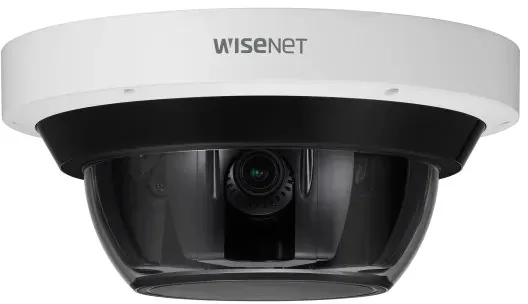

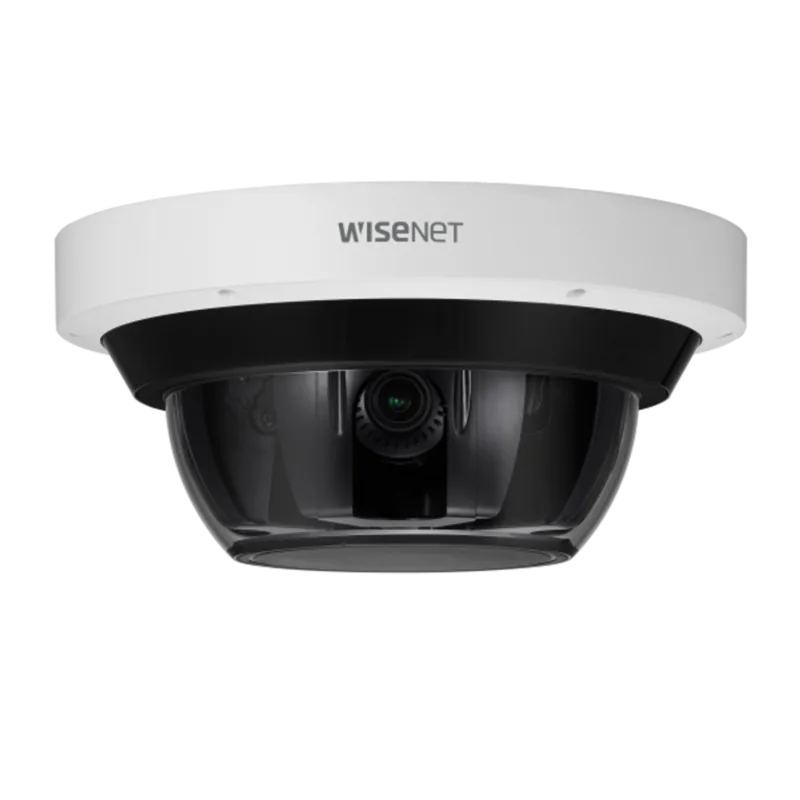
Hanwha PNM-9085RQZ1 Manual
PDF manual · 38 Pages
English



Quick check
Incorrect answer, please try again.
Chat with your Hanwha PNM-9085RQZ1 manual using AI
Get instant AI answers from your Hanwha PNM-9085RQZ1 manual
Ask anything about the Hanwha PNM-9085RQZ1. Answers come from this manual, with the pages they are based on.
Ask a Question
Do you recommend PNM-9085RQZ1?
Yes NoFrequently Asked Questions
Yes, the unit is designed for outdoor use with an IP66 rating which provides protection against dust and water ingress.
Is this answer helpful?
You can set the IP address using the Device Manager program or configure it directly through the Web Viewer interface settings.
Is this answer helpful?
The camera supports Micro SD memory cards with a recommended capacity ranging from 16GB up to 256GB.
Is this answer helpful?
Press and hold the reset button for about 5 seconds to reboot the system and restore all settings to factory defaults.
Is this answer helpful?
Yes, it includes dedicated ports for connecting a microphone for audio input and speakers for audio output or alarm output.
Is this answer helpful?
Remote access is possible using a DDNS URL or by setting up port forwarding on your broadband router to allow external connections.
Is this answer helpful?
The camera requires a 12V DC power supply or can be powered via Ethernet using HPoE compatible injectors or routers.
Is this answer helpful?
Advantages and Disadvantages
Advantages

- Supports Power over Ethernet and HPoE for simplified installation
- IP66 waterproof rating protects against harsh weather conditions
- Remote access via web viewer and DDNS services
- Built-in motion detection and email notification features
- Supports Micro SD card storage up to 256GB capacity
Disadvantages

- Requires specific power adapter settings for DC operation
- Lens must not be adjusted manually to avoid damage
- Password reset requires physical access to device
- Waterproofing external cables is critical for longevity
- Browser compatibility varies for web viewer access
Product Specification
Type
Dome
Image Sensor
1/1.8" CMOS
Resolution
2560x1920 Pixel (30fps)
Lens
0.16-0.37 in (F1.92-F2.67)
Light Sensitivity
0.11 Lux (Color), 0 Lux (IR)
Viewing Angle
37.3-87.6° (horizontal), 28-64.6° (vertical), 47-112.5° (diagonal)
Pan
0° to 360° (Motorized)
Tilt
35° to 80° (Motorized)
Zoom Function
2.3x Optical
Compression/Codecs
MJPEG, H.264, H.265, G.711, G.726, AAC
Multistreaming
Supported
Alarm
1x Alarm Input, 1x Alarm Output
Connections
1x RJ-45 1Gb LAN
Data Storage
4x microSD-Slot (max. 256GB)
Illumination
IR Lighting (98.43 ft)
Power Supply
PoE (Type 1)
Protection Rating
IP66, IK10, NEMA 4X
Housing
Suitable for Outdoor Use
System Compatibility
ONVIF (Profile S, T), IPv6
Zone & Analysis Functions
Motion Detection, Sound Detection, Face Detection, Zone Monitoring (Line Crossing, Zone Entry, Zone Exit), Privacy Zones, IR Filter
Product Description
Hanwha Techwin PNM-9085RQZ1 Overview
The Hanwha Techwin PNM-9085RQZ1 stands out as a premier network camera designed for high-security environments where reliability is paramount. This device integrates advanced imaging capabilities with robust construction to handle challenging outdoor conditions. Users seeking comprehensive surveillance solutions will find this model aligns well with commercial and industrial monitoring needs. It supports multiple power delivery methods ensuring flexibility during deployment across various network infrastructures. The system is built to withstand harsh weather while maintaining clear visual transmission capabilities day and night.
Installation and Durability
Constructed with an IP66 rating, this camera offers significant protection against water and dust ingress. Proper installation requires mounting surfaces capable of supporting the weight safely without risk of tipping. The enclosure allows access for SD card insertion and cable management while maintaining weather resistance. Installers should avoid exposing internal components during extreme humidity or heavy rain conditions to prevent condensation issues. Cleaning the surface requires a soft dry cloth to prevent damage to the lens or housing materials. Adhering to specific installation guidelines prevents mechanical stress on the unit and ensures optical clarity for extended periods.
Networking and Connectivity
Seamless integration into existing networks is facilitated through Power over Ethernet or standard DC power options. The web viewer interface allows administrators to configure settings remotely without specialized software on every device. Advanced network features support static IP configurations or dynamic address assignment through DHCP servers. Remote access capabilities are enabled via DDNS services or port forwarding settings on routers. This setup permits viewing live feeds from diverse locations securely over the internet. Audio alarms can also be integrated for two-way communication or triggered alert systems within the premises.
Security and Maintenance
Protecting your surveillance data involves setting strong passwords upon initial login to secure access rights. The system includes features for motion detection and event notifications through email alerts for immediate awareness. Regular updates and correct memory card formatting maintain optimal recording performance and prevent data loss issues. Reset procedures exist should configuration errors occur during setup requiring a return to factory defaults. Users should consult the Hanwha Techwin PNM-9085RQZ1 Manual for detailed procedural steps regarding these maintenance tasks. Ongoing attention to safety instructions ensures the hardware operates efficiently for years without service interruptions.
Troubleshooting
Common issues often relate to network connectivity or power supply configuration errors. If video fails to appear, verify cable connections and ensure the correct IP settings are applied. Device Manager software assists in locating cameras within the local network automatically. Water leakage at cable entries suggests waterproofing tape application is necessary on external wiring. Firmware compatibility with browser versions impacts web viewer functionality significantly. Always check for supported operating systems before attempting installation processes.
Search for 67,706 Manuals online


Type-in Brand or Model