
Hanwha HCD-6070R Manual
PDF manual · 44 Pages
English



Quick check
Incorrect answer, please try again.
Chat with your Hanwha HCD-6070R manual using AI
Get instant AI answers from your Hanwha HCD-6070R manual
Ask anything about the Hanwha HCD-6070R. Answers come from this manual, with the pages they are based on.
Ask a Question
Do you recommend HCD-6070R?
Yes NoFrequently Asked Questions
The camera supports AHD, TVI, CVI, and CVBS video output formats to ensure compatibility with various recording devices and existing systems.
Is this answer helpful?
Press the setup switch inside the dome cover to access the menu. Select the video format option and choose the desired mode for your DVR system.
Is this answer helpful?
The device provides a color sensitivity of 0.11Lux with F1.6 aperture and 1/30 second shutter speed.
Is this answer helpful?
Yes, the unit is designed with IP66 protection against dust and water jets for safe outdoor installation.
Is this answer helpful?
Yes, you can configure up to 8 privacy zones in the menu to mask sensitive areas on the screen display.
Is this answer helpful?
The camera accepts dual voltage input of 12VDC or 24VAC. Always use the specified standard adapter.
Is this answer helpful?
Adjust the shutter speed in the exposure menu or use the AFLK setting to sync with light frequency.
Is this answer helpful?
Advantages and Disadvantages
Advantages

- High resolution 2.1 mega pixel CMOS sensor delivers clear 1080p video.
- Supports multiple coax protocols including AHD, CVI, TVI, and CVBS.
- Excellent low light sensitivity with 0.11Lux color and 0Lux B/W.
- Built-in Wide Dynamic Range for balanced lighting in contrast scenes.
- Dual voltage input supports 12VDC and 24VAC for flexibility.
Disadvantages

- Manual adjustment of lens focus is required after installation.
- Coaxial communication may have distance limitations depending on cable type.
- Menu navigation requires use of physical buttons inside the dome.
- Motion detection errors can occur with similar brightness objects.
- Voltage drop across long cables may affect camera performance.
Product Specification
Type
Dome
Image Sensor
1/2.8" CMOS
Resolution
1920x1080 Pixels (30fps)
Lens
3.2-10.0mm (F1.6)
Light Sensitivity
0.11 Lux (Color), 0 Lux (B/W)
Viewing Angle
32-110.2° (horizontal), 18-55.4° (vertical), 36.6-128.1° (diagonal)
Pan
0° to 350°
Tilt
0° to 67°
Zoom Function
3.1x Optical, 24x Digital
Compression/Codecs
MJPEG, H.264, H.265
Multistreaming
Supported
Alarm
1x Alarm Input, 1x Alarm Output
Ports
1x Audio Input, 1x Audio Output, 1x USB 2.0 Micro-B (480Mb/s), 1x BNC, 1x RJ-45 100Mb LAN
Data Storage
2x SD Card Slot
Illumination
IR Illumination (65.62 ft)
Power Supply
PoE (Type 1)
Protection Rating
IK08
System Compatibility
ONVIF (Profile G, S), IPv6
Zone & Analysis Functions
Motion Detection, Privacy Zones, IR Filter
Product Description
Hanwha Techwin HCD-6070R Surveillance Solutions
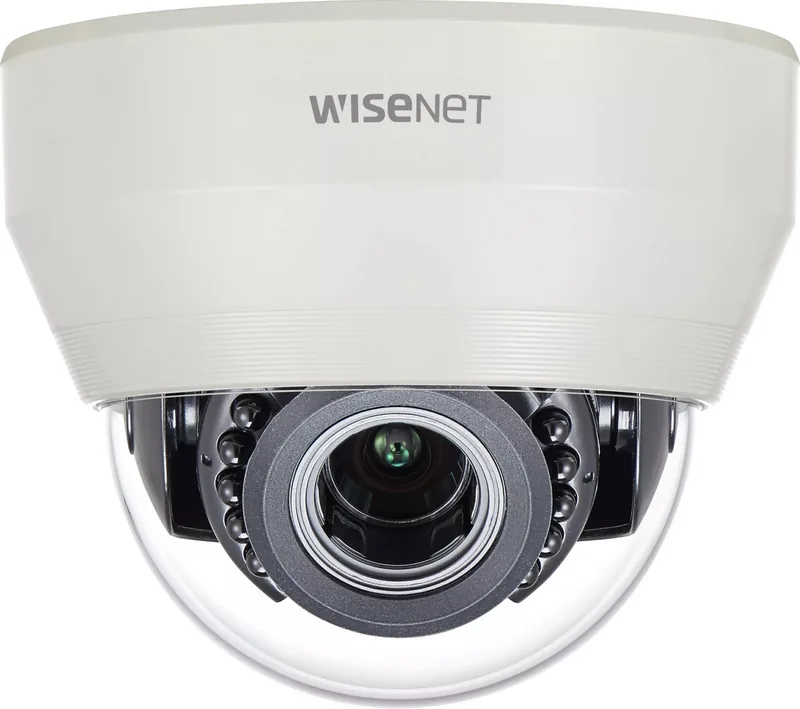
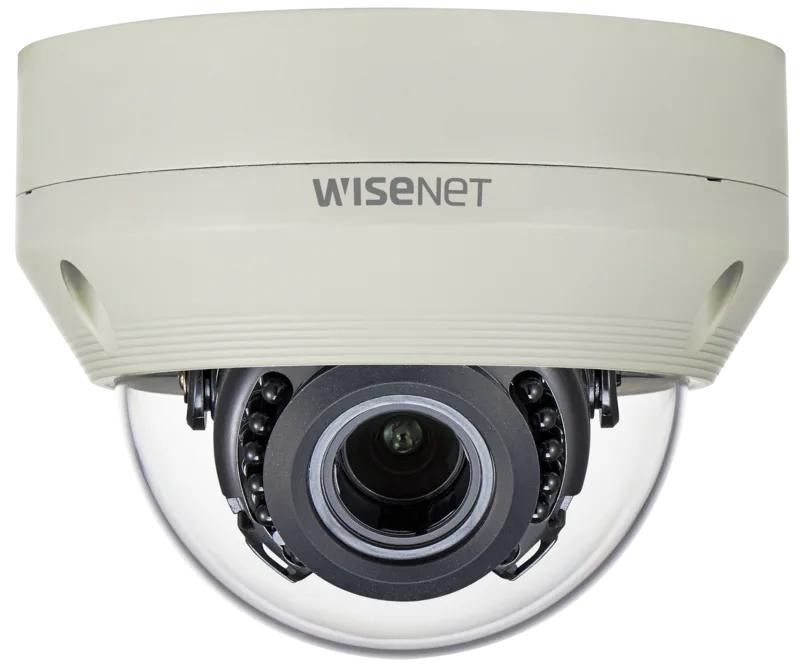
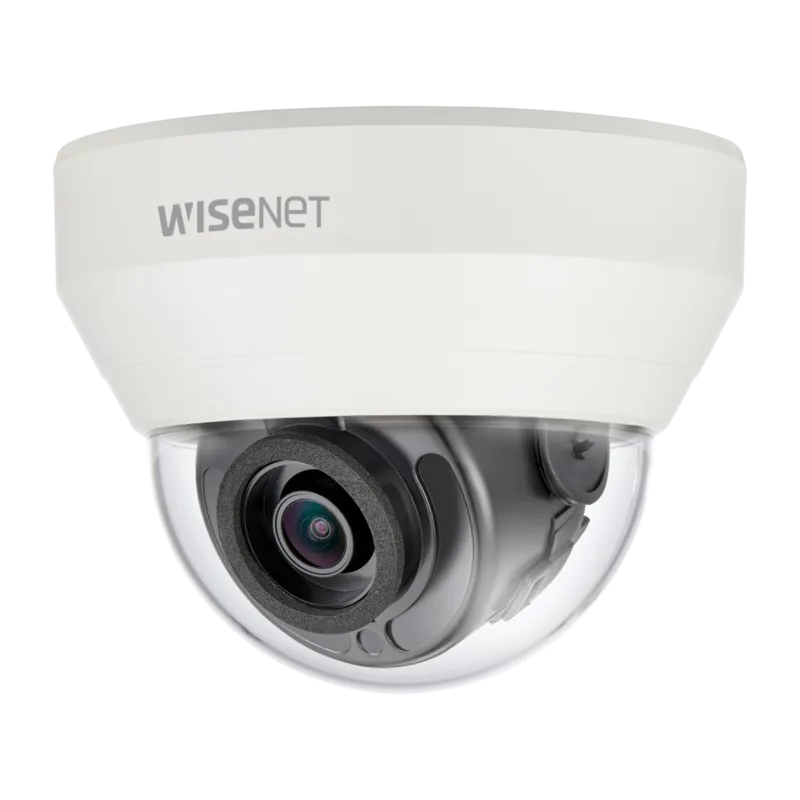
The Hanwha Techwin HCD-6070R stands out among surveillance devices with versatile design options. Whether you choose a plastic dome version or the vandal resistant aluminum model, core technology remains high quality for security. This device features a 2.1 mega pixel CMOS sensor delivering clear pictures with resolution 1920x1080. Users benefit from excellent sensitivity allowing color viewing in low light conditions down to 0.11Lux. The unit supports Auto Day and Night functionality automatically.
Essential Security Features
High performance DSP Chip removes noise results from gain. This allows for vivid high definition video even in dark environments. The camera adopts WDR technology to deliver clear quality pictures even in backlight situations. High Light Compensation and Privacy functions are included for better control. Multiple communication protocols are available including AHD, CVBS, TVI, and CVI. This ensures compatibility with various recorders without complex upgrades. The varifocal lens allows for flexible focal lengths.
Installation and Operation Guide
Installing the camera requires careful attention to mounting surfaces. The unit must be securely attached to the wall or ceiling. Before operating, confirm the model and input power voltage carefully. Adjusting the monitoring direction involves panning, tilting, and rotating the lens. The menu configuration allows users to set profiles like Basic or Indoor modes. White balance can be adjusted via ATW or Manual mode for accuracy. Ensure you read all safety instructions provided.
Safety and Maintenance Guidelines
Safety is a priority during use every single day. Do not expose this appliance to rain or moisture directly. Avoid installing in humid or dusty locations at all times. When cleaning use a dry cloth and do not spray water directly onto parts. Keep out of direct sunlight sources. If any unusual smells occur stop using the product immediately. Ensure the mains plug is readily operable as a disconnect device for safety.
Configuration Details and Menu Setup
Setting up the video output involves pressing specific buttons to switch modes. This flexibility ensures compatibility with existing recorders easily for most users. Coaxial communication protocols make wiring simpler in legacy systems. Motion detection signals output through dedicated terminals for alert systems. Privacy masks allow hiding sensitive areas on screen completely. The defog mode helps in poor visibility conditions automatically or manually for the user.
Maintenance and Support Requirements
Maintenance requires keeping the lens clean for optimal performance daily. Stains or dirt can impact the video quality significantly over time. Ensure secure plugs on power cords to avoid fire hazards. Do not install near heat sources like radiators in any room. The system operates within a specific temperature range limits. Exceeding limits may damage electronics permanently and void warranty. Always use the standard adapter specified by the manufacturer.
Troubleshooting and Product Conclusion
Troubleshooting is supported with specific guidelines for screen issues listed. If nothing appears check connections first. If the image is dim clean the lens gently. Flickering might mean pointing at the sun directly outside. Always refer to official safety instructions before modification or repair work. The product is intended for qualified technicians handling it properly.
Search for 67,706 Manuals online


Type-in Brand or Model