
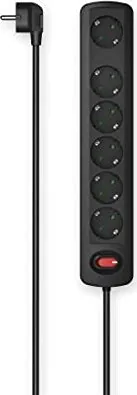
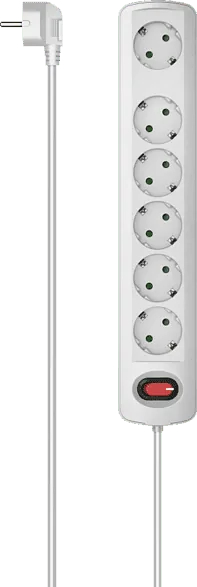
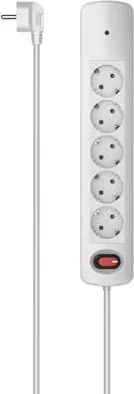
Hama Wall-Mount Power Strip with Switch and Surge Protection Manual
PDF manual · 38 Pages
English



Quick check
Incorrect answer, please try again.
Chat with your Hama Wall-Mount Power Strip with Switch and Surge Protection manual using AI
Get instant AI answers from your Hama Wall-Mount Power Strip with Switch and Surge Protection manual
Ask anything about the Hama Wall-Mount Power Strip with Switch and Surge Protection. Answers come from this manual, with the pages they are based on.
Ask a Question
Do you recommend Wall-Mount Power Strip with Switch and Surge Protection?
Yes NoDo you recommend Wall-Mount Power Strip with Switch and Surge Protection?
Yes NoFrequently Asked Questions
It is designed to protect connected equipment from mains-related voltage surges caused by switching operations or distant lightning strikes. It is especially relevant for computers, telephone systems, and audio, video, or satellite equipment. It is not a substitute for protection against a direct lightning strike.
Is this answer helpful?
When the strip is ready for use, the surge-protection indicator light should illuminate. If it does not light after the strip is switched on, the surge protector is considered faulty. Stop using the strip and replace it with a new surge-protected unit.
Is this answer helpful?
The stated maximum connected load is 3,680 W, with a mains rating of 250 V and 16 A. Add the power requirements of all connected devices and ensure the total does not exceed this limit.
Is this answer helpful?
No. It should be connected directly to a properly installed, grounded mains wall socket with a 16 A fuse. Do not use it with extension cables, adapters, tabletop sockets, or another power strip connected in series.
Is this answer helpful?
No. It is intended for indoor use in dry environments only. Avoid humidity, water splashes, overheating, direct sunlight, and placement near radiators or other heat sources.
Is this answer helpful?
Disconnect it from mains power before cleaning. Wipe it only with a lightly damp, lint-free cloth. Do not use aggressive cleaning products, and make sure no water enters the strip.
Is this answer helpful?
Advantages and Disadvantages
Advantages

- Integrated Type III surge protection helps guard connected electronics against switching surges and distant lightning effects.
- A power switch offers a convenient way to disconnect connected devices when they are not in use.
- The surge-status indicator helps users identify whether the protection function is ready.
- Supports up to 3,680 W at 250 V and 16 A, suitable for many household electronics within the total load limit.
- Wall mounting can help create a neater, more accessible installation and reduce cable clutter.
Disadvantages

- It does not provide complete protection against direct lightning strikes; building-level protection is also required.
- It is for dry indoor use only and must be kept away from moisture, heat, and splashing water.
- It must not be daisy-chained with other power strips or connected through extension leads or adapters.
- The protection function must be treated as failed if the indicator light does not illuminate after switch-on.
- Total power consumption of all connected devices must remain below the stated 3,680 W maximum.
Product Specification
Input
1x Schuko
Input voltage
250 V
Additional connections
N/A
Material
Plastic
Cable length
4.92 ft
Special features
45-degree arrangement, 1x safety switch (red illuminated), wall mounting, surge protection
Product Description
Hama Power Strip with Switch, Wall Mounting, Surge Protection - Read, Download & Print Free
The Hama Power Strip with Switch, Wall Mounting, Surge Protection brings practical power distribution and an added layer of electrical protection to a home office, media setup, or everyday workspace. Designed for indoor private use, it helps organize several compatible devices from one accessible point while supporting careful, tidy cable management.
A key feature is the integrated Type III surge protector. It is designed to respond to mains-related voltage surges caused by switching operations or distant lightning activity, helping protect valuable computers, telephone systems, audio equipment, video devices, and satellite hardware. Its stated technical values include a total discharge current of 18,000 A, making it a useful component of a broader protection strategy. Direct lightning strikes require additional building-level protection.
The built-in switch provides a simple way to disconnect connected equipment from power when it is not needed. This can be convenient at the end of the day or before an extended absence. A surge-protection indicator light shows whether the protection function is ready. If the light does not illuminate after switching on, the strip should be replaced rather than used.
With a maximum connected load of 3,680 W and a 250 V, 16 A mains rating, this Hama strip is suited to common household electronics when total consumption remains within the permitted limit. Connect devices only while they are switched off, and use a properly installed, grounded wall socket protected by a 16 A fuse. The strip must not be connected to extension leads, adapters, tabletop sockets, or another power strip in series.
Wall mounting can support a cleaner installation where a fixed, reachable power point is preferred. Keep cables routed safely to avoid trip hazards, avoid crushing or bending them, and position the strip away from moisture, heat sources, direct sunlight, and splashing water. For cleaning, disconnect it from mains power and use only a lightly damp, lint-free cloth.
Notes
- Use indoors in dry, moderate conditions only.
- Check the type plate for the applicable limits before connecting equipment.
- Stop using the strip immediately if it is visibly damaged.
- Keep electrical products and packaging away from children.
Search for 67,732 Manuals online


Type-in Brand or Model