Chat with your Hama USB-C Multiport Adapter manual using AI
Get instant AI answers from your Hama USB-C Multiport Adapter manual
Ask anything about the Hama USB-C Multiport Adapter. Answers come from this manual, with the pages they are based on.
Ask a Question
0/1000
Do you recommend USB-C Multiport Adapter?
YesNo
0
Carole Bennett
5 months ago
Does this docking station support connecting multiple external monitors to a MacBook, and does it allow extending the display across all screens?
0
Manual.ly
5 months ago
Yes, the Hama USB-C Docking Station supports connecting up to three additional external monitors. However, please note that for MacBook users, only one of these external displays can function as an extended desktop; the other two will mirror the laptop's built-in screen unless your specific Mac model supports MST (Multi-Stream Transport). Additionally, while the station is compatible with both Windows and macOS, some users have reported color accuracy differences when mirroring from iPads compared to laptops.
M: QW-35-FL
M: QW-35-FL
0
Thomas Weber
6 months ago
Is the price justified given the high quality, or are there better alternatives available?
M: QW-35-FL
Frequently Asked
Questions
A
No, the Hama USB-C Multiport Adapter is designed for plug-and-play usage. Your computer will automatically recognize the device upon connection without needing to install any additional drivers.
Is this answer helpful?
A
Yes, but only if your computer and operating system support Multi-Stream Transport (MST). You must also use passive HDMI or DisplayPort cables for this feature to work correctly.
Is this answer helpful?
A
The adapter supports Power Delivery with a maximum output of 100W (5-20V at 5A), allowing you to charge compatible laptops while using the other ports.
Is this answer helpful?
A
No, the product is strictly intended for indoor use. It should be protected from moisture, dust, and direct sunlight to prevent damage.
Is this answer helpful?
A
If you experience interference or the device becomes unresponsive, simply unplug it, wait a few seconds, and plug it back in to reset the connection.
Is this answer helpful?
A
For standard video output, regular HDMI cables work fine. However, for MST (multiple independent screens), you must use passive cables without signal converters.
Is this answer helpful?
M: QW-35-FL
Advantagesand
Disadvantages
Advantages
Supports high-resolution video output up to 4K at 60Hz on multiple monitors
Enables fast data transfer speeds with USB 3.2 Gen2 technology
Includes Power Delivery charging capability of up to 100W for laptops
Features a built-in Gigabit Ethernet port for stable wired internet
Plug-and-play operation requires no driver installation
VS
Disadvantages
Requires a host device with specific DisplayPort Alt Mode or Thunderbolt support
MST functionality depends heavily on the graphics card and OS compatibility
Passive cables are required for MST to function correctly
Total current draw must not exceed the source port's capacity
Intended for indoor use only and sensitive to moisture or extreme heat
M: QW-35-FL
Product
Specification
Type
LAN adapter, USB hub, video adapter
Form factor
1x external wired (cable not detachable)
Connection
1x USB-C 3.1 (connector via cable, 10Gb/s, USB-C with DisplayPort 1.4, USB PD max. 20V/5A/100W, 16 inch cable length)
Power also via connection, mains connection (1x USB-C female USB PD max. 20V/5A/60W, pass-through 100W), external power supply possible but not included
Case color
gray
Compatibility
universal
Manufacturer warranty
ten years
USB spelling
Link
Note
Maximum simultaneous monitors: 3 (max. 3x 3840x2160@30Hz)
M: QW-35-FL
Product
Description
Hama USB-C Multiport Adapter: The Ultimate Connectivity Solution
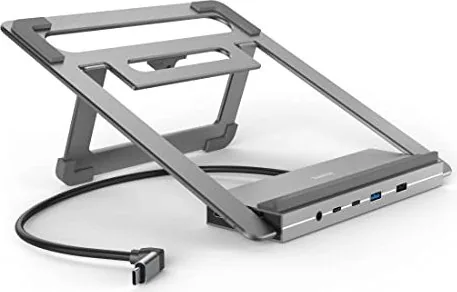
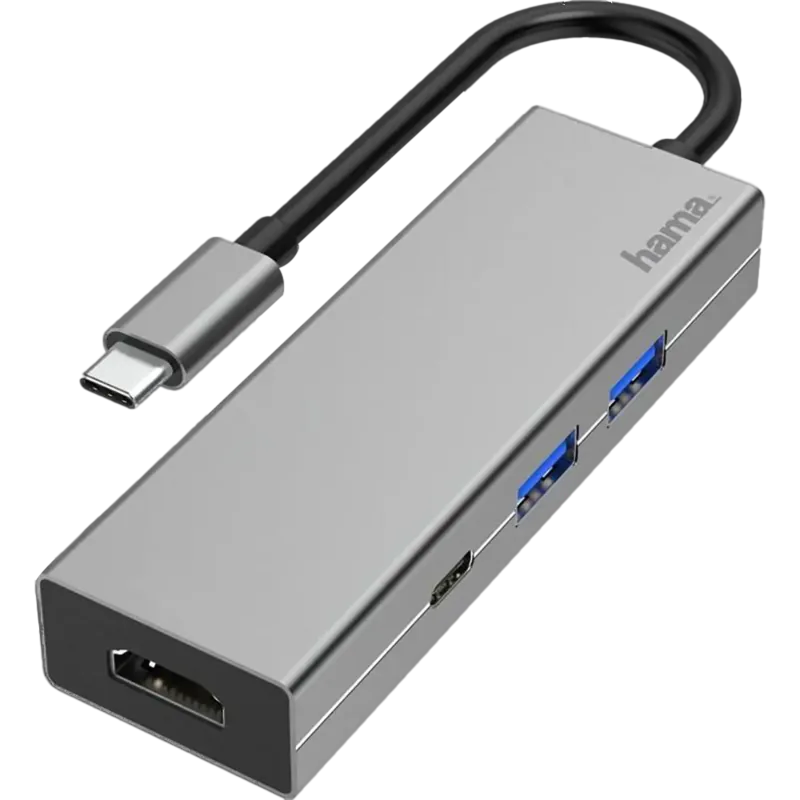
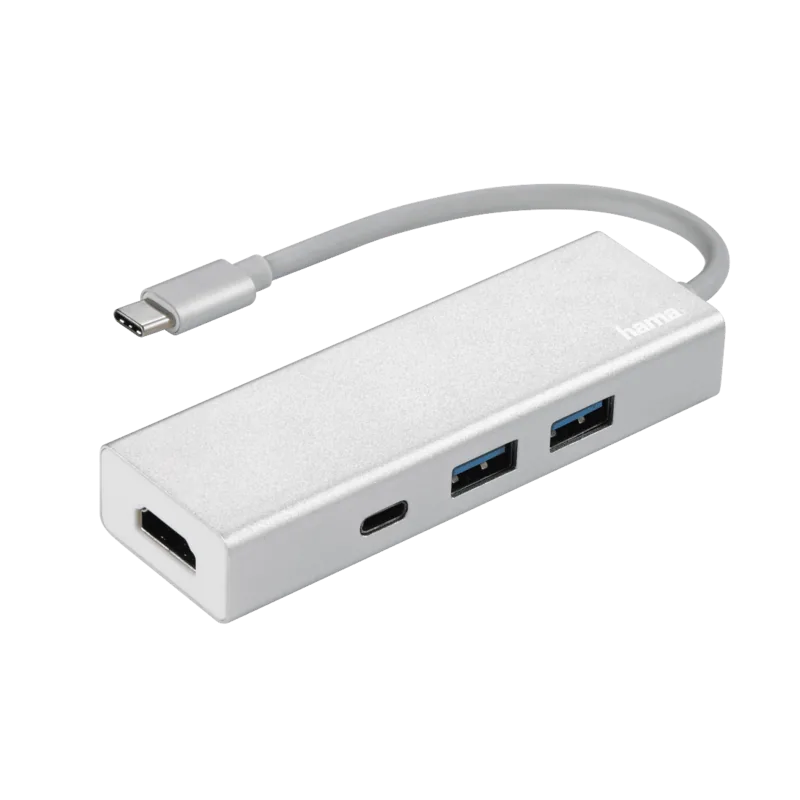
In today's fast-paced digital environment, expanding the connectivity of your laptop is essential for maximizing productivity. The Hama USB-C Multiport Adapter serves as a robust docking station designed to transform a single USB-C port into a comprehensive hub of functionality. This device is particularly ideal for professionals using modern ultrabooks or laptops that lack legacy ports, offering a seamless bridge between your computer and a wide array of peripherals.
The adapter features a sleek design that prioritizes performance without compromising on space. By connecting this unit to your computer via a USB-C 3.1 cable, you instantly gain access to multiple high-speed data transfer ports, video output capabilities, and power delivery options. It supports USB 3.2 Gen2 specifications, ensuring rapid file transfers up to 10 Gbps. Whether you need to connect external hard drives, printers, or other USB devices, this hub handles them with ease while maintaining stable connections.
One of the standout features of this multiport adapter is its advanced video support. It includes dual HDMI ports and a DisplayPort, allowing users to connect multiple monitors simultaneously. This is perfect for creating an efficient dual-screen or triple-screen workspace, which significantly boosts workflow efficiency. The device supports resolutions up to 3840x2160 at 60Hz, providing crystal-clear visuals for presentations, graphic design work, or entertainment. Additionally, it includes an Ethernet port for reliable wired internet connections, eliminating the frustration of unstable Wi-Fi signals during critical tasks.
Power management is another critical aspect addressed by this product. The integrated USB-C Power Delivery (PD) function allows the adapter to charge your laptop while powering connected peripherals. With a maximum output of 100W (5-20V max 5A), it ensures your device stays charged even under heavy usage. The setup process is incredibly straightforward; simply plug the adapter into your computer, and the operating system will automatically recognize it without requiring any driver installations. This plug-and-play functionality makes it accessible for users across various platforms, including Windows and macOS.
Safety and durability are paramount in the design of the Hama USB-C Multiport Adapter. The unit is built to withstand daily use while adhering to strict safety guidelines. It is intended for indoor use only and should be kept away from moisture, extreme heat, and direct sunlight. Users are advised to ensure that the total current draw of all connected devices does not exceed the port's capacity to prevent overheating or damage. Proper handling and adherence to these operational notes will extend the lifespan of the device and ensure optimal performance.
Key Notes for Optimal Performance
To get the most out of your Hama USB-C Multiport Adapter, keep the following points in mind. First, verify that your host device supports DisplayPort Alternate Mode or Thunderbolt 3/4 if you plan to use video outputs. Second, for Multi-Stream Transport (MST) functionality which enables multiple independent displays, ensure you use passive HDMI or DisplayPort cables rather than active converters. Finally, always check your computer's USB port current limits before connecting multiple power-hungry devices to avoid overloading the system.




Carole Bennett
5 months ago
Does this docking station support connecting multiple external monitors to a MacBook, and does it allow extending the display across all screens?
Manual.ly
5 months ago
Yes, the Hama USB-C Docking Station supports connecting up to three additional external monitors. However, please note that for MacBook users, only one of these external displays can function as an extended desktop; the other two will mirror the laptop's built-in screen unless your specific Mac model supports MST (Multi-Stream Transport). Additionally, while the station is compatible with both Windows and macOS, some users have reported color accuracy differences when mirroring from iPads compared to laptops.