
Hama uRage Reaper Essential V1 Manual
PDF manual · 8 Pages
English



Quick check
Incorrect answer, please try again.
Chat with your Hama uRage Reaper Essential V1 manual using AI
Get instant AI answers from your Hama uRage Reaper Essential V1 manual
Ask anything about the Hama uRage Reaper Essential V1. Answers come from this manual, with the pages they are based on.
Ask a Question
Do you recommend uRage Reaper Essential V1?
Yes NoFrequently Asked Questions
The Hama uRage Reaper Essential V1 Gaming Mouse, USB offers adjustable optical sensitivity up to 4,000 dpi. A dpi button allows users to change cursor speed quickly to match different games, screen sizes, or tasks.
Is this answer helpful?
The mouse has six buttons. This provides extra control compared with a standard mouse and can be useful for common in-game actions, menu navigation, and frequently used commands.
Is this answer helpful?
No. It is a wired USB mouse, so it receives power through the USB connection. There is no battery to charge or replace.
Is this answer helpful?
Connect the USB plug to an available USB port on a compatible computer. The system should recognize the mouse automatically, allowing normal operation without a complicated setup process.
Is this answer helpful?
Use the mouse on a clean, flat, non-reflective surface or a suitable mouse pad. Avoid highly glossy, uneven, or dirty surfaces, as they can reduce optical sensor accuracy.
Is this answer helpful?
Disconnect the mouse first. Clean its exterior with a soft, dry cloth and keep the sensor area free of dust. Do not use aggressive cleaning agents or allow moisture to enter the device.
Is this answer helpful?
Advantages and Disadvantages
Advantages

- Adjustable optical sensitivity up to 4,000 dpi supports both precise aiming and faster cursor movement.
- Wired USB connection avoids battery charging and provides a consistent connection for gaming.
- Six-button layout adds useful control options beyond a standard two-button mouse.
- Approximate 1.8 m cable offers flexible placement for desktop and laptop gaming setups.
- Straightforward plug-and-play setup makes the mouse easy to start using.
Disadvantages

- Wired operation may be less convenient for users who prefer a cable-free desk setup.
- The stated features focus on essential controls rather than extensive customization.
- Optical tracking performance can vary on glossy, uneven, or dirty surfaces.
- Only one color option is indicated in the available product details.
Product Specification
Suitability
right hand
Buttons
6 total, 2 main, 1 top, 2 left, 1 scroll wheel click
Scroll wheel
1x 2-way
Tracking
red LED/IR
Resolution
3,200 dpi, reducible to 2,400/1,200/800 dpi
Sensor
PixArt
Switches
mechanical switches, Omron
Polling rate
500 Hz (wired USB)
Lighting
N/A
Connection
wired (5.91 ft), USB
Power supply
USB
Color
multicolor, black/blue
Features
thumb rest, braided cable
Product Description
Hama uRage Reaper Essential V1 Gaming Mouse, USB Manual
The Hama uRage Reaper Essential V1 Gaming Mouse, USB is a wired gaming peripheral designed for players who want dependable control without unnecessary complexity. Its USB connection provides a direct, responsive link to a desktop or laptop, making it a practical choice for everyday gaming, browsing, and productivity tasks.
Built for precise control
A key highlight is the optical sensor with adjustable sensitivity up to 4,000 dpi. This lets users select a slower, more controlled cursor response for careful aiming or increase speed for faster movement across wide displays. The mouse includes a dedicated dpi control, so sensitivity can be changed during play without interrupting the action.
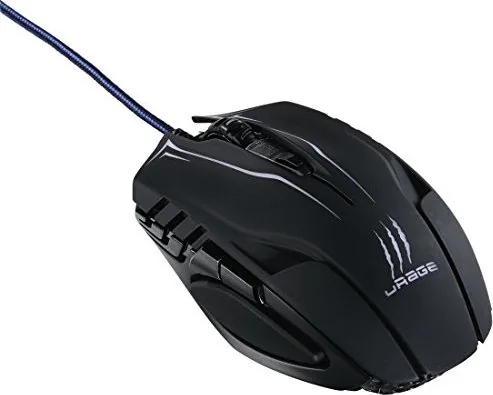
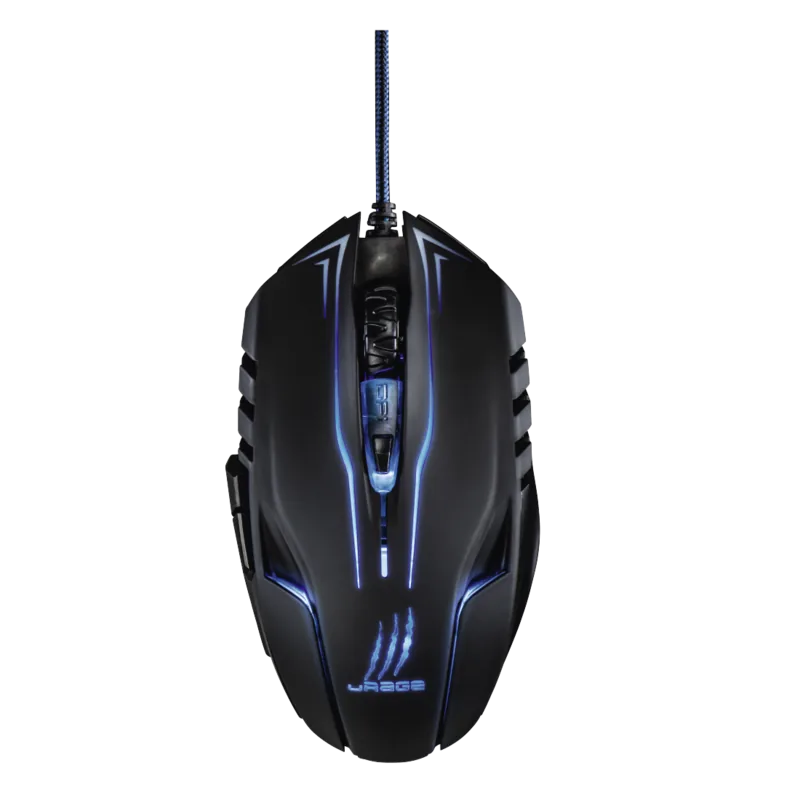
The design focuses on a comfortable gaming grip and straightforward operation. With six buttons, it offers more control options than a basic office mouse while remaining easy to learn. The button layout supports common gaming actions such as firing, switching equipment, navigating menus, or assigning frequently used commands where supported by the system or game.
Wired reliability for gaming sessions
The Reaper Essential V1 uses a USB cable for stable, uninterrupted operation. There is no battery to charge and no wireless signal to manage, which can be especially useful for long gaming sessions. The approximately 1.8 m cable gives flexibility when positioning a PC tower under a desk or connecting to a laptop setup.
Its optical tracking technology is suited to regular desk use and gaming mouse pads. For best performance, use the mouse on a clean, even, non-reflective surface. Keeping the sensor opening clear of dust can also help maintain smooth cursor movement.
Simple setup and care
Setup is designed to be simple: connect the USB plug to a compatible USB port and allow the operating system to recognize the device. The Hama uRage Reaper Essential V1 Gaming Mouse, USB Manual emphasizes safe use, including protecting the device from moisture, extreme temperatures, impacts, and unauthorized modifications.
Notes
- Use a dry, soft cloth for cleaning and avoid harsh cleaning products.
- Disconnect the mouse before cleaning it.
- Dispose of the product through appropriate electronics recycling channels at the end of its service life.
- Check your game settings to tailor sensitivity and button functions to your preferred play style.
Search for 67,732 Manuals online


Type-in Brand or Model