
Hama uRage Morph-Magic Manual
PDF manual · 2 Pages
English



Quick check
Incorrect answer, please try again.
Chat with your Hama uRage Morph-Magic manual using AI
Get instant AI answers from your Hama uRage Morph-Magic manual
Ask anything about the Hama uRage Morph-Magic. Answers come from this manual, with the pages they are based on.
Ask a Question
Do you recommend uRage Morph-Magic?
Yes NoFrequently Asked Questions
Its main advantage is the Morph-Magic modular design. The mouse can be adjusted with interchangeable parts, letting users change the button layout and overall feel. It also includes DPI switching for more flexible control during gaming and daily use.
Is this answer helpful?
Yes. It uses a USB connection, which makes setup simple and reliable. Just plug it into a compatible computer and it is ready for use without needing charging, pairing, or extra software in most cases.
Is this answer helpful?
The mouse supports multiple sensitivity levels, including 800, 2400, and 3200 DPI. These options help users switch between precise movement and faster cursor control depending on the task or game type.
Is this answer helpful?
No. While it is designed with gaming in mind, it can also be used for regular computer work, browsing, and general office tasks. The side buttons and DPI switch can still be useful outside of games.
Is this answer helpful?
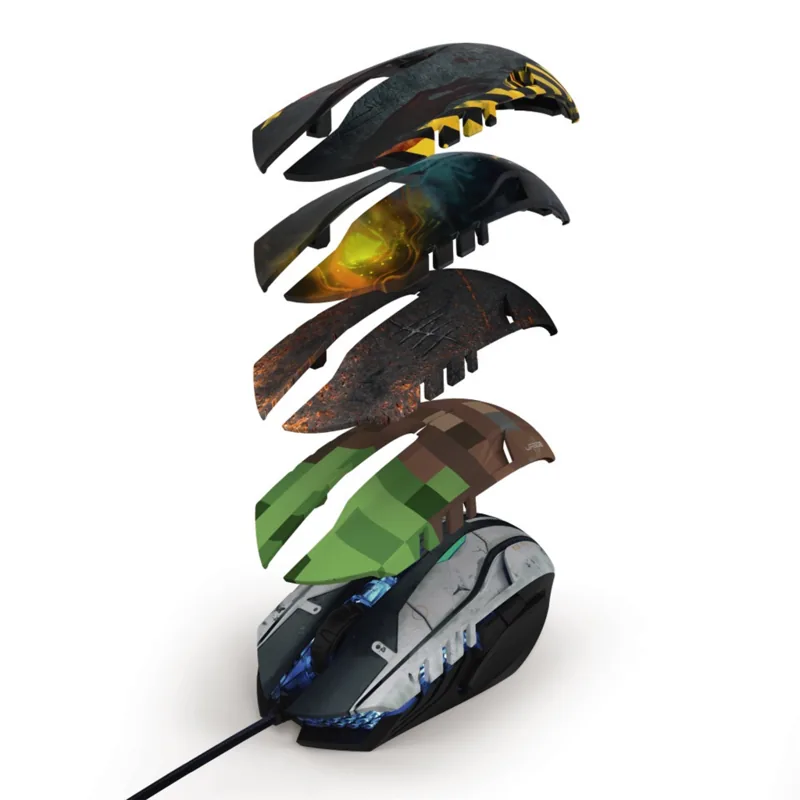
Yes, the modular design allows parts of the mouse to be removed and repositioned. This makes it possible to adapt the layout to different preferences and improve comfort during use.
Is this answer helpful?
No. It is a wired USB mouse. That can be a benefit for users who prefer a direct connection, consistent responsiveness, and no need to manage batteries or wireless charging.
Is this answer helpful?
Advantages and Disadvantages
Advantages

- Adjustable DPI levels support different gaming styles and everyday tasks.
- USB wired connection offers stable response with no battery concerns.
- Modular button and faceplate design allows more personal control.
- Side buttons add quick access to actions and shortcuts in games.
Disadvantages

- Wired design may feel less convenient than a wireless mouse.
- Modular parts may require extra care during removal and reassembly.
- Limited DPI range may not satisfy users seeking very high sensitivity.
- Compact gaming-focused design may not suit every hand size or grip style.
Product Specification
Suitability
right hand
Buttons
7 (total), 2 (main), 2 (top), 2 (left), 1 (scroll wheel click)
Scroll wheel
1x 2-way
Tracking
LED-red/IR
Resolution
2400dpi, reducible to 1800/1200/600dpi
Sensor
PixArt
Switches
mechanical switches, Omron
Polling Rate
1000Hz (wired USB)
Lighting
N/A
Connection
wired (70.87in), USB
Power supply
USB
Dimensions (WxHxD)
2.83x1.57x5.12in
Approximate Volume
5.98in^3 (approximate shape)
Special features
thumb rest, textile cable
Product Description
Hama uRage Morph-Magic Gaming Mouse, USB
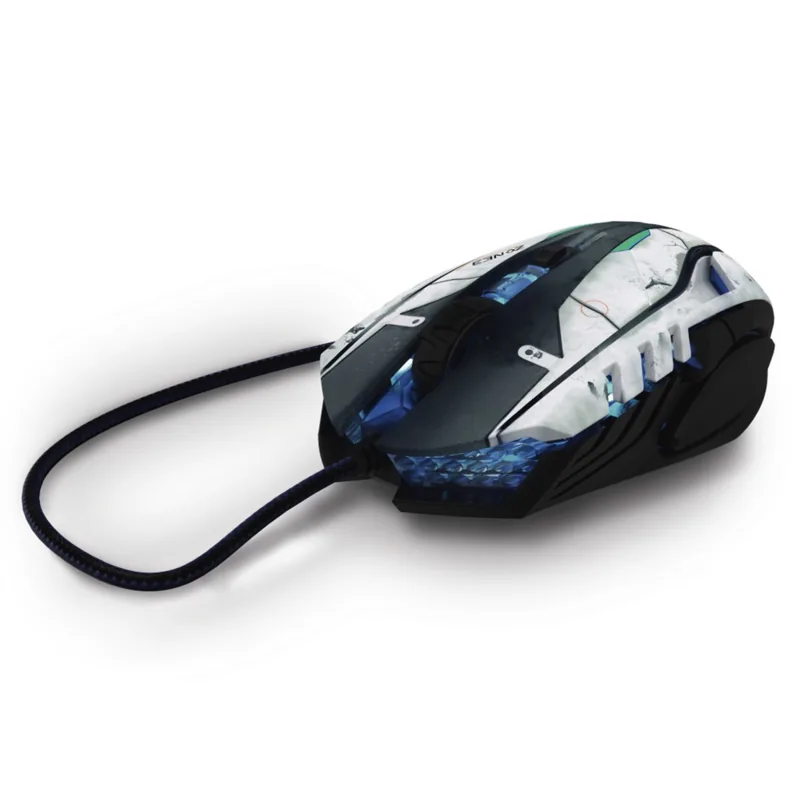
The Hama uRage Morph-Magic Gaming Mouse is built for players who want flexibility, speed, and a personalized feel at the desk. This USB gaming mouse focuses on practical control rather than flashy extras, offering a compact layout, adjustable sensitivity, and a modular design that lets you adapt the button setup to your play style.
One of its standout features is the adjustable DPI switching. With selectable levels such as 800, 2400, and 3200 DPI, the mouse can move from precise aiming to faster cursor movement in just a moment. That makes it suitable for different game genres, whether you need careful targeting in strategy or shooters, or quicker navigation in everyday use.
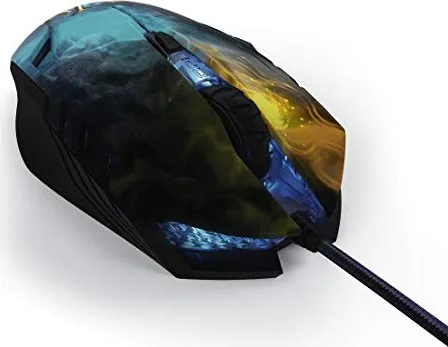
The Morph-Magic concept adds an extra layer of customization. The removable faceplate and interchangeable button arrangement make it possible to change the feel of the mouse without replacing the whole device. For gamers, that means the mouse can be shaped around comfort and convenience instead of forcing one fixed layout. The side buttons also help with shortcuts and in-game actions, which can save time when every second matters.
As a wired USB mouse, it offers a straightforward plug-and-play experience. There is no need to worry about charging, battery life, or wireless interference, which is often appreciated during long gaming sessions. The scroll wheel and main buttons are designed for everyday responsiveness, making the mouse useful not only for gaming but also for browsing, work, and general computer control.
The overall design feels aimed at users who value control and customization in a simple package. It is not trying to be overcomplicated; instead, it concentrates on the core features that matter most to a gaming mouse: comfort, sensitivity control, and dependable input. If you enjoy adjusting your setup and want a mouse that can adapt with you, this model brings a practical and flexible approach.
Notes
- Best suited for users who prefer wired reliability.
- DPI switching makes it easy to adjust speed on the fly.
- Modular parts add a custom feel without complex setup.
- Keep the mouse dry and protected from strong impacts for long-term use.
Search for 67,732 Manuals online


Type-in Brand or Model