
Hama uRage Exodus 515 Illuminated Manual
PDF manual · 2 Pages
English



Quick check
Incorrect answer, please try again.
Chat with your Hama uRage Exodus 515 Illuminated manual using AI
Get instant AI answers from your Hama uRage Exodus 515 Illuminated manual
Ask anything about the Hama uRage Exodus 515 Illuminated. Answers come from this manual, with the pages they are based on.
Ask a Question
Do you recommend uRage Exodus 515 Illuminated?
Yes NoDo you recommend uRage Exodus 515 Illuminated?
Yes NoFrequently Asked Questions
Yes, the Hama uRage Exodus 515 Illuminated features a vibrant LEDs RGB lighting system. Users can switch between various illumination modes and adjust the color settings using the FN key combined with arrow keys. Specific modes are also available via FN plus numbers.
Is this answer helpful?
You can adjust the volume using the dedicated rotary knob located on the keyboard. This knob controls multimedia volume levels conveniently without needing external software. The mode can be switched by pressing the wheel.
Is this answer helpful?
The keyboard connects via a standard USB interface, specifically USB-A. This ensures broad compatibility with most desktop computers and laptops. Users should ensure they have an available USB port for connection.
Is this answer helpful?
Yes, there is a Win lock function. This prevents the Windows key from being pressed accidentally during gaming maneuvers. It is activated by pressing the FN key and the WIN key simultaneously.
Is this answer helpful?
Yes, gamers can record On-the-fly Macros using the G1 to G4 keys. These macros can be activated instantly during gameplay to execute complex commands quickly without leaving the application or menu.
Is this answer helpful?
The manual includes instructions in multiple languages. The DE Manual provides detailed guidance for German speakers regarding assembly and operation. English, French, Spanish, and other versions are also documented.
Is this answer helpful?
Basic functionality works without software using the onboard controls. However, the manufacturer recommends downloading the software from the official support page for deeper customization and configuration options.
Is this answer helpful?
Advantages and Disadvantages
Advantages

- Integrated rotary knob for volume and lighting intensity control.
- Advanced On-the-fly Macro Recording via dedicated G keys.
- Vibrant LEDs RGB lighting with multiple manual modes.
- Win lock function prevents accidental Windows key usage.
- Comprehensive multimedia keys for media playback control.
Disadvantages

- Limited to standard USB connection without wireless support.
- Requires software for advanced customization features.
- Cable length might be insufficient for some large desks.
Product Specification
Layout
German
Switch Type
Rubber Dome
Lighting
RGB (10 zones), each key individually
Keycap Level
raised, frameless
Keycap Format
standard
Keycap Dome
concave
Numpad
Standard
Navigation Block
Standard
Control Keys
Standard
Function Keys
Standard (top row, separated, in groups of 4)
Enter Key
Standard
Delete Key
Standard
Status Indicators
CapsLock (Lock Key), Num (Num Key), Scroll (Scroll Lock)
Wrist Rest
modular
Chassis
Plastic
Chassis Color
solid, black
Keycap Finish
ABS, single-color, black
Key Legend
single-color, white (translucent)
Connection
wired (5.91 ft), USB-A 2.0, detachable cable (USB-C port)
Power Supply
USB
Dimensions (WxHxD)
17.91x1.46x6.10in
Weight
1.65 lbs
Features
10 Multimedia Keys (4 programmable), 1x Rotary Knob (Scroll Wheel, top right, Lighting and Volume), Anti-Ghosting (26-Key Rollover), FN Key
Product Description
Hama uRage Exodus 515 Illuminated Blog Review
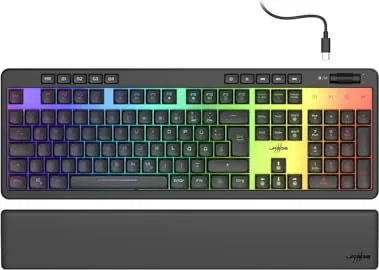
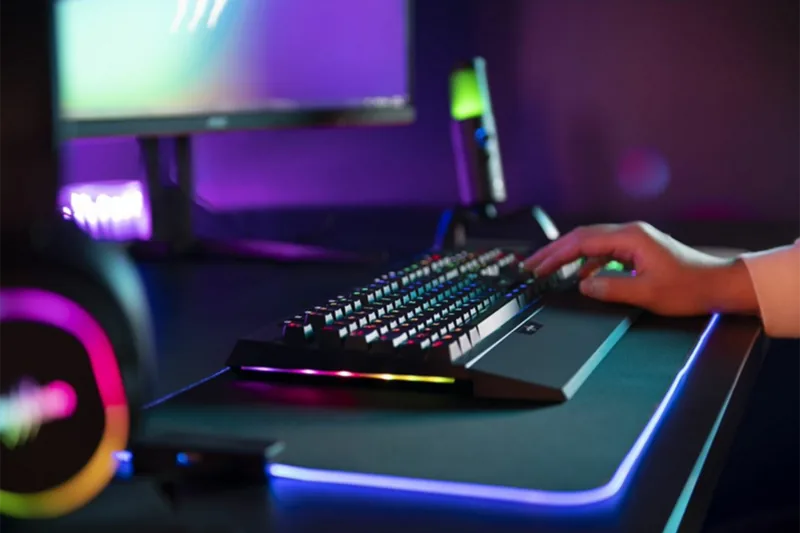
Experience precision and style with the Hama uRage Exodus 515 Illuminated gaming keyboard. Designed for the modern gamer, this sleek black device offers a robust build quality suitable for daily intense use. The visual centerpiece is the vibrant LEDs RGB lighting system. Users can switch between various illumination modes easily. Adjusting the lighting intensity is straightforward using the dedicated rotary knob. This knob also controls multimedia volume levels conveniently without needing software.
The keyboard connects via a standard USB cable. This ensures broad compatibility with desktop computers and laptops. A critical feature for competitive play is the Win lock function. This prevents the Windows key from being pressed accidentally during gaming maneuvers. Macro functionality is another highlight. Gamers can record On-the-fly Macros using the G1 to G4 keys. These can be activated instantly during gameplay to execute complex commands quickly. The multimedia keys provide quick access to play pause or skip functions directly from the keyboard layout.
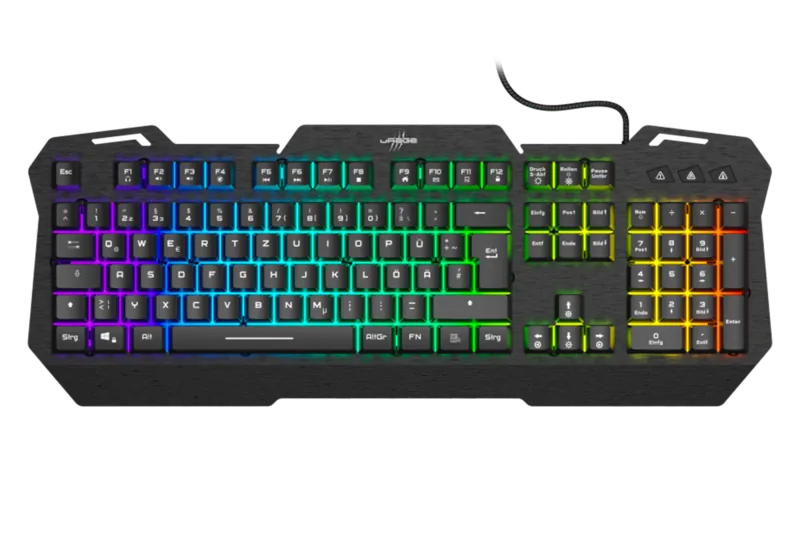
Lighting customization extends beyond simple on off states. Users can change color settings using FN plus arrow keys. Specific illumination modes are selected by pressing FN plus numbers one through nine. The manual includes instructions in multiple languages. The DE Manual provides detailed guidance for German speakers regarding the assembly and operation. While software download is available from the official website for deeper integration, the hardware covers most needs. Reading the warning and safety information included with the product is mandatory before use.
The Hama uRage Exodus 515 Illuminated represents a functional balance between lighting customization and practical gaming features. The black color scheme keeps the setup looking professional and understated despite the RGB effects. Connectivity remains simple with the USB interface. The rotary knob remains the most appreciated tactile feature on the board. It removes the need to use system volume controls constantly. The FN key unlocks a host of computer functions. Pressing FN plus F1 through F12 activates multimedia features directly. This integration streamlines the workflow for users switching between gaming and media consumption. The manufacturer recommends downloading the software for additional configurations. The download link is hosted on the official support page. Always read the safety notices before initial setup to ensure safe operation. This keyboard is a solid choice for enthusiasts seeking functionality.
*Note: Data sourced from product manual.
Search for 67,732 Manuals online


Type-in Brand or Model