

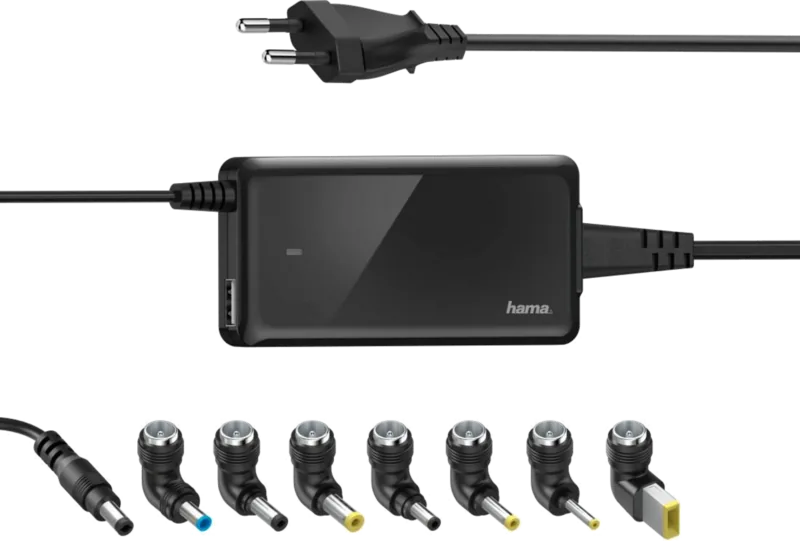
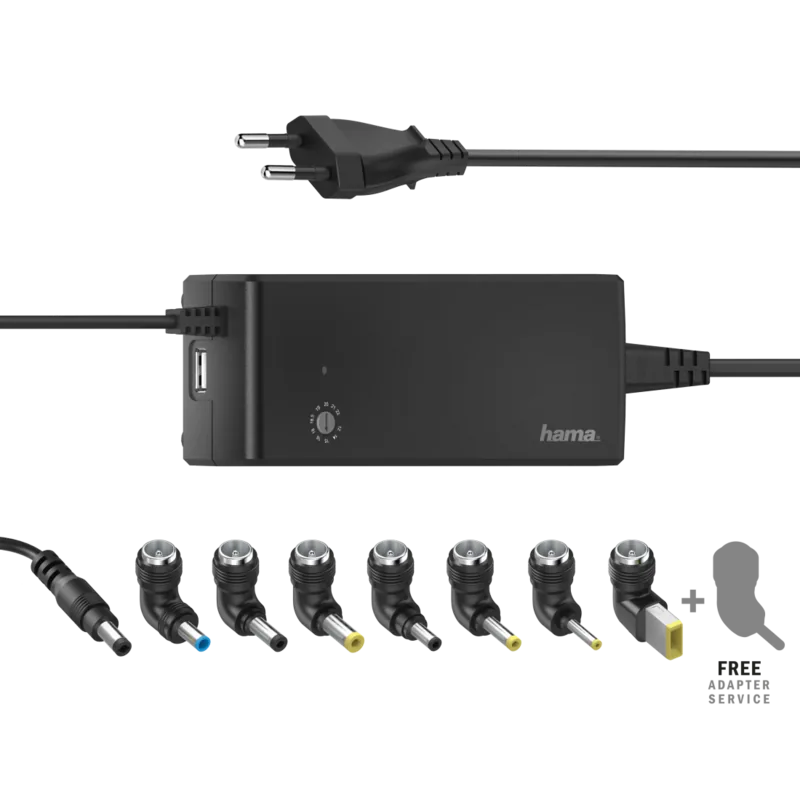
Hama Universal Notebook Power Supply 90W Manual
PDF manual · 42 Pages
English



Quick check
Incorrect answer, please try again.
Chat with your Hama Universal Notebook Power Supply 90W manual using AI
Get instant AI answers from your Hama Universal Notebook Power Supply 90W manual
Ask anything about the Hama Universal Notebook Power Supply 90W. Answers come from this manual, with the pages they are based on.
Ask a Question
Do you recommend Universal Notebook Power Supply 90W?
Yes NoFrequently Asked Questions
The maximum output voltage is 22 volts. The device supports a range from 12 volts to 22 volts including intermediate steps like 19.5V and 20V.
Is this answer helpful?
Yes, the unit features a USB-A port that allows you to charge smartphones and tablets. The maximum output current for the USB socket is 2 amps at 5 volts.
Is this answer helpful?
You can request missing or lost connectors through the support hotline or the official website. Available connectors will be sent to you free of charge.
Is this answer helpful?
Yes, the power supply supports input voltages from 100 to 240 volts and frequencies of 50 or 60 Hz, making it suitable for worldwide use with a country-specific plug adapter.
Is this answer helpful?
No, you should not change the voltage selector switch while the power supply is connected to a terminal device. This could cause damage to both the unit and the connected equipment.
Is this answer helpful?
The ambient operating temperature ranges from 0 degrees Celsius to 40 degrees Celsius. Do not expose the device to direct sunlight or operate in overly hot environments.
Is this answer helpful?
Advantages and Disadvantages
Advantages

- Universal voltage range of 12 to 22 volts suits many devices
- High 90W output power supports demanding computing tasks
- Built-in USB-A port charges phones and tablets simultaneously
- Includes eight different notebook connectors for broad compatibility
- Global input voltage support from 100 to 240 volts
Disadvantages

- Voltage must be set correctly before powering on the device
- Physical size may be bulky for some portable travel setups
- Warranty is void if the device is modified by the user
- Connector plug must be checked for compatibility with laptop socket
- Requires careful ventilation to prevent overheating during use
Product Specification
Type
Third-party
Compatibility
Acer, ASUS, Dell, Dynabook, Fujitsu, HP, Lenovo, Medion, MSI, Packard Bell, PEAQ, Samsung, Toshiba, VAIO
Power
90W
Input Voltage
100-240V
Output Voltage
12V, 14V, 15V, 16V, 18.5V, 19V, 20V, 21V, 22V
Current
6A
Features
8 Adapter Tips
Product Description
Hama Universal Notebook Power Supply Overview
In today's connected world, maintaining reliable power for portable devices is essential. The Hama Universal Notebook Power Supply offers a robust solution for users managing various digital devices. With a versatile design, this unit caters to different power requirements across many laptop models.
Power Versatility and Capacity
The core strength lies in its adjustable output capabilities. Users can select specific voltages ranging from 12 to 22 volts. This flexibility ensures compatibility with a wide array of notebook specifications. The maximum output power reaches 90 watts, providing ample energy for high-demand computing tasks. Additionally, the inclusion of a USB-A port allows for the charging of smartphones or tablets simultaneously. This multi-functionality is particularly useful for travelers who prefer carrying a single brick. The USB socket supports an output current of 2 amps for auxiliary devices.
Safety and Reliability
Safety standards are paramount in any electrical accessory. The product includes warning indicators to prevent electric shock hazards. Users must ensure correct voltage settings before connecting the device to avoid potential damage. Proper ventilation is required to manage heat dissipation effectively. The device should be kept away from damp environments and direct sunlight to maintain longevity. Avoid using near heaters or in humid areas.
Installation and Maintenance
Setting up the unit requires careful attention to the voltage selector switch. Once configured, users simply connect the appropriate notebook connector. The LED indicator confirms readiness. For cleaning, only a dry cloth should be used. Modifications to the device will void any warranty claims. It is vital to disconnect the power cord directly by the plug rather than pulling the cable. This ensures the cable integrity remains intact over time.
Broad Compatibility and Travel Needs
Travelers often face challenges finding the right charging station. This universal adapter addresses that pain point significantly. By eliminating the need for multiple chargers, users save space in their bags. The unit operates on mains voltages from 100 to 240 volts, making it suitable for international use. However, region-specific adapters might still be necessary depending on the wall socket type.
Users should always verify the power requirements listed on their original power supply unit. This step prevents mismatched voltage issues that could compromise hardware. The package includes a key tool for switching voltage settings, ensuring precision. If connectors are lost, support services can provide replacements. Careful handling prevents internal damage from shocks or drops. Always ensure the connected device meets safety supply requirements before linking.
Important Notes
Keep the packaging material out of reach of children. Dispose of packaging material immediately in accordance with locally applicable regulations. Ensure that the connected device meets the requirements for supply through class PS3 power sources. If the power cable looks damaged, stop using the unit immediately. Do not operate the product outside the power limits specified in the technical data.
Search for 67,635 Manuals online


Type-in Brand or Model