
Hama Traveller 150 Premium Duo Manual
PDF manual · 10 Pages
English



Quick check
Incorrect answer, please try again.
Chat with your Hama Traveller 150 Premium Duo manual using AI
Get instant AI answers from your Hama Traveller 150 Premium Duo manual
Ask anything about the Hama Traveller 150 Premium Duo. Answers come from this manual, with the pages they are based on.
Ask a Question
Do you recommend Traveller 150 Premium Duo?
Yes NoFrequently Asked Questions
It can be used as a full tripod, a monopod, or a low-angle support setup. The adjustable legs, removable center column, and ball head give photographers several ways to adapt to different shooting situations.
Is this answer helpful?
Yes. The ball head includes a dedicated panorama function that lets you rotate the camera smoothly. This is helpful for wide scenes, city views, and controlled panning shots.
Is this answer helpful?
Yes. The center column can be removed, flipped by 180 degrees, and reinserted from below. This lowers the camera position and helps with close-to-the-ground compositions.
Is this answer helpful?
The package includes the Traveller 150 Premium Duo tripod, an Allen key set, a storage bag, three spikes, and the operating instructions. These accessories support setup, transport, and outdoor use.
Is this answer helpful?
The quick-release plate makes it faster to attach and remove the camera. It also improves convenience when switching between handheld and tripod shooting, while still allowing a secure fit.
Is this answer helpful?
Yes, it can be used outdoors, especially with the included spikes for better grip. However, it should be kept dry and protected from harsh weather, moisture, and strong impacts.
Is this answer helpful?
Advantages and Disadvantages
Advantages

- Multiple shooting modes: tripod, monopod, and low-angle support in one design.
- Adjustable legs and center column help match different scenes and heights.
- Quick-release plate speeds up camera mounting and swapping.
- Ball head with panorama control supports smooth framing and movement.
- Spikes, rubber feet, and weight hook improve stability in different conditions.
Disadvantages

- Twist clamps must be handled carefully; loosening them too much can cause parts to slip out.
- The tripod is intended for private use only, not demanding professional or commercial workloads.
- Setup requires attention and some manual adjustments, especially when changing configurations.
- Best performance depends on careful handling and proper locking of all screws and clamps.
- It should be protected from moisture, overheating, and heavy impacts.
Product Specification
Type
Tripod
Material
Aluminium
Max. load capacity
11.02 lb
Max. height
59.06 in
Min. height
14.96 in
Leg sections
5
Max. leg diameter
1.02 in
Leg lock
Twist lock
Special features
integrated monopod, tripod head, spirit level
Color
black
Weight
3.37 lb
Product Description
Hama Traveller 150 Premium Duo: A Flexible Tripod for Creative Shooting
The Hama Traveller 150 Premium Duo Manual introduces a tripod built for photographers who want versatility without carrying bulky gear. The Traveller 150 Premium Duo combines a sturdy three-leg design with a 3D ball head, making it a practical choice for landscapes, portraits, travel shots, and everyday content creation. Its design focuses on quick setup, stable support, and adaptable shooting angles.
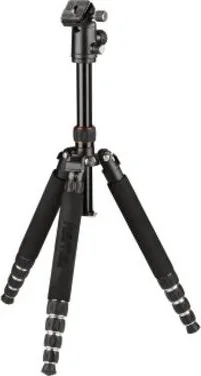
One of the most appealing features is the tripod’s flexibility. The legs can be adjusted to multiple angles, and the middle column can be extended smoothly to reach the desired height. For low-angle photography, the center column can be removed, flipped, and reinserted, helping you capture subjects close to the ground. This makes the tripod especially useful when you want more control over composition.
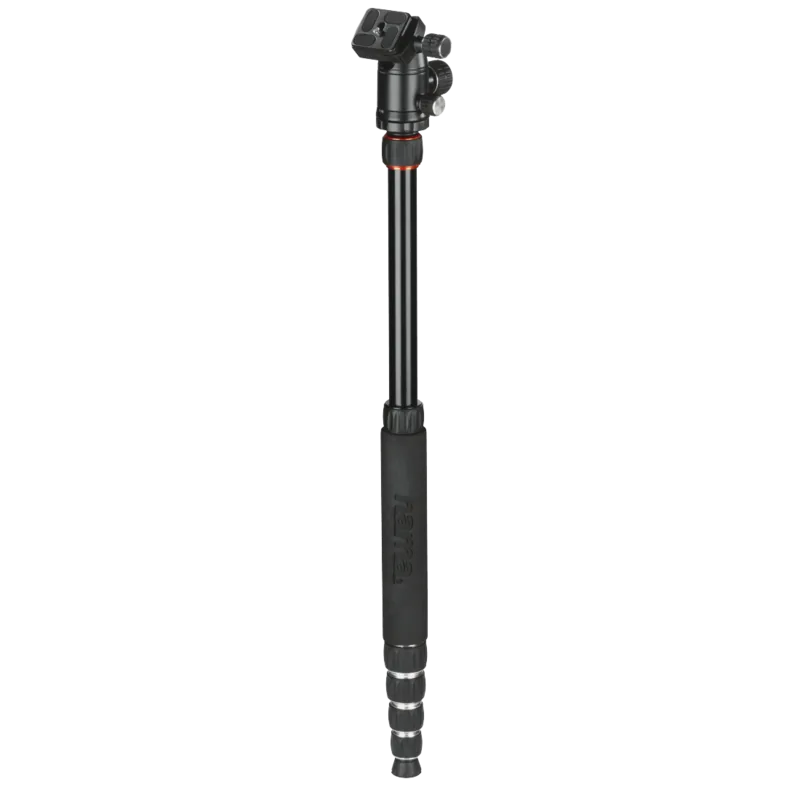
The Traveller 150 Premium Duo also includes an integrated monopod function. By combining the middle column with one tripod leg, you can create a stable one-legged support option for faster movement and tighter spaces. This is a smart addition for photographers who need mobility and a lighter setup during travel or location work.
Its 3D ball head and quick-release plate add convenience during shooting. The ball head helps you fine-tune camera position, while the panorama function supports smooth horizontal movement. The quick-release plate makes mounting and removing the camera faster, which is ideal when switching between shots. A detachable weight hook also adds stability by letting you hang extra weight, such as a camera bag.
Practical details round out the experience. Rubber feet help with indoor stability, while included spikes can replace them for firmer ground grip outdoors. The universal mounting plate supports 1/4" and 3/8" threads, so the tripod can work with different heads and setups. Compact folding legs make it easier to store and pack for trips.
Notes
- Do not fully loosen the twist locks; only make small adjustments.
- Use the weight hook when adjusting the center column for added safety.
- Clean the tripod with a soft, slightly damp cloth only.
- Best suited for private, non-commercial use.
Search for 67,706 Manuals online


Type-in Brand or Model
Lena Schmidt
10 months ago
Is this tripod stable on uneven or porous ground, and can I adjust it for macro shooting and even convert it to a monopod while still being portable?
Manual.ly
10 months ago
Yes. The tripod is designed for reliable positioning using an integrated bubble level and metal spikes on the feet for grip on harder-to-hold surfaces. If needed, you can further stabilize it by attaching a weight (or using a sandbag or even your backpack). For shooting needs, it can be set up for macro use, and it can be converted from a tripod into a monopod with only a few steps. It is also compact in the packed state and comes with a carry bag for easier longer trips.