
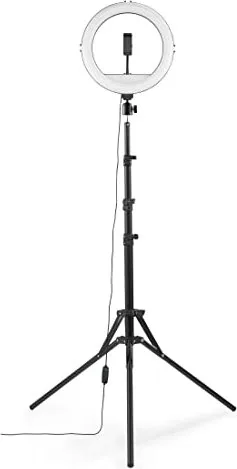
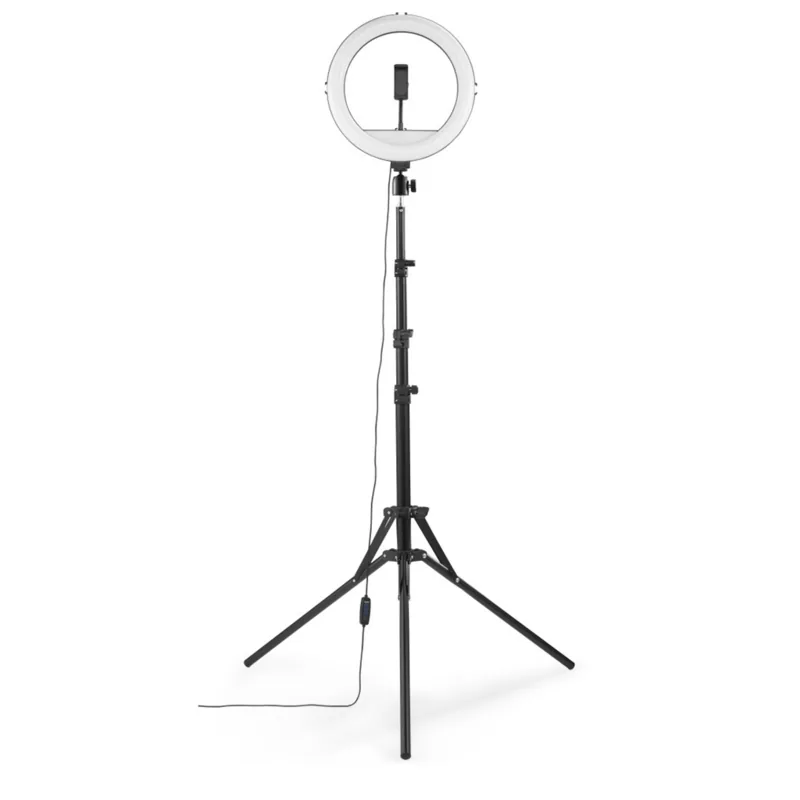
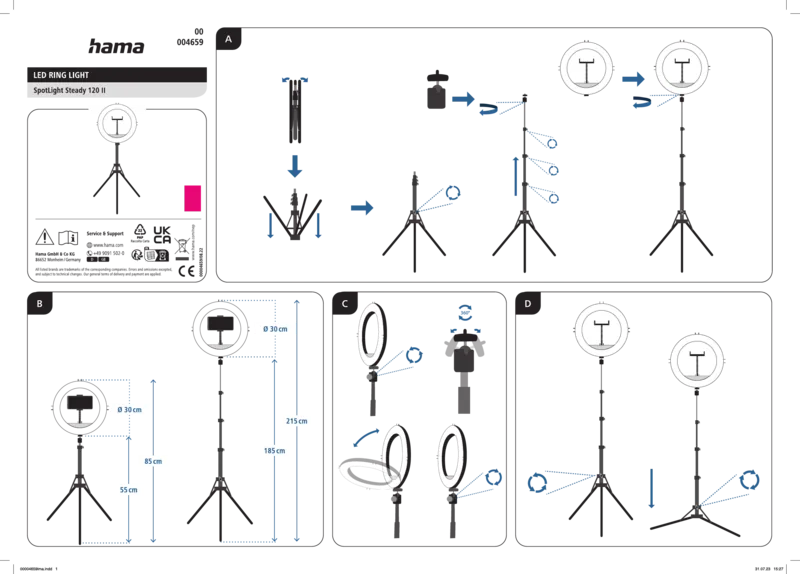
Hama SpotLight Steady 120 II Manual
PDF manual · 165 Pages
English



Quick check
Incorrect answer, please try again.
Chat with your Hama SpotLight Steady 120 II manual using AI
Get instant AI answers from your Hama SpotLight Steady 120 II manual
Ask anything about the Hama SpotLight Steady 120 II. Answers come from this manual, with the pages they are based on.
SpotLight Steady 120 II Maintenance Schedule
The CR2032 battery is designed for up to 2,000 shots. Replace it when the remote stops responding or fails to connect.
Clean with a slightly damp, lint-free cloth only. Do not use aggressive cleaning agents and ensure no water enters the product.
Ask a Question
Do you recommend SpotLight Steady 120 II?
Yes NoDo you recommend SpotLight Steady 120 II?
Yes NoFrequently Asked Questions
Turn on Bluetooth on your phone. Press the power button on the shutter for 3 seconds until the LED flashes. Select hama BRS3 from your Bluetooth settings list. Wait for the light to turn off indicating connection.
Is this answer helpful?
The device requires one CR2032 button cell battery. Insert it with the correct polarity marked (+ and -). Clean contacts before insertion for best performance.
Is this answer helpful?
Yes, it works with iOS 6 or newer and Android 4.2.2 or newer. Ensure your device supports Bluetooth and is set to visible for pairing.
Is this answer helpful?
No, you should not use it in moist environments or allow splashes. Keep it in a dry environment to prevent damage.
Is this answer helpful?
Press and hold the power button for 5 seconds until the LED light turns off. This switches off the Bluetooth connection safely.
Is this answer helpful?
Warranty applies if used correctly and not modified. Damage from improper use or opening invalidates the warranty.
Is this answer helpful?
The dimensions are 52 x 30 x 12 mm. It weighs approximately 10 grams, making it very lightweight and portable.
Is this answer helpful?
Advantages and Disadvantages
Advantages

- Bluetooth 4.1 connectivity ensures stable wireless transmission up to 10 meters.
- Long battery life supports up to 2,000 shots per CR2032 battery.
- Compatible with standard iOS 6 and Android 4.2.2 devices.
- LED indicator provides clear status feedback for pairing.
- Compact dimensions make the device easy to carry in pockets.
Disadvantages

- Battery replacement requires a coin to open the compartment.
- Cannot withstand wet environments or direct exposure to water.
- Limited range of 10 meters without obstacles.
- Requires specific minimum operating system versions to function.
- Not intended for commercial use or heavy professional modifications.
Product Specification
Luminous flux
1020 lm
Color temperature
2100-5500 K
LED
Yes
Power supply
USB
Features
Dimmable
Weight
2.98 lbs
Product Description
The Hama SpotLight Steady 120 II Comprehensive Review
Welcome to our detailed analysis of the Hama SpotLight Steady 120 II. This article serves as a functional guide, much like the official Hama SpotLight Steady 120 II Manual, designed to help you understand every feature. We cover the technical aspects and usage instructions thoroughly. The device is built for reliability and ease of use in professional and casual photography settings. It utilizes advanced technology to ensure precise control over your camera.
Connectivity and Performance
The Hama SpotLight Steady 120 II features Bluetooth 4.1 connectivity for stable operation. It supports smartphones and tablets running iOS 6 or Android 4.2.2 and newer. The maximum effective range is 10 meters without major obstacles like walls. The LED indicator light flashes during searching and stays off when connected. This visual feedback helps you manage the pairing process effectively. Ensure Bluetooth is active on your terminal device for best results.
Power and Maintenance
Your device runs on a single CR2032 battery. It is designed to last up to 2,000 shots depending on usage conditions. To change the battery, use a coin to open the compartment cover. Observe the correct polarity markings during installation. If the device does not respond, check the battery life first. Replace all batteries in a set simultaneously. Avoid mixing old and new batteries. Keep the unit dry and protect it from moisture.
Safety and Handling
Safety is a priority for electronic accessories. Do not expose the product to direct sunlight or heaters. Do not open the device yourself as it voids the warranty. Keep it away from children and avoid swallowing the button cell. Dispose of packaging according to local regulations. Clean only with a lint-free, slightly damp cloth. Do not use aggressive cleaning agents. Use it only for its intended private purpose.
Warranty and Support
Hama GmbH & Co KG provides support for this equipment. The device complies with relevant EU radio directives. Technical specifications include dimensions of 52 x 30 x 12 mm and a weight of about 10 grams. The frequency band used is 2.402 to 2.480 GHz. For more details, refer to the provided documentation online. We hope this guide helps you achieve the results you expect.
Conclusion
In summary, the Hama SpotLight Steady 120 II is a versatile tool for remote triggering. It combines efficiency with a compact design. Refer to the Hama SpotLight Steady 120 II Manual for complete instructions. Enjoy wireless freedom and capture your moments perfectly.
Search for 67,732 Manuals online


Type-in Brand or Model