
Hama Speedshot Ultimate Manual
PDF manual · 48 Pages
English



Quick check
Incorrect answer, please try again.
Chat with your Hama Speedshot Ultimate manual using AI
Get instant AI answers from your Hama Speedshot Ultimate manual
Ask anything about the Hama Speedshot Ultimate. Answers come from this manual, with the pages they are based on.
Ask a Question
Do you recommend Speedshot Ultimate?
Yes NoFrequently Asked Questions
It is built for PS4, PS3, Xbox One, and Xbox 360 use, translating mouse and keyboard to controller-compatible inputs. It requires USB mouse and USB keyboard, and it also relies on correct controller connection for each console (with specific wired controller expectations on Xbox 360).
Is this answer helpful?
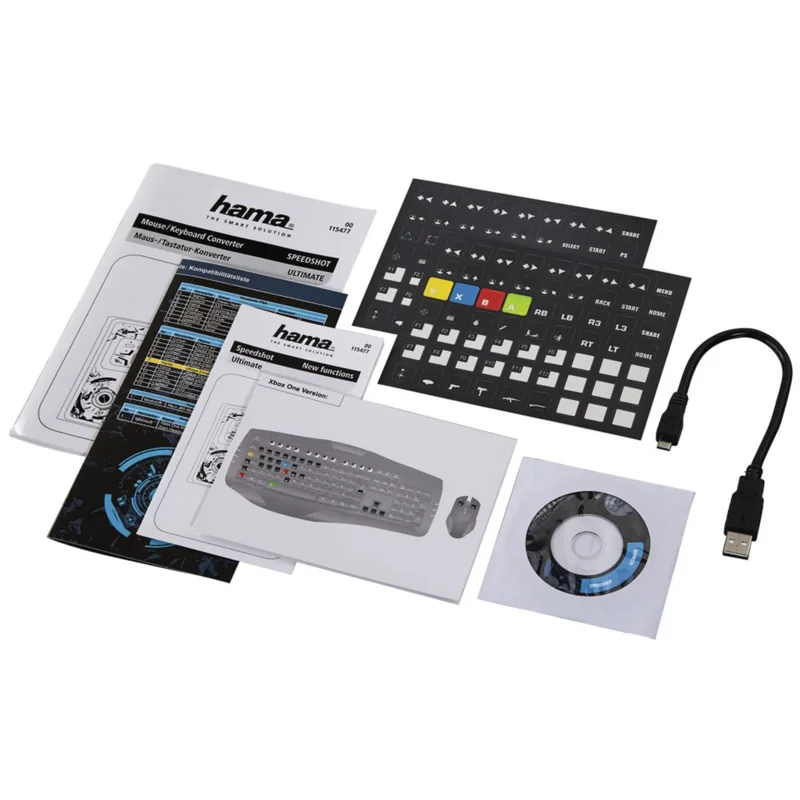
Plug the mouse and keyboard into the two USB ports on the front of the converter. Use the side interface for the controller. For PS4 and Xbox One, connect via the provided Micro-USB cable to the switched-off controller. For Xbox 360, connect a wired Microsoft Xbox 360 controller directly. Then connect the converter to the console via a free USB port (never a USB hub) and press the converter Home button.
Is this answer helpful?
Yes. The default maps mouse movement to the right analog stick. If you prefer the left stick, switch the mode using the specified key combination described in the setup instructions. You can also fine-tune Y inversion if needed.
Is this answer helpful?
Focus on four main tuning areas: mouse speed emulation, dead-zone settings, DPI switching on the mouse (if supported), and Y-axis behavior. The converter speed emulation often needs a balanced approach: setting mouse speed too high can increase distortion, so raise speed gradually and re-test in your game.
Is this answer helpful?
Rapid-fire simulates fast repeated keystrokes while a assigned input is held. Auto-fire simulates repeated presses without holding the key, continuing until you activate the deactivation shortcut. Constant-fire simulates a continuous press behavior triggered by short tapping, making it useful for actions like sustained walking through short input.
Is this answer helpful?
Many console games use circular wheel menus. With the Add-On enabled, you can hold a button to rotate through the wheel. Depending on the game, wheel navigation follows either the left stick or right stick direction, moving the cursor clockwise or counterclockwise while the button is held.
Is this answer helpful?
No. PS4 requires connecting the headset directly to the 3.5 mm port on the converter; routing through the controller can block signal forwarding. On Xbox One, only a small Microsoft Xbox One mono headset is supported for Skype app use, and general in-game chat is not available. Xbox 360 also limits use to a small Microsoft Xbox 360 mono headset, with testing steps via the friends and message options.
Is this answer helpful?
Advantages and Disadvantages
Advantages

- Converts wired USB mouse and keyboard inputs for console gameplay, aiming closer to PC-like control.
- Adjustable mouse tuning includes Y-axis inversion, speed emulation, and dead-zone to refine precision.
- Multiple configuration profiles with quick switching via function keys for different setups.
- Extra action tools: Rapid-fire, Auto-fire, and Constant-fire for fast repeated inputs.
- Circular menu Add-On helps navigate wheel-style console menus by simulating stick rotation.
Disadvantages

- Does not provide identical control to a gaming PC due to console game engine differences.
- Requires compatible, wired peripherals; some features depend on supported hardware models.
- Incorrect controller/power setup (especially wireless limitations) can prevent proper operation.
- Headset support differs by console, with limitations for Xbox One app chat use.
- For optimal results, users need configuration work (speed, dead-zone, and equipment tuning).
Product Specification
Type
Accessory
Compatibility
PS4, PS3, Xbox One, Xbox 360
Product Description
Hama Speedshot Ultimate Mouse/Keyboard Converter (PS4/PS3/Xbox One/Xbox 360) Manual
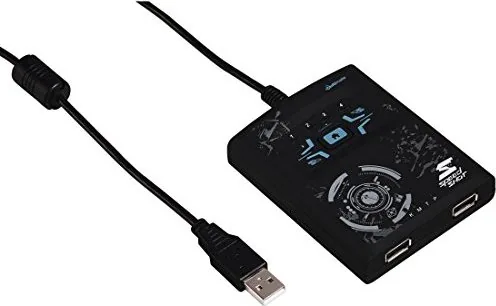
Turn console aiming into something closer to PC precision. The Hama Speedshot Ultimate Mouse/Keyboard Converter lets you use a wired USB mouse and a wired USB keyboard on supported consoles, translating movements and inputs into the controller actions games expect. It is designed for players who want faster target acquisition, more controllable look speeds, and extra firing and menu helpers.
Built around configurable mappings, the converter supports multiple controller profiles so you can switch setups quickly. By default, mouse movement is assigned to the right analog stick, and you can change the behavior to the left stick if you prefer. You also get core mouse tuning tools such as Y-axis inversion, mouse speed emulation, and a dead-zone adjustment that helps fine-tune how small movements register in-game.
For competitive-style action, the Speedshot adds rapid input features like Rapid-fire, Auto-fire, and Constant-fire. These simulate repeated or sustained button presses, making it easier to handle weapons, dodges, or actions that benefit from fast repeated triggers. There is also an Add-On for circular menus, useful in console games where navigation is built around rotating wheel-style interfaces.
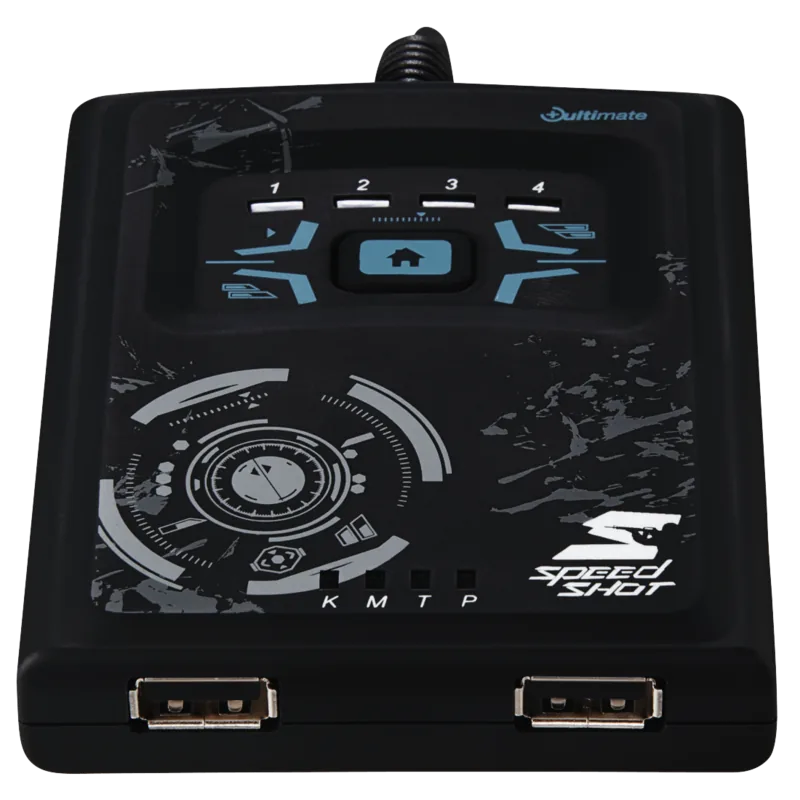
Setup is focused and device-aware. The converter uses two front USB ports for mouse and keyboard, while the side interface is intended for controller connection. It also emphasizes compatibility: your console requires the right controller type (wired Xbox 360 controller for Xbox 360, fully charged DualShock 4 for PS4, and an Xbox One controller for Xbox One). The unit displays recognition status via dedicated LEDs for mouse (M) and keyboard (K), helping you confirm correct detection.
Finally, if something goes wrong, you can reset to factory settings (restoring default profiles), and update the converter software by downloading the correct driver from Hama using the item number 00054478.
Notes
- Use USB mouse and USB keyboard with no hub-style connections.
- For best control, tune mouse speed and dead-zone together.
- Consider updating drivers if behavior seems inconsistent.
Key results
- More precise mouse look and faster aiming compared to a standard controller.
- Customizable tuning (speed, dead-zone, Y-axis) to match different games.
- Controller-style firing helpers (Rapid-fire, Auto-fire, Constant-fire).
- Easier wheel menu navigation through the circular menu Add-On.
- Profile switching for quick changes across playstyles.
Search for 67,706 Manuals online


Type-in Brand or Model
aliquid_quo
8 months ago
Does this adapter work with any mouse and keyboard, for example a Razer setup, and is it worth the price?
Manual.ly
8 months ago
It depends on compatibility with specific mouse/keyboard models and the supported device list. Some users report it works very well with many Xbox One titles and with certain setups, but other reviewers found it does not work reliably with particular brands (including some Razer configurations). Before buying, check whether your exact mouse and keyboard are listed as compatible, and make sure firmware/configuration is up to date. If your devices are not supported, performance and control can feel inaccurate or not work at all. Regarding value: several reviewers feel the price is high compared to similar adapters sold cheaper elsewhere, so it may be worth considering alternatives like XIM Apex if your hardware is not supported.