Manual.ly Logo

Hama Slim 5HD Manual

0.0 · 0 Ratings

PDF manual · 2 Pages

English

M: QW-35-FL
page

/ 2

Loading...
d04c39063a543fe0ae9bd57febe289eb224b page 1
G Operating instruction
1. Explanation of Warning Symbols and
Notes
Warning
This symbol is used to indicate safety
instructions or to draw your attention to
specichazards and risks.
Note
This symbol is used to indicate additional
information or important notes.
High-density lithium-polymer cells
This product contains high-density
lithium-polymer cells. High-density cells
weredeveloped mainly for smartphone
production in order to meet the high
capacity and performance demands using
aminimum amount of space. This new
generation of lithium-polymer cells enables a
lightweight and compact design along with a
comparatively high capacity.
2. Package Contents
• Power Pack “Slim 5-HD”
• Micro-USB cable
• These operating instructions
3. Safety Notes
• The product is intended for private, non-
commercial use only.
• Use the product for its intended purpose only.
• Protect the product from dirt, moisture
and overheating, and only use it in adry
environment.
• Do not use the product in the immediate
vicinity of heaters or other heat sources or in
direct sunlight.
• Keep this product, as all electrical products, out
of the reach of children!
• Do not drop the product and do not expose it to
any major shocks.
• Do not operate the product outside the power
limits given in the specications.
• Do not open the device or continue to operate it
if it becomes damaged.
• Dispose of packaging material immediately
according to locally applicable regulations.
• Since the battery is integrated and cannot be
removed, you will need to dispose of the product
as awhole. Do this in compliance with the legal
requirements.
• Do not modify the product in any way.Doing so
voids the warranty.
• Do not use the product in areas wherethe use of
electronic devices is not permitted.
• Do not attempt to service or repair the product
yourself.Leave any and all service work to
qualied experts.
• Do not throw the battery or the product into re.
• Do not tamper with or damage/heat/disassemble
the batteries/rechargeable batteries.
4. Operation
4.1 Charging the Power Pack
Warning –Battery
• Do not charge the power pack using
your PC or the notebook. The charging
currents can damage the USB port of the
PC/notebook.
• Only use suitable charging devices or USB
connections for charging.
• As arule, do not charge devices or USB
connections that aredefective and do not
try to repair them yourself.
• Do not overcharge the product or allow the
battery to completely discharge.
• Avoid storing, charging or using the device
in extreme temperatures and extremely
low atmospheric pressure(for example, at
high altitudes).
• When stored over along period of time,
batteries should be charged regularly (at
least every three months).
• Begin charging the power pack by connecting
the included Micro-USB cable to the power
pack’sport (IN 5V/1A)and to asuitable
USB charger.Please refer to the operating
instructions for the USB charger used.
• Charging begins and ends automatically.
• Charge the Power Pack fully beforeusing it
for the rst time.
Note –Capacity
• The capacity is always shown when the
Power Pack is charging.
• Each status LED corresponds to 25% of
the capacity.When an LED is permanently
illuminated, this indicates that this capacity
level has already been reached. The Power
Pack is charged to at least 75% if three LEDs
areilluminated, and the fourth is ashing.
• If allfour status LEDs light up, the full
capacity is available.
• Press the button of the Power Pack to switch
it on and to check its current capacity.
• To switch the power pack off,press the
button twice until the status LEDs go out.
4.2 Charging terminal devices
Warning –Connecting
terminal devices
• Beforeconnecting aterminal device, check
whether the power output of the charger
can supply sucient power for the device.
• Ensurethat the total power consumption
of the connected terminal device does not
exceed 1000 mA.
• Please refer to the instructions in the
operating manual of your terminal device.
• It is essential that you observe these
specications and the safety instructions
regarding the power supply of your devices.
• The power pack must not be charged and
discharged at the same time!
Warning
• Never connect the charging cable of the
Power Pack to both the input and the
output of the Power Pack at the same time.
This could damage the battery.
• Do not connect any terminal devices while the
Power Pack is charging. This could damage
the Power Pack and the connected device.
• Connect the included Micro-USB cable to the
USB port on the power pack (OUT 5V/1A)and
to the Micro-USB port on your terminal device
(mobile phone, smartphone, etc.).
• The Micro-USB charging/connecting cable
included may not be suitable for the USB
connection on your terminal device. In this
case, use the USB cable that was included
with your terminal device.
• Charging begins automatically.The status
LEDs show the remaining capacity when the
Power Pack is charging.
• The current battery status of your terminal
device will appear on this device.
• Press the button on the power pack twice to
stop charging and switch it off.The status
LEDs should switch off.
• The Power Pack will automatically switch off if
it is not connected to aterminal device.
Note –Optimised charging
Optimised charging means that the Power
Pack recognises the connected terminal device
and supplies it with the optimal current to
minimise charging time. Please note that the
maximum power output of the power pack
is 1000 mA.
5. Care and Maintenance
Only clean this product with aslightly damp, lint-free
cloth and do not use aggressive cleaning agents.
6. Warranty Disclaimer
Hama GmbH &CoKG assumes no liability and
provides no warranty for damage resulting from
improper installation/mounting, improper use
of the product or from failuretoobserve the
operating instructions and/or safety notes.
7. Technical Data
Micro-USB input 5V 1A
USB-Aoutput 5V 1A
Output total 5V 1A (max.)
Battery type
3.7V/Li-po
(high density)
Min. capacity 4980mAh/18.42Wh
Typ. capacity
5000mAh /18.50Wh
D Bedienungsanleitung
1. Erklärung von Warnsymbolen und
Hinweisen
Warnung
Wirdverwendet, um Sicherheitshinweise zu
kennzeichnen oder um Aufmerksamkeit auf
besondereGefahren und Risiken zu lenken.
Hinweis
Wirdverwendet, um zusätzlich Informationen
oder wichtige Hinweise zu kennzeichnen.
High Density Li-Polymer-Zellen
Dieses Produkt beinhaltet High Density
Li-Polymer-Zellen. High Density-Zellen wurden
überwiegend für die Smartphone-Produktion
entwickelt um den mittlerweile sehr hohen
Ansprüchen an Kapazität und Leistung bei
geringem Platzbedarf gerecht werden zu
können. Diese neue Generation von Li-Polymer-
Zellen ermöglicht eine leichte und kompakte
Bauform bei vergleichsweise hoher Kapazität.
2. Packungsinhalt
• Power Pack “Slim 5-HD”
• Micro-USB-Kabel
• diese Bedienungsanleitung
3. Sicherheitshinweise
• Das Produkt ist für den privaten, nicht-
gewerblichen Haushaltsgebrauch vorgesehen.
• Verwenden Sie das Produkt ausschließlich für
den dazu vorgesehenen Zweck.
• Schützen Sie das Produkt vor Schmutz,
Feuchtigkeit und Überhitzung und verwenden Sie
es nur in trockenen Umgebungen.
• Betreiben Sie das Produkt nicht in unmittelbarer
Nähe der Heizung, anderer Hitzequellen oder in
direkter Sonneneinstrahlung.
• Dieses Produkt gehört, wie alle elektrischen
Produkte, nicht in Kinderhände!
• Lassen Sie das Produkt nicht fallen und setzen
Sie es keinen heftigen Erschütterungen aus.
• Betreiben Sie das Produkt nicht außerhalb
seiner in den technischen Daten angegebenen
Leistungsgrenzen.
• Öffnen Sie das Produkt nicht und betreiben Sie
es bei Beschädigungen nicht weiter.
• Entsorgen Sie das Verpackungsmaterial
sofort gemäß den örtlich gültigen
Entsorgungsvorschriften.
• Der Akku ist fest eingebaut und kann nicht
entfernt werden, entsorgen Sie das Produkt als
Ganzes gemäß den gesetzlichen Bestimmungen.
• Nehmen Sie keine Veränderungen am
Produkt vor.Dadurch verlieren Sie jegliche
Gewährleistungsansprüche.
• Benutzen Sie das Produkt nicht in Bereichen, in
denen elektronische Produkte nicht erlaubt sind.
• Versuchen Sie nicht, das Produkt selbst zu
warten oder zu reparieren. Überlassen Sie
jegliche Wartungsarbeit dem zuständigen
Fachpersonal.
• Werfen Sie den Akku bzw.das Produkt nicht
ins Feuer.
• Verändern und/oder deformieren/erhitzen/
zerlegen Sie Akkus/Batterien nicht.
4. Betrieb
4.1. Laden des Power Pack
Warnung –Akku
• Laden Sie das Power Pack nicht über Ihren
PC oder das Notebook. Die Ladeströme
können den USB Port des PC oder
Notebooks beschädigen.
• Verwenden Sie nur geeignete Ladegeräte
oder USB-Anschlüsse zum Auaden.
• Verwenden Sie defekte Ladegeräte oder
USB-Anschlüsse generell nicht mehr und
versuchen Sie nicht, diese zu reparieren.
• Überladen oder tiefentladen Sie das
Produkt nicht.
• Vermeiden Sie Lagerung, Laden und
Benutzung bei extremen Temperaturen und
extrem niedrigem Luftdruck (wie z.B. in
großen Höhen).
• Laden Sie bei längerer Lagerung
regelmäßig (mind. vierteljährig) nach.
• Starten Sie den Ladevorgang des Power Pack,
indem Sie das beiliegende Micro-USB-Kabel
an den Anschluss des Power Packs (IN
5V/1A)und an ein geeignetes USB-Ladegerät
anschließen. Beachten Sie hierzu die
Bedienungsanleitung des verwendeten
USB-Ladegeräts.
• Der Ladevorgang startet und endet
automatisch.
• Laden Sie vor dem ersten Gebrauch das Power
Pack zunächst einmal vollständig auf.
Hinweis –Kapazität
• Während des Ladevorgangs des Power Packs
wirddie Kapazität dauerhaft angezeigt.
• Jede Status-LED entspricht 25 %der
Kapazität. Das dauerhafte Leuchten
einer LED signalisiert die bereits erreichte
Kapazität. Leuchten drei LEDs auf,und die
vierte blinkt, ist das Power Pack zu mind.
75 %geladen.
• Leuchten alle vier Status-LEDs, ist die volle
Kapazität verfügbar.
• Drücken Sie die Taste des Power Packs,
um dieses einzuschalten und die aktuelle
Kapazität des Power Packs zu erfahren.
• Drücken Sie die Taste zwei Mal bis die
Status-LEDs erlöschen, um das Power Pack
auszuschalten.
4.2. Laden von Endgeräten
Warnung –Anschluss von
Endgeräten
• Prüfen Sie vor Anschluss eines Endgerätes,
ob dieses mit der Stromabgabe des Power
Packs ausreichend versorgt werden kann.
• Stellen Sie sicher,dass die gesamte
Stromaufnahme des angeschlossenen
Endgerätes 1000 mA nicht überschreitet.
• Beachten Sie die Hinweise in der
Bedienungsanleitung Ihres Endgerätes.
• Beachten Sie unbedingt die dort aufgeführten
Angaben und Sicherheitshinweise zur
Stromversorgung Ihrer Geräte.
• Das Power Pack darf nicht gleichzeitig
geladen und entladen werden!
Warnung
• Schließen Sie das Ladekabel des Power
Packs nie an dessen Ein- und Ausgang
gleichzeitig an. Der Akku kann dadurch
beschädigt werden.
• Schließen Sie während des Ladevorgangs
des Power Packs keine Endgeräte an.
Dadurch können das Power Pack und die
angeschlossenen Endgeräte beschädigt
werden.
• Verbinden Sie das beiliegende Micro-USB-
Kabel mit dem USB-Anschluss des Power Packs
(OUT 5V/1A)und mit dem Micro-USB-
Anschluss Ihres Endgerätes (Handy,
Smartphone, etc.).
• Unter Umständen ist das beiliegende Lade-/
Verbindungskabel für den endgeräteseitigen
USB-Anschluss unpassend. Verwenden Sie
dann das USB-Kabel des Endgerätes.
• Der Ladevorgang startet automatisch.
Während des Ladevorgangs zeigen die
Status-LEDs die noch verfügbareKapazität des
Power Packs an.
• Der aktuelle Akku-Ladestatus Ihres Endgerätes
wirdauf diesem angezeigt.
• Beenden Sie den Ladevorgang und schalten
Sie das Power Pack aus, indem Sie die Taste
des Power Packs zwei Mal drücken. Die Status-
LEDs erlöschen.
• Für den Fall, dass kein Endgerät
angeschlossen wird, schaltet sich das Power
Pack automatisch ab.
Hinweis –Optimiertes Laden
Optimiertes Laden bedeutet, dass das Power
Pack das angeschlossene Endgerät erkennt,
mit der optimalen Stromstärke versorgt
und dadurch die Ladezeit auf ein Minimum
reduziert. Beachten Sie, dass die jeweilige
Stromabgabe des Powerpacks maximal 1000
mA beträgt.
5. Wartung und Pflege
Reinigen Sie dieses Produkt nur mit einem
fusselfreien, leicht feuchten Tuch und verwenden
Sie keine aggressiven Reiniger.
6. Haftungsausschluss
Die Hama GmbH &CoKG übernimmt keinerlei
Haftung oder Gewährleistung für Sc häden, die
aus unsachgemäßer Installation, Montage und
unsachgemäßem Gebrauch des Produktes oder
einer Nichtbeachtung der Bedienungsanleitung
und/oder der Sicherheitshinweise resultieren.
7. Technische Daten
Micro-USB-Eingang 5V 1A
USB-A-Ausgang 5V 1A
Ausgang gesamt 5V 1A (max.)
Batterietyp
3,7V/Li-Po
(High Density)
Min. Kapazität 4980mAh/18,42Wh
Typ. Kapazität 5000 mAh /18,50Wh
F Mode d‘emploi
1. Explication des symboles
d‘avertissement et des remarques
Avertissement
Ce symbole est utilisé pour indiquer des
consignes de sécurité ou pour attirer votre
attention sur des dangers et risques particuliers.
Remarque
Ce symbole est utilisé pour indiquer des
informations supplémentaires ou des
remarques importantes.
Cellules lithium-polymèrehaute densité
Ce produit contient des cellules lithium-
polymèrehaute densité. Les cellules lithium-
polymèrehaute densité ont été principalement
développées pour la production de
smartphones andesatisfairedes exigences
élevées en matièredecapacité et de
performances dans un format miniaturisé.
Cette nouvelle génération de cellules lithium-
polymèrepermet d’obtenir un produit léger et
compact avec une forte capacité.
2. Contenu de l‘emballage
• Bloc d‘alimentation “Slim5-HD”
• Câble microUSB
• Mode d‘emploi
3. Consignes de sécurité
• Ce produit est destiné àune installation
domestique non commerciale.
• Utilisez le produit exclusivement
conformément àsadestination.
• Protégez le produit de toute saleté, humidité,
surchauffe et utilisez-le uniquement dans des
locaux secs.
• N’utilisez pas le produit àproximité immédiate
d‘un chauffage, d’autres sources de chaleur
ou exposé aux rayons directs du soleil.
• Cet appareil, comme tout appareil électrique,
doit êtregardé hors de portée des enfants !
• Protégez le produit des secousses violentes et
évitez tout choc ou toute chute.
• N‘utilisez pas le produit en dehors des
limites de puissance indiquées dans les
caractéristiques techniques.
• Ne tentez pas d‘ouvrir le produit en cas de
détérioration et cessez de l’utiliser.
• Recyclez les matériaux d’emballage
conformément aux prescriptions locales en
vigueur.
• La batterie est installée de façon permanente
et ne peut pas êtreretirée ;recyclez le produit
en bloc conformément aux directives légales.
• N’apportez aucune modication àl’appareil.
Des modications vous feraient perdrevos
droits de garantie.
• N‘utilisez pas le produit dans les zones dans
lesquelles l‘utilisation d‘appareils électroniques
est interdite.
• Ne tentez pas de réparer l’appareil vous-
même ni d’effectuer des travaux d’entretien.
Déléguez tous travaux d‘entretien àdes
techniciens qualiés.
• Ne jetez pas le produit ni aucune batterie
dans un feu.
• Ne modiez pas et/ou ne déformez/chauffez/
désassemblez pas les batteries/piles.
4. Fonctionnement
4.1 Charge de la batterie
Avertissement –Concernant
les batteries
• Ne rechargez pas le bloc d’alimentation
sur votreordinateur de bureau ou portable.
Le courant de charge est susceptible
d’endommager le port USB de l’ordinateur
utilisé.
• Utilisez exclusivement un chargeur
approprié ou une connexion USB lors de
la recharge.
• Cessez d‘utiliser tout chargeur défectueux
ou toute connexion USB défectueuse et ne
tentez pas de réparer ces derniers.
• Ne surchargez ou ne déchargez pas
totalement le produit.
• Évitez de stocker,charger et utiliser le
produit àdes températures extrêmes et à
une pression atmosphérique extrêmement
basse (à haute altitude, par exemple).
• Rechargez régulièrement le produit (au
moins une fois par trimestre) en cas de
longue période de stockage.
• Démarrez la charge du bloc d‘alimentation en
connectant le câble microUSB fourni au port
microdubloc d‘alimentation (IN 5A/1A)età
un chargeur USB adapté. Veuillez vous référer
dans ce cas au mode d’emploi du chargeur
USB utilisé.
• Le cycle de charge commence et se termine
automatiquement.
• Veuillez charger entièrement le bloc
d‘alimentation lors de la premièreutilisation.
Remarque –Capacité
• La capacité du bloc d‘alimentation apparaît
en permanence pendant le cycle de charge.
• Chaque LED d’état correspond à25%dela
capacité. L’allumage en permanence d’un
voyant LED indique la capacité atteinte. La
charge du bloc d’alimentation atteint au
moins 75 %lorsque trois voyants LED sont
allumés et le quatrième clignote.
• La pleine capacité est disponible lorsque les
quatrevoyants LED s‘allument.
• Appuyez sur la touche du bloc
d‘alimentation andevérier la capacité
actuelle du bloc d‘alimentation.
• Appuyez deux fois sur la touche jusqu’à
extinction des LED d’état andemettrele
bloc d’alimentation hors tension.
“Slim 5-HD”
5000 mAh
Power Pack
00188311
00188312
00188313
00188314
Operating Instructions
Bedienungsanleitung
Mode d‘emploi
Instrucciones de uso
Руководство по эксплуатации
Gebruiksaanwijzing
E
RUS
NL
F
D
GB
Alllistedbrands aretrademarksofthe corresponding companies.
Errors andomissions excepted,and subjecttotechnical changes.
Ourgeneralterms of deliver yand paymentare applie d.
Hama GmbH &CoKG
86652 Monheim /Germany
00188311_14/10.19
www.hama.com/nep
Service &Support
www.hama.com
+49 9091 502-115
DG

Chat with your Hama Slim 5HD manual using AI

Get instant AI answers from your Hama Slim 5HD manual

Ask anything about the Hama Slim 5HD. Answers come from this manual, with the pages they are based on.

Ask a Question

0/1000

Do you recommend Slim 5HD?

Yes No

Frequently Asked Questions

A

No, you should not charge this unit via a PC or notebook USB port. The charging currents can damage the USB port of the computer. Always use a suitable charger or USB connection for charging to ensure safety.

Is this answer helpful?

A

Four LEDs indicate the charge level. Each LED corresponds to 25 percent capacity. The fourth LED flashing means the pack is at 75 percent. If all four lights are permanently illuminated, full capacity is available.

Is this answer helpful?

A

The output current is limited to 1000 mA at 5 volts. You must ensure the connected terminal device does not exceed this total power consumption. The power pack will provide the optimal current to minimize charging time.

Is this answer helpful?

A

No, the power pack must not be charged and discharged at the same time. This could damage the battery and the connected terminal device. Disconnect all devices before charging the unit itself.

Is this answer helpful?

A

Clean the product only with a slightly damp, lint-free cloth. Do not use aggressive cleaning agents that could degrade the casing. Keep the product away from moisture and dirt to ensure longevity.

Is this answer helpful?

A

No. The manufacturer assumes no liability for damage resulting from improper installation, mounting, improper use, or failure to observe the operating instructions and safety notes. Always follow the manual provided with the unit.

Is this answer helpful?

A

Use the included Micro-USB cable or a compatible one for your terminal device. Ensure the total power consumption does not exceed 1000 mA. Do not connect the charging cable to both input and output simultaneously.

Is this answer helpful?

M: QW-35-FL

Advantages and Disadvantages

Advantages

  • High capacity lithium polymer cells for reliable power
  • Compact slim design fits easily in pockets
  • Visual LED indicators show charge levels clearly
  • Optimized charging adjusts current for speed
  • Long lasting integrated battery construction
VS

Disadvantages

  • Fixed battery cannot be removed or replaced
  • Maximum output limited to 1000 mA
  • No USB C port support on unit
  • Cannot charge from PC or notebook directly
  • Do not charge while discharging is in progress
M: QW-35-FL

Product Specification

Battery Type

Lithium-Polymer

Capacity

5000mAh (18.5Wh)

Output

1x USB-A (Port, 10W), max. 5W

Input

1x USB Micro-B (Port, 5W), max. 5W

Special Features

Battery level indicator (4x LED)

Dimensions

3.62x3.62x0.47in

Weight

3.99 oz

Volume

6.20 cu in

M: QW-35-FL

Product Description

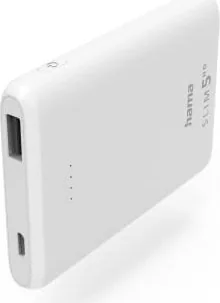
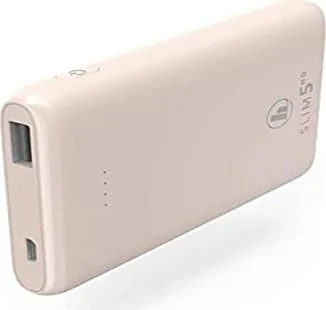
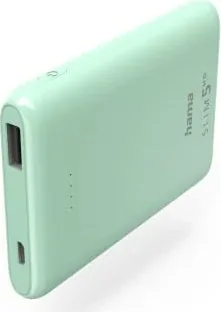
Hama Power Pack Slim 5HD 5000mAh Overview

Keeping your smart phones and tablets charged on the go is essential in modern life. The Hama Power Pack Slim 5HD 5000mAh provides an excellent mobile energy solution for users needing reliability. This device offers a simple and safe way to maintain device power levels outside the home. If you review the Hama Power Pack Slim 5HD 5000mAh Manual, you will learn much more about safety guidelines.

Design and Capacity

It features a very slim design that fits easily in pockets. High density lithium polymer cells allow this compact size without heavy weight. The battery has a capacity of 5000 mAh of energy. This is roughly 18.50 Wh of stored power. Four LEDs show the charge level clearly. Each light is 25 percent of total capacity. Three lights indicate at least 75 percent is available. All lights show full capacity is ready.

Safety and Charging

Safety is important for all electrical devices. Use a suitable charger for input power only. Do not charge this unit via a PC or notebook port. Port damage may occur due to currents. Output is 1000 mA at 5 volts. This provides safe power for connected devices. Optimized charging adjusts current automatically for speed. Do not connect input and output simultaneously to prevent damage.

Maintenance

Protect from heat and excessive moisture always. Do not expose to direct sun or heaters near units. Clean with a slightly damp lint free cloth only. Avoid aggressive agents that damage the casing. The battery is integrated inside the unit. Recycling must happen at end of life for safety. Follow legal requirements for disposal properly. This protects the environment from hazardous materials effectively.

Usage Guidelines

This product is for private use only. Keep away from children to avoid accidents. Do not drop the unit or expose to shocks. Do not modify the product internally. Leave repairs to professional experts only. Do not throw in fire. Use in dry environments. Do not charge while discharging at same time. These rules ensure longevity and safety.

Conclusion

With proper care, this power pack works well forever. It is great for travel and daily commute needs. Connectivity is maintained throughout the day. Follow the instructions for best results always. Enjoy reliable power storage for your devices daily.

M: QW-35-FL

© Copyright 2026 Manual.ly