
Hama RJ-45 LAN Adapter Manual
PDF manual · 24 Pages
English



Quick check
Incorrect answer, please try again.
Chat with your Hama RJ-45 LAN Adapter manual using AI
Get instant AI answers from your Hama RJ-45 LAN Adapter manual
Ask anything about the Hama RJ-45 LAN Adapter. Answers come from this manual, with the pages they are based on.
Ask a Question
Do you recommend RJ-45 LAN Adapter?
Yes NoFrequently Asked Questions
It adds a wired Ethernet connection to a compatible device through a USB-A port. Connect the adapter to USB, attach an RJ-45 Ethernet cable, and use it to access a router, switch, modem, or local wired network.
Is this answer helpful?
Windows 8, Windows 10, and Mac OS X 10.10 or later may already include the necessary driver support. Windows 7 may require driver installation before the adapter is ready to use.
Is this answer helpful?
Yes, the product information indicates that Mac OS X 10.10 and later can include integrated driver support. Connect the adapter to an available USB port to begin using it.
Is this answer helpful?
Disconnect the adapter from the USB port, wait a few seconds, and reconnect it. Also check that the Ethernet cable is firmly connected and that the network equipment is operating correctly.
Is this answer helpful?
Use it in a dry indoor environment. Keep it away from dirt, moisture, overheating, direct sunlight, radiators, and other heat sources.
Is this answer helpful?
The product guidance identifies it as intended for private, non-commercial use. Use it only for its intended Ethernet networking function.
Is this answer helpful?
Advantages and Disadvantages
Advantages

- Adds a wired RJ-45 Ethernet connection through an available USB-A port.
- Windows 8, Windows 10, and Mac OS X 10.10 or later may support plug-and-play operation.
- Useful for home networking, direct router connections, and situations where Wi-Fi is not preferred.
- Simple troubleshooting method: unplug the adapter briefly, then reconnect it.
Disadvantages

- Windows 7 may require a separate driver installation before use.
- Designed for dry indoor, private use and should be protected from heat, moisture, and impacts.
- Requires an unused USB-A port and a separate Ethernet cable.
- The supplied information does not state cable length, dimensions, or exact network speed for this specific USB 2.0 model.
Product Specification
Type
LAN adapter
Form factor
1x external wired (connection cable not detachable)
Connection
1x USB-A 2.0 (plug via cable, 480 Mb/s)
Port
1x RJ-45
Transfer rate
1x RJ-45 (10/100Base-T)
Power supply
Power supplied via connection only
Compatibility
universal
Manufacturer warranty
ten years
USB notation
left
Product Description
Hama RJ-45 LAN Adapter, USB-A 2.0 [Plug] - Read, Download & Print Free
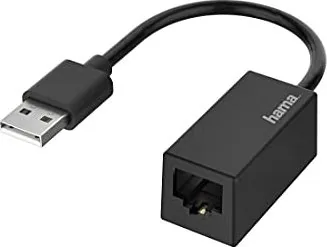
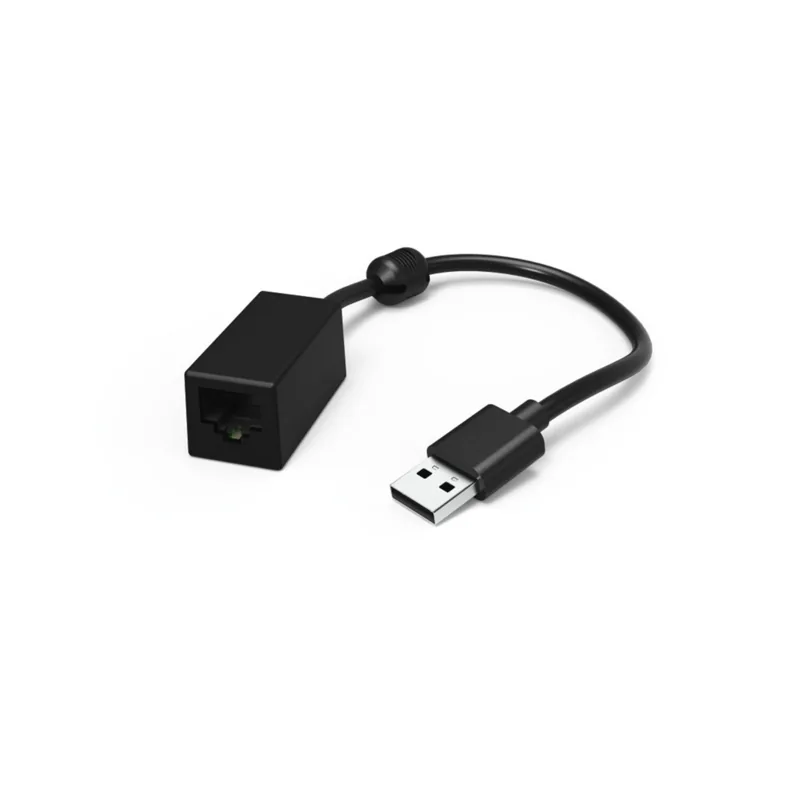
The Hama RJ-45 LAN Adapter, USB-A 2.0 [Plug] is a practical networking accessory for adding a wired Ethernet connection to a computer through an available USB-A port. It is suited to home users who want a direct connection to a router, modem, network switch, or wall Ethernet socket when wireless access is unavailable, unstable, or simply not preferred.
Simple Wired Network Access
This compact adapter connects a USB-equipped device to a standard RJ-45 Ethernet cable. It can be useful for laptops, desktop systems, and other compatible devices that need an additional network connection. A wired link can help create a dependable setup for everyday browsing, online work, home-office tasks, and local network access.
The product information identifies the adapter family as USB Ethernet hardware, including USB 2.0 Ethernet and USB 3.0 Gigabit Ethernet versions. This USB-A 2.0 plug model is designed around a straightforward connection process: insert the adapter into an unused USB port, connect an Ethernet cable, and configure the system only if required.
Compatibility and Setup
On Windows 8, Windows 10, and Mac OS X 10.10 or later, the required driver software may already be integrated into the operating system. In these environments, the adapter is generally ready to use after connection to a free USB port. Windows 7 may require the supplied driver installation before the adapter becomes operational.
For best results, connect the adapter directly to a functioning USB-A port and use a properly seated Ethernet cable. If the connection does not respond as expected, disconnect the adapter, wait a few seconds, and reconnect it. This simple restart step can resolve temporary communication issues.
Everyday Care
The Hama adapter is intended for private, non-commercial use in dry indoor environments. Keep it away from moisture, dirt, direct sunlight, heaters, and other sources of excessive heat. Route connected cables carefully to reduce trip hazards, and avoid dropping the adapter or exposing it to strong impacts.
Do not open or modify the unit, as changes can affect safe operation and may void warranty coverage. Stop using the adapter if it is visibly damaged or if it produces smoke, unusual odors, or loud noises. Electrical products should be disposed of through suitable local collection or recycling systems rather than household waste.
Notes
- Check your operating system version before installing additional drivers.
- Use the adapter only for its intended Ethernet networking purpose.
- Keep the USB connection and RJ-45 cable firmly connected during use.
Search for 67,732 Manuals online


Type-in Brand or Model
Henry Miller
5 months ago
Is this appliance easy to use and does it offer good value for money?
Manual.ly
4 months ago
Yes. The review highlights that the product is easy to operate, works well, and is competitively priced. It is also described as a reliable brand that the customer would recommend.