
Hama RJ-45 LAN Adapter Manual
PDF manual · 24 Pages
English



Quick check
Incorrect answer, please try again.
Chat with your Hama RJ-45 LAN Adapter manual using AI
Get instant AI answers from your Hama RJ-45 LAN Adapter manual
Ask anything about the Hama RJ-45 LAN Adapter. Answers come from this manual, with the pages they are based on.
Ask a Question
Do you recommend RJ-45 LAN Adapter?
Yes NoFrequently Asked Questions
It adds a wired Ethernet connection to a compatible device through a USB-A port. Connect the adapter to the device, then attach a standard RJ-45 Ethernet cable to access a router, switch, modem, or network outlet.
Is this answer helpful?
The USB 3.0 version is identified as a Gigabit Ethernet adapter. Actual network performance can also depend on the computer, USB port, Ethernet cable, router, switch, and internet or local network configuration.
Is this answer helpful?
Windows 8, Windows 10, and Mac OS X 10.10 or later generally include the required driver support, so no additional installation is normally needed. On Windows 7, install the required driver before using the adapter.
Is this answer helpful?
Yes. It is intended to provide an Ethernet connection through an available USB port, making it useful for laptops or other compatible devices without a built-in RJ-45 network socket.
Is this answer helpful?
Disconnect the adapter from the USB port, wait a few seconds, and connect it again. Check that the Ethernet cable is firmly connected and that the USB port is working. If a problem continues, consult product support.
Is this answer helpful?
Use it in a dry indoor environment. Keep it away from moisture, dirt, excessive heat, heaters, direct sunlight, and strong shocks. Arrange connected cables to prevent tripping hazards.
Is this answer helpful?
Advantages and Disadvantages
Advantages

- Adds an RJ-45 Ethernet connection through an available USB-A port.
- USB 3.0 Gigabit Ethernet design supports fast wired network connectivity.
- Windows 8, Windows 10, and Mac OS X 10.10 or later may work without extra driver installation.
- Compact external design avoids the need to modify a computer internally.
- Useful for devices without a built-in LAN port or when an extra network interface is needed.
Disadvantages

- Windows 7 may require a separate driver installation before use.
- Intended for dry indoor environments and private, non-commercial use.
- Requires a free USB-A port and a separate Ethernet cable.
- Should not be used if damaged, overheating, smoking, making noise, or producing unusual odors.
Product Specification
Type
LAN adapter
Form factor
1x external wired (connection cable non-removable)
Interface
1x USB-A 3.0 (plug via cable, 5 Gb/s)
Connection
1x RJ-45
Transmission
1x RJ-45 (10/100/1000Base-T)
Power supply
Power supplied via interface only
Compatibility
universal
Manufacturer warranty
ten years
USB notation
Link
Product Description
Hama RJ-45 LAN Adapter, USB-A 3.0 [Plug] - Read, Download & Print Free
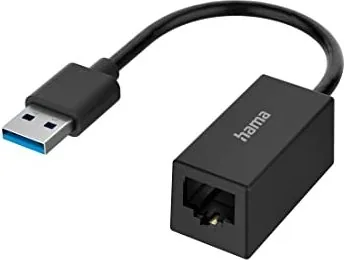
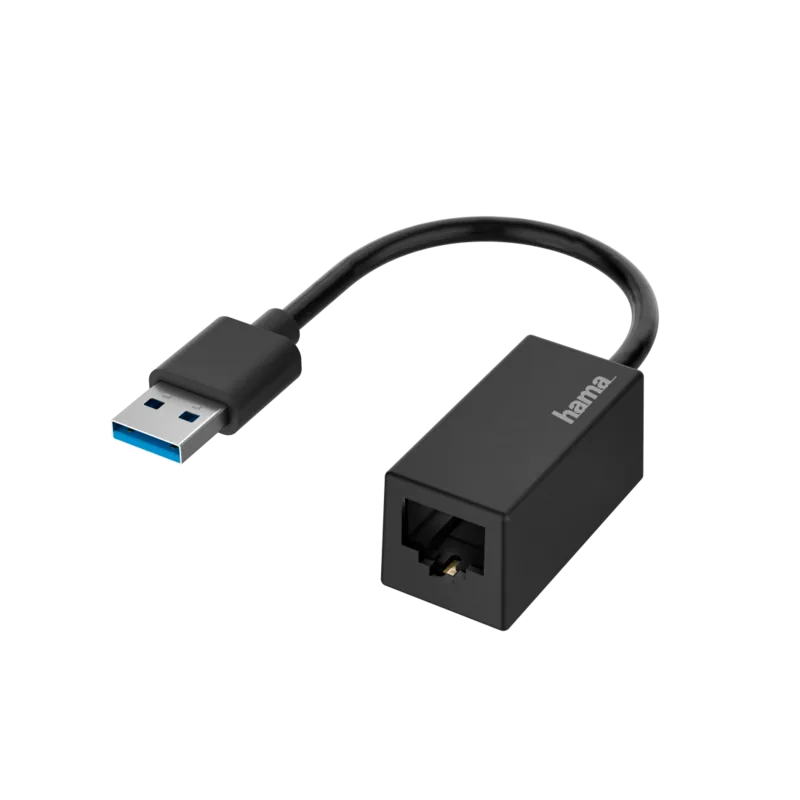
The Hama RJ-45 LAN Adapter, USB-A 3.0 [Plug] is a practical solution for adding a dependable wired network connection to a computer or compatible device with an available USB port. Designed for private, non-commercial use, this compact adapter connects a USB-A interface to an Ethernet network through an RJ-45 port. It is especially useful when Wi-Fi is unavailable, unstable, or not the preferred connection method.
Convenient Gigabit Ethernet Connectivity
This USB 3.0 Gigabit Ethernet adapter helps create a direct connection to a router, switch, modem, or wired network outlet. A wired connection can be a useful choice for home offices, desktop setups, video calls, media streaming, and other everyday online activities where a stable network link matters. Its USB-A plug supports quick connection to a free USB port, while the RJ-45 socket accepts a standard Ethernet cable.
The adapter is designed to be straightforward to use. On systems running Windows 8, Windows 10, or Mac OS X 10.10 and later, the required driver support is generally already integrated. After connecting the adapter to an open USB port, it can be ready for operation without a separate driver installation. Windows 7 users may need to complete the provided driver installation before using the network connection.
A Simple Addition to Your Workspace
The Hama adapter is a helpful accessory for laptops and computers that do not include a built-in LAN port or need an additional wired network interface. Its small format makes it easy to keep near a workstation or carry with other computer accessories. It provides a focused, uncomplicated way to access Ethernet without changing the computer's internal hardware.
For reliable use, place the adapter in a dry environment and protect it from moisture, dirt, overheating, direct sunlight, and nearby heat sources. Route connected cables carefully to reduce trip hazards and avoid dropping or subjecting the adapter to strong impacts. The product should not be opened or modified, as alterations may affect operation and warranty coverage.
Notes
- If the adapter stops responding, disconnect it, wait a few seconds, and reconnect it.
- Stop using the adapter if it is damaged or produces smoke, unusual odors, or loud noises.
- Dispose of the product through appropriate electronic recycling channels rather than household waste.
With its USB-A 3.0 connection and Gigabit Ethernet capability, the Hama RJ-45 LAN Adapter offers an easy way to bring wired networking to compatible devices when a stable physical network connection is needed.
Search for 67,732 Manuals online


Type-in Brand or Model
Bridgette Murphy
6 months ago
Does this adapter support near-gigabit internet speeds and work without complicated setup?
Manual.ly
6 months ago
Yes. According to user experience, it works by simply plugging it in and can achieve around 940 Mbps on a gigabit connection. Actual speeds may vary depending on your router, cable, device, and internet service.