
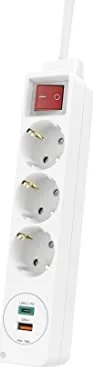
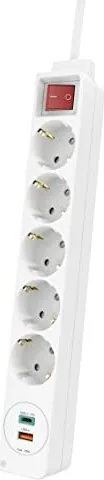
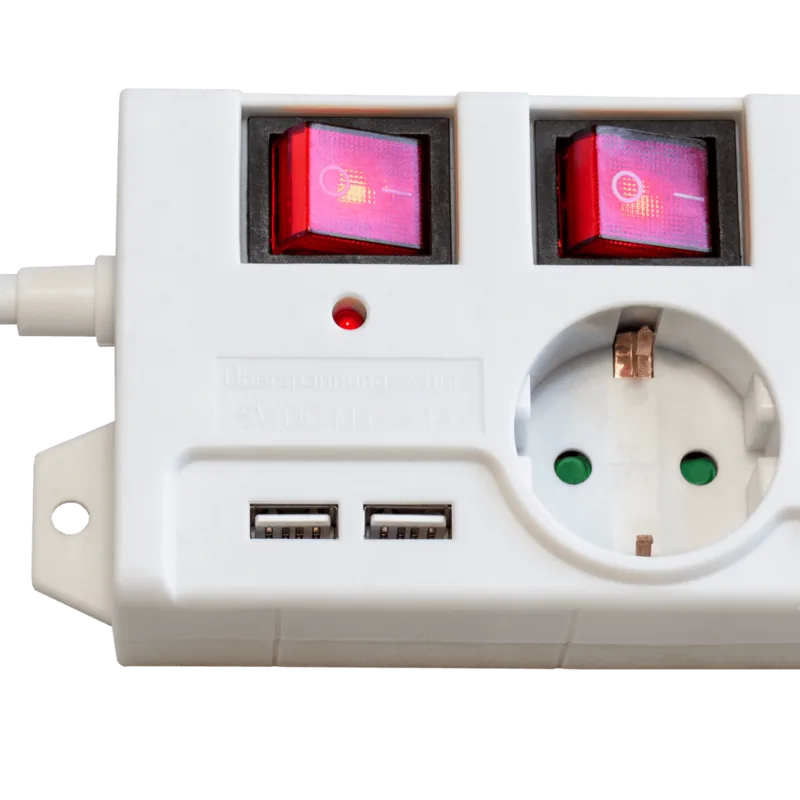
Hama Power Strip with Switch, Angled Flat Plug and 18W USB-PD Manual
PDF manual · 42 Pages
English



Quick check
Incorrect answer, please try again.
Chat with your Hama Power Strip with Switch, Angled Flat Plug and 18W USB-PD manual using AI
Get instant AI answers from your Hama Power Strip with Switch, Angled Flat Plug and 18W USB-PD manual
Ask anything about the Hama Power Strip with Switch, Angled Flat Plug and 18W USB-PD. Answers come from this manual, with the pages they are based on.
Ask a Question
Do you recommend Power Strip with Switch, Angled Flat Plug and 18W USB-PD?
Yes NoFrequently Asked Questions
The total power output for all USB ports combined is 18 Watts. This is shared between the USB-A and USB-C ports depending on the connected devices.
Is this answer helpful?
No, this product is designed strictly for indoor use. It is not waterproof and should not be exposed to rain, moisture, or direct sunlight.
Is this answer helpful?
Yes, the primary advantage of the angle flat plug is that it sits parallel to the wall, allowing it to fit in tight spaces where a standard plug would block adjacent sockets.
Is this answer helpful?
Your device must support Power Delivery (PD) or Quick Charge 3.0 protocols to utilize the fast charging capabilities of the USB-C and USB-A ports respectively.
Is this answer helpful?
Yes, provided the total load does not exceed 3680W. However, using the switch to turn off the strip when not needed is recommended for energy savings and safety.
Is this answer helpful?
No, you should never connect multiple units of this product in series. This can lead to overloading the circuit and creating a fire hazard.
Is this answer helpful?
Advantages and Disadvantages
Advantages

- Angle flat plug design saves space and prevents obstruction of adjacent outlets.
- 18W USB-PD port enables fast charging for compatible smartphones and tablets.
- Integrated On/Off switch allows for quick and safe power management.
- High capacity of 3680W supports multiple high-power appliances simultaneously.
- Compact and sturdy build quality suitable for both home and office environments.
Disadvantages

- Total USB power is limited to 18W, which may be slow for laptops requiring higher wattage.
- Cable length is not explicitly detailed in the provided text, potentially limiting reach.
- Not suitable for outdoor use due to lack of weatherproofing ratings.
- Requires a dedicated wall socket near the usage area for the flat plug to function effectively.
- USB ports share power, so connecting multiple devices reduces individual charging speed.
Product Specification
Input
1x Schuko
Input Voltage
240V (16A)
Power
3680W (max.)
Additional Connections
1x USB-C (PD), 1x USB-A (max. 18W)
Material
Plastic
Cable Length
4.59 ft
Features
45-degree arrangement, angled flat plug, 1x safety switch, child protection
Product Description
Stay Organized and Powered with the Hama Power Strip
Managing multiple devices in a modern home or office can be a tangled nightmare. The Hama Power Strip with Switch, Angle Flat Plug and 18W USB-PD offers a sleek solution to keep your workspace tidy while ensuring all your gadgets stay charged. This versatile power strip is designed with safety and convenience in mind, featuring an integrated switch for easy control of connected appliances.
One of its standout features is the angle flat plug. This innovative design allows the unit to sit flush against the wall, even when other outlets are occupied. It eliminates the awkward bulge that traditional plugs create, making it perfect for tight spaces behind furniture or in crowded entertainment centers. Whether you need to charge your phone, tablet, or laptop, this strip provides ample connectivity options.
The built-in 18W USB-PD port takes charging to the next level. Unlike standard USB ports, Power Delivery technology intelligently adjusts voltage and current to deliver the fastest possible charge compatible with your device. You can quickly top up your smartphone or power up a tablet without needing bulky adapters cluttering your desk. The Quick Charge 3.0 support further enhances compatibility with a wide range of Android devices.
Safety is paramount with Hama products. The power strip includes robust protection against overloading, overheating, and electric shock. It is rated for a maximum connected load of 3680W on the AC sockets, providing plenty of power for lamps, fans, and small electronics. However, users should always ensure the total wattage of connected devices does not exceed the limits specified in the technical data. The product is intended for indoor use only and must be kept away from moisture and direct sunlight.
Using this power strip simplifies daily routines. Simply plug it into a nearby socket, press the switch to activate, and connect your devices. The automatic negotiation of power delivery means no manual settings are required. Just plug in and go. For long periods of non-use, simply flip the switch to cut power completely, saving energy and enhancing safety.
Important Notes
- Always check that your devices support PD or QC 3.0 for optimal charging speeds.
- Do not chain multiple power strips together.
- Keep the unit dry and free from dust.
- Ensure the plug fits snugly into the wall socket.
- Dispose of packaging materials responsibly according to local regulations.
Search for 67,732 Manuals online


Type-in Brand or Model