
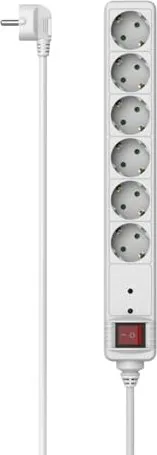
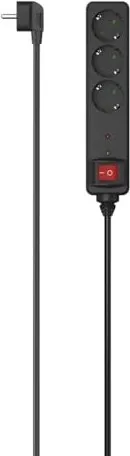
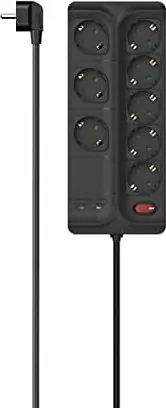
Hama Power Strip with Switch and Surge Protection Manual
PDF manual · 38 Pages
English



Quick check
Incorrect answer, please try again.
Chat with your Hama Power Strip with Switch and Surge Protection manual using AI
Get instant AI answers from your Hama Power Strip with Switch and Surge Protection manual
Ask anything about the Hama Power Strip with Switch and Surge Protection. Answers come from this manual, with the pages they are based on.
Ask a Question
Do you recommend Power Strip with Switch and Surge Protection?
Yes NoFrequently Asked Questions
It is designed to reduce the risk from mains-related voltage surges caused by switching operations and distant lightning strikes. It is intended for valuable telephone, computer, audio, video, and satellite equipment. It does not replace protection measures required for direct lightning strikes.
Is this answer helpful?
The maximum connected load is 3680 W. The strip is rated for 250 V AC and 16 A. Always add the power demands of all connected devices and keep the total within this limit.
Is this answer helpful?
The red LED indicates that surge protection is available. If it does not light, the protective function has been triggered and is no longer active. The green LED indicates a proper protective earth connection. If it is off, do not connect devices and contact a qualified electrician.
Is this answer helpful?
No. The strip should not be connected to extension cables, tabletop outlet units, adapters, or another identical power strip in series. Connect it directly to an approved, properly grounded wall socket.
Is this answer helpful?
It is intended for private, indoor use in dry environments and moderate conditions. Keep it away from moisture, splashing water, heat sources, direct sunlight, and areas where electronic equipment is prohibited.
Is this answer helpful?
Disconnect it from mains power before cleaning or storing it for an extended period. Wipe it with a slightly damp, lint-free cloth. Do not use aggressive cleaners, and make sure no water enters the product.
Is this answer helpful?
Advantages and Disadvantages
Advantages

- Type III surge protection helps protect sensitive electronics from switching-related surges and distant lightning activity.
- Built-in on/off switch offers quick control of connected devices and can reduce standby power use.
- Red and green LEDs show surge-protection and grounding status at a glance.
- Supports up to 3680 W at 250 V and 16 A for common home office and entertainment setups.
Disadvantages

- It does not provide complete protection against direct lightning strikes; building-level protection is also required.
- It must be connected directly to a properly grounded 16 A wall socket, not to adapters or extension leads.
- If the red LED is off, surge protection has been used and connected devices are no longer protected.
- Indoor dry-use only, so it is unsuitable for damp areas, outdoor locations, or high-moisture environments.
Product Specification
Input
1x Schuko
Additional ports
N/A
Material
Plastic
Product Description
Hama Power Strip with Switch, Surge Protection - Read, Download & Print Free
The Hama Power Strip with Switch, Surge Protection is designed to bring safer, more organized power access to home offices, media setups, and connected everyday devices. It combines multiple outlets with an easy on/off switch, allowing users to cut power to connected equipment without unplugging every cable individually. This practical layout helps reduce standby consumption and makes routine device management simpler.
Built-In Surge Protection for Valuable Equipment
A Type III surge protection system helps guard connected electronics against mains-related voltage spikes caused by switching operations or distant lightning activity. It is particularly suitable for computers, telephone systems, audio equipment, video devices, and satellite hardware. The strip supports a maximum connected load of 3680 W at 250 V and 16 A, making it appropriate for a range of standard household electronics.
Two status LEDs provide a quick visual check before devices are used. The red indicator confirms that surge protection remains active. If it does not illuminate after switching on, the protection function has been triggered and connected devices are no longer protected. The green indicator verifies the presence of a protective earth connection. If it stays off, the wall outlet may not be grounded, and an electrician should inspect the installation.
Everyday Convenience with Important Safety Guidance
The integrated switch provides a convenient way to disconnect power when a workstation or entertainment system is not in use. For safe operation, connect the power strip directly to a properly grounded wall socket protected by a 16 A fuse. Do not connect it to extension leads, adapters, desktop outlet units, or another power strip in series.
Before attaching equipment, switch all connected devices off and make sure their combined power draw stays within the stated maximum. Keep the unit indoors, dry, and away from moisture, heat sources, direct sunlight, dirt, and heavy impacts. Cables should be routed where they cannot be crushed, bent sharply, or create a tripping hazard.
A Sensible Addition to Connected Spaces
Whether used beside a desk, television, router, or hi-fi system, this Hama power strip adds useful outlet control and an extra layer of defense against common electrical surges. Its indicator lights make its operating status easier to monitor, while the switch supports a tidier shutdown routine for groups of connected devices.
Notes
- Surge protection is not a substitute for building-level protection against direct lightning strikes.
- Stop using the strip if it is visibly damaged.
- Disconnect it from mains power before cleaning or during extended periods of non-use.
- Clean only with a slightly damp, lint-free cloth and prevent water from entering the unit.
Search for 67,732 Manuals online


Type-in Brand or Model