
Hama Power Strip with Surge Protection Manual
PDF manual · 36 Pages
English



Quick check
Incorrect answer, please try again.
Chat with your Hama Power Strip with Surge Protection manual using AI
Get instant AI answers from your Hama Power Strip with Surge Protection manual
Ask anything about the Hama Power Strip with Surge Protection. Answers come from this manual, with the pages they are based on.
Ask a Question
Do you recommend Power Strip with Surge Protection?
Yes NoFrequently Asked Questions
It is designed to expand outlet access while adding surge protection for sensitive household electronics. It works well for computers, audio-video gear, telecom devices, and other indoor equipment that benefits from organized, protected power distribution.
Is this answer helpful?
No. The product is intended for indoor use only. The instructions emphasize dry environments and warn against moisture, dirt, and overheating. Outdoor use would increase the risk of damage and unsafe operation.
Is this answer helpful?
The surge protection helps reduce damage from network-related overvoltage, such as switching spikes or distant lightning effects. It is not a complete defense against direct lightning strikes, so extra building-level protection may still be needed.
Is this answer helpful?
The indicator light should be on when the strip is operating normally. If the light does not illuminate after switching on, the surge protection is considered defective and the unit should be replaced.
Is this answer helpful?
No. The instructions clearly say not to connect it to extension cables, table power strips, or adapters, and not to chain multiple units together. It should be used as a standalone device connected to a suitable socket.
Is this answer helpful?
It is especially suitable for high-value phone, computer, audio, video, and satellite equipment. It can also support other everyday indoor electronics, as long as the total load stays within the stated maximum limit.
Is this answer helpful?
Advantages and Disadvantages
Advantages

- 10 outlets provide plenty of space for multiple devices in one organized setup.
- Two switches make it easier to control groups of devices and reduce unnecessary power use.
- Built-in surge protection helps shield valuable electronics from common voltage spikes.
- 2 m cable offers flexible placement near desks, media units, or workstations.
Disadvantages

- Designed for indoor use only, so it is not suitable for wet or outdoor environments.
- Should not be used with extension leads, adapters, or other power strips in series.
- Requires a grounded 16 A socket, which may limit placement in older installations.
- Surge protection must be checked via the indicator light, so users need to monitor it.
Product Specification
Outputs
10x Schuko
Input
Schuko
Input voltage
230V
Power
3500W (max.)
Additional connections
N/A
Material
Plastic
Cable length
78.74 in
Dimensions (WxHxD)
14.17x2.17x4.72in
Special features
2x safety switch, illuminated switch (red), overvoltage protection, child protection, 45-degree arrangement, wall mounting
Product Description
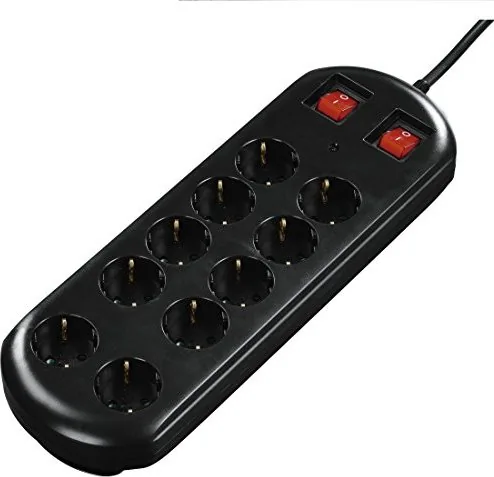
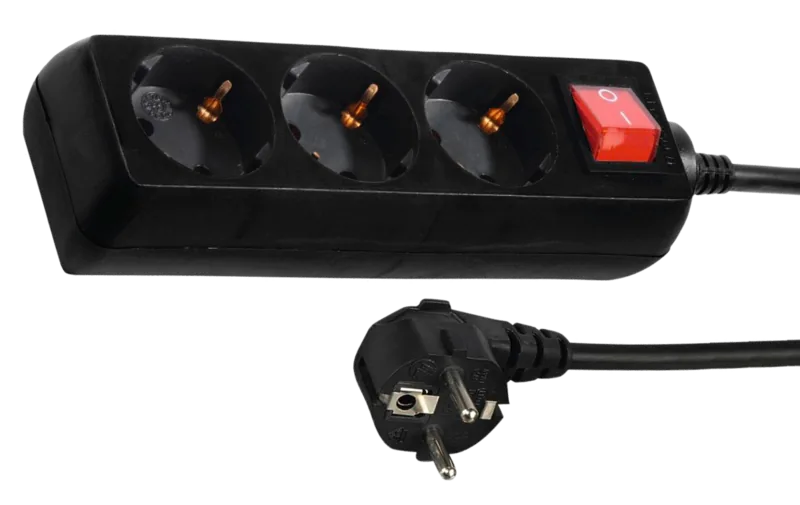
Hama Power Strip with Surge Protection, 2 Switches, 10-Way, 2m, Black
The Hama Power strip with surge protection, 2 switches, 10-way, 2m, black Manual points to a simple but highly useful accessory for modern homes and workspaces. Designed for indoor use, this black power strip combines multiple sockets, practical switching, and protective features in one compact format. It is especially appealing for anyone who wants to organize a desk, TV area, or home office without sacrificing safety or convenience.
One of its standout strengths is the built-in surge protection. According to the product guidance, it is made to help defend sensitive electronics against network-related voltage spikes caused by switching processes or distant lightning events. That makes it a smart match for computers, telecom equipment, and audio, video, or satellite devices that benefit from an extra layer of protection. The indicator light is also an important detail: it shows when the surge protection is active, giving users a quick visual check that the strip is operating properly.
The layout is equally practical. With 10 outlets and 2 switches, the strip allows flexible control over connected devices, so you can manage groups of equipment more easily. The 2-meter cable adds placement freedom, while the black finish helps it blend into most rooms and setups. It supports a mains supply of 220-240 V / 50-60 Hz / 16 A and a maximum connected load of 3500 W, which makes it suitable for a wide range of everyday electronics when used correctly.
Safety is a major theme in the instructions. The strip is intended for private use, indoors, and in dry environments only. It should be connected directly to a suitable grounded socket, not chained with other extension leads, adapters, or power strips. The manual also stresses that all connected devices should be switched off before plugging them in, and that visible damage, missing indicator light, or improper installation are reasons to stop using the unit.
Notes
- Best suited for home offices, entertainment setups, and protected electronics.
- Keep it away from moisture, heat, and overloaded circuits.
- Clean only with a slightly damp, lint-free cloth.
- Always follow the indicator light and socket requirements for safe operation.
Search for 67,706 Manuals online


Type-in Brand or Model