Manual.ly Logo

Hama OTG and Type-C Card Reader Manual

0.0 · 0 Ratings

PDF manual · 5 Pages

English

M: OA-GPT-54-NAN
page

/ 5

Loading...
edbb5ef43b4cda1f7d997dfe6b7f71531a1b page 2
2
G Operating instructions
Thank you for choosing a Hama product.
Take your time and read the following instructions and information completely. Please keep
these instructions in a safe place for future reference. If you sell the device, please pass
these operating instructions on to the new owner.
1. Explanation of Warning Symbols and Notes
Warning
This symbol is used to indicate safety instructions or to draw your attention to specic
hazards and risks.
Note
This symbol is used to indicate additional information or important notes.
2. Safety Notes
• The product is intended for private, non-commercial use only.
• Protect the product from dirt, moisture and overheating and use it in dry rooms only.
• Do not use the product in the immediate vicinity of heaters or other heat sources or in
direct sunlight.
• Do not drop the product and do not expose it to any major shocks.
• Do not attempt to service or repair the product yourself. Leave any and all service work
to qualied experts.
• Do not open the device or continue to operate it if it becomes damaged.
• Dispose of packaging material immediately according to locally applicable regulations.
• Do not modify the product in any way. Doing so voids the warranty.
• Keep this product, as all electrical products, out of the reach of children!
3. System Requirements
The Card Reader supports the following operating systems:
• Windows 10/8/7/Vista/XP
• Mac OS 9.x or higher
• Android 4.0 or higher
Note – Compatibility
• The USB 3.1/3.0 Card Reader is backwards compatible to USB 2.0.
• No additional drivers are needed. The installation runs automatically.
• Before using the card reader, check whether your terminal device has a Micro-USB
Type-B or a USB Type-C port.
4. Product Features
Note
• You will nd a list of the supported card formats on the packaging or at www.
hama.com (enter the item number in the search).
• Please refer to the packaging or our homepage www.hama.com (enter the item
number in the search) to know whether the card reader supports UHS-I, UHS-II (SD/
microSD) or UDMA (CompactFlash).
• The maximum data transfer rate is achieved when both the card and the card
reader support UHS-I, UHS-II or UDMA.
• Please refer to the packaging or our homepage www.hama.com (enter the item
number in the search) to know whether the card reader supports data exchange
directly from memory card to memory card.
5. Getting started
• Make sure that your terminal device is host-/OTG-capable.
• An accurate function can only be guaranteed with the le format FAT 32/exFAT.
• Observe the notes in the operating instructions of your terminal device.
Note – Android
• On Android devices you need a le manager app to access the data on the storage.
If such an app is not installed on your device you can download it via one of the
download portals for Android apps.
• If your end device is Host/OTG compatible and owns the necessary software version
but still does not recognize the Card Reader you maybe have to download and
install an additional plug-in app via one of the download portals for Android apps.
• Plug your memory card into the appropriate slot of the Card Reader.
• Connect the Card Reader to an available USB port on your terminal device.
• You can now run the data transfer between your terminal device and the memory card.
Warning – Data Loss
• Never use the USB Type-A and the Micro-USB Type-B or USB Type-C plug at the
same time.
• Ensure that the data transfer is done before you remove a memory card from your
Card Reader.
• Always use the Eject function of your operating system (Computer, Smartphone,
Tablet / Windows, Mac OS, Android) before you remove a memory card from your
Card Reader.
• Data loss can´t be excluded at disregard!
• Under no circumstance does Hama GmbH & Co KG accept liability for loss of data
stored on data storage media.
6. Care and Maintenance
Only clean this product with a slightly damp, lint-free cloth and do not use aggressive
cleaning agents. Make sure that water does not get into the product.
7. Exclusion of Warranty
Hama GmbH & Co KG assumes no liability and provides no warranty for damage resulting
from improper installation/mounting, improper use of the product or from failure to
observe the operating instructions and/or safety notes.
8. Service and Support
Please contact Hama Product Consulting if you have any questions about this product.
Hotline: +49 9091 502-115 (German/English)
Further support information can be found here: www.hama.com
9. Recycling Information
Note on environmental protection:
After the implementation of the European Directive 2012/19/EU and 2006/66/
EU in the national legal system, the following applies: Electric and electronic
devices as well as batteries must not be disposed of with household waste.
Consumers are obliged by law to return electrical and electronic devices as
well as batteries at the end of their service lives to the public collecting points
set up for this purpose or point of sale. Details to this are dened by the national law of
the respective country. This symbol on the product, the instruction manual or the package
indicates that a product is subject to these regulations. By recycling, reusing the materials
or other forms of utilising old devices/Batteries, you are making an important contribution
to protecting our environment.

Chat with your Hama OTG and Type-C Card Reader manual using AI

Get instant AI answers from your Hama OTG and Type-C Card Reader manual

Ask anything about the Hama OTG and Type-C Card Reader. Answers come from this manual, with the pages they are based on.

Ask a Question

0/1000

Do you recommend OTG and Type-C Card Reader?

Yes No

Frequently Asked Questions

A

It lets you read, transfer, and manage files from memory cards on compatible computers, tablets, and Android devices. The dual-slot design adds flexibility for users who work with multiple card types or need a simple mobile transfer solution.

Is this answer helpful?

A

No additional drivers are required. On supported systems, the reader installs automatically. Android users may still need a file manager app, and in some cases a plug-in app, to browse card contents properly.

Is this answer helpful?

A

It works with OTG/host-capable devices that have USB-C or USB-A ports, plus compatible Windows, Mac OS, and Android systems. Always confirm that your device supports the needed connection and OTG function before use.

Is this answer helpful?

A

FAT32 and exFAT are the recommended formats for reliable operation. Other file systems may not work as smoothly, so using one of these formats helps improve compatibility and reduce transfer issues.

Is this answer helpful?

A

Yes, but the fastest speeds depend on the memory card and the reader both supporting high-speed standards such as UHS-I, UHS-II, or UDMA. If either side is slower, the overall transfer speed will be lower.

Is this answer helpful?

A

Always wait until the transfer is complete, then use the operating system’s eject function before removing the card. This reduces the chance of corrupted files or data loss during disconnection.

Is this answer helpful?

M: OA-GPT-54-NAN

Advantages and Disadvantages

Advantages

  • USB-C and USB-A plugs make it easy to use with new and older devices.
  • Plug-and-play operation means no extra drivers are needed on supported systems.
  • Works with Windows, Mac OS, and Android for broad everyday compatibility.
  • Backward USB 2.0 support and fast-card compatibility increase versatility.
VS

Disadvantages

  • Top transfer speed depends on both the card and the device supporting fast standards.
  • Android users may need a file manager or extra plug-in app to access data.
  • Requires OTG/host support, so not every phone or tablet will work.
  • Using the wrong plug setup or removing cards too early can risk data loss.
M: OA-GPT-54-NAN

Product Specification

Type

Card reader

Form factor

1x USB stick

Connection

1x USB-A 3.0 (Plug, 5Gb/s), 1x USB-C 3.0 (Plug, 5Gb/s)

Card slots

1x microSD, 1x SD Card

Transfer

1x microSD (microSD), 1x SD Card (SD Card)

Power supply

Power supply only via connection

Dimensions

2.83x0.55x1.02in (WxHxD)

Weight

0.03 lbs

Housing color

grey

Compatibility

universal

USB notation

Link

M: OA-GPT-54-NAN

Product Description

Hama OTG Dual-Slot Card Reader: Compact Access for Everyday Transfers

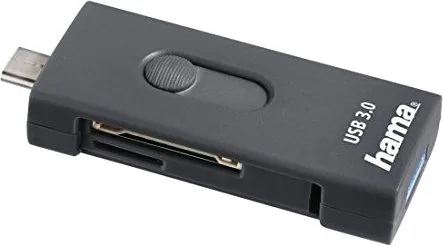
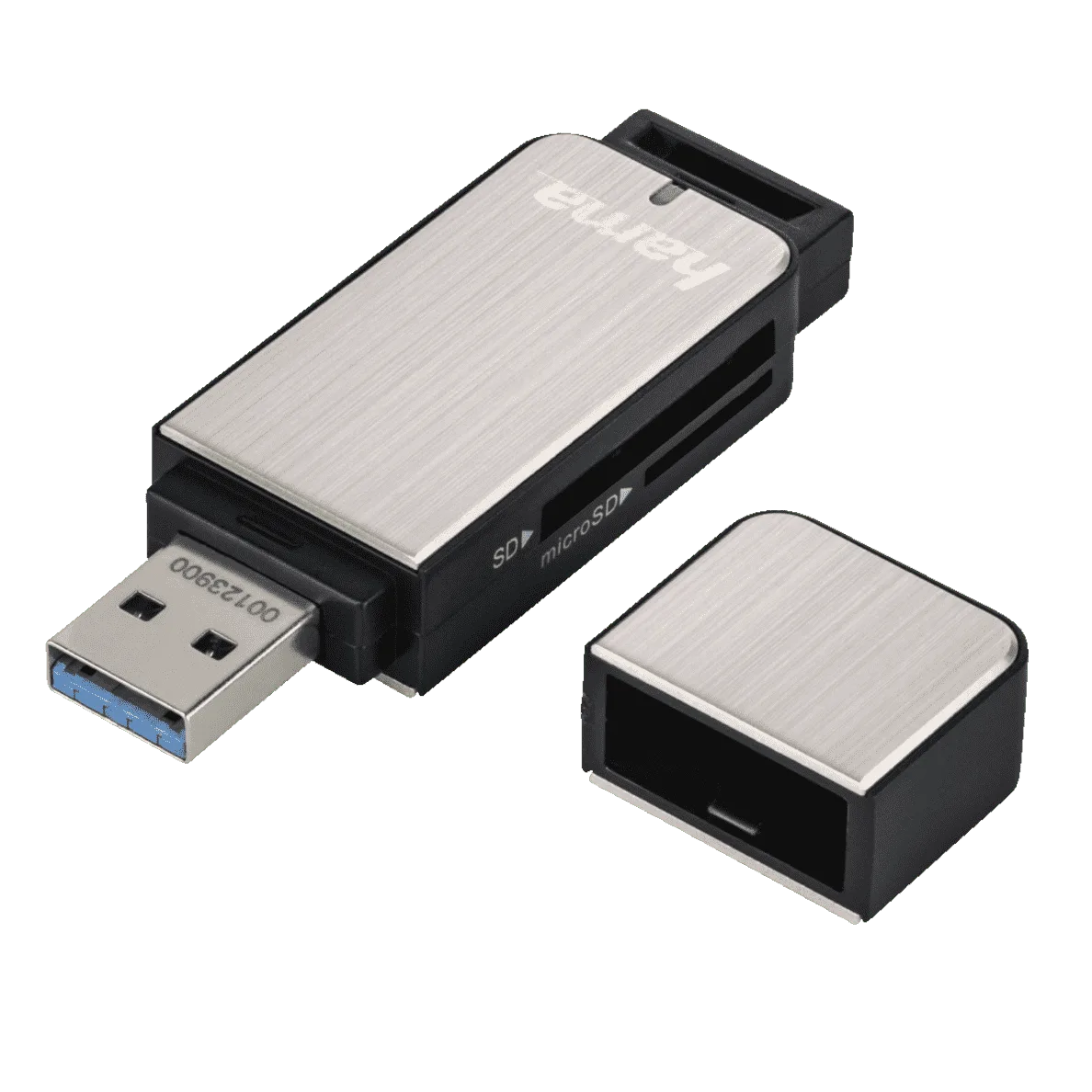
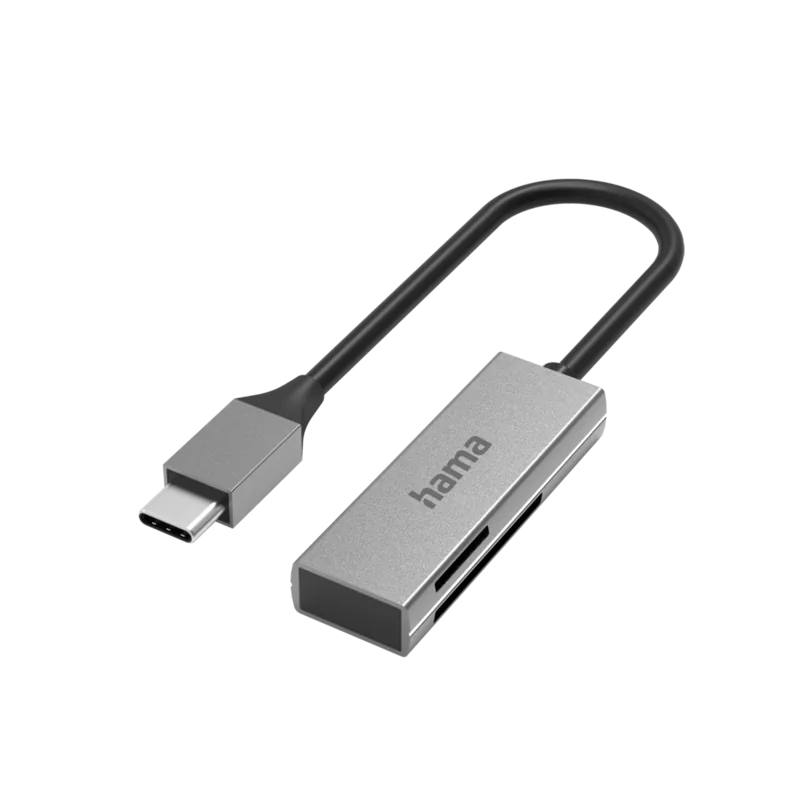
The Hama OTG Dual-Slot Card Reader is designed for people who move data between memory cards and modern devices with minimal effort. With both USB-C 3.0 and USB-A 3.0 connectivity, it fits smoothly into mixed setups, whether you are using a recent laptop, a desktop computer, or an OTG-enabled Android device. Its dual-slot design adds flexibility for users who work with more than one card format and want a simple way to handle photos, videos, documents, or backup files.

Easy Setup, Broad Compatibility

One of the strongest points of this card reader is its plug-and-play behavior. No extra drivers are needed, and setup happens automatically on supported systems. It works with a wide range of operating systems, including Windows, Mac OS, and Android, making it a practical tool for both office and personal use. The USB 3.1/3.0 connection is also backward compatible with USB 2.0, which helps extend its usefulness across older hardware.

Built for Fast and Flexible File Transfers

The reader is most effective when paired with cards and devices that support fast standards such as UHS-I, UHS-II, or UDMA. In those cases, transfer speeds can be significantly improved, especially when handling large media files. It also supports common file formats like FAT32 and exFAT, which helps ensure smoother compatibility during everyday use. For Android users, a file manager app may be required to browse and transfer data from a memory card.

Practical Safety and Long-Term Use

The Hama card reader is meant for dry environments and careful handling. Like many compact accessories, it should be protected from moisture, heat, strong impacts, and unnecessary modifications. Safe removal matters as well: always finish data transfers before unplugging a card and use the operating system’s eject function whenever possible. These small habits help reduce the risk of data loss and keep your storage media in better condition.

Notes

  • Check your device for OTG or host support before use.
  • Do not use both plugs at the same time.
  • Full speed depends on both the card and the connected device.
  • Clean only with a soft, slightly damp cloth.
  • Recycle the product and packaging according to local rules.
M: OA-GPT-54-NAN

© Copyright 2026 Manual.ly
