
Hama MW-300 Manual
PDF manual · 2 Pages
English



Quick check
Incorrect answer, please try again.
Chat with your Hama MW-300 manual using AI
Get instant AI answers from your Hama MW-300 manual
Ask anything about the Hama MW-300. Answers come from this manual, with the pages they are based on.
Ask a Question
Do you recommend MW-300?
Yes NoFrequently Asked Questions
It is best for everyday computer use such as browsing, office work, and general navigation. Its simple three-button design makes it easy to use for routine tasks without a learning curve.
Is this answer helpful?
No. The available information suggests a basic, practical mouse rather than a feature-heavy device. It is meant to provide straightforward control and dependable daily use.
Is this answer helpful?
Yes. The text states that the radio equipment type complies with EU Directive 2014/53/EU. It also lists the operating band and maximum transmitted power for the device.
Is this answer helpful?
The device operates in the 2402–2480 MHz frequency band. The listed maximum radio-frequency power transmitted is 0.35 mW E.I.R.P.
Is this answer helpful?
The warranty does not cover damage caused by improper installation, incorrect mounting, misuse, or failure to follow the operating instructions and safety notes.
Is this answer helpful?
Electrical and electronic devices should not be thrown away with household waste. They should be returned to designated collection points or sales locations according to local regulations.
Is this answer helpful?
Advantages and Disadvantages
Advantages

- Simple three-button layout for easy everyday use.
- Black finish gives it a clean, professional look.
- Designed with compliance and safety guidance in mind.
- Low radio-frequency power supports efficient operation.
- Suitable for basic office, home, and browsing tasks.
Disadvantages

- No advanced features or extra buttons are highlighted.
- Performance depends on following the setup and usage instructions.
- Warranty coverage is limited if the product is misused.
- Electronic disposal rules add an extra responsibility for users.
Product Specification
Compatibility
both hands (left hand, right hand)
Buttons
3 (total), 2 (main), 1 (scroll wheel click)
Scroll wheel
1x 2-way
Tracking
LED-red/IR
Resolution
1200dpi
Lighting
N/A
Connection
wireless (2.40GHz), USB-A (USB-A receiver)
Power supply
2x AAA
Dimensions (WxHxD)
2.28x1.46x4.06in
Approximate volume
3.54 in^3 (approximate shape)
Color
black
Special features
Thumb rest, reduced click noise, stowable receiver
Product Description
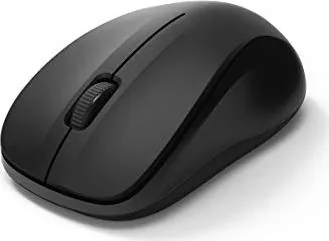
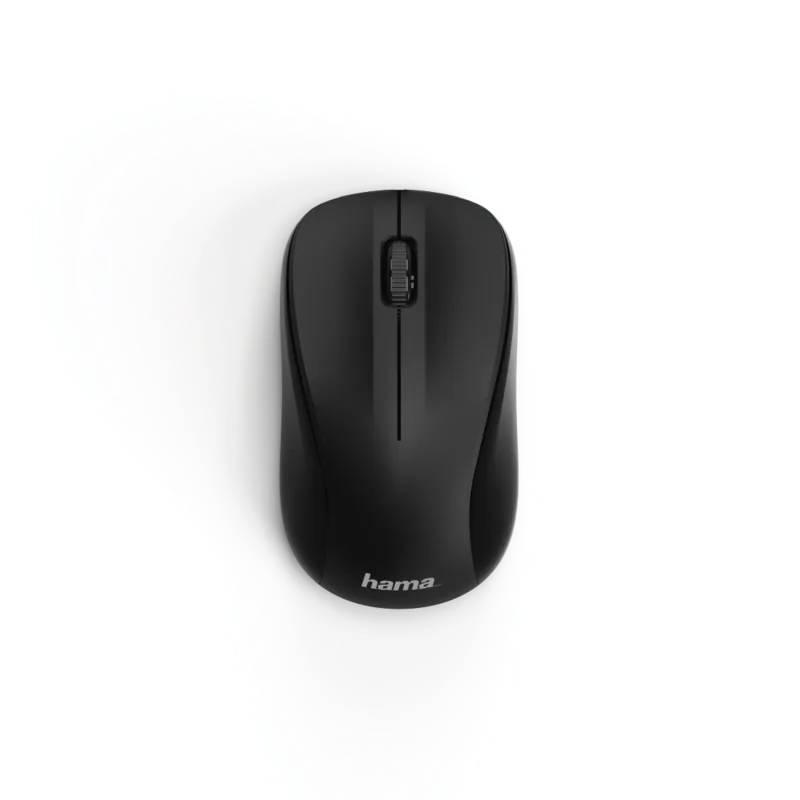
Hama MW-300 Black USB Mouse
The Hama MW-300 black USB mouse is a practical everyday companion for users who value simplicity, reliable control, and a clean black design. Built around a straightforward three-button layout, it focuses on the essentials: comfortable navigation, responsive use, and easy handling for office tasks, browsing, and general home computing.
What makes this model appealing is its no-nonsense approach. Instead of adding unnecessary complexity, it delivers a familiar mouse experience that is easy to understand and quick to use. That makes it a good fit for anyone who wants a dependable input device for daily work or casual use. Its compact style also helps it blend neatly into a modern desk setup.
The product information highlights the importance of proper installation, correct use, and following the operating instructions. Like many electronic devices, it is designed to work best when used as intended. This is especially relevant for users who want long-lasting performance and want to avoid issues caused by incorrect mounting, handling, or usage. In other words, a careful setup helps protect both the device and the user experience.
Another strong point is compliance. The MW-300 is presented as a radio device that meets the requirements of EU Directive 2014/53/EU, with operation in the 2402–2480 MHz band and low transmitted power. That adds confidence for users who care about product standards and responsible electronics. The documentation also reminds users to dispose of electrical and electronic devices properly, which reflects a more environmentally conscious approach.
For everyday buyers, this mouse is best understood as a simple, functional tool rather than a feature-heavy accessory. It is designed to do its job well, without distraction. If you need a practical mouse in black with a USB-based setup and clear safety guidance, the Hama MW-300 offers a balanced mix of usability, compliance, and everyday convenience.
Notes
- Use the mouse according to the instructions to avoid damage.
- Do not dispose of electrical devices with household waste.
- Check local recycling rules for electronic products.
- Warranty may not apply if the product is misused or installed incorrectly.
Search for 67,732 Manuals online


Type-in Brand or Model
Miriam Schneider
9 months ago
Is this mouse really worth the price? How do the buttons feel and is the tracking smooth?
Manual.ly
9 months ago
Yes, many buyers feel it is a great value for the money. The buttons are described as very responsive and comfortable to press, without feeling mushy. For day to day use, the sensor and movement/tracking are reported as smooth and accurate, with fast, fluid cursor control. If you mainly want reliable performance for office work or general gaming at a reasonable cost, this model is often seen as a solid pick. If you share what you plan to use it for (work, FPS, office, etc.), we can help you confirm whether it fits your needs.