
Hama Motion 1 Star XS Manual
PDF manual · 22 Pages
English



Quick check
Incorrect answer, please try again.
Chat with your Hama Motion 1 Star XS manual using AI
Get instant AI answers from your Hama Motion 1 Star XS manual
Ask anything about the Hama Motion 1 Star XS. Answers come from this manual, with the pages they are based on.
Motion 1 Star XS Maintenance Schedule
Verify the bracket is secure and safe to use at regular intervals. Ensure it does not exceed maximum capacity or dimensions.
Clean using only water or standard household cleaners. Do not use harsh chemicals.
Free maintenance reminders
Timed to your purchase date. Always free, unsubscribe anytime.
Ask a Question
Do you recommend Motion 1 Star XS?
Yes NoFrequently Asked Questions
This bracket is designed for screen diagonals ranging from 25.0 cm to 66.0 cm, which corresponds to approximately 10 inches to 26 inches in the US.
Is this answer helpful?
The maximum load bearing capacity is 30 kg. Do not exceed this limit to ensure safety and integrity of the wall and bracket.
Is this answer helpful?
The provided wall plugs are approved for concrete, brick, and solid brick walls. For other materials, suitable mounting materials must be purchased separately from a specialized dealer.
Is this answer helpful?
It is recommended to mount with the help of a second person. If in doubt, have the product mounted by a qualified technician to ensure safety.
Is this answer helpful?
You should check that the product is secure at least every three months after installation and during regular maintenance intervals.
Is this answer helpful?
No. Hama GmbH assumes no liability and provides no warranty for damage resulting from improper installation, mounting, or failure to observe operating instructions.
Is this answer helpful?
You can contact Hama Product Consulting via hotline at +49 9091 502-115 for German or English support, or visit www.hama.com for more information.
Is this answer helpful?
Advantages and Disadvantages
Advantages

- Compact profile depth of 3.5 cm keeps it close to the wall
- VESA 100x100mm standard supports many small to medium screens
- Adjustable tilt angle between -15 and +10 degrees
- Includes installation kit with screws and plugs for concrete walls
- Suitable for private household non-commercial use only
Disadvantages

- Limited to screens up to 66 cm diagonal or 30kg
- Provided wall plugs only for concrete or solid brick
- Installation requires the assistance of two people
- Warranty void for damage from improper installation or use
- Not designed for commercial spaces or outdoor use
Product Specification
Type
Wall Mount
Number of Monitors
1
Screen Size
10"-26"
Tilt
Tiltable (-15 deg, +10 deg)
Distance to Wall
1.38"
Max Load
66.14 lbs
VESA
50x50, 75x75, 100x100
Color
Black
Product Description
Discover the Hama Motion TV Wall Mount Solution
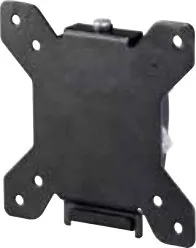
The Hama Motion, 1 Star, XS, Black TV Wall Mount offers a compact and secure way to mount flat panel displays within private households. This bracket is designed for smaller to medium screens, specifically those ranging from 25 centimeters to 66 centimeters in diagonal. It supports a maximum load of 30kg effectively. The design accommodates VESA standards up to 100x100mm, which ensures broad compatibility with many monitor and television models currently available on the market. The unit features a very slim profile depth of 3.5 cm, keeping it close to the wall surface for a cleaner look.
Detailed Installation Process
Proper installation requires care and should always involve two people to ensure safety. The included installation kit contains various screws and plugs suitable for concrete or solid brick walls. Before drilling into any surface, users must check for electrical wires or pipes inside the wall. Different devices may need specific parts not included in the standard box. If the wall material differs from concrete, suitable anchors must be purchased from a specialized dealer. Never apply excessive force during setup as this can damage the end device or the bracket itself. The package includes the wall bracket, installation kit, and operating instructions. If the mounting kit lacks suitable fastening materials, purchase these from a specialized dealer.
Safety Regulations and Maintenance
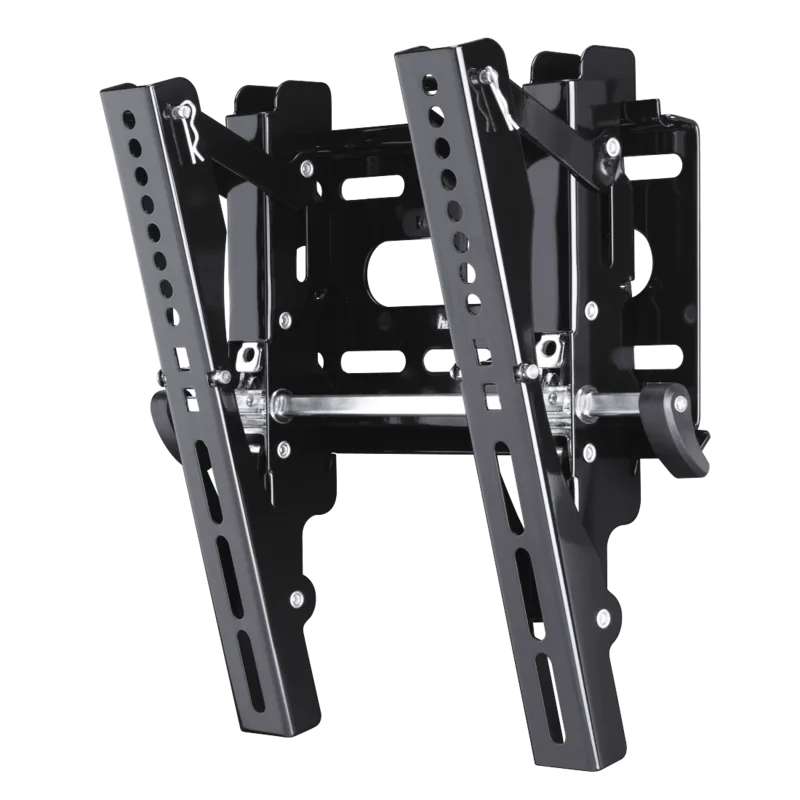
Safety is paramount when hanging heavy electronics. Users should never mount the product above locations where persons might linger for extended periods. Inspect the stability and security of the mount at regular intervals, specifically every three months. Ensure the load is applied symmetrically and does not exceed the maximum permitted weight. Adjust the tilt angle gently between negative fifteen and plus ten degrees. Clean the surface only with water or standard household cleaners. If any damage occurs, remove the load immediately and stop usage. Hama GmbH assumes no liability for improper installation. The warranty disclaimer states Hama GmbH assumes no liability for damage resulting from improper installation or use.
Final Recommendations
This bracket is ideal for bedrooms or small living spaces with limited display sizes. Always keep the instructions in a safe place for future reference or when selling the device. Contact Hama Product Consulting if you have any questions about this product or its installation. Their hotline is available for German and English support. Enjoy a secure viewing experience with this reliable wall mount solution for your home entertainment setup today.
Usage Notes
Keep leftover screws with instructions for future moving. Check horizontal alignment with a bubble level. Adjust the inclination by loosening side mounting screws slightly. Do not mount in commercial spaces. Only for building interiors.
Search for 67,732 Manuals online


Type-in Brand or Model
Klaus Muller
7 months ago
Assembly seems easy, but leveling due to size is hard. Is this expected?
Manual.ly
7 months ago
While assembly is generally straightforward for our products, larger sizes can sometimes require more adjustment for perfect leveling. We recommend ensuring your mounting surface is flat and allowing extra time for alignment. If you need step-by-step guidance, our manual covers this in detail.