
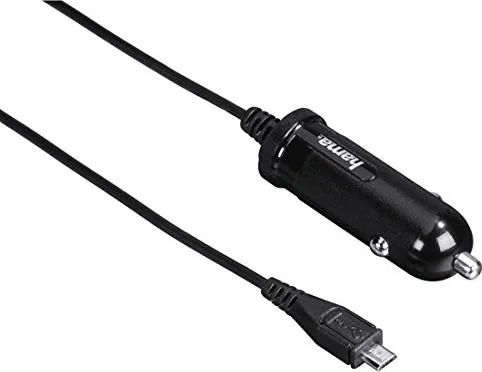
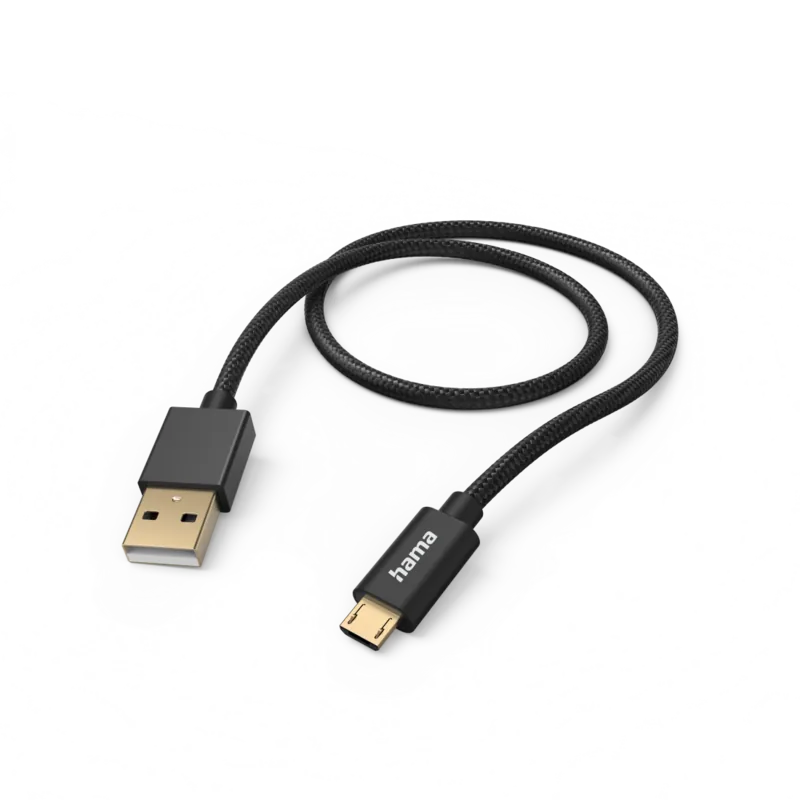
Hama Micro-USB Car Charger Manual
PDF manual · 2 Pages
English



Quick check
Incorrect answer, please try again.
Chat with your Hama Micro-USB Car Charger manual using AI
Get instant AI answers from your Hama Micro-USB Car Charger manual
Ask anything about the Hama Micro-USB Car Charger. Answers come from this manual, with the pages they are based on.
Ask a Question
Do you recommend Micro-USB Car Charger?
Yes NoFrequently Asked Questions
It is used to power and charge compatible Micro-USB devices, especially navigation systems, through a car’s cigarette lighter socket. It is designed for convenient charging while traveling.
Is this answer helpful?
No. The charger is made for in-car use, so it can charge supported devices directly from the vehicle socket without needing a PC or laptop.
Is this answer helpful?
First, switch off the device and connect it in the correct polarity. Then plug the charger into the car’s cigarette lighter socket. After that, turn the device back on.
Is this answer helpful?
Yes. The status LED indicates whether the charger is working properly and whether the device is in a charging state.
Is this answer helpful?
Yes. Any compatible Micro-USB device can use it, as long as the device’s power requirements stay within the charger’s limits.
Is this answer helpful?
Do not short-circuit the contacts, avoid moisture and dust, keep it ventilated during use, protect it from heat and sunlight, and do not use damaged units.
Is this answer helpful?
Advantages and Disadvantages
Advantages

- Works with Micro-USB navigation devices and other compatible gadgets.
- Charges directly from the car socket, no PC or laptop needed.
- Status LED helps confirm proper charging or operating state.
- Simple connection steps make it easy to use on the go.
Disadvantages

- Must not exceed the device’s maximum output current.
- Needs careful handling to avoid moisture, dust, and heat.
- Not suitable for damaged units; repairs require an authorized specialist.
- Charging can warm the unit, so ventilation is necessary.
Product Specification
Output
1x USB Micro-B (Plug), max. 5 W
Input
12 V-Car Power Outlet (Plug)
Product Description
Hama Micro-USB Car Charging Cable Black
Reliable power for navigation and everyday Micro-USB devices
In the Hama Micro-USB car charging cable black manual, the focus is clear: give drivers a simple way to keep compatible devices powered while on the road. This compact car charger is designed for navigation units that rely on a Micro-USB connection, making it a practical travel companion for daily commutes, business trips, and long-distance drives. It plugs into the cigarette lighter socket, so charging is possible even when a PC, laptop, or wall outlet is nowhere nearby.
What makes this accessory appealing is its straightforward use. The guidance calls for a switched-off device to be connected first, followed by the charger being inserted into the vehicle socket, and only then should the device be switched on. That sequence may seem basic, but it helps support safe and stable charging. A status LED adds another useful detail by showing whether the unit is operating correctly or charging as expected.
Although it is especially suited to navigation systems, this charger is not limited to one type of gadget. Any compatible Micro-USB device can benefit from the same in-car power source, which makes it a flexible addition to your travel kit. If you regularly carry a GPS device, a portable accessory, or another Micro-USB-powered item, keeping this charger in the car can save time and reduce battery anxiety.
The black design gives the cable a clean, unobtrusive look that fits naturally into most car interiors. More importantly, the product emphasizes careful, informed use. The manual reminds users not to exceed the maximum output current, to avoid short circuits, and to protect the charger from moisture, dust, and excessive heat. Like many charging devices, it can warm up during use, so ventilation matters. Those small precautions help maintain reliable performance and extend the life of both the charger and the connected device.
For frequent travelers, the biggest advantage is convenience. Instead of searching for a wall socket or waiting until reaching a laptop, you can recharge on the move and keep your navigation system ready for the next turn. That makes this Hama charger a modest but genuinely useful tool for everyday mobility.
Notes
- Check your device specifications before first use.
- Observe maximum charging times for built-in batteries.
- Do not cover the charger while it is in operation.
- Replace damaged units rather than attempting repairs yourself.
Search for 67,732 Manuals online


Type-in Brand or Model
Josefa Chavarría
10 months ago
Does this charger really support 'intelligent charging', or is it just marketing? Some reviews claim it is basic junk and they returned it.
Manual.ly
10 months ago
Hi! The term "intelligent charging" typically means automatic control features such as regulated charging current, battery type detection, and built-in safety protections (overcharge, overcurrent, temperature protection). However, these smart behaviors only work when the charger is compatible with your battery chemistry and charge specifications. If your battery type, voltage, or capacity does not match, the charger may behave like a basic charger and the smart features may not activate. Please check the product page for supported battery type and voltage and compare it to your batteries. If you share the battery chemistry (for example, Li-ion/LiFePO4), model, and your charging target, our team can help confirm compatibility. If it still does not meet expectations, we can advise on the correct return or exchange process.