
Hama Greenlight Pointer 4in1 Manual
PDF manual · 28 Pages
English



Quick check
Incorrect answer, please try again.
Chat with your Hama Greenlight Pointer 4in1 manual using AI
Get instant AI answers from your Hama Greenlight Pointer 4in1 manual
Ask anything about the Hama Greenlight Pointer 4in1. Answers come from this manual, with the pages they are based on.
Ask a Question
Do you recommend Greenlight Pointer 4in1?
Yes NoFrequently Asked Questions
The device operates wirelessly at a distance of up to 20 meters from the computer receiver.
Is this answer helpful?
Yes, it is compatible with Mac OS 10.10 or higher as well as Windows 10 and 11.
Is this answer helpful?
It uses two AAA batteries. They should be inserted with correct polarity to avoid damage.
Is this answer helpful?
Yes, it is a Class 1 laser. However, you should never look directly into the beam or optical instruments.
Is this answer helpful?
Use a slightly damp, lint-free cloth. Do not use aggressive cleaning agents or let water enter the product.
Is this answer helpful?
It controls play, pause, screen mode, and black-white screen options for slide navigation.
Is this answer helpful?
Children are not permitted to play with the device alone. Battery replacement requires adult supervision.
Is this answer helpful?
Advantages and Disadvantages
Advantages

- Wireless range up to 20m
- Easy USB plug and play setup
- Safe Class 1 laser pointer
- Supports Windows and Mac OS
- Compact and lightweight design
Disadvantages

- Requires specific battery type
- Limited to non-commercial use
- Only available in black color
- Laser power is relatively low
- Batteries not rechargeable included
Product Specification
Function
Presenter, Laser Pointer (green)
Buttons
6
Connectivity
Wireless (2.4GHz)
Power Source
2x AAA
Dimensions (WxHxD)
1.46x1.18x5.31 in
Weight
2.29 oz
Features
Retractable receiver
Product Description
Elevate Your Presentations with Premium Clarity
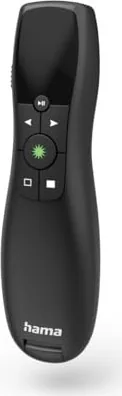
Delivering impactful messages in modern corporate or educational environments requires the right tools. The Hama Wireless Laser Presenter Greenlight Pointer stands out as a reliable companion for professionals seeking precision without the clutter of wires. This 4-in-1 device integrates multiple functionalities into one sleek, black body designed for comfort during extended use. It is an essential accessory for anyone looking to enhance their speech delivery.
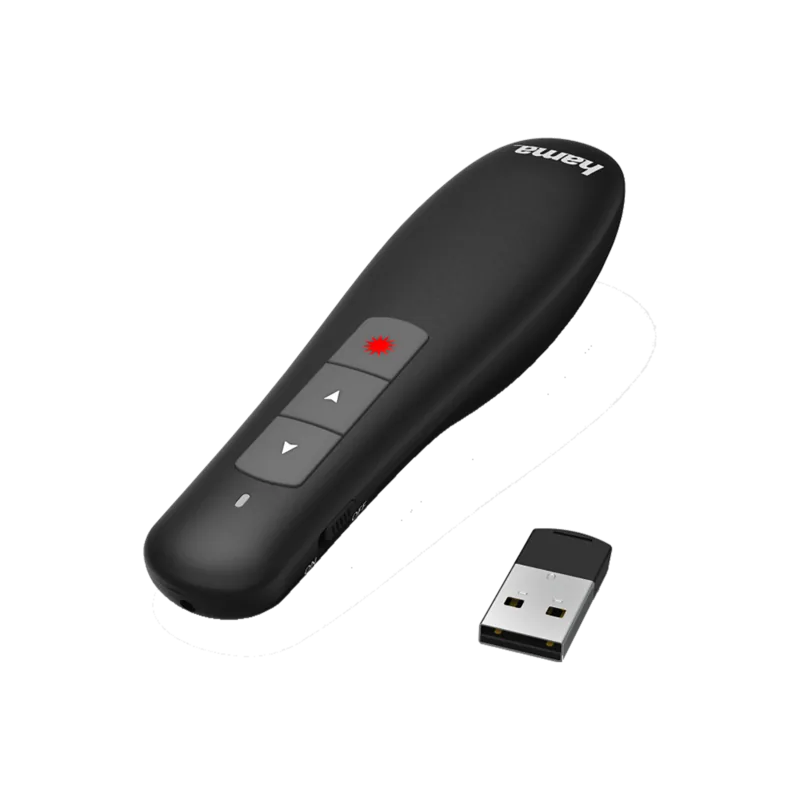
The core advantage lies in its wireless capability. Utilizing a stable 2.4 GHz connection, users can confidently control presentations from up to twenty meters away. This range ensures flexibility whether you step off stage or move around a boardroom. The setup is straightforward. Simply plug the USB receiver into any available port on your computer, and you are ready to engage. It supports both Windows 11 and Windows 10 systems as well as Mac OS 10.10 or higher. This cross-platform compatibility makes it an excellent choice for mixed-technology offices or university lecture halls where seamless interaction is key for instructors.
The 4-in-1 feature set includes play, pause, screen mode on-off, and black-white screen options. This simplifies navigation through slides, PowerPoint decks, or PDF documents effortlessly. The built-in laser pointer operates at a safe Class 1 level, ensuring user safety while highlighting key points on the projector screen. With a wavelength of 550nm, the green light is visible even in rooms with ambient lighting conditions. Laser output power is less than 0.39 mW. Power is supplied by two standard AAA batteries, which provides a sustainable energy source compared to proprietary chargers found in some competing gadgets. Note that you must insert batteries with correct polarity to prevent leakage.
Maintenance is simple but critical. A slightly damp, lint-free cloth is sufficient for cleaning the device surface. It is crucial to avoid moisture ingress into the internal components. The compact size of 135 x 37 x 30 millimeters fits easily into a bag, making travel convenient for consultants. Weighing approximately sixty-five grams, the presenter does not add significant burden to your hand. The button layout is intuitive for both left and right-handed users. Remember to check battery contacts before insertion for optimal performance.
Safety remains a priority throughout the manual. Guidelines warn against looking directly into the beam or pointing at optical instruments like binoculars. The packaging includes all necessary operational instructions in multiple languages, ensuring global usability for international teams. Users should dispose of batteries responsibly according to local regulations to protect the environment. This product represents a solid investment for anyone valuing efficiency, reliability, and safety in their daily presentations. It is built for non-commercial private use primarily. Ensure you remove batteries if not using for extended periods to prevent damage. Always keep instructions for future reference. Trust Hama for quality.
Search for 67,732 Manuals online


Type-in Brand or Model