
Hama Fullmotion Manual
PDF manual · 28 Pages
English



Quick check
Incorrect answer, please try again.
Chat with your Hama Fullmotion manual using AI
Get instant AI answers from your Hama Fullmotion manual
Ask anything about the Hama Fullmotion. Answers come from this manual, with the pages they are based on.
Fullmotion Maintenance Schedule
Verify that the TV stand is securely mounted and stable. Repeat this check at least every three months.
Clean only with water or standard household cleaners.
Free maintenance reminders
Timed to your purchase date. Always free, unsubscribe anytime.
Ask a Question
Do you recommend Fullmotion?
Yes NoFrequently Asked Questions
The stand is designed for flat panel displays with screen sizes ranging from 81cm to 165cm diagonals, which corresponds to US sizes from 32 inches to 65 inches. It adheres to standard VESA mounting patterns up to 400x400 mm to ensure compatibility with most modern televisions.
Is this answer helpful?
The TV stand has a maximum loading capacity of 35 kg. It is crucial not to exceed this weight limit to maintain structural integrity and safety. Always balance the load symmetrically to prevent tipping or instability.
Is this answer helpful?
Yes, the manual explicitly states that installation should be performed with a second person. This ensures safety while mounting the unit and prevents accidents related to lifting heavy television screens or components.
Is this answer helpful?
No, the product is intended for indoor use only. It is not designed for commercial environments or public spaces, and exposure to outdoor weather conditions could damage the materials and void the warranty.
Is this answer helpful?
Regular maintenance checks should be performed at least every three months. You should inspect the bracket for security and ensure the device is positioned securely. Clean with water or household cleaners.
Is this answer helpful?
Any modifications to the product void the warranty and safety guarantees. Hama GmbH excludes liability for damages resulting from improper installation, modification, or failure to observe safety notes provided in the manual.
Is this answer helpful?
If the rotation function feels difficult, you may loosen the nut at the hinge slightly to restore smooth motion. Ensure the load is within limits before adjusting, and always use a second person for this process.
Is this answer helpful?
Advantages and Disadvantages
Advantages

- Supports screen sizes from 32 to 65 inches with VESA up to 400x400
- High stability with 50x50 cm base and 35 kg load capacity
- Full motion pivoting for flexible viewing angles up to 60 degrees
- Comprehensive installation kit with specific screws for flat and curved TVs
- Durable design for safe private household use
Disadvantages

- Installation requires two people for safety
- Indoor use only limits outdoor placement options
- Warranty voids if product is modified or damaged
- Must perform safety checks every three months minimum
- Heavy unit requires strong flat floor surface
Product Specification
Type
Floor
Number of Monitors
1
Screen Size
32-65 in
Mobility
Swivel (60°)
Max Load
77.16 lbs
VESA
100x100, 100x200, 200x100, 200x200, 200x300, 300x100, 300x200, 300x300, 300x400, 400x200, 400x300, 400x400
Shelves
0
Features
Cable Management
Color
Black
Dimensions (W x H x D)
19.69 x 46.26 x 2.52 in
Product Description
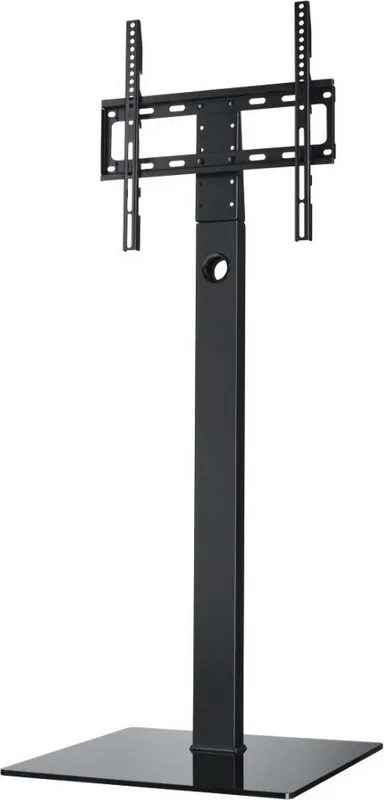
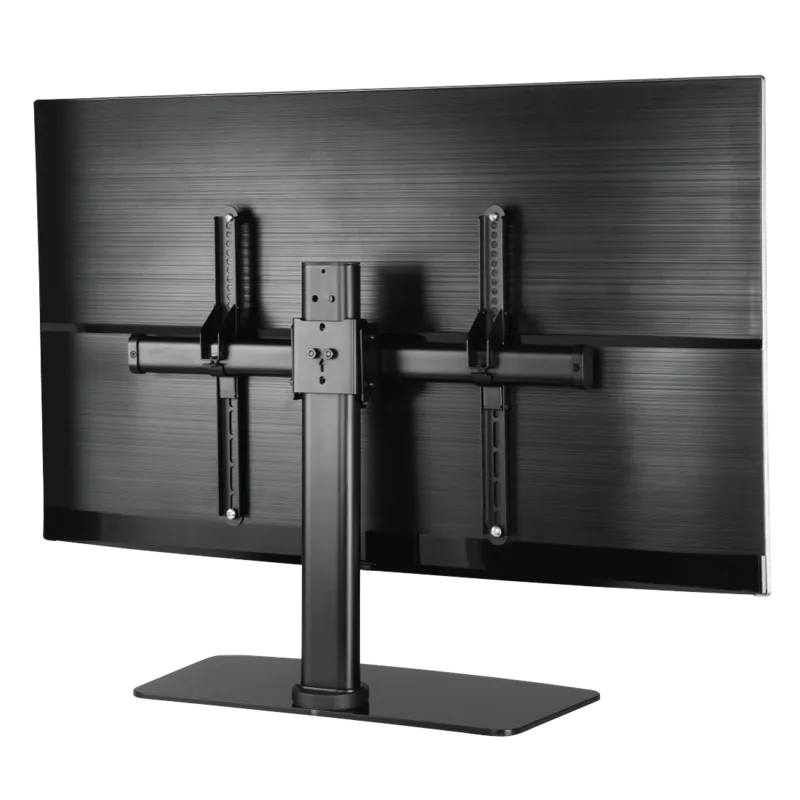
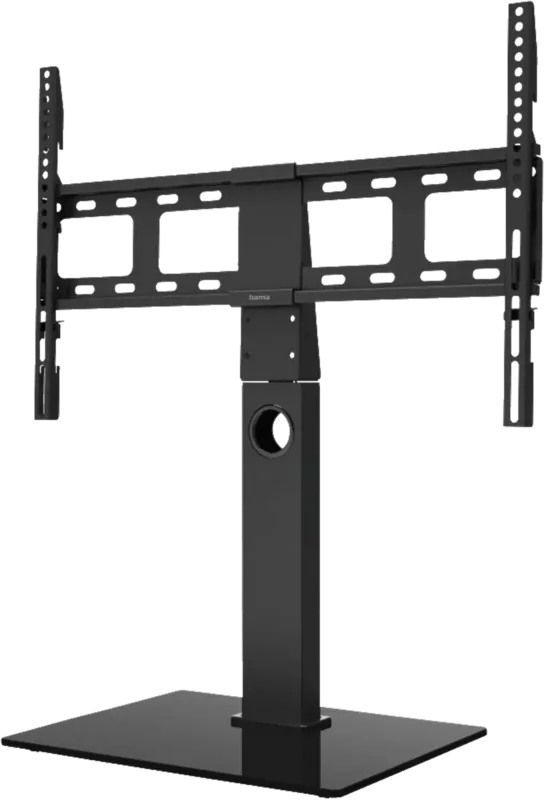
Elevate Your Viewing Experience with the Hama TV Stand Fullmotion Black
Transform your living room with the Hama TV Stand Fullmotion black. This robust stand offers flexibility and stability for flat panel displays ranging from 81cm to 165cm diagonals. Designed for private household use, it ensures your entertainment setup remains secure, stylish, and functional for years. The stand accommodates standard VESA mounting patterns up to 400x400 mm. Whether you have a large cinema style screen or a mid-range model, compatibility is prioritized in the design.
With a maximum loading capacity of 35 kg, this stand is built to support heavy screens without wobbling or instability. The base measures 50 by 50 cm, providing a wide and solid foundation for flat, non-slip surfaces. You can adjust the height to 110 cm at the center of the TV plate, optimizing your viewing angle for comfort. The full-motion capability allows pivoting up to 60 degrees, depending on the specific device attached. This feature helps reduce glare on bright screens and allows multiple viewing positions within the room layout, enhancing the immersive experience of your favorite shows.
Installation requires significant care and attention to safety protocols in the manual. You need a second person to mount the unit safely to prevent accidents. Ensure no electrical cables are crushed or damaged during the process of attaching or adjusting the screen. The package includes a complete installation kit with various screw types for different TV backtypes including flat and curved models. Specific kits feature M10, M8, and M6 screws for different loads. Always check that all parts are undamaged before beginning. Regular maintenance checks should be performed at least every three months to ensure the bracket remains secure and safe to use.
Cleaning is straightforward using only water or standard household cleaners. If the rotation function feels stiff, you may loosen the nut at the hinge slightly to restore motion. Keep packaging materials away from children due to suffocation risks. Never modify the product as this voids the warranty and safety guarantees. This stand is intended for indoor use only and is not suitable for commercial environments. Hama GmbH ensures quality but excludes liability for improper installation. Load the stand symmetrically and avoid placing excess weight on the base. Ensure regular checks every three months. Choose this stand for a reliable home entertainment solution.
Finally, be aware of the warranty terms outlined by the manufacturer. Any damage from improper installation voids the warranty. This product is not for climbing. Always follow the illustrated steps for mounting to ensure structural integrity. Do not place loads heavier than specified capacity on the stand. By adhering to these guidelines, you ensure long term performance.
Search for 67,732 Manuals online


Type-in Brand or Model