
Hama Fullmotion Table Stand Manual
PDF manual · 28 Pages
English



Quick check
Incorrect answer, please try again.
Chat with your Hama Fullmotion Table Stand manual using AI
Get instant AI answers from your Hama Fullmotion Table Stand manual
Ask anything about the Hama Fullmotion Table Stand. Answers come from this manual, with the pages they are based on.
Fullmotion Table Stand Maintenance Schedule
Repeat the check at regular intervals to ensure the TV stand is sufficiently secure and safe to use.
Use only water or standard household cleaners for cleaning. Do not use other substances.
Free maintenance reminders
Timed to your purchase date. Always free, unsubscribe anytime.
Ask a Question
Do you recommend Fullmotion Table Stand?
Yes NoFrequently Asked Questions
The unit supports flat panel displays measuring between 81 and 165 centimeters diagonally. This covers screens from 32 to 65 inches. It adheres to VESA standards up to 600x400.
Is this answer helpful?
The maximum load capacity is 40 kg. Do not exceed this weight limit or the maximum diagonal size specified to ensure safety and prevent tipping.
Is this answer helpful?
No, you must mount the stand with the help of a second person. Never attempt installation alone due to the weight and safety risks involved.
Is this answer helpful?
Regular checks are required at least every three months. You must verify that the product and the attached device are positioned securely.
Is this answer helpful?
No, the product is intended for indoor use only. Do not expose it to outdoor elements or weather conditions.
Is this answer helpful?
If the rotate function is stiff, loosen the nut on the hinge slightly. You should use water or standard cleaners for maintenance, not harsh chemicals.
Is this answer helpful?
No. Do not modify the product in any way. Improper use or installation voids the warranty and liability.
Is this answer helpful?
Advantages and Disadvantages
Advantages

- Large VESA support up to 600x400 for various TVs.
- High 40kg load capacity for heavy screens.
- Pivots 60 degrees for optimal viewing angles.
- Sturdy black finish matches many decor styles.
- Includes comprehensive installation kit for assembly.
Disadvantages

- Indoor use only, not weather resistant.
- Mandatory installation by two people required.
- Safety inspections must happen every three months.
- Feet may leave pressure marks on flooring.
- Base footprint is 42x33 cm which is substantial.
Product Specification
Type
Desk
Number of Monitors
1
Screen Size
32-65 "
Mobility
Swivel (60 deg), Height Adjustable
Max Load
88.18 lbs
VESA
200x200, 200x300, 300x100, 300x200, 300x300, 300x400, 400x200, 400x300, 400x400, 600x200, 600x300, 600x400
Shelves
0
Features
Cable Management
Color
Black
Dimensions (WxHxD)
25.31x32.20x12.99 in
Product Description
Experience Seamless Entertainment with the Hama Fullmotion Black TV Stand Manual
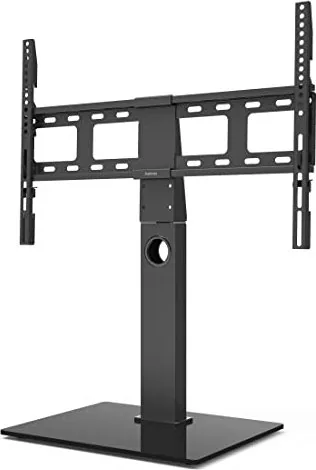
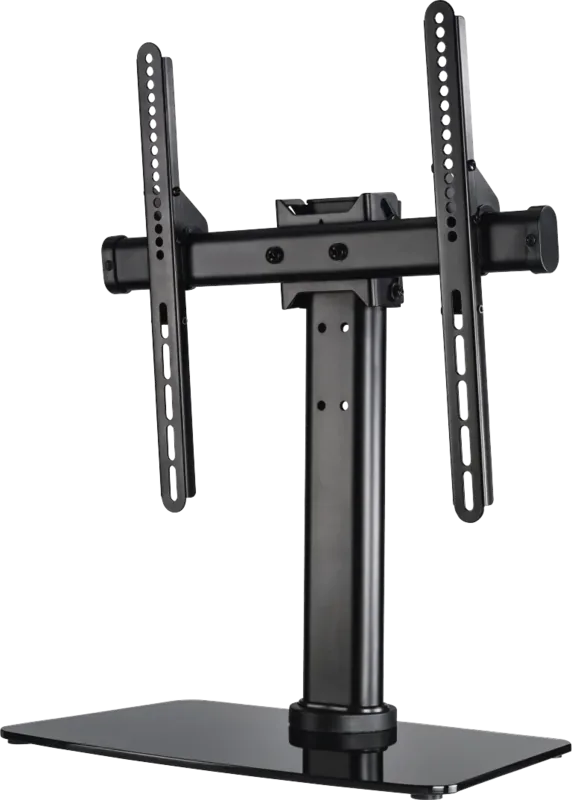
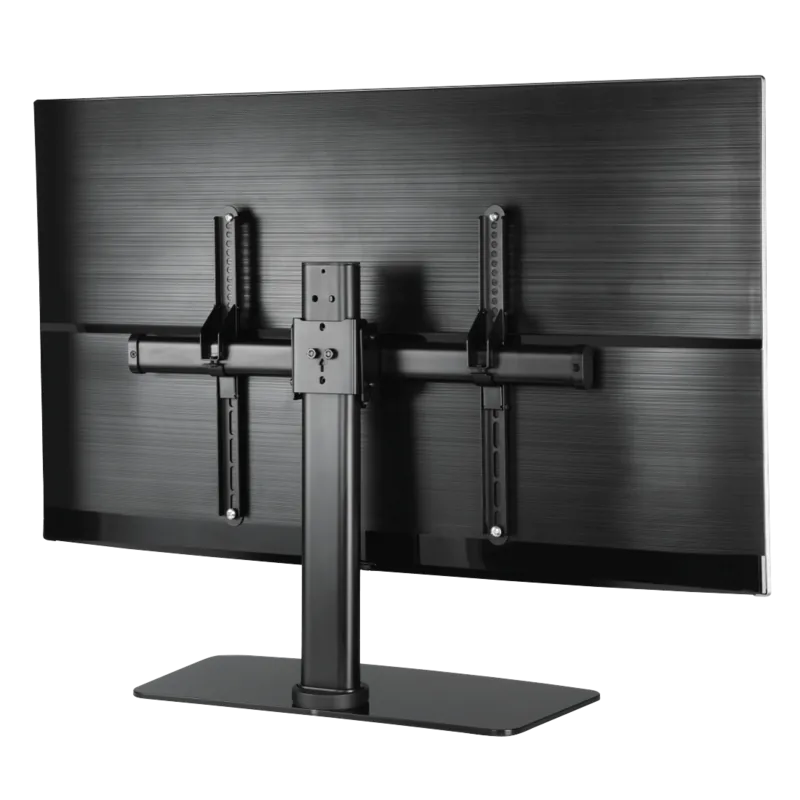
Are you searching for a reliable way to secure your large television? The Hama Fullmotion Black TV Stand Manual provides an excellent solution for modern living rooms. This product is designed specifically for non-commercial private household use. It supports flat panel displays measuring between 81 and 165 centimeters diagonally. Whether you own a 32 or 65 inch screen, this unit fits multiple models. It ensures your viewing experience is tailored to your comfort.
Critical Technical Specifications
The mounting column accepts VESA patterns up to 600x400. You can place heavy devices with a maximum load capacity of 40 kg. The structure allows pivoting up to 60 degrees for optimal viewing angles. The base plate measures 42 by 33 cm to ensure a stable footprint. The height at the middle of the plate sits at 55.4 cm. These measurements guarantee compatibility with most standard home sets. It works for both flat and curved TV backsides using spacers.
Essential Installation Guidance
Proper setup is crucial for long-term safety. You must mount the stand with the help of a second person. Never attempt installation alone due to weight. Ensure no electrical cables are crushed during the process. Check that the bracket lays flat on the television back. Use provided spacers if the back is uneven. Proceed step-by-step through the illustrated instructions. Always secure the securing element F2 to lock the bracket.
Warning: Only adjust the bracket with a second person present. Warning: Do not place loads heavier than specified capacity.
Maintenance and Longevity
Regular checks are required at least every three months. Verify that the product is sufficiently secure. If the rotate function becomes stiff, loosen the nut at the hinge slightly. Clean the unit with water or standard household cleaners. Do not use harsh chemicals that might damage the finish. Inspect screws and ensure they are hand-tight.
Important Warranty and Safety Notes
Do not modify the product in any way. Improper use voids the warranty. Keep packaging material out of childrens reach. Ensure the surface is level and non-slip. Check general operational safety regularly. If damage occurs, remove the attached load immediately. Dispose of packaging according to local regulations. The feet may leave pressure marks depending on surface stability. If you sell the device, pass instructions to the new owner.
Environmental Usage
This product is intended for indoor use only. Do not expose it to outdoor elements. It is designed for stable surfaces that can bear the weight of the product and device. Ensure the load is symmetrically balanced to prevent tipping. Regularly check that the product and attached device are positioned securely.
By following these guidelines from the Hama Fullmotion Black TV Stand Manual, you ensure safety and performance. Enjoy your home cinema setup with peace of mind knowing your equipment is secure. Always refer to the specific instructions for your region. This ensures compliance with local safety standards. Hama GmbH accepts no liability for improper installation.
Search for 67,732 Manuals online


Type-in Brand or Model