
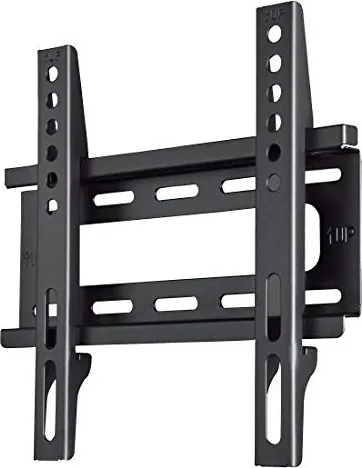
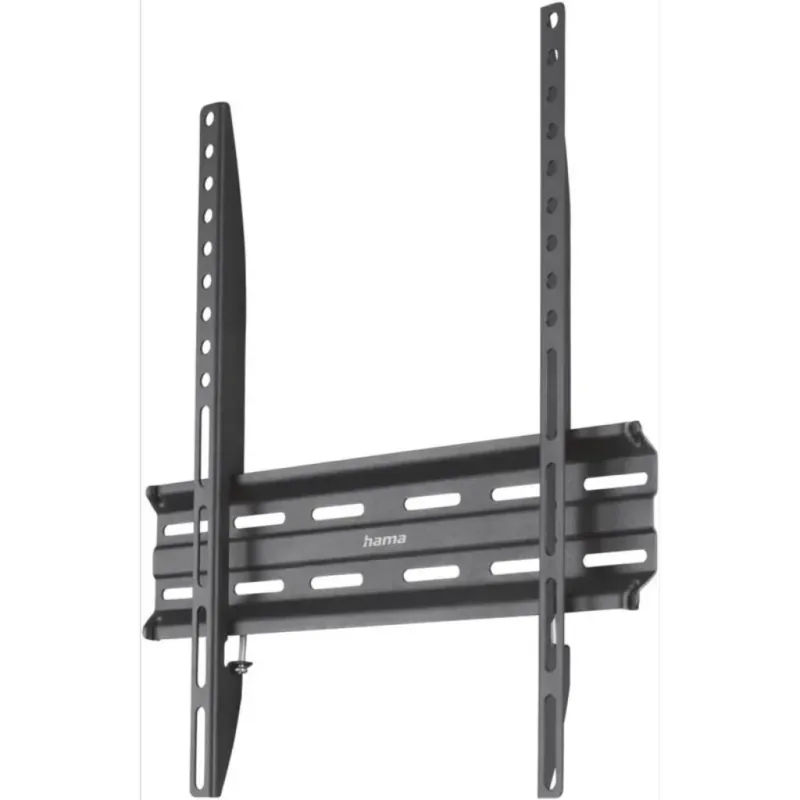
Hama Fix 1 Star L Manual
PDF manual · 22 Pages
English



Quick check
Incorrect answer, please try again.
Chat with your Hama Fix 1 Star L manual using AI
Get instant AI answers from your Hama Fix 1 Star L manual
Ask anything about the Hama Fix 1 Star L. Answers come from this manual, with the pages they are based on.
Fix 1 Star L Maintenance Schedule
Verify that the bracket is secure and safe to use. Ensure it does not exceed maximum load capacity and is loaded symmetrically.
Use only water or standard household cleaners for cleaning. Do not use harsh chemicals.
Free maintenance reminders
Timed to your purchase date. Always free, unsubscribe anytime.
Ask a Question
Do you recommend Fix 1 Star L?
Yes NoDo you recommend Fix 1 Star L?
Yes NoFrequently Asked Questions
The bracket supports a maximum load bearing capacity of 25 kg, making it suitable for most standard flat panel displays in private households.
Is this answer helpful?
The supplied wall plugs are intended for use with concrete brick and solid brick walls only. Other materials may require additional mounting materials from a dealer.
Is this answer helpful?
No, the bracket is not adjustable once installed. It is a fixed mount designed to hold the TV securely in place.
Is this answer helpful?
Instructions recommend mounting the TV wall bracket with the help of a second person to ensure stability and safety during the process.
Is this answer helpful?
You should check that the product and attached load are sufficiently secure at regular intervals, at least every three months.
Is this answer helpful?
Advantages and Disadvantages
Advantages

- Supports screens from 19 to 46 inches diagonally with VESA compatibility.
- High load capacity of 25 kg suitable for standard household TVs.
- Low profile depth of 2.5 cm ensures a clean and tidy look.
- Detailed installation instructions included for user guidance.
- Compact mounting plate size fits various wall configurations.
Disadvantages

- Bracket is fixed and non-adjustable, limiting viewing angles.
- Wall plugs only suitable for concrete or solid brick walls.
- Installation requires two people for safety and stability.
- Warranty disclaimer applies for damage from improper installation.
- Requires checking cable access before final mounting.
Product Specification
Type
Wall Mount
Number of Monitors
1
Screen Size
19-46"
Mobility
Fixed
Wall Distance
0.98 in
Max Load
55.12 lbs
VESA
50x50, 75x75, 100x100, 200x100, 200x200
Features
Level
Color
Black
Product Description
Hama Fix, 1 Star, L, Black TV Wall Mount Overview
Setting up a new home entertainment system requires careful planning and the right equipment to ensure safety and stability. One essential component is a reliable mounting solution that fits your space. The Hama Fix, 1 Star, L, Black TV Wall Mount Manual is a valuable resource for ensuring your flat panel display is installed correctly without issues. This bracket caters specifically to private households looking for a sleek and secure attachment option for their modern televisions.
Key Features and Specifications
The product supports screens ranging from 19 to 46 inches diagonally, covering a wide range of mid-sized displays. It has a maximum load capacity of 25 kg, making it suitable for most standard televisions found in living rooms. The depth is minimal at just 2.5 cm, which ensures a clean and low-profile look against the wall. Compliance with VESA standards up to 200 by 200 mm ensures broad compatibility with various TV models from different manufacturers. The mounting plate dimensions are designed to fit most VESA patterns efficiently. This ensures your setup remains professional and tidy.
Installation Requirements and Preparation
Proper installation is critical for safety and preventing accidents. Instructions emphasize using two people during the mounting process to prevent injury or damage. You must verify that the wall can support the weight before drilling any holes. The included wall plugs are strictly approved for concrete or solid brick walls only. If you have drywall or plaster, additional mounting materials from a specialized dealer are necessary for a secure hold. Different terminal devices have different connection options, so ensure cables remain accessible. It is important to keep the instructions for future reference as well.
Safety and Maintenance Guidelines
Regular checks are recommended every three months to ensure security and stability over time. The bracket itself is fixed and non-adjustable, which simplifies the structure but limits tilt options. Cleaning should be done gently with water or standard household cleaners to avoid corrosion. If damage occurs, remove the load immediately and stop using the product. The manufacturer provides support via their hotline for any questions regarding setup or warranty claims.
Conclusion and Support
Investing time in reading the guide ensures longevity and peace of mind. It avoids costly mistakes during installation that could lead to liability issues. Always prioritize safety when dealing with heavy electronics mounted high. This solution offers stability for everyday viewing pleasure. Follow the steps diligently for a hassle-free experience. Contact support if doubts arise about mounting suitability.
Search for 67,732 Manuals online


Type-in Brand or Model
wcook25
8 months ago
Do the mounting screws require special tools or are normal screwdrivers sufficient to install this TV rail?
Manual.ly
8 months ago
Yes, this mounting system requires a specific hex key or Torx driver to access the screws properly, as standard screwdrivers may not fit the recessed slots. Please check your package for the included tool kit to ensure secure installation and avoid damaging the hardware.