
Hama EWS Intro Manual
PDF manual · 82 Pages
English



Quick check
Incorrect answer, please try again.
Chat with your Hama EWS Intro manual using AI
Get instant AI answers from your Hama EWS Intro manual
Ask anything about the Hama EWS Intro. Answers come from this manual, with the pages they are based on.
Ask a Question
Do you recommend EWS Intro?
Yes No
Eden Morgan
4 months ago
Is this thermometer suitable for users who prefer minimalistic devices?
Frequently Asked Questions
Insert batteries into the outdoor sensor first, then the base station. Place them near each other initially. The base will search for the sensor and radio signal automatically. Once connected, you can mount them in their final locations.
Is this answer helpful?
Yes. Press and hold the SELECT button, then use the SET/RESET button to toggle between Celsius and Fahrenheit. Confirm your choice by pressing SELECT again.
Is this answer helpful?
Yes, the DCF radio signal automatically updates the time for daylight saving changes. If the signal is not received, you can manually adjust the time zone settings.
Is this answer helpful?
The wireless transmission range is up to 30 meters in open spaces. Obstacles like thick walls or metal frames may reduce this distance.
Is this answer helpful?
Press and hold the ALARM button to set the time. Use SET/RESET to select hours and minutes. Press SET/RESET once to activate the alarm, indicated by a symbol on the display.
Is this answer helpful?
Advantages and Disadvantages
Advantages

- Accurate indoor and outdoor temperature monitoring with trend display
- Automatic DCF radio-controlled clock ensures perfect timekeeping
- Dual alarm system with snooze function for flexible waking
- Wireless range of up to 30 meters allows flexible placement
- Includes all necessary batteries and easy wall-mounting options
Disadvantages

- Outdoor sensor requires protection from direct sunlight and heavy rain
- Signal search can take up to 10 minutes during initial setup
- No humidity measurement capabilities included in this model
- Battery compartment covers must be opened frequently for replacements
- Limited to one outdoor sensor per base station unit
Product Specification
Type
digital
Temperature
indoor and outdoor
Humidity
indoor and outdoor
Weather forecast
no
Other displays
time, date, day of week, battery level indicator, stored min/max temperature
Alarms
alarm time, snooze function
Connectable outdoor sensors
up to 1 (range max. 98 ft)
Outdoor temperature range
-4°F to 140°F
Placement
desktop
Power supply
2x AA battery, 2x AA battery
Color
white, black, gray
Package contents
1 outdoor sensor
Product Description
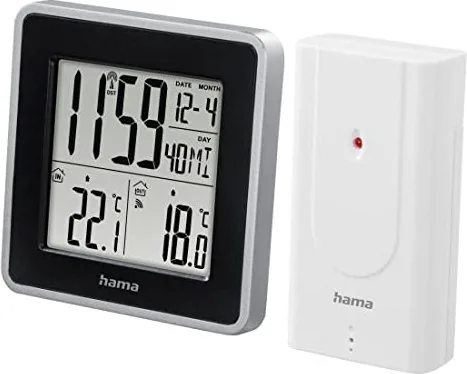
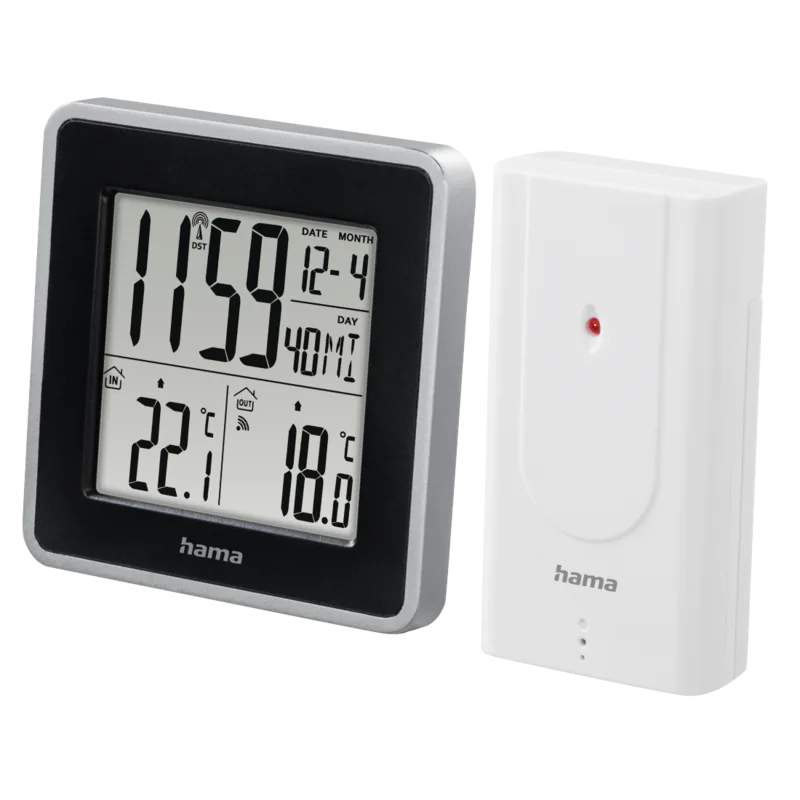
Discover the Hama EWS Intro Digital Weather Station
Stay informed about your local climate with the Hama EWS Intro Digital Weather Station. This comprehensive device combines a sleek indoor base station with a robust outdoor measuring station to provide accurate temperature readings for both environments. Designed for home use, it offers peace of mind by keeping you updated on weather trends without requiring complex installation or subscription fees.
The unit features an intuitive display that shows current indoor and outdoor temperatures, along with maximum and minimum recorded values. Users can easily switch between Celsius and Fahrenheit to suit their preferences. The base station includes a radio-controlled clock that automatically synchronizes with DCF signals to ensure precise timekeeping, including automatic adjustments for daylight saving time. For those who need a wake-up call, dual alarms with a snooze function are built directly into the system.
Installation is straightforward, allowing the base station to sit on a desk or be mounted on a wall. The outdoor sensor can be placed on a flat surface or securely attached to an exterior wall, provided it is protected from direct rain and sunlight. The wireless range extends up to 30 meters in open spaces, ensuring reliable data transmission even if the stations are separated within a typical home or garden layout. The package includes all necessary batteries and clear instructions to get you started immediately.
Whether you are tracking seasonal changes or simply monitoring room comfort, this weather station delivers consistent performance. It serves as a practical tool for anyone interested in home meteorology, offering essential data at a glance. Remember to consult the manual for detailed setup procedures and safety guidelines to ensure optimal operation.
Key Features
- Dual zone temperature monitoring
- Automatic time synchronization via DCF signal
- Dual alarm functionality with snooze mode
- Wireless transmission up to 30 meters
- Maximum and minimum value memory
Important Notes
- Ensure the outdoor sensor is shielded from direct sun and rain.
- Replace batteries promptly when low battery indicators appear.
- Avoid placing the device near strong electronic interference sources.
Search for 67,732 Manuals online


Type-in Brand or Model
Peter Reid
6 months ago
Does this device work well for basic temperature monitoring without complex features?
Manual.ly
6 months ago
Yes, this device is designed to provide essential functionality including outdoor and indoor temperature readings along with time tracking. It operates simply by inserting batteries and placing it in your desired location, requiring no additional setup or maintenance.