
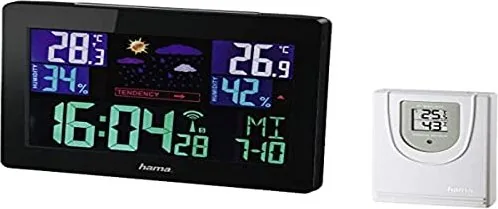
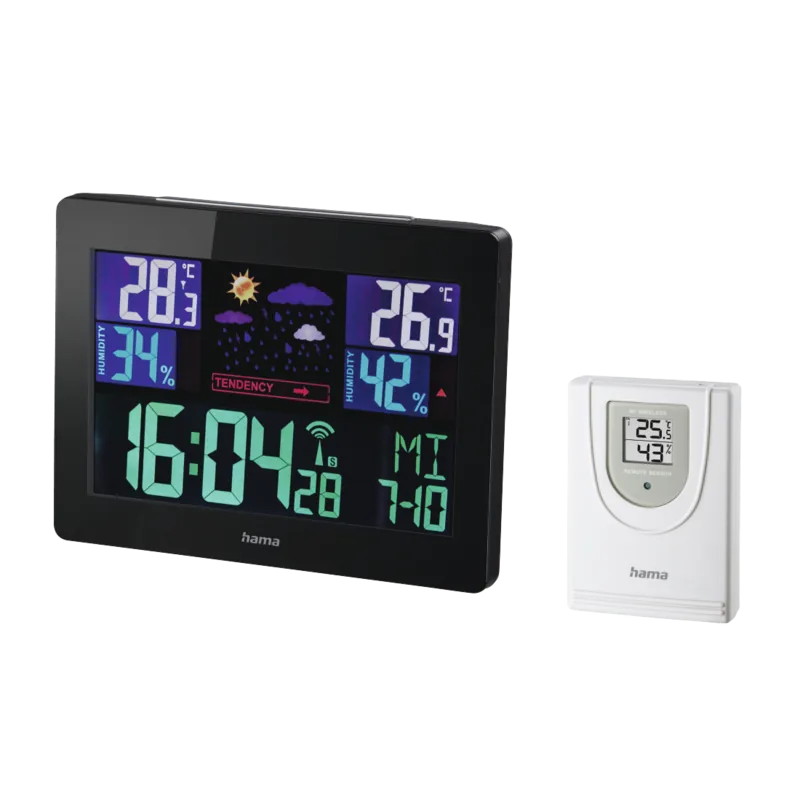
Hama EWS-1400 Color Manual
PDF manual · 84 Pages
English



Quick check
Incorrect answer, please try again.
Chat with your Hama EWS-1400 Color manual using AI
Get instant AI answers from your Hama EWS-1400 Color manual
Ask anything about the Hama EWS-1400 Color. Answers come from this manual, with the pages they are based on.
Ask a Question
Do you recommend EWS-1400 Color?
Yes NoFrequently Asked Questions
It measures indoor and outdoor temperature and humidity, plus atmospheric pressure trends. The station also shows weather forecasts, time, date, and alarm settings on the display.
Is this answer helpful?
Yes. The station uses changes in atmospheric pressure and stored readings to estimate short-term weather, typically for the next 12 to 24 hours. It needs some operating time before the forecast becomes reliable.
Is this answer helpful?
Yes. The base station can run on batteries, but the adapter allows continuous backlight use and avoids frequent battery changes. The outdoor sensor runs on batteries only.
Is this answer helpful?
The wireless range is up to about 50 meters in open space. Walls, buildings, trees, and other interference can reduce that range in real-world use.
Is this answer helpful?
Yes. It can automatically receive the DCF radio signal and adjust the clock. If needed, you can also set the time, date, and time zone manually.
Is this answer helpful?
The base station and outdoor sensor should be re-synchronized after a battery change. Usually, this means removing and reinserting batteries in both units if necessary.
Is this answer helpful?
Advantages and Disadvantages
Advantages

- Clear color display shows indoor and outdoor readings at a glance.
- Includes temperature, humidity, trend, forecast, and time functions.
- DCF radio clock supports automatic time updates and summer time.
- Flexible setup with wall-mount or tabletop placement options.
Disadvantages

- Forecast accuracy depends on collected data, so startup takes time.
- Wireless range is limited and can be affected by walls or interference.
- Outdoor sensor needs careful placement away from rain and direct sunlight.
- Battery changes require the stations to be synchronized again.
Product Specification
Type
digital
Temperature
indoor and outdoor
Humidity
indoor and outdoor
Weather forecast
Symbols
Other displays
Time, Date
Alarms
programmable weather warnings, alarm time
Connectable outdoor sensors
up to 1
Placement
Table device, wall mounting possible
Power supply
2x AA battery, 2x AAA battery, mains operation
Color
black
Product Description
Hama EWS-1400 Color Digital Wireless Weather Station
The Hama EWS-1400 Color Digital Wireless Weather Station brings everyday weather tracking into a compact, easy-to-read format. Designed for home use, it pairs an indoor base unit with an outdoor sensor so you can monitor both room and outside conditions at a glance. The bright color display presents temperature, humidity, time, date, alarm status, and weather symbols in a clear layout that feels practical rather than complicated.
What makes this station appealing is its balance of convenience and useful detail. It tracks indoor and outdoor temperature, humidity trends, and atmospheric pressure changes, then turns those readings into a simple forecast for the next several hours. That means you get more than just a number on a screen—you get a quick sense of whether conditions are improving, holding steady, or heading toward rain. For users who like to stay prepared, the included Hama EWS-1400 Color Digital Wireless Weather Station Manual can be a helpful guide for setup, placement, and everyday operation.
The weather station also includes a DCF radio-controlled clock, which helps keep the time accurate without constant adjustment. Alarm and snooze functions add extra value, especially for a bedside or kitchen setup. A backlight makes the screen easier to read in the evening, and the option to use batteries or mains power gives you flexibility depending on where you place it. With support for wall mounting or tabletop use, it adapts well to different rooms and spaces.
The wireless outdoor sensor is designed for reliable transmission over short distances, making it suitable for gardens, balconies, patios, or nearby outdoor walls. Once installed correctly, the system can store minimum and maximum readings too, which is useful for spotting overnight lows, warm afternoons, or humidity shifts over time. It’s a thoughtful tool for anyone who wants a simple but well-rounded home weather display.
Notes
- Best suited for private home use
- Works with indoor base station and outdoor sensor
- Includes forecast, alarm, backlight, and memory functions
- Keep the sensor protected from rain and direct sun
- Battery changes require re-synchronization
Search for 67,706 Manuals online


Type-in Brand or Model
dolorem_eum
8 months ago
My Hama EWS-1400 barely connects to the wireless sensor, and the clock time has to be set manually. Is this normal, and what can I do to get a stable connection?
Manual.ly
8 months ago
Manual time entry can be normal if your model does not support automatic radio time sync. Use the Clock/Time setting in the menu to adjust it. For the wireless connection, try these steps: (1) Insert fresh batteries in both the station and the sensor. (2) Place sensor and station close together during setup, then re-pair (press the pairing/ID button on the station while the station searches). (3) Keep distance to sources of interference (Wi-Fi routers, TVs, microwaves) and avoid metal objects/walls between them. (4) After successful pairing, move the sensor gradually to the desired location and check signal strength.