
Hama DR1610BTS Manual
PDF manual · 66 Pages
English



Quick check
Incorrect answer, please try again.
Chat with your Hama DR1610BTS manual using AI
Get instant AI answers from your Hama DR1610BTS manual
Ask anything about the Hama DR1610BTS. Answers come from this manual, with the pages they are based on.
DR1610BTS Maintenance Schedule
Clean only with a slightly damp, lint-free cloth. Do not use aggressive cleaning agents.
Turn off and disconnect from power if not used for a long time. Store in a clean, dry place out of direct sunlight.
Ask a Question
Do you recommend DR1610BTS?
Yes NoFrequently Asked Questions
It supports DAB, DAB+, and FM reception. That makes it useful for users who want both digital and traditional radio in one compact device.
Is this answer helpful?
Yes. The radio includes Bluetooth connectivity, so you can pair a phone, tablet, or other compatible device and play audio wirelessly.
Is this answer helpful?
The device stores up to 30 presets for DAB/DAB+ and 30 presets for FM. This helps keep your favorite stations close at hand.
Is this answer helpful?
The model is centered on DAB, FM, and Bluetooth use. Any internet-radio or media-player labels shown in the guide are marked as inactive for this unit.
Is this answer helpful?
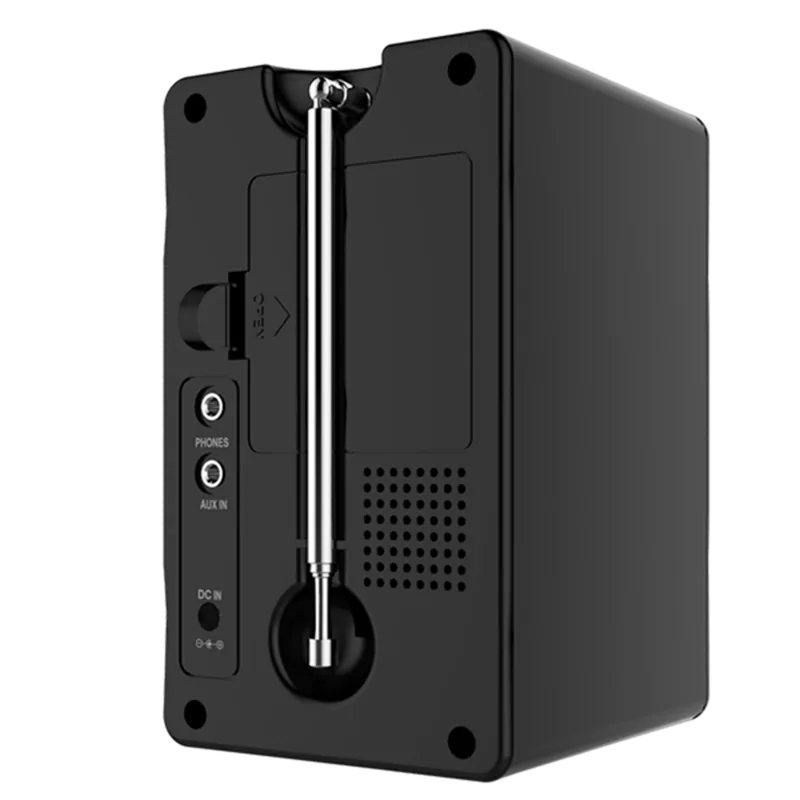
It includes a headphone jack, AUX-in, line-out, and a USB-B port for updates. These connections make the radio more flexible for different setups.
Is this answer helpful?
Yes. Its alarm, sleep, and snooze functions make it a practical choice for bedside use, and its compact size fits well in smaller spaces.
Is this answer helpful?
The package includes the DR1610BTS radio, a remote control, two batteries, a power adapter, and a quick guide, so setup can begin right away.
Is this answer helpful?
Advantages and Disadvantages
Advantages

- DAB, DAB+, FM, and Bluetooth give the radio several easy listening options.
- Two 5W RMS speakers and an MDF cabinet offer solid sound for small rooms.
- 30 presets for DAB+ and 30 for FM make favorite stations easy to access.
- Remote control, alarm, sleep, and snooze functions improve everyday convenience.
Disadvantages

- No active internet radio or media-player function is indicated for this model.
- The USB-B port is for updates only, not for playing music files.
- Sound output is modest, so it is better for personal use than large rooms.
- The first setup language is English, which may not suit every user at start.
Product Specification
Power
10 W RMS
Tuner
FM, DAB, DAB+
Display
LCD
Audio Connections
AUX In (3.5mm jack), Stereo Line Out (3.5mm jack)
Other Connections
USB-A, RJ-45
Wireless
Bluetooth
Power Supply
Mains Operation
Special Features
Telescopic Antenna
Color
black
Product Description
Hama DR1610BTS: A Compact Digital Radio for Everyday Listening
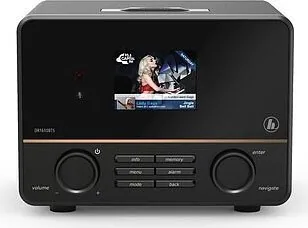
The Hama DR1610BTS brings together familiar radio use and modern convenience in a format that feels practical from the first moment. It is built for listeners who want a compact device for the kitchen, bedroom, office, or workshop, without giving up useful features. With DAB and DAB+ reception alongside FM, it offers a broad choice of stations and a cleaner digital listening experience where coverage allows. Bluetooth 2.1 with A2DP and AVRCP support also makes it easy to stream music from a smartphone or tablet, turning the radio into a simple wireless speaker when needed. If you are looking for the Hama DR1610BTS Manual, the controls are arranged in a way that makes daily operation feel straightforward rather than technical.
A 2.4-inch color TFT display gives the radio a modern look and helps keep station details, settings, and menu navigation easy to follow. The front panel combines dedicated buttons with two rotary controls, so users can move through menus or adjust volume without confusion. The included remote control adds another layer of comfort, especially when the radio is placed on a shelf or across the room. Features such as alarm, sleep, and snooze make the DR1610BTS useful beyond music playback, giving it a role as an everyday bedside or wake-up companion.
Sound performance is supported by two 5W RMS speakers and a wooden MDF cabinet, which gives the unit a more solid feel than many plastic tabletop radios. While it is not designed to fill a large living room, it should be more than capable for personal listening and background audio. The radio also includes a headphone jack, AUX-in, and line-out connection, making it flexible enough for private listening or connection to external equipment. A USB-B service port is present as well, though it is intended for updates rather than media playback.
This model is especially appealing for users who value presets and simple access to favorite stations. It stores 30 DAB/DAB+ and 30 FM favorites, reducing the need to search repeatedly for the same channels. Power consumption is modest, and the unit can be used in a range of European languages, which helps with setup and daily use. Its compact size and wall-mount thread also make placement flexible, whether it stays on a tabletop or becomes part of a more fixed setup.
Notes
- Best suited to compact spaces and personal listening.
- Bluetooth makes phone playback quick and convenient.
- The USB port is for updates, not music files.
- First-time setup starts in English.
- Internet-style features shown in some labels are not active on this model.
Search for 67,732 Manuals online


Type-in Brand or Model
Alba Aragón
11 months ago
Does this DAB radio have good sound quality despite its small size, and does DAB reception work reliably?
Manual.ly
10 months ago
Yes. Reviewers consistently report a surprisingly full sound for its compact housing, with clear audio that fills the room. The device is also described as easy to operate. For sound customization, it offers several frequency presets and you can create your own presets. DAB reception is mentioned as working very well, making it suitable for areas like a bathroom or other small rooms.