
Hama Digital Weekly Timer Mini Manual
PDF manual · 88 Pages
English



Quick check
Incorrect answer, please try again.
Chat with your Hama Digital Weekly Timer Mini manual using AI
Get instant AI answers from your Hama Digital Weekly Timer Mini manual
Ask anything about the Hama Digital Weekly Timer Mini. Answers come from this manual, with the pages they are based on.
Digital Weekly Timer Mini Maintenance Schedule
Plug the timer into an electric socket for approximately 24 hours every 3 months to charge the internal battery if not used for a prolonged period.
Disconnect from mains before cleaning. Use only a lint-free, slightly damp cloth and do not use harsh cleaners.
Free maintenance reminders
Timed to your purchase date. Always free, unsubscribe anytime.
Ask a Question
Do you recommend Digital Weekly Timer Mini?
Yes NoFrequently Asked Questions
It automates power on and off for compatible devices using weekly schedules, countdown settings, or random intervals. It is designed to make everyday device control simpler and more consistent.
Is this answer helpful?
It can store up to 20 separate programs. Each program can have its own ON and OFF time, and you can assign specific weekdays or day combinations to each schedule.
Is this answer helpful?
Yes. The built-in rechargeable battery helps maintain the clock and saved programming when the timer is unplugged or there is a power interruption. Periodic recharging is recommended for long-term storage.
Is this answer helpful?
No. The instructions warn against using heat-generating appliances such as coffee makers, electric blankets, and similar devices. It is intended for safer compatible loads only.
Is this answer helpful?
There are three modes: ON keeps the device permanently on, AUTO follows the programmed schedule, and OFF keeps the device permanently off. Countdown and random functions work only in AUTO mode.
Is this answer helpful?
No. It is intended for indoor use only and should be kept in dry environments away from moisture, splashing water, direct sunlight, and excessive heat.
Is this answer helpful?
Advantages and Disadvantages
Advantages

- Supports up to 20 weekly programs for flexible on/off scheduling.
- Countdown and random modes add convenience and a presence-simulation effect.
- Rechargeable backup battery helps preserve time and saved settings.
- Simple LCD interface with 12/24-hour display is easy to read and manage.
Disadvantages

- Limited to 1800 W resistive load, so it is not suited to high-power appliances.
- Not recommended for heat-generating or motorized devices.
- Indoor, dry-use only; no protection for damp or outdoor environments.
- Must be plugged directly into a wall socket, not an extension lead or adapter.
Product Specification
Type
digital socket timer, digital socket timer
Controls
Buttons, LCD
Specifications
230V, 1800W, 16A, Operating range 32 to 131°F
Functions
20 storable switching programs, manual permanent switching, Countdown, Weekly programs (with block formation), minimum switching interval 1min, 12/24h mode selectable
Special features
IP20, integrated battery for memory (1.2V NiMH), child lock
Dimensions
no information (WxHxD)
Color
white
Manufacturer's warranty
two years
Product Description
Hama Digital Weekly Timer Mini: Compact Control for Everyday Power Scheduling
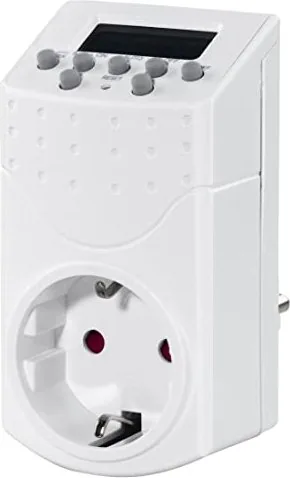
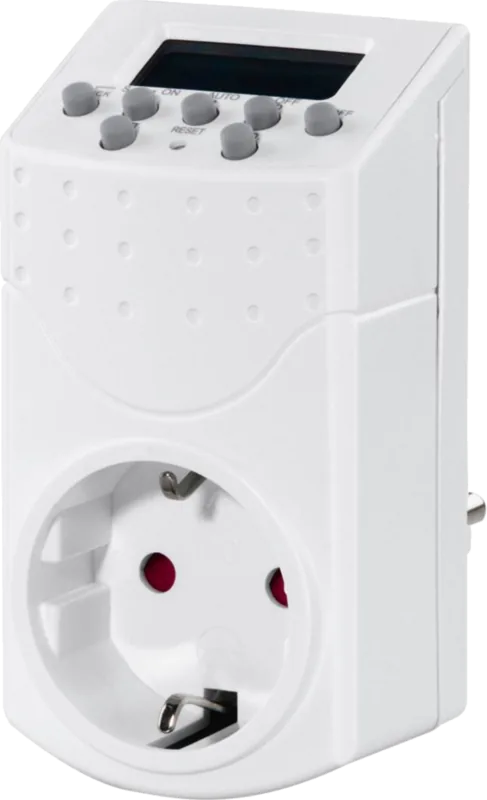
The Hama Digital Weekly Timer Mini is a practical solution for anyone who wants more control over everyday electrical devices without adding complexity. If you are looking for the Hama Digital Weekly Timer Mini Manual, the main idea is simple: plug in, set your schedule, and let the timer handle the rest. This small weekly switch is designed for home use and offers a neat way to automate lamps, fans, or other compatible appliances.
What makes it useful
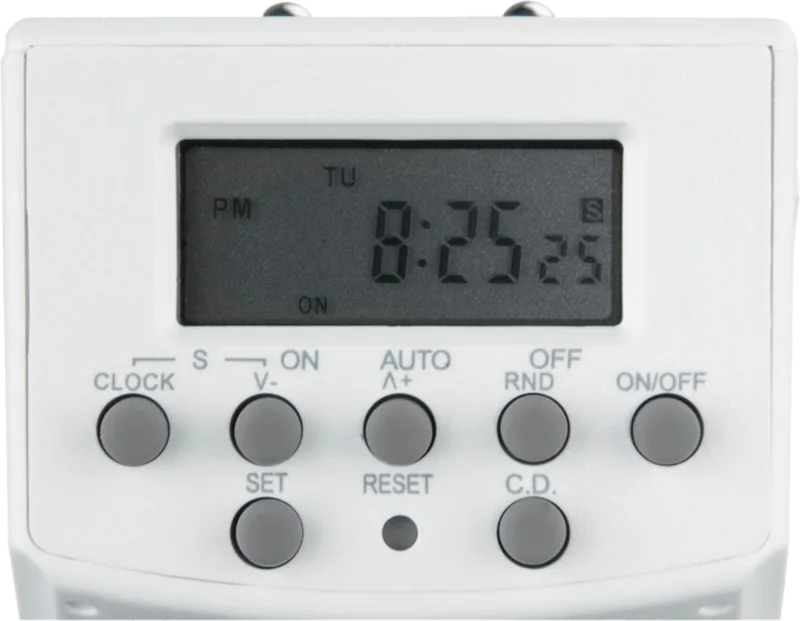
The timer supports up to 20 weekly programs, each with separate on and off times. That makes it easy to build a routine for weekdays, weekends, or individual days. You can also switch between AUTO, ON, and OFF modes, so the connected device can stay permanently on, stay off, or follow your schedule. For short-term control, the countdown function is handy, while the random mode can switch devices on and off at irregular intervals to make a room look occupied.
Everyday features
A clear LCD display, 12/24-hour time format, and summer time adjustment make the device straightforward to manage. The rechargeable internal battery helps preserve the clock and stored settings even when the timer is unplugged, which is especially useful after power cuts or when the unit is moved. The timer also uses one-minute time steps, giving you enough precision for typical daily routines.
Practical use and limits
The Hama Digital Weekly Timer Mini is meant for indoor, dry environments only. It has a maximum resistive load of 1800 watts, so it is best suited to standard household appliances rather than heavy-duty equipment. The safety guidance is important: do not use it with heat-producing devices like coffee machines or electric blankets, and avoid motor-driven appliances with rotating parts. It should be plugged directly into a wall socket rather than used with extension leads or adapters.
Notes
- Best for simple household automation
- Useful for time-based energy saving and presence simulation
- Keep it away from moisture, heat, and overloaded circuits
- Recharging the internal battery periodically helps preserve performance
Overall, this mini weekly timer is a compact, reliable helper for anyone who wants easier control over routine device usage. It combines basic scheduling, countdown convenience, and a random security-style mode in one small unit, making it a smart addition to everyday home organization.
Search for 67,706 Manuals online


Type-in Brand or Model