
Hama Cortino Manual
PDF manual · 2 Pages
English



Quick check
Incorrect answer, please try again.
Chat with your Hama Cortino manual using AI
Get instant AI answers from your Hama Cortino manual
Ask anything about the Hama Cortino. Answers come from this manual, with the pages they are based on.
Ask a Question
Do you recommend Cortino?
Yes NoFrequently Asked Questions
Plug the included USB wireless receiver into an available USB port. The keyboard should pair automatically; no additional drivers are usually required. If not detected, try a different USB port or replace the batteries.
Is this answer helpful?
The Hama Cortino uses a 2.4 GHz USB wireless receiver (dongle) rather than Bluetooth. This provides simple plug-and-play connectivity but does not support Bluetooth multi-device switching.
Is this answer helpful?
Yes. The keyboard has a DE (German) layout with dedicated keys for umlauts and German-specific key placements to support native typing conventions.
Is this answer helpful?
The Cortino is designed for energy-efficient operation to provide extended battery life under normal use. Actual duration depends on usage patterns and battery type; powering off when not in use further conserves energy.
Is this answer helpful?
The keyboard does not include backlighting, so typing in low-light environments may be difficult. External desk lighting or a backlit monitor can help compensate.
Is this answer helpful?
Yes. The plug-and-play USB receiver works with most common operating systems (Windows, macOS, many Linux distributions). Some special function keys may have limited compatibility depending on the OS.
Is this answer helpful?
The keyboard operates in the 2.4 GHz band (2408–2474 MHz) with low transmit power (about 0.45 mW EIRP) and complies with relevant regional directives; consult the included DE manual or manufacturer website for full conformity details.
Is this answer helpful?
Advantages and Disadvantages
Advantages

- Plug-and-play USB wireless connection for quick setup without drivers.
- German (DE) layout supports umlauts and native key placements.
- Slim, lightweight design with low-profile keys for quiet typing.
- Energy-efficient operation delivers long battery life.
- Neutral black finish fits most office and home environments.
Disadvantages

- No backlighting, making typing in dim light harder.
- Lacks Bluetooth and multi-device pairing—depends on USB dongle.
- No programmable keys or advanced customization options.
- Basic feature set may not satisfy power users or gamers.
- Limited wireless range compared to some high-end models.
Product Specification
Layout
DE
Type
Rubber Dome
Lighting
N/A
Keycap Level
regular, framed, Chiclet
Keycap Format
flat
Keycap Profile
straight
Numeric Keypad
Standard
Arrow Keys
Standard
Control Keys
Standard
Enter Key
Standard
Delete Key
Standard
Status Indicator
Capslock, Num, Scroll
Palm Rest
N/A
Case
Plastic
Case Color
solid, black
Keycap Finish
solid, black
Key Legend
solid, white
Connection
wireless (2.4GHz), USB (USB-A receiver)
Power Supply
1x AAA
Dimensions (WxHxD)
17.52x0.87x5.94in
Weight
1.06lb
Special Features
FN key
Product Description
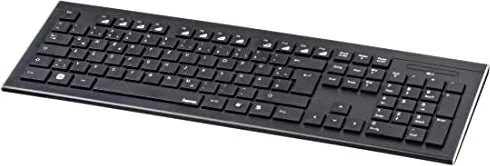
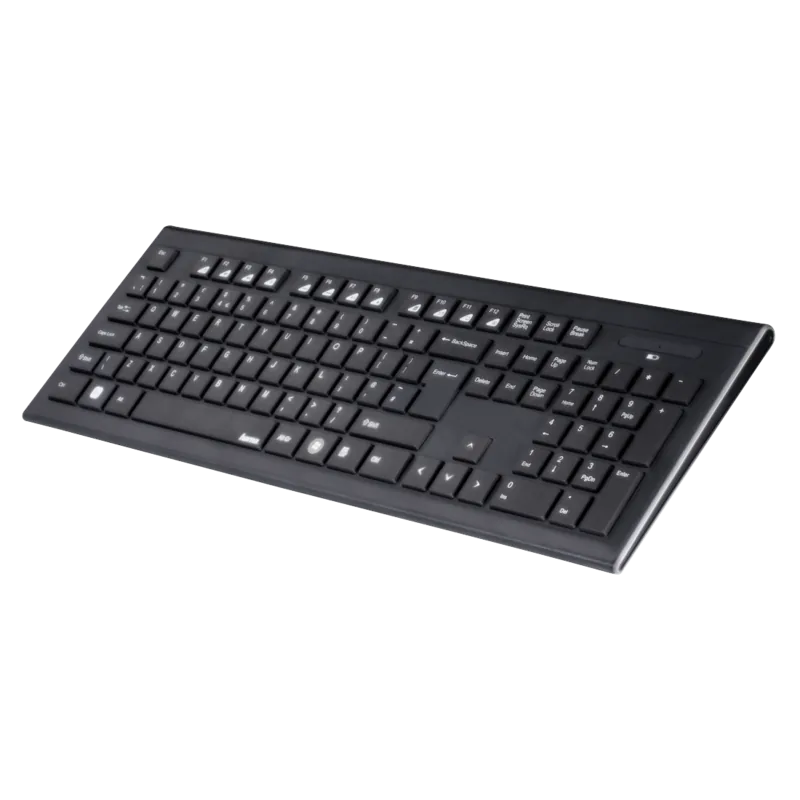
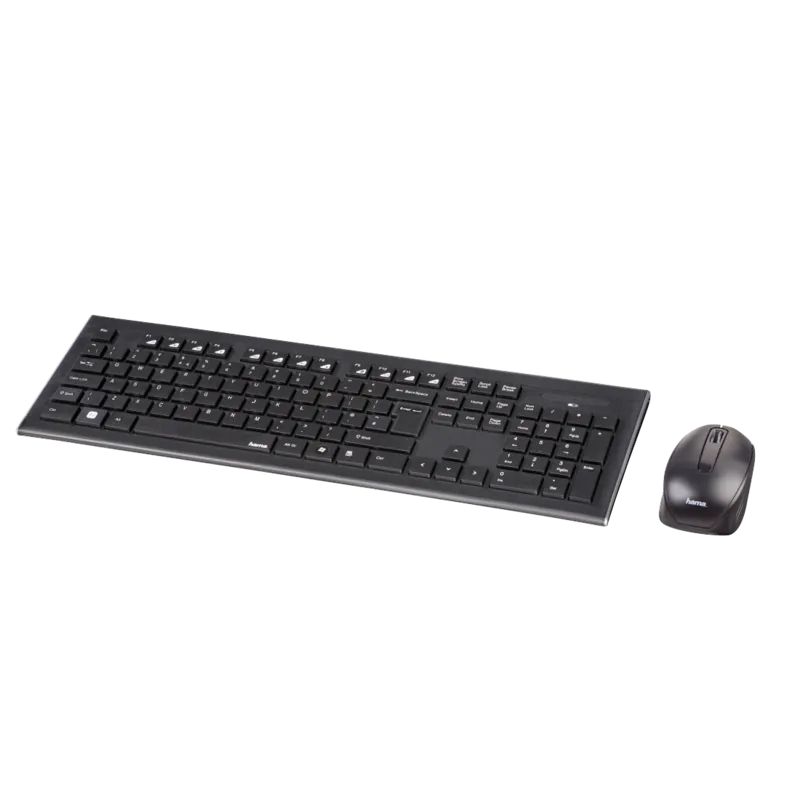
Hama Cortino Wireless Keyboard (Black, USB, DE Manual)
The Hama Cortino wireless keyboard in black is a compact, no-nonsense input device designed for everyday use at home or in the office. With a DE (German) key layout and a simple USB wireless dongle, it pairs easily with desktops and laptops, offering reliable wireless connectivity in the 2.4 GHz band. The keyboard’s slim profile and low-profile keys deliver a quiet typing experience suited for long sessions, while the black finish gives it a neutral, professional look that fits most workspaces.
Constructed to be lightweight yet durable, Cortino emphasizes comfort and practicality rather than flashy features. The integrated layout places common keys within easy reach, and the German layout supports native typing conventions including umlauts and special characters. Power-efficient electronics allow extended battery life, reducing interruptions and maintenance. Setup requires plugging the included USB receiver into a computer’s port—no drivers are typically needed—so users can get typing quickly.
For those who value straightforward functionality, the Cortino is a solid pick. Its wireless range covers typical desk and living-room distances, and the modest transmit power aligns with regulatory approvals across regions. The keyboard’s keys offer consistent actuation with a modest travel distance to balance typing speed and feedback. While it omits advanced features like backlighting, programmable keys, or multi-device Bluetooth switching, its simplicity is also its strength: minimal learning curve, dependable performance, and broad compatibility with standard operating systems.
In practical terms, the Cortino suits users who want a reliable German-layout keyboard for general productivity, web browsing, and casual typing. It’s especially useful where wired keyboards are impractical or where a compact footprint is preferred. The included DE manual provides quick setup instructions and regulatory information, ensuring compliance and guidance for safe use.
Notes
- Uses a USB 2.4 GHz wireless receiver for plug-and-play connectivity.
- DE (German) key layout supports umlauts and localized key placements.
- Low power consumption for extended battery life.
- No backlight or advanced customization features; focused on core typing needs.
Search for 67,732 Manuals online


Type-in Brand or Model
Marta Novak
10 months ago
How fast is delivery, and can I expect good quality for the price?
Manual.ly
10 months ago
Based on customer feedback, delivery is typically fast and you receive your order without long waits. The product is generally described as good quality, and customers feel the price offers good value. If you want, check the estimated delivery date shown at checkout and use the tracking information we provide after dispatch.