
Hama Connect Balance Manual
PDF manual · 35 Pages
English



Quick check
Incorrect answer, please try again.
Chat with your Hama Connect Balance manual using AI
Get instant AI answers from your Hama Connect Balance manual
Ask anything about the Hama Connect Balance. Answers come from this manual, with the pages they are based on.
Connect Balance Maintenance Schedule
If stored for a long period, recharge the earphones at least every three months.
Clean only with a slightly damp, lint-free cloth. Do not use aggressive cleaning agents and ensure no water enters the product.
Free maintenance reminders
Timed to your purchase date. Always free, unsubscribe anytime.
Ask a Question
Do you recommend Connect Balance?
Yes NoDo you recommend Connect Balance?
Yes NoFrequently Asked Questions
It combines wireless Bluetooth audio, call handling, and easy button controls in a lightweight design. The included ear tips and hooks help improve comfort, making it practical for commuting, work, and casual listening.
Is this answer helpful?
After a full charge, the earphones provide up to 8 hours of talk time or 6 hours of music playback. Standby time is much longer, and charging takes around 2 hours.
Is this answer helpful?
Yes. The earphones support multipoint pairing, so they can be connected to two Bluetooth-enabled devices simultaneously. This is helpful if you often switch between a phone and a computer.
Is this answer helpful?
Turn on Bluetooth on your device, switch on the earphones, and hold the multifunction button until the LEDs flash alternately. Then select Hama BTH Balance in your device’s Bluetooth list.
Is this answer helpful?
Yes. The built-in microphone and multifunction button allow you to answer, reject, end, and redial calls. Call quality improves when your phone stays close to the earphones during use.
Is this answer helpful?
Use a suitable USB connection or charger, keep the earphones switched off while charging, and avoid overcharging. A red LED indicates charging, and it turns blue when charging is complete.
Is this answer helpful?
Advantages and Disadvantages
Advantages

- Bluetooth 5.0 offers stable wireless connection and simple pairing.
- Multipoint support lets you connect to two devices at the same time.
- Up to 8 hours of talk time and 6 hours of music playback.
- Includes multiple ear tips and ear hooks for a better fit.
Disadvantages

- Sound isolation may reduce awareness of surrounding traffic or noise.
- Battery capacity is modest compared with newer premium earphones.
- Controls depend on compatible Bluetooth device features.
- Not designed for repair or battery replacement by the user.
Product Specification
Type
Earphones (In-Ear)
Form factor
Neckband, Ear fins (removable)
Acoustic design
closed
Microphone
Cable microphone
Wireless
Bluetooth 5.0, Multipoint
Control
3-button remote control
Battery life
8h, 100h (Standby)
Battery
USB Micro-B charging port, 2h charging time
Frequency range
20Hz-20kHz (Earphones), 100Hz-10kHz (Microphone)
Impedance
32Ω
Sensitivity
96dB
Color
black
Weight
0.53 oz
Product Description
Hama Connect Balance Bluetooth Earphones: A Practical Everyday Companion
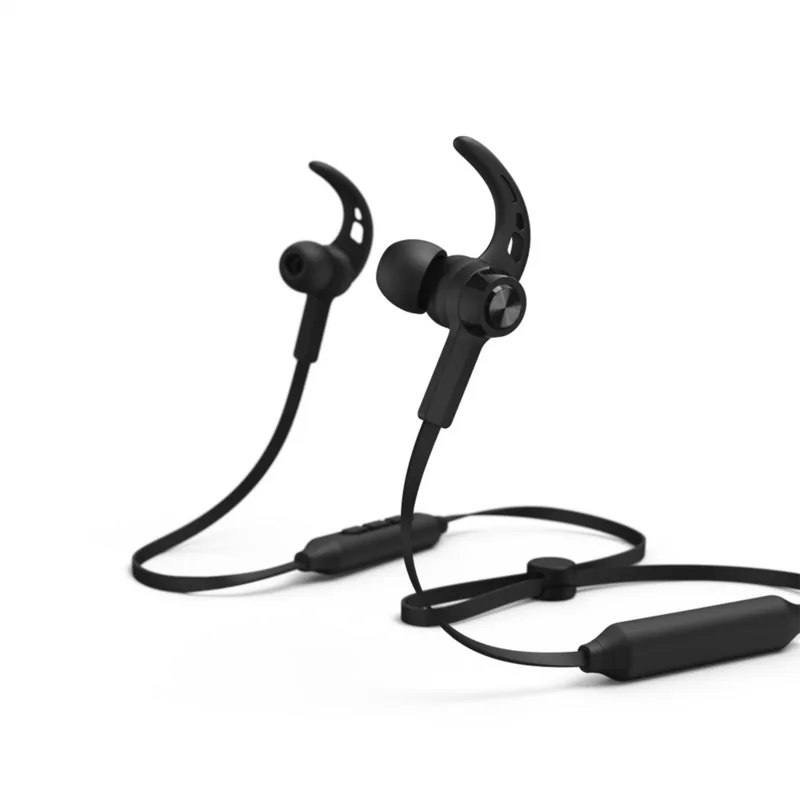
The Hama Connect Balance is designed for listeners who want a simple, reliable Bluetooth audio experience without unnecessary extras. As the Hama Connect Balance Manual makes clear, these stereo earphones focus on core essentials: wireless freedom, clear call handling, and comfortable all-day use. With Bluetooth 5.0, voice prompts, and quick pairing, they are built to fit neatly into daily routines, whether you're commuting, working, or relaxing at home.
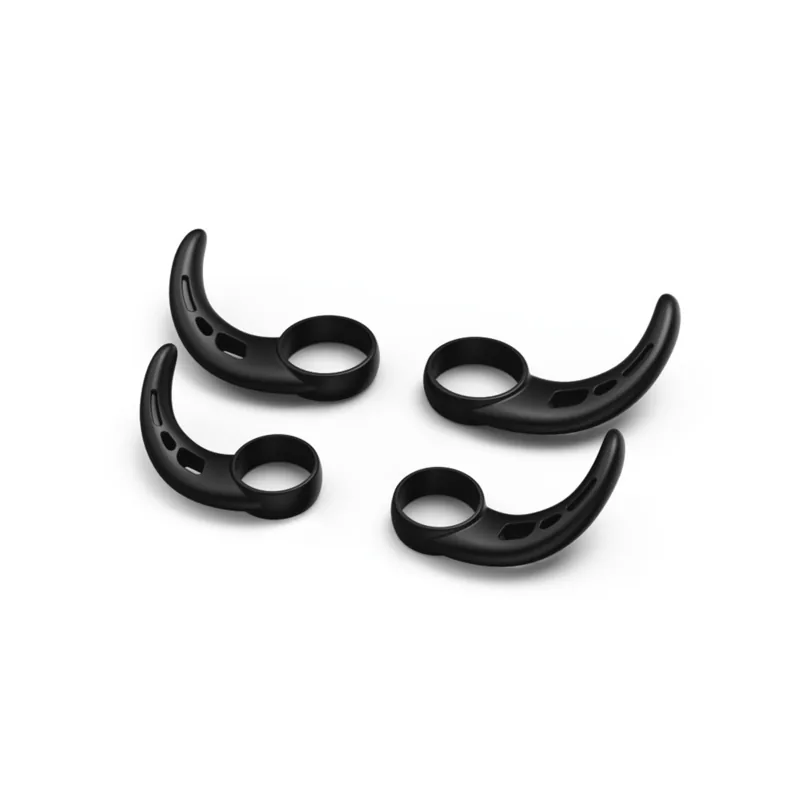
One of the strongest points of these earphones is their balanced feature set. The lightweight in-ear design is paired with multiple ear tip sizes and silicone ear hooks, helping users find a more secure and comfortable fit. That makes them suitable for longer listening sessions and active use. The integrated microphone and multifunction button also make it easy to manage calls, pause music, skip tracks, and activate voice control without reaching for your phone.
Battery performance is another highlight. The rechargeable battery takes around two hours to charge fully and supports up to 8 hours of talk time or 6 hours of music playback. A low-battery warning helps prevent unexpected shutdowns, while the automatic reconnect feature saves time once the earphones have been paired with a device. The multipoint function is especially useful for people who switch between a phone and a laptop, since it allows connection to two Bluetooth devices at once.
For everyday listeners, the Hama Connect Balance feels practical rather than flashy. It offers solid wireless range, clear operating feedback through LED indicators and voice messages, and straightforward controls that are easy to learn. The earphones are also supported by useful safety guidance, including volume awareness and proper charging habits, which adds confidence for regular use.
Notes
- Bluetooth 5.0 supports stable wireless connectivity.
- Multipoint pairing makes switching between devices easier.
- Compact build and included accessories improve comfort and fit.
- Best suited for casual music, calls, and general everyday use.
Search for 67,732 Manuals online


Type-in Brand or Model
elmira37
9 months ago
I like the sound and use it daily, but my cable has scratches and seems poorly processed. What should I do if the headphone cable is defective?
Manual.ly
9 months ago
Sorry to hear about the damaged, scratched cable. If you received the headphones with a defect (or the issue started very quickly), please contact our support with your order number and clear photos of the cable (especially the damaged areas) and the connector. We can review the case and offer a suitable solution such as replacement or warranty support, depending on availability and timing. In the meantime, avoid pulling or twisting the cable, do not route it under tension, and store the headphones loosely to prevent further strain. If your model is compatible, we may also suggest a cable check or an official spare cable option.