
Hama Color Edge Manual
PDF manual · 90 Pages
English



Quick check
Incorrect answer, please try again.
Chat with your Hama Color Edge manual using AI
Get instant AI answers from your Hama Color Edge manual
Ask anything about the Hama Color Edge. Answers come from this manual, with the pages they are based on.
Color Edge Maintenance Schedule
If the outdoor battery symbol is displayed, replace the two AA batteries with new ones. Ensure correct polarity and resynchronize stations.
If the indoor battery symbol is displayed, replace the three AAA batteries with new ones. Ensure correct polarity and close compartment cover.
Clean only with a slightly damp, lint-free cloth. Do not use aggressive cleaning agents or allow water to enter the product.
Ask a Question
Do you recommend Color Edge?
Yes NoFrequently Asked Questions
The weather trend function needs time to collect data. It typically takes a few hours after initial setup before the forecast predictions become reliable.
Is this answer helpful?
Yes, you can easily switch between Celsius and Fahrenheit by pressing the UP button on the base station whenever the temperature is displayed.
Is this answer helpful?
In open spaces without obstacles, the wireless transmission range between the measuring station and the base station is up to 30 meters.
Is this answer helpful?
Yes, the internal clock automatically switches to summer time when the season changes, provided the DCF signal is received successfully.
Is this answer helpful?
Absolutely. The outdoor measuring station features a recess designed specifically for secure wall mounting using screws or nails.
Is this answer helpful?
Advantages and Disadvantages
Advantages

- Accurate weather forecasting based on atmospheric pressure trends
- Automatic time synchronization via DCF radio signal
- Wireless transmission range up to 30 meters
- Displays moon phases and multiple environmental metrics
- Flexible installation options for both indoor and outdoor use
Disadvantages

- Weather forecast requires initial data collection period to stabilize
- Signal reception can be affected by thick walls or metal interference
- Batteries must be replaced periodically for both stations
- No included power adapter for continuous mains operation
- Requires careful placement away from heat sources and direct sun
Product Specification
Type
digital
Temperature
indoor and outdoor
Humidity
indoor and outdoor
Weather Forecast
icons
Forecast Method
barometer
Other Displays
time, date, day of week, moon phases, air pressure, stored min/max values
Alarms
alarm time
Connectable Outdoor Sensors
up to 3 (range max. 98 ft)
Outdoor Temperature Range
-40°F to 140°F
Placement
desktop
Power Supply
2x AA batteries (included)
Color
black
Package Contents
1 outdoor sensor
Product Description
Discover the Hama Color Edge Digital Weather Station
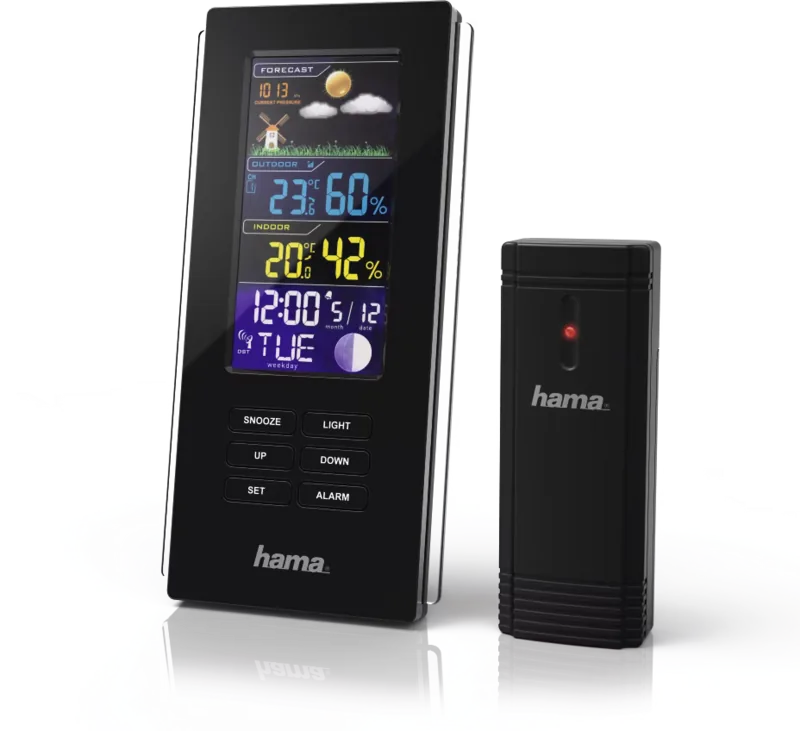
Keeping track of your local climate has never been easier with the Hama Color Edge Digital Weather Station. This sophisticated device brings professional-grade meteorological data right into your home, combining sleek design with powerful functionality. Whether you are a gardening enthusiast planning your planting schedule or simply curious about the changing seasons, this station provides all the essential information you need at a glance.
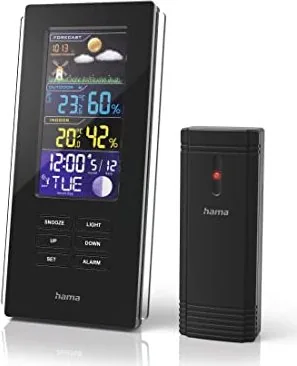
The system consists of two main components: an indoor base station and an outdoor measuring station. The indoor unit features a large, easy-to-read display that shows current indoor and outdoor temperatures, humidity levels, and atmospheric pressure. One of its standout features is the weather trend indicator, which analyzes pressure changes to forecast conditions for the next 12 to 24 hours. You can instantly see if sunny skies are on the horizon or if rain is approaching. Additionally, the station tracks moon phases, adding a touch of astronomical interest to your daily routine.
Installation is straightforward and flexible. The outdoor sensor can be placed on a flat surface or securely mounted on an exterior wall using the dedicated recess. It transmits data wirelessly to the base station from up to 30 meters away in open spaces. The base station also functions as a precise clock, automatically synchronizing with the DCF radio signal to ensure the time and date are always accurate without manual intervention. For those who prefer manual control, settings for time zones, temperature units (Celsius or Fahrenheit), and pressure units (hPa or inHg) can be adjusted easily via the intuitive button controls.
Practicality is key with this model. It includes a built-in alarm with a snooze function, ensuring you never oversleep. The backlight allows for clear visibility in low-light conditions, and the device runs on standard batteries, though a power supply unit option exists for permanent operation. By providing reliable data on temperature trends, humidity, and barometric pressure, the Hama Color Edge Digital Weather Station empowers you to make informed decisions about your day and your environment.
Search for 67,732 Manuals online


Type-in Brand or Model