
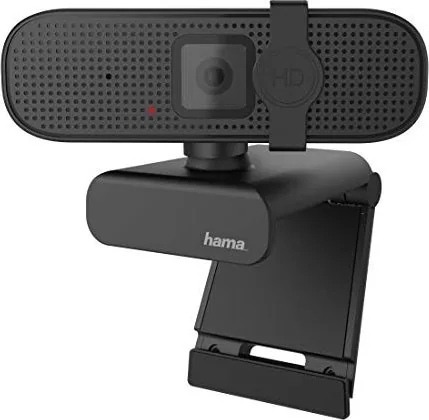
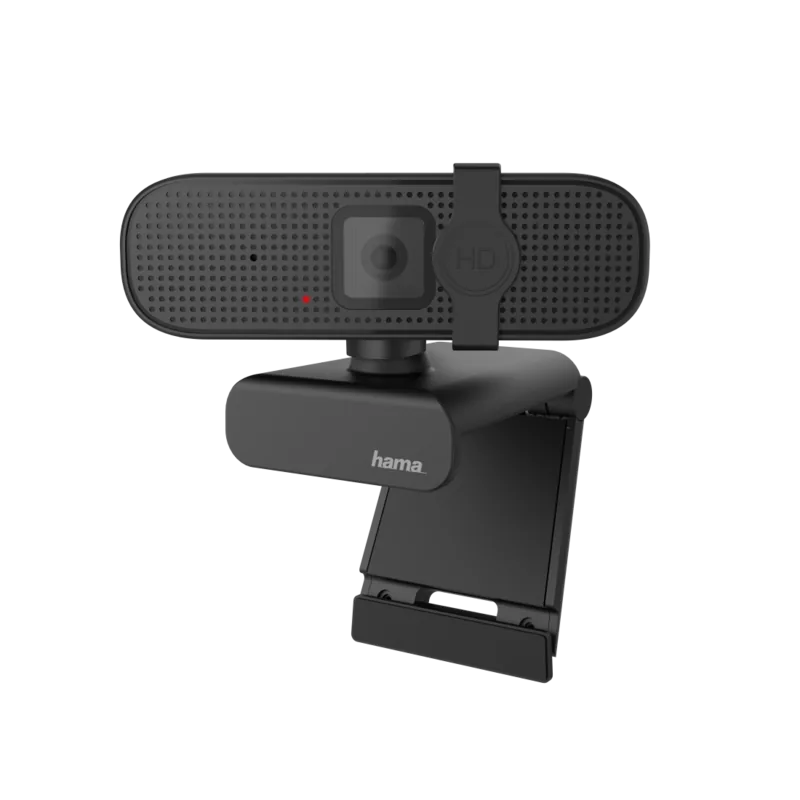
Hama C-400 Manual
PDF manual · 2 Pages
English



Quick check
Incorrect answer, please try again.
Chat with your Hama C-400 manual using AI
Get instant AI answers from your Hama C-400 manual
Ask anything about the Hama C-400. Answers come from this manual, with the pages they are based on.
Ask a Question
Do you recommend C-400?
Yes NoFrequently Asked Questions
The webcam provides Full HD 1080p video resolution and supports up to 30 frames per second. This specification is suitable for routine video meetings, online learning, and personal calls.
Is this answer helpful?
Yes. It includes an integrated microphone for basic voice communication, which can reduce the need for a separate microphone during simple video calls.
Is this answer helpful?
The webcam has a closable privacy cover. Close it over the lens when the camera is not needed to create a physical barrier in front of the camera.
Is this answer helpful?
The listed viewing angle is 70 degrees. It is intended mainly for a single person seated in front of a computer rather than a wide group or room view.
Is this answer helpful?
Yes. A 1/4-inch thread is listed, allowing the webcam to be used with compatible tripods or mounts for alternate positioning.
Is this answer helpful?
The webcam uses a USB-A cable that is 1.8 m long. Check your computer's available ports before setup, especially if your device only has USB-C ports.
Is this answer helpful?
Advantages and Disadvantages
Advantages

- Full HD 1080p video at up to 30 fps supports clear everyday video calls.
- The 70-degree viewing angle is well suited to individual desk-based communication.
- A built-in microphone enables a simpler setup for basic voice calls.
- Closable privacy protection physically covers the lens when the camera is not in use.
- The 1/4-inch thread allows use with compatible tripods or mounting accessories.
Disadvantages

- Fixed focus may offer less flexibility than webcams with autofocus.
- The 70-degree field of view may be too narrow for larger groups or wide room shots.
- USB-A connection may require an adapter on devices that only provide USB-C ports.
- The provided details do not identify advanced features such as lighting correction or higher frame rates.
Product Specification
Type
Webcam
Image sensor
1x CMOS 2.0 MP
Resolution
1920 x 1080 pixels (30 fps)
Field of view
70 degrees
Pan
360 degrees
Ports
1x USB-A 2.0 (480 Mb/s)
Wireless
N/A
Focus
Fixed focus
Camera cover
Sliding shutter
Microphone
Integrated (stereo)
Speaker
N/A
Lighting
N/A
Cable length
70.87 in
Power supply
Via USB
Mount
Mounting clip, with 1/4 in thread
Dimensions
2.17 x 1.97 x 0.36 in
Features
Status LED
Product Description
Hama C-400 1080p Webcam - Read, Download & Print Free
The Hama C-400 1080p Webcam is a practical video accessory designed for everyday calls, online meetings, remote learning, and casual streaming. It delivers Full HD video at 1080p and up to 30 frames per second, helping users present a clear, natural image during conversations. Its fixed-focus lens and 70-degree viewing angle are suited to single-person use at a desk, whether you are speaking with colleagues, attending virtual classes, or catching up with friends and family.
Built for Clear Everyday Video
The webcam combines a compact design with useful integrated features. A built-in microphone supports straightforward voice communication without requiring a separate desktop microphone for basic calls. The 1.8 m USB-A cable provides generous reach for connecting the camera to a computer while keeping the setup flexible. An indicator LED shows when recording is active, offering a simple visual reminder of the camera's status.
Privacy is also a central part of the design. The Hama C-400 includes a closable privacy cover, allowing the lens to be blocked when the webcam is not in use. This is especially useful for home offices, shared workspaces, and learning environments where users want a quick, physical way to cover the camera.
Simple Placement Options
A 1/4-inch thread expands placement possibilities beyond a standard monitor position. Users can attach the webcam to compatible tripods or mounts when they need a different angle or a more stable setup. The fixed-focus system keeps operation simple, making the camera a convenient choice for users who prefer an uncomplicated video solution rather than detailed manual adjustments.
The Hama C-400 1080p Webcam - Read, Download & Print Free overview highlights the core product characteristics: 1080p at 30 fps, a 70-degree field of view, fixed focus, an integrated microphone, recording LED, privacy shutter, USB-A connection, and a 1.8 m cable. These features make it a focused option for regular video communication in dry indoor spaces.
Care and Safety Notes
Use the webcam only for its intended purpose and keep it away from dirt, moisture, and excessive heat. Route the cable where it will not create a tripping risk, and avoid bending, crushing, dropping, or strongly shaking the device. Do not open the webcam, and stop using it if it is damaged. Keep packaging away from children because it may present a suffocation hazard.
Search for 67,732 Manuals online


Type-in Brand or Model
Max Lee
4 months ago
Is the built-in microphone suitable for video calls, and does the camera stay securely tilted?
Manual.ly
4 months ago
The webcam is generally easy to install and provides acceptable video for basic office use. However, reviews indicate that the integrated microphone can sound quiet and muffled at normal desk distance. For reliable calls, we recommend using a separate headset or external microphone. Some users also report that the vertical tilt adjustment may not hold its position firmly, so positioning should be checked before use.