Chat with your Hama Broadband/CATV Dual-Device Amplifier manual using AI
Get instant AI answers from your Hama Broadband/CATV Dual-Device Amplifier manual
Ask anything about the Hama Broadband/CATV Dual-Device Amplifier. Answers come from this manual, with the pages they are based on.
Ask a Question
0/1000
Do you recommend Broadband/CATV Dual-Device Amplifier?
YesNo
0
Nina Weber
10 months ago
Can I use this Hama antenna 2-way amplifier to split one antenna signal to 2-3 receivers/TVs and still get stable digital reception in 4K, without pixelation?
0
Manual.ly
10 months ago
Yes. It is designed to amplify and distribute the incoming antenna signal across two outputs. Reviewers report stronger digital reception and far less pixelation or picture dropouts after setup, including when feeding receivers. For 4K, picture quality is generally maintained as long as the amplifier supports the required frequency range for your provider and your TV/receiver is connected correctly via coax. Installation is straightforward: plug it into power, connect the antenna feed to the input, and connect the TVs/receivers to the outputs using well-made coax cables. If you split much more than the intended outputs or use very long cable runs, signal levels can become too weak or too strong, so consider a distribution amplifier matched to your setup.
M: OA-GPT-5-NAN
M: OA-GPT-5-NAN
Frequently Asked
Questions
A
It is used to boost cable and CATV signals so connected devices can receive a steadier and cleaner signal. It can help reduce the effects of signal loss in home installations.
Is this answer helpful?
A
No, it is intended for indoor use only. It should be protected from rain, humidity, condensation, and any contact with liquids to avoid damage and safety risks.
Is this answer helpful?
A
Yes. It should be placed on a flat surface, with safe cable routing, good air circulation, and an outlet that remains easy to reach at all times.
Is this answer helpful?
A
Avoid heat sources, direct sunlight, open flames, and covered ventilation openings. Also make sure cables are not crushed, bent sharply, or placed near hot equipment.
Is this answer helpful?
A
No. The device should not be opened by the user. Any repair work should be done only by an authorized specialist, since the unit must be disconnected from power before handling.
Is this answer helpful?
A
It is best suited for households that use cable TV or broadband cable lines and want a simple, practical way to improve signal stability in a home setup.
Is this answer helpful?
M: OA-GPT-54-NAN
Advantagesand
Disadvantages
Advantages
Helps strengthen BK/CATV signals for more stable reception.
Compact design fits easily into home entertainment setups.
Intended for simple indoor installation with clear safety guidance.
Useful when signal loss appears across longer cable runs.
VS
Disadvantages
Must be kept away from moisture and splashes.
Requires a nearby, accessible power outlet.
Not suitable for blocked or poorly ventilated spaces.
Repairs should only be handled by authorized specialists.
M: OA-GPT-54-NAN
Product
Specification
Type
TV Amplifier
Inputs
1
Outputs
2
Terrestrial Gain
12dB, 47-862MHz
Power Connection
no
M: OA-GPT-54-NAN
Product
Description
Hama BK/CATV Dual-Device Amplifier: A Practical Boost for Home Cable Signals
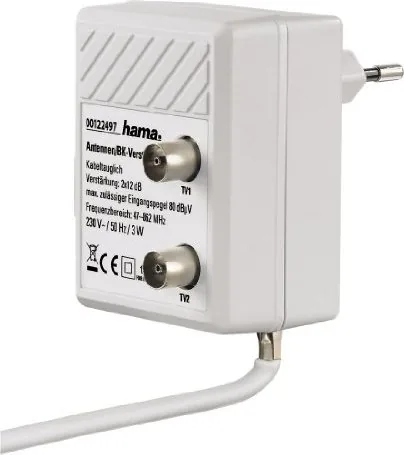
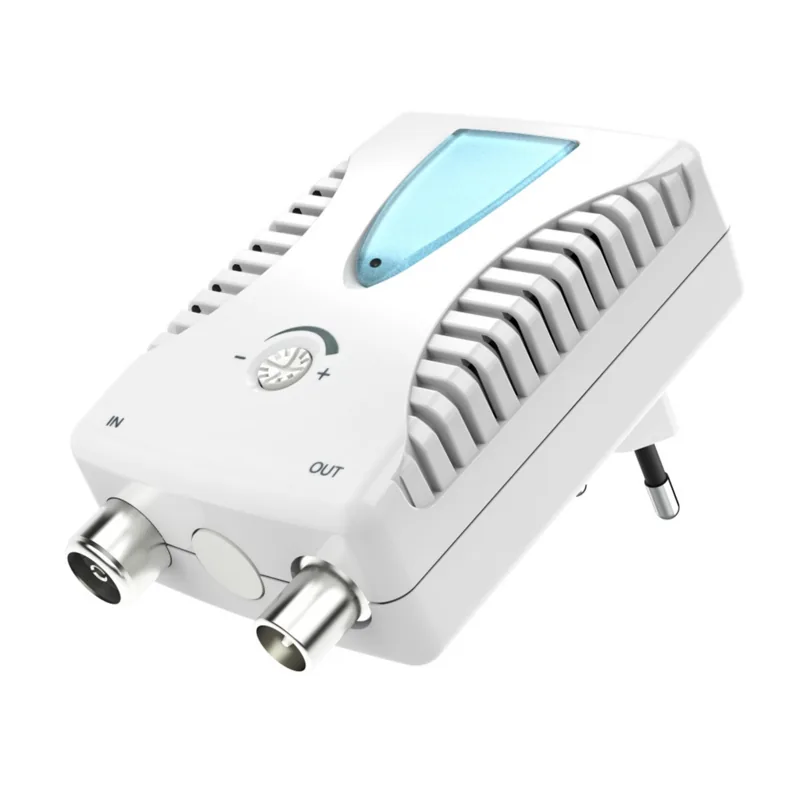
The Hama BK/CATV dual-device amplifier is designed for homes that want a steadier, cleaner signal across cable television and broadband cable connections. Built for everyday use, it helps strengthen incoming signal levels and can make distribution to multiple devices more reliable. If your setup includes a TV, cable receiver, or other connected equipment, this compact amplifier offers a straightforward way to improve performance without overcomplicating the installation.
What makes this model appealing is its focus on simplicity and safety. The Hama BK/CATV dual-device amplifier manual highlights careful placement, secure cable routing, and proper ventilation, showing that the product is meant to be installed with attention to detail. It is not a flashy gadget; instead, it is a utility device meant to support stable reception in a practical, low-profile way. For users who value dependable signal delivery, that can be more important than advanced extras.
The dual-device concept is especially useful in setups where one source needs to serve more than one output or where signal loss can become noticeable over longer cable runs. By helping offset that loss, the amplifier can contribute to clearer picture quality and more consistent cable performance. Its compact design also makes it easier to place in a media cabinet, service area, or another protected indoor location.
Safety guidance is a major part of the experience. The amplifier should be used only with an approved power outlet, kept away from moisture, and installed where the plug remains easy to reach. It should not be exposed to heat sources, direct sunlight, or blocked ventilation. These points reflect the product’s practical nature: it works best when treated as a permanent indoor component of a well-organized cable system.
Overall, the Hama BK/CATV dual-device amplifier is a sensible choice for users who want to stabilize cable signals with minimal fuss. It suits households that need a reliable boost and prefer equipment that is easy to integrate into an existing setup. With the right installation and a dry, ventilated location, it can become a quiet but valuable part of a home entertainment system.
Notes
Best used indoors in a dry, well-ventilated location.
Keep the power outlet accessible for quick disconnection.
Avoid covering vents or placing the unit near heat sources.




Nina Weber
10 months ago
Can I use this Hama antenna 2-way amplifier to split one antenna signal to 2-3 receivers/TVs and still get stable digital reception in 4K, without pixelation?
Manual.ly
10 months ago
Yes. It is designed to amplify and distribute the incoming antenna signal across two outputs. Reviewers report stronger digital reception and far less pixelation or picture dropouts after setup, including when feeding receivers. For 4K, picture quality is generally maintained as long as the amplifier supports the required frequency range for your provider and your TV/receiver is connected correctly via coax. Installation is straightforward: plug it into power, connect the antenna feed to the input, and connect the TVs/receivers to the outputs using well-made coax cables. If you split much more than the intended outputs or use very long cable runs, signal levels can become too weak or too strong, so consider a distribution amplifier matched to your setup.