
GPO Brooklyn Manual
PDF manual · 110 Pages
English



Quick check
Incorrect answer, please try again.
Chat with your GPO Brooklyn manual using AI
Get instant AI answers from your GPO Brooklyn manual
Ask anything about the GPO Brooklyn. Answers come from this manual, with the pages they are based on.
Brooklyn Maintenance Schedule
Unplug the unit and any connected cables after use. Do not leave the unit connected to the mains once the battery is fully charged.
Clean the unit gently with a dry cloth. Keep the unit dry and store it out of direct sunlight.
Ask a Question
Do you recommend Brooklyn?
Yes NoDo you recommend Brooklyn?
Yes NoFrequently Asked Questions
It combines a bold retro design with modern playback options, including radio, CD, USB, Bluetooth, cassette, AUX, and microphone support. It is both decorative and practical, which gives it broad everyday appeal.
Is this answer helpful?
Yes. It includes an integrated rechargeable battery, so you can use it in different rooms or take it outdoors once fully charged. This makes it much more flexible than a mains-only player.
Is this answer helpful?
Yes. You can listen to FM or DAB stations, and the display can show useful station and signal details in DAB mode. For best reception, the aerial should be fully extended.
Is this answer helpful?
Yes. USB playback is supported, and the unit can also record music to USB in certain modes. Once the drive is inserted, playback begins automatically in USB mode.
Is this answer helpful?
Pair your phone or other Bluetooth device with the name GPO Brooklyn, then play music from the connected device. In Bluetooth mode, control is mainly handled by the paired device rather than the boombox itself.
Is this answer helpful?
Yes. Both cassette and CD playback are included, which is one of the main reasons the product feels so nostalgic. It is a good fit for users who still enjoy physical media.
Is this answer helpful?
Charge it fully before first use, extend the aerial for radio, and insert CDs with the label facing the rear. The GPO Retro Brooklyn Manual is useful for learning the controls and getting the best results quickly.
Is this answer helpful?
Advantages and Disadvantages
Advantages

- Retro 1980s styling gives the boombox strong visual character and nostalgic appeal.
- Multiple sources are supported: FM, DAB, CD, USB, Bluetooth, cassette, AUX, and microphone.
- Rechargeable battery makes it easy to use the unit away from a power outlet.
- LED display and tone controls help customize playback and track important status info.
Disadvantages

- Bluetooth playback must be controlled from the paired device, not always from the unit itself.
- CDs must be inserted in the correct direction or they may fail to read.
- The battery compartment should not be opened, which limits user access for repairs.
- Radio performance depends on extending the aerial properly for better signal strength.
Product Specification
Power
50W RMS
Audio formats
CD-Audio, CD-R/RW, Cassette, Record
Tuner
FM, DAB+
Display
LED
Audio connections
AUX In (3.5mm jack), Stereo Line In (RCA), 2x Microphone (3.5mm jack), Stereo Line Out (RCA)
Other connections
USB-A 2.0
Wireless
Bluetooth
Power supply
Battery, Mains operation
Features
Charging function (USB)
Color
black
Dimensions
23.62x11.81x5.51in (WxHxD)
Weight
21.38lb
Product Description
GPO Retro Brooklyn: Vintage Style Meets Everyday Listening
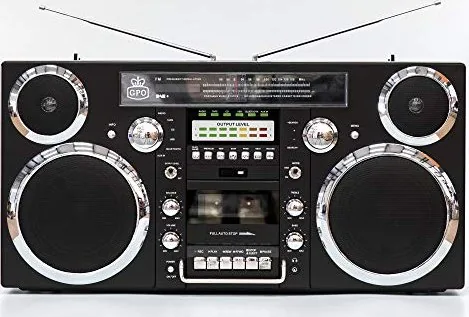
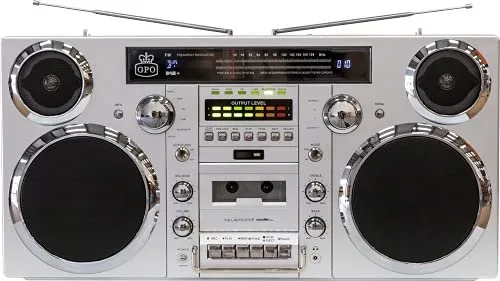
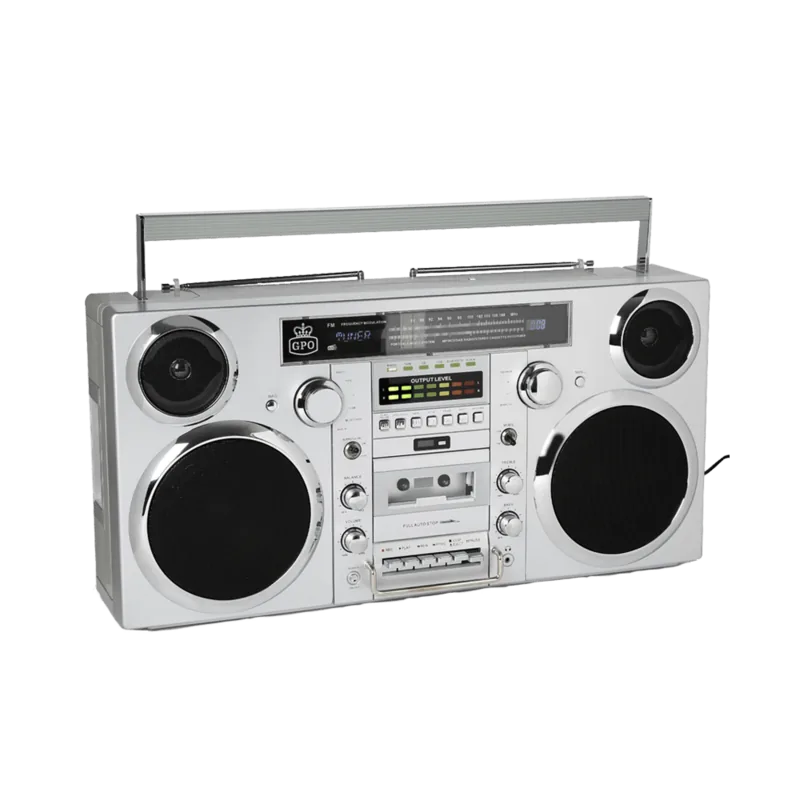
The GPO Retro Brooklyn Boombox brings back the bold personality of the 1980s while adding the convenience people expect today. With its classic boxy shape, carry handle, and familiar controls, it feels like a tribute to an era when music was portable, physical, and full of character. At the same time, it is designed for modern life, blending analog charm with digital flexibility.
What makes this model especially appealing is its wide range of playback options. You can tune into FM or DAB radio, play CDs, load music from USB, connect wirelessly through Bluetooth, or go fully retro with cassette playback. That mix gives it a nostalgic edge without limiting it to old-school listening. It can sit in a kitchen, studio, workshop, or living room and still feel at home.
The GPO Retro Brooklyn Manual shows just how versatile the unit is once you start exploring its controls. There are separate settings for volume, balance, treble, and bass, so you can tailor the sound to match different rooms and different moods. The LED display also adds practical value, making it easier to check station info, track details, time, and playback status at a glance.
Portability is another highlight. The integrated rechargeable battery means you are not tied to a wall socket, and the boombox can move with you from indoors to outdoors. That makes it ideal for casual gatherings, relaxed listening sessions, or anyone who likes the idea of a music system that feels both expressive and mobile.
It also offers thoughtful extras, including microphone input, AUX connections, and the ability to record audio onto USB or cassette in certain modes. Those features make it more than just a player; it becomes a flexible home audio companion with creative potential. Whether you want a simple radio, a retro centerpiece, or a feature-packed music hub, the Brooklyn Boombox delivers a memorable mix of style and function.
Notes
- Fully extend the aerial for better radio reception.
- For CDs, insert the label side facing the rear.
- Bluetooth playback is controlled from the paired device.
- Avoid opening the battery compartment.
- Keep the unit dry and away from direct sunlight.
Search for 67,732 Manuals online


Type-in Brand or Model