

Free Govee Manuals – Read, Download & Print
1 Manuals
Manuals
Categories

Comprehensive Guide to Understanding Govee Manuals
Govee has established itself as a leading brand in the consumer smart lighting sector. Their products range from simple LED strips to complex outdoor smart fixtures and environmental sensors. For users who purchase these devices, understanding how to configure and maintain them is essential for optimal performance. This guide serves as a comprehensive overview of everything you need to know regarding Govee manuals. Whether you are setting up your very first smart bulb or troubleshooting a persistent connection issue on an outdoor camera, proper documentation is your most valuable resource. This document covers where to find manuals, how to interpret technical specifications, and steps for resolving common operational problems without needing direct assistance from customer service teams immediately.
Locating Official Documentation Resources
The first step in utilizing your product effectively is locating the correct documentation. Govee maintains a centralized repository for all user guides and setup sheets. These documents are available through their official website and within the mobile application interface that controls the devices.
Website Download Center
Visiting the official Govee homepage allows access to a dedicated support section. Navigate to the support tab and select the category corresponding to your device type. You can search by model number to ensure accuracy. This ensures you do not download instructions meant for a different version of the hardware. PDF files are provided for every major product line. These digital downloads are accessible from desktop computers and mobile browsers alike. It is recommended to save these copies locally so that they remain available even if internet connectivity is unstable at the installation site.
Mobile Application Integration
The Govee Home app provides an intuitive way to access manual information directly from your phone. Within the device settings menu, there is often a link labeled Help or Manual. Tapping this button displays context-specific guidance without requiring you to leave the app environment. This feature is particularly useful because the app updates its own knowledge base alongside hardware improvements. If a new update changes the pairing process slightly, the in-app manual reflects those changes immediately, whereas a printed or downloaded PDF might become outdated over time.
Device Specific Documentation Overview
Not all Govee products function identically, so manuals vary significantly based on the technology used. It is important to read the section relevant to your specific hardware configuration.
LED Strips and Ambient Lighting
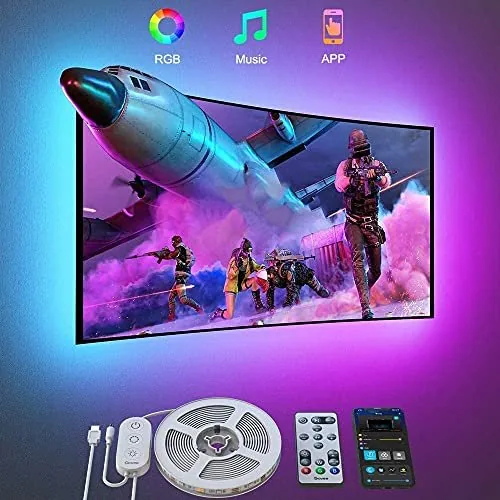
Most LED strip kits require cutting points marked with scissors icons. The manual explains how to trim the strip correctly to prevent electrical damage. Pairing instructions detail whether the controller uses Bluetooth or Wi-Fi connectivity. Some advanced models require the Govee Hub for full functionality. The guide covers how to bridge the gap between the smartphone and the strip controller using this hub. Proper cable management tips are also included to ensure heat dissipation and safety behind televisions or desks.
Outdoor Smart Devices
Outdoor products such as floodlights and security cameras face unique challenges related to weather exposure. The manual outlines IP ratings and maximum operating temperatures. Installation guidelines specify how deep anchors must be driven into walls or brickwork. Waterproofing connectors are discussed in detail to prevent moisture ingress during rainstorms. Electrical requirements for outdoor outlets are emphasized to ensure compliance with local building codes. Following these specific outdoor protocols prevents corrosion and extends the lifespan of the components.
Smart Home Sensors
Environmental monitors and temperature probes often require battery replacements or recharging cycles. The documentation specifies the expected battery life under various usage scenarios. Calibration procedures explain how to align sensor readings with known standards. Placement recommendations suggest avoiding areas near heaters or direct sunlight to maintain accuracy. Integration steps with third-party platforms are listed for users who wish to automate other systems based on sensor data.
Troubleshooting Common Technical Issues
Even with clear instructions, setup difficulties may arise. This section addresses frequent errors encountered during operation.
Resetting Your Devices
Many connectivity issues stem from stale network configurations. A factory reset clears previous pairings and restores default settings. The process usually involves holding a physical button on the back of the device for several seconds until the light flashes rapidly. This signal indicates the device is ready for a fresh connection attempt. Refer to the specific manual for the exact duration and button sequence. This is the primary solution for devices that fail to appear in the app discovery list.
Firmware Updates
Outdated software can cause instability or features missing compared to newer models. The app checks for updates automatically upon opening. If notifications indicate a pending firmware change, apply it immediately while the device is powered. Do not disconnect power during the update process as this can corrupt the file system. Updated firmware often includes patches for security vulnerabilities and performance improvements that enhance responsiveness. Consistent updating is vital for maintaining compatibility with the latest versions of iOS and Android operating systems.
Network Configuration Checks
In some cases, router settings interfere with IoT device discovery. Ensure your Wi-Fi network name does not contain special characters that confuse older protocols. Dual-band routers may separate 2.4 GHz and 5 GHz signals, and many smart devices only connect to 2.4 GHz networks. The manual advises temporarily disabling the 5 GHz band or separating SSIDs if connection fails persistently. Port forwarding rules are rarely required but checking firewall settings can sometimes resolve blocked traffic issues preventing cloud communication.
Customer Support and Warranty Policies
When documentation does not resolve an issue, formal support channels are available.
Contact Channels
Govee offers multiple avenues for reaching out to representatives. Email tickets are submitted through the contact form on the website. Response times vary depending on workload but generally provide detailed solutions. Live chat may be available during specific business hours for quicker interactions. Providing your serial number and proof of purchase expedites the verification process. Clear descriptions of the problem with accompanying photos assist engineers in diagnosing remote faults accurately.
Warranty Terms
Most products come with a limited warranty covering manufacturing defects. The period typically ranges from one year to five years depending on the item category. Consumable parts like batteries are often excluded from coverage. Damage caused by misuse or improper installation voids the agreement. Keep your receipt and original packaging for the duration of the warranty period. Claiming coverage involves shipping the defective unit to a designated facility at no cost to the customer. Replacement units are dispatched once the return is received and inspected by quality control personnel.
Final Recommendations for Success
Mastering your Govee ecosystem relies heavily on consulting the provided literature before and after purchase. Ignoring setup warnings often leads to irreversible hardware damage. Staying informed about release notes helps you understand new features available for your existing gear. Regular maintenance checks prevent minor glitches from becoming major failures. By following the structured approach outlined here, you ensure a smooth and enjoyable experience with smart home technology. Enjoy your connected lights and integrated environments with peace of mind knowing you have utilized all available resources for setup and upkeep. This proactive approach minimizes downtime and maximizes the satisfaction derived from smart home automation tools.
Search for 67,706 Manuals online


Type-in Brand or Model