
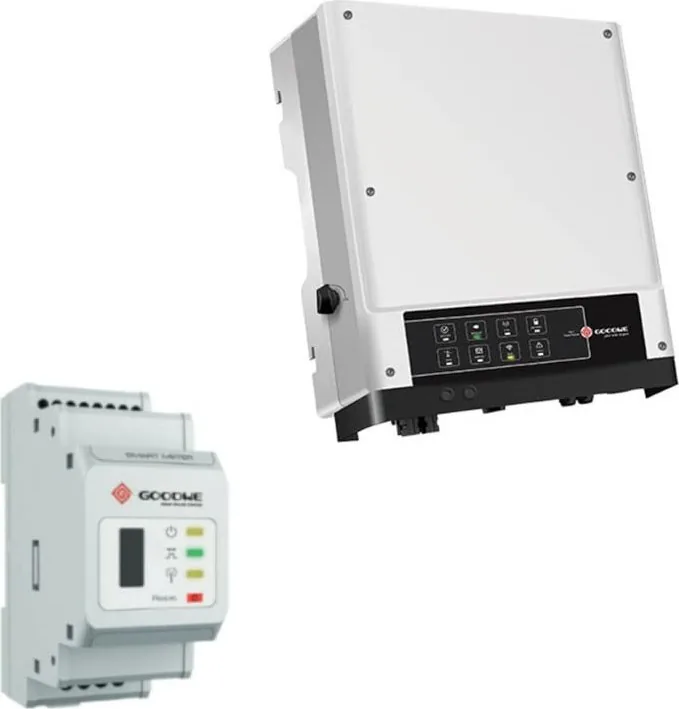
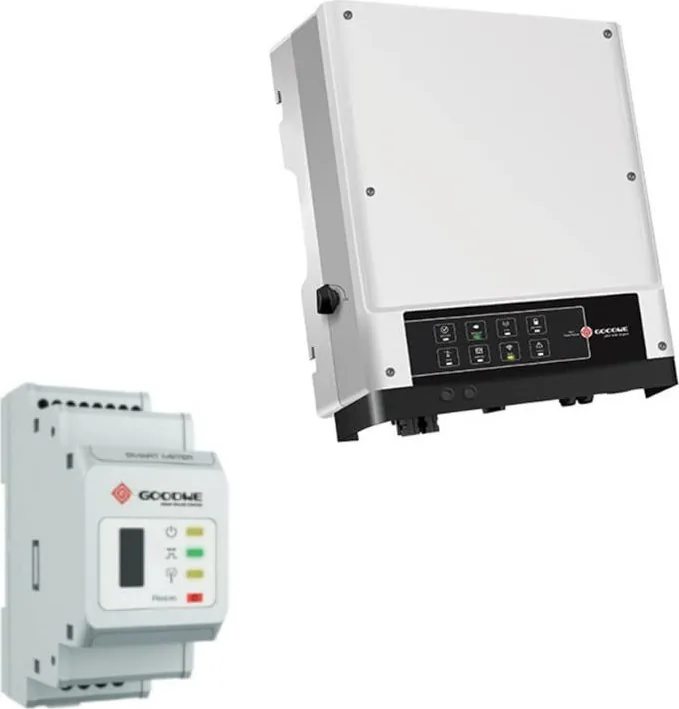
Goodwe EM Series Manual
PDF manual · 18 Pages
English



Quick check
Incorrect answer, please try again.
Chat with your Goodwe EM Series manual using AI
Get instant AI answers from your Goodwe EM Series manual
Ask anything about the Goodwe EM Series. Answers come from this manual, with the pages they are based on.
EM Series Maintenance Schedule
Use a clean towel to clean up the heat sink once a year.
Use a torque wrench to tighten AC and DC wiring connections once a year.
Check DC breaker regularly and activate it 10 times in a row once a year to clean contacts and extend lifespan.
Check if water-proof covers of RS485 and other parts are fastened once a year.
Free maintenance reminders
Timed to your purchase date. Always free, unsubscribe anytime.
Ask a Question
Do you recommend EM Series?
Yes NoFrequently Asked Questions
No, high-power appliances like air conditioners are not recommended for the Back-Up side because they may create very high start-up current surges that could damage the inverter or trigger overload protection.
Is this answer helpful?
The inverter supports lithium batteries with nominal voltage between 40V and 60V that have a Battery Management System for communication. Lead-acid batteries are generally not allowed unless specifically authorized by GoodWe for certain models.
Is this answer helpful?
You can configure Wi-Fi using the web page at 10.10.100.253 after connecting to the Solar-WiFi signal, or directly through the SolarGo mobile application for Android and iOS devices for easier setup.
Is this answer helpful?
If grid power fails, the system automatically switches to Back-Up mode within ten seconds. Critical loads connected to the Back-Up port will then be supplied by the battery and PV system to ensure continuous operation.
Is this answer helpful?
Yes, annual maintenance is recommended including cleaning the heat sink with a dry towel, checking torque on wiring connections, and operating the DC breaker to extend its lifespan and ensure safety.
Is this answer helpful?
No, you can set export power limits via the SolarGo app to comply with local utility regulations. Setting the limit to zero may still result in a small deviation of up to 100W depending on system configuration.
Is this answer helpful?
Yes, the inverter has an IP65 ingress protection rating, meaning it is dust tight and protected against water jets, making it safe for outdoor installation under shelter or in direct sunlight.
Is this answer helpful?
Advantages and Disadvantages
Advantages

- High efficiency with integrated Wi-Fi for remote monitoring and control via SolarGo app
- Seamless transition to backup mode during grid failures in less than 10 milliseconds
- Robust safety features including residual current monitoring and anti-islanding protection
- IP65 rating provides excellent protection against dust and water in outdoor environments
- Flexible power outputs allow scaling based on specific household energy consumption needs
Disadvantages

- Requires professional installation due to high voltage risks and complex wiring requirements
- Weighted design necessitates careful handling during transport and wall mounting process
- Lithium battery compatibility is preferred over lead-acid for best system performance
- Strict adherence to safety guidelines required to maintain warranty validity over time
- Initial setup of SmartMeter and CT connections demands precision for accurate data logging
Product Specification
Note
Prices partially include 0% VAT rates for AT and DE
Type
Hybrid inverter, passive
Input Voltage
100-550V DC
Max. Input Current
11A
MPP Voltage Range
100-500V DC
Output Phases
Single-phase
Efficiency
97.6% max., 97.0% EU
Input
MC4
Output
Terminals
Interfaces
Wi-Fi (WLAN), 1x RJ-45, 1x RS-485, Modbus RTU
Noise Level
<25 dB
IP Rating
IP65
Ambient Temperature
-13F to +140F
Dimensions
13.66x17.01x6.89 in (WxHxD)
Weight
35.27 lbs
Product Description
GoodWe GWxxx-EM Hybrid Inverter Overview
The GoodWe GWxxx-EM series represents a significant leap forward in residential solar energy management. Designed for homes seeking independence and efficiency, these hybrid inverters seamlessly integrate photovoltaic panels, battery storage, and the utility grid. This system ensures that generated solar energy is optimized for self-consumption, with excess power directed to charge batteries or exported to the grid. When solar production falls short, the inverter intelligently switches to backup mode, drawing from stored energy or the grid to maintain household power continuity.
Users appreciate the flexibility offered by the integrated Wi-Fi capabilities. Through the SolarGo application, owners can monitor real-time performance and adjust settings remotely. Configuring the system via the web interface allows for precise control over charging times and export limits. The hardware itself is built robustly, featuring an IP65 rating for protection against dust and water, making it suitable for varied outdoor environments. Safety remains a top priority, with built-in residual current monitoring and anti-islanding protections ensuring compliance with international standards.
Operational modes adapt to daily needs. The system prioritizes using solar power for immediate loads, storing surplus energy, and supplying the grid when storage is full. During grid failures, the back-up side supplies critical circuits instantly. The inverter supports various battery chemistries, though lithium types with battery management systems offer superior tracking via Bluetooth or RS485 connections. Regular maintenance involves cleaning heat sinks and checking torque on connections annually.
Installation requires attention to detail. Proper mounting on solid surfaces and correct wiring connections for PV strings and batteries are crucial for longevity. The device supports lithium batteries with BMS communication, providing advanced diagnostics through the app. While professional installation is recommended due to high voltage risks, the included diagrams and clear labeling assist qualified electricians in setting up complex configurations like split grids. Whether powering essential loads during outages or maximizing green energy usage, this platform delivers reliable performance backed by comprehensive technical support documentation available via the Goodwe GWxxx-EM Manual online resources. Advanced users can set power limits to prevent exporting beyond utility allowances, ensuring financial optimization alongside environmental benefits. Each model offers different apparent power outputs ranging from 3000 to 5000 VA, allowing scaling based on household consumption. Voltage inputs accommodate standard solar arrays up to 500V. Communication protocols ensure seamless data exchange between meters and inverters for accurate load balancing. Warranty terms require strict adherence to installation guidelines to remain valid throughout the operational lifespan.
Search for 67,706 Manuals online


Type-in Brand or Model