
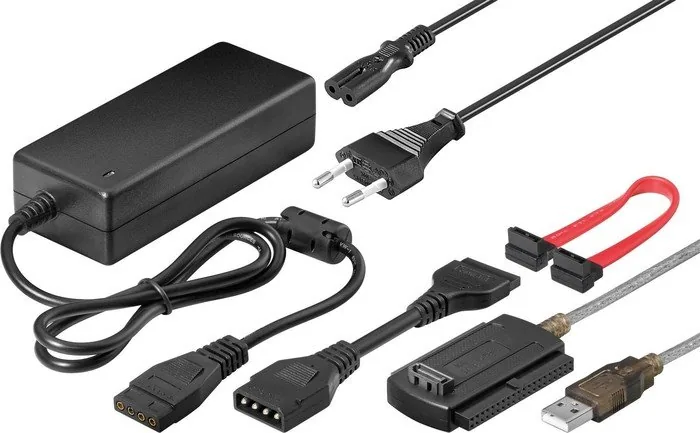
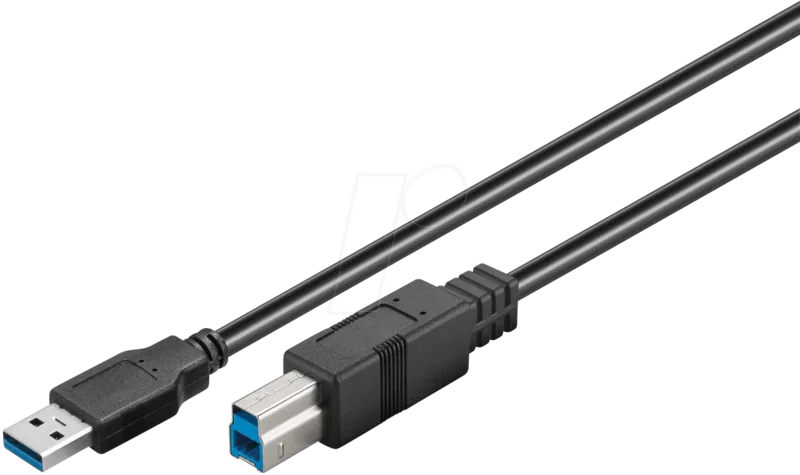
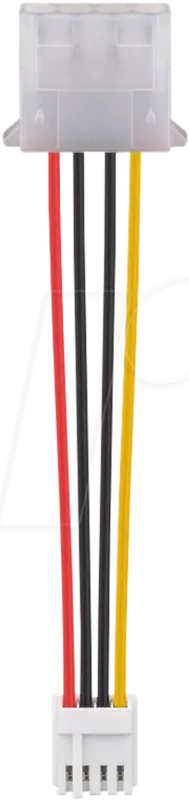
goobay IDE/SATA to USB 2.0 Adapter 50847 Manual
PDF manual · 2 Pages
English



Quick check
Incorrect answer, please try again.
Chat with your goobay IDE/SATA to USB 2.0 Adapter 50847 manual using AI
Get instant AI answers from your goobay IDE/SATA to USB 2.0 Adapter 50847 manual
Ask anything about the goobay IDE/SATA to USB 2.0 Adapter 50847. Answers come from this manual, with the pages they are based on.
Ask a Question
Do you recommend IDE/SATA to USB 2.0 Adapter 50847?
Yes NoFrequently Asked Questions
The adapter supports both 2.5" laptop and 3.5" desktop IDE and SATA hard disks and many CD/DVD drives via dedicated IDE and SATA connectors included in the kit.
Is this answer helpful?
Yes. The kit includes an external power supply (100–240 V AC input) delivering 5 V DC @ 2 A and 12 V DC @ 2 A. 3.5" desktop drives require the external power; some 2.5" drives may run without it but using the supplied power is recommended.
Is this answer helpful?
The product lists compatibility with Windows 2000, XP, Vista, and 7 and works over USB 1.1 or 2.0 interfaces. Newer operating systems are not specified in the manual; many systems still recognize USB mass storage devices automatically, but compatibility with modern OS versions should be verified.
Is this answer helpful?
Connect the appropriate IDE or SATA cable to the drive, plug in the external power supply to mains, then connect the USB cable to your computer. Wait a few seconds for the drive to be detected; it will appear as an external mass storage device for read/write access.
Is this answer helpful?
Avoid contact with mains voltages, do not bridge contacts or insert objects into ports, and do not disassemble the housing unless you are qualified. Follow the manual’s instructions to prevent electric shock, short circuits, and damage to the device or drive.
Is this answer helpful?
First verify all cable connections and power are correctly attached per the connection instructions. If the drive still does not function, consult a certified technician; do not attempt risky repairs or modifications that could void the warranty.
Is this answer helpful?
Dispose of the device according to the European WEEE directive and local regulations. Return it to the producer, dealer, or public collection points for free recycling to prevent environmental contamination from hazardous components.
Is this answer helpful?
Advantages and Disadvantages
Advantages

- Plug-and-play access to IDE and SATA drives via USB 1.1/2.0 for quick data transfer and recovery.
- Supports 2.5" and 3.5" drives with a power supply delivering 5 V and 12 V at 2 A each.
- Includes required cables and power supply for immediate use without additional purchases.
- Lightweight and portable design (198 x 130 x 46 mm, 360 g) suitable for field or desktop use.
- Complies with CE and WEEE directives, enabling regulated disposal and environmental safety.
Disadvantages

- Limited OS compatibility listed (Windows 2000, XP, Vista, 7) — newer OS support not specified.
- Requires mains power for 3.5" drives, reducing true portability compared with bus-powered adapters.
- USB 2.0 transfer speeds limit performance compared with modern USB 3.0/3.1 adapters.
- Warranty excludes damages from improper installation or modification by the user.
- Safety warnings restrict housing disassembly to qualified personnel, complicating some repairs.
Product Specification
Conversion
USB -> SATA, USB -> IDE 2.5", USB -> IDE 3.5"
Host
1x USB-A 2.0 (male)
Target
1x SATA 6Gb/s (female), 1x IDE 2.5"/44-Pin (female), 1x IDE 3.5"/40-Pin (female)
Additional Power Supply
1x SATA Power (male), 4-Pin Molex (male), Power Adapter
Form Factor
Cable/Dongle
Product Description
Wentronic Goobay IDE/SATA to USB 2.0 Adapter Manual
The Wentronic Goobay IDE/SATA to USB 2.0 Adapter is a compact, user-friendly solution for accessing 2.5" and 3.5" IDE or SATA drives via a computer's USB port. Designed for straightforward data recovery, migration, and temporary drive access, the adapter kit includes the necessary cables and a power supply to support both laptop and desktop hard drives and optical drives. With plug-and-play compatibility for Windows 2000, XP, Vista, and 7 over USB 1.1/2.0, it enables quick connection and immediate access to drive contents without opening your PC or installing internal hardware.
This adapter supports drives requiring both 5 V and 12 V rails, making it suitable for 2.5" laptop drives (typically 5 V) and 3.5" desktop drives (requiring both voltages). The included power supply handles 100–240 V AC input and delivers 5 V DC at 2 A and 12 V DC at 2 A, ensuring stable operation of most consumer hard drives. Setup follows a few simple steps: connect the adapter cables to the drive, plug in the mains power, then attach the USB cable to the computer. The system should recognize the drive within seconds, granting immediate read/write access.
Safety and proper handling are emphasized: assembly and disassembly of the adapter housing should be performed only by qualified personnel, and users must avoid contact with mains voltages or short-circuiting contacts. The manufacturer limits warranty coverage to the physical product and disclaims liability for damages resulting from improper installation, modification, or misuse. Troubleshooting advice is basic—verify connections and consult a certified technician if issues persist.
Physically, the adapter and its accessories are lightweight and portable (approximately 198 x 130 x 46 mm, 360 g) and come with a USB cable featuring both IDE and SATA connectors, spare SATA cable, mains cable, and the external power supply. Environmental compliance is noted: end-of-life disposal should follow WEEE directives and local regulations to prevent hazardous contamination and enable proper recycling.
Notes:
- Supports both 2.5" and 3.5" HDDs and many CD/DVD drives.
- Requires an external mains connection for 3.5" drives.
- Compatible with legacy Windows systems and USB 1.1/2.0 ports.
- Read and follow safety instructions to avoid electric shock or short circuits.
Search for 67,706 Manuals online


Type-in Brand or Model
Lina Weber
8 months ago
Will this adapter work to connect an old IDE/SATA hard drive or SSD to a modern PC or DVD recorder, and is it easy enough for data copying without special equipment?
Manual.ly
8 months ago
Yes, the set is meant for quickly using older drives as external storage. Users report that they can connect a failed or older HDD/SSD to a Windows PC and access/copy the data without removing the drive permanently (you may need to open the PC and detach/attach the existing connectors). It is also suitable for devices like a DVD recorder that supports an external USB-HDD, after formatting on the recorder. Note: one review highlights that the adapter may come without an enclosure, so you need to handle the bare connectors carefully and make sure the power connection is secure. If the drive is healthy, data transfer should be straightforward.