
goobay Desktop Gigabit Switch Manual
PDF manual · 4 Pages
English



Quick check
Incorrect answer, please try again.
Chat with your goobay Desktop Gigabit Switch manual using AI
Get instant AI answers from your goobay Desktop Gigabit Switch manual
Ask anything about the goobay Desktop Gigabit Switch. Answers come from this manual, with the pages they are based on.
Ask a Question
Do you recommend Desktop Gigabit Switch?
Yes NoFrequently Asked Questions
The model with five RJ-45 ports supports Auto-Negotiation and, depending on the specific variant, up to 10/100/1000 Mbps per port (gigabit model). Check the specific model number for exact supported speeds.
Is this answer helpful?
No. The switch is fully plug-and-play with no user configuration required. Auto-Negotiation and Auto-MDI/MDIX automatically configure link speed and wiring. There are no management interfaces or settings to adjust.
Is this answer helpful?
To reset, disconnect the power by unplugging the adapter for about five minutes and then reconnect it. Because the device has no onboard controls, power-cycling is the recommended reset method.
Is this answer helpful?
Use the supplied DC power adapter and shielded Ethernet cables (STP) as recommended. Replacement adapters or cables must match the product specifications (output voltage/current and shielded network cable) to ensure safe operation.
Is this answer helpful?
No. The switch is intended for dry indoor use only. Avoid exposure to moisture, direct sunlight, extreme temperatures, vibration and mechanical stress to prevent damage and ensure safety.
Is this answer helpful?
No. Do not open the housing. Defective units should be returned to the retailer or manufacturer for service. Unauthorized repairs or modifications can void warranty and create safety risks.
Is this answer helpful?
Dispose of the device according to local WEEE/Electronic waste regulations. Return it to a designated collection point, the manufacturer or retailer for proper recycling to prevent environmental harm.
Is this answer helpful?
Advantages and Disadvantages
Advantages

- Plug-and-play operation with Auto-Negotiation and Auto-MDI/MDIX for simple setup.
- Store-and-forward switching reduces collisions and improves transmission reliability.
- Compact, lightweight design fits on desks and supports cascading for expansion.
- Per-port link/activity LEDs and power LED for quick visual diagnostics.
- Low idle power consumption and compliance with common Ethernet standards.
Disadvantages

- No power switch — requires accessible outlet to disconnect power quickly.
- No advanced management features (no VLAN, QoS or web GUI) for complex networks.
- Not intended for outdoor or damp environments; must be used indoors only.
- Housing must not be opened; repairs require manufacturer or dealer service.
- Requires supplied power adapter and shielded cables; replacements must match specs.
Product Specification
Function
Switch
Type
Standalone
Network ports
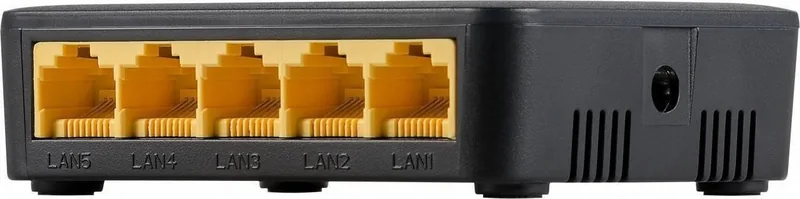
5x RJ-45
Speeds
5x RJ-45 (10/100/1000Base-T)
PoE
N/A
Backplane
7.24Mp/s
Officially supported standards
802.3, 802.3ab, 802.3u, 802.3x
Configuration
unmanaged
Cooling
passive
Dimensions (WxHxD)
5.51x0.98x2.95in
Weight
0.17lb
Color
anthracite
Special features
external power supply
Manufacturer's warranty
three years
Product Description
Wentronic Goobay Desktop Gigabit Switch, 5x RJ-45 Manual
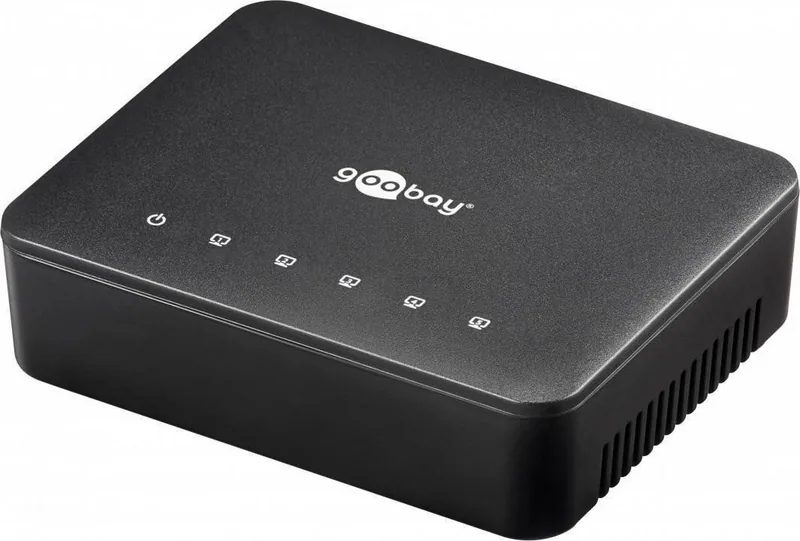
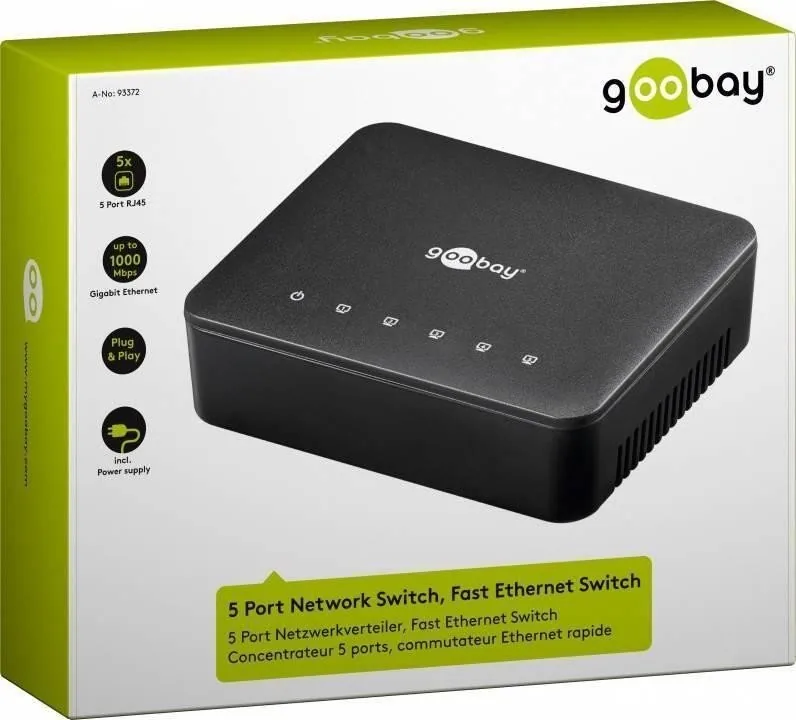
The Wentronic Goobay Desktop Gigabit Switch, 5x RJ-45 is a compact, plug-and-play network switch designed to expand home or small office networks with minimal setup. This five-port desktop unit provides reliable wired connectivity for PCs, NAS devices, printers, IP cameras and other Ethernet-capable devices. It supports Auto-Negotiation and Auto-MDI/MDIX so each port automatically optimizes link speed and wiring, eliminating the need for crossover cables or manual configuration. The switch uses a store-and-forward switching method to ensure accurate packet delivery and reduce collisions compared with hubs.
Small and unobtrusive, the unit is powered by an external DC adapter (supplied) and features LED indicators for power and link/activity on each port so you can instantly verify connections and data transfer. Because it contains no user controls or complex setup, operation is automatic: connect the switch to your router with a shielded Ethernet cable, plug devices into the remaining ports, attach the power adapter to a readily accessible outlet, and you are online. The device is also cascade-capable, allowing multiple switches to be daisy-chained when more ports are required.
Safety and proper handling are emphasized: keep the switch in dry indoor environments, avoid exposure to extreme temperatures, moisture, direct sunlight, vibrations or mechanical pressure, and use only the supplied power adapter and shielded Ethernet cables. The housing should not be opened and repairs must be performed by the manufacturer or an authorized dealer. For a simple reset, unplug the unit for about five minutes. The manual highlights environmental responsibilities as well — follow local WEEE regulations for disposal and recycling to prevent harm to people and the environment.
Technical highlights include support for 10/100/1000 Mbps on gigabit models, IEEE 802.3/802.3u standards and IEEE 802.3x flow control, low idle power draw, and compact dimensions that fit easily on a desk or shelf. The unit’s LEDs indicate power and per-port link/activity status, making troubleshooting straightforward without additional tools.
Notes:
- Use only the included power adapter and shielded network cables.
- Place the switch on a stable, dry surface and ensure the power outlet remains accessible.
- Keep the manual for safety reference and warranty information.
Overall, the Wentronic Goobay Desktop Gigabit Switch, 5x RJ-45 is a straightforward, cost-effective way to add reliable wired Ethernet ports to a small network, prioritizing ease of use, compatibility and basic safety and environmental guidance.
Search for 67,706 Manuals online


Type-in Brand or Model