Manual.ly Logo

goobay Basic Fix Manual

0.0 · 0 Ratings

PDF manual · 18 Pages

English

M: qwen/qwen3.5-flash-20260224
page

/ 18

Loading...
927856853922afc0792d5a448583dd7ae409 page 9
Tabletop TV Stand Basic Fix
1 Safety instructions
The user manual is part of the product and contains important information for cor-
rect use.
• Read the user manual completely and carefully before use.
The user manual must be available for uncertainties and passing the product.
• Keep this user manual.
• Do not modify product and accessories.
• Use product, product parts and accessories only in perfect condition.
• In case of questions, defects, mechanical damage, trouble and other prob
-
lems, non-recoverable by the documentation, contact your dealer or producer.
Not suitable for children and persons with physically and/or mentally limited ab
-
ilities.
• Secure packaging, small parts and insulation against accidental use.
• Mounting, dismounting, care, storage, transport and disposal may only be car
-
ried out by users with basic mechanical knowledge.
• Have maintenance and repair work carried out by qualied personnel only.
• Avoid stresses such as heat and cold, moisture and direct sunlight vibration
and mechanical pressure.
• Place, install and transport product, product parts and accessories in a safe
way.
• When working with burdens, secure yourself and the working place, let a se
-
cond person help you.
• Do not install the product to places with direct sunlight or bright light.
This contributes to eye fatigue.
• Do not hold limbs between shear parts during use.
Moving product parts can pinch or squeeze limbs.
• Keep enough space around product and to the whole system to ensure proper
ventilation and mobility.
• Compare the specications of all products used.
The specications of all used products must match or be within the specied ran
-
ge.
The supporting surfaces must be able to safely withstand the weight of the mount
and the equipment attached to it.
• Use the mounting screws provided.
• Do not over-tighten the screws.
Threads can be damaged.
2 Description and Function
2.1 Product
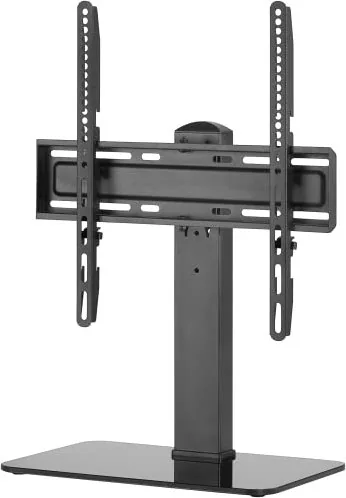
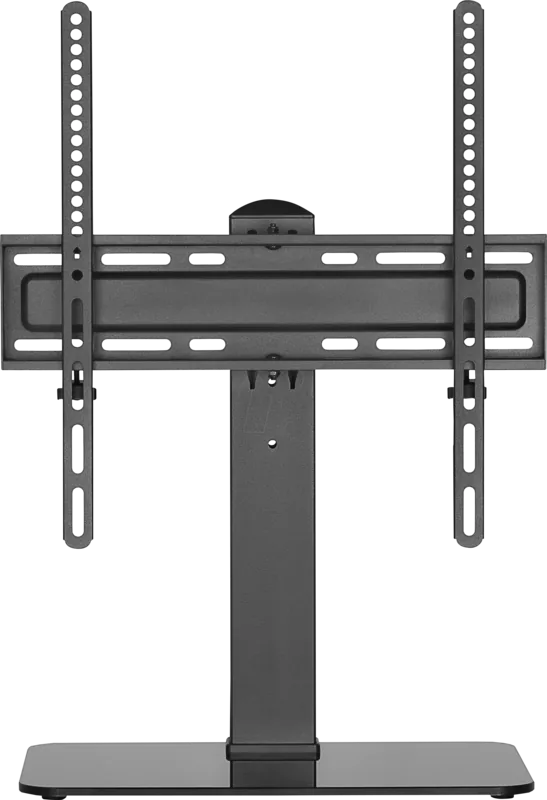
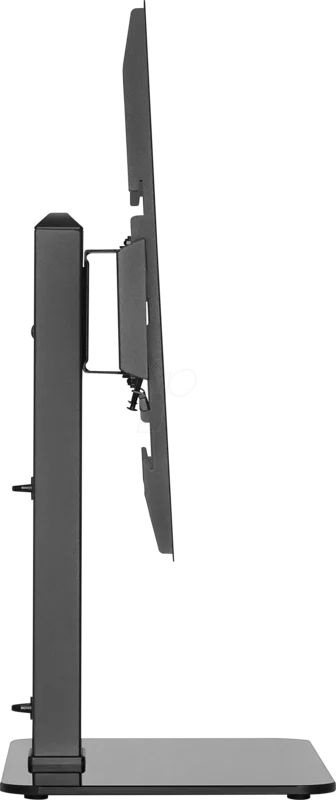
The product is a compact stand for mounting TV sets or screens up to 40 kg.
2.2 Scope of Delivery
See Tab. 1.
○ Foot piece (A)
○ Stand (B)
○ Monitor mount (C)
○ Mounting rail (D)
○ Fixing wedge with screw (E)
○ Plastic insert (F)
○ Cover (G)
○ Cable gland (H)
○ Furniture glides (I)
○ M6x25 (J)
○ M6x50 (K)
○ Washer (L)
○ Hole insert (M)
○ M5x14 (M-A)
○ M6x14 (M-B)
○ M6x30 (M-C)
○ M8x30 (M-D)
○ M8x50 (M-E)
○ Washer (M-F)
○ Spacer (M-G)
○ Spacer (M-H)
○ User Manual
2.3 Required Tools
See Tab. 2.
○ Philips screwdriver (1)
2.4 Specications
Item No.
58524
Screen size
81 - 140 cm (32 - 55“)
Load capacity
40 kg
Distance between threaded holes
according to VESA standard
(vertical x horizontal)
100x200, 200x100, 200x200, 300x200,
300x300, 400x200, 400x300, 400x400
Dimensions (width x depth x
max. height) / Weight
400 x 260 x 622 mm
Swivel range
-35° ~ +35°
3 Intended Use
We do not permit using the device in other ways like described in
chapter „Description and Function“ or in the „Safety Instructions“. Use
the product only in dry interior rooms. Not attending to these
regulations and safety instructions might cause fatal accidents, injuries, and
damages to persons and property.
4 Preparation
• Check the scope of delivery for completeness and integrity.
5 Mounting
CAUTION! Risk of injury from broken glass!
The foot piece is made of glass and can break if handled incorrectly.
• Proceed with caution during assembly.
• Dispose of broken glass with appropriate protective measures.
5.1 Preparing the foot piece
See Fig 1.
5.2 Attaching the foot piece to the stand
See Fig 2.
5.3 Attaching the monitor mount to the stand
See Fig. 3.
5.4 Attaching the mounting rails to screen
See Fig. 4.
5.5 Installing the mounting rails to the monitor mount
See Fig. 5.
This step must be carried out by 2 people!
5.6 Fixing the mounting rails to the monitor mount
See Fig. 6.
5.7 Attaching the cable glands
See Fig. 7.
5.8 Adjusting the swivel angle
See Fig. 8.
6 Maintenance, Care, Storage and Transport
• Let maintenance and repair work only be carried out by qualied personnel.
• Protect the joints from dirt and grease them regularly with light machine oil.
• Only use a dry and soft cloth for cleaning.
Use caution when cleaning to avoid scratches. In case of heavy soiling, the clea
-
ning cloth can be slightly moistened with water.
• Do not use detergents or chemicals.
• Regularly check the tightness of product/screws.
Fixing holes can remain visible when the product is removed. After prolonged use,
a stain may remain on the underground.
• Store the product out the reach of children and in a dry and dust-protected am
-
bience when not in use.
• Keep and use the original packaging for transport.
7 Disposal instructions
This product does not belong into the household waste. At the end of its working
life, give it back to the manufacturer, the sales outlet or established for this pur
-
pose, public collection points for free. Details of disposal are regulated by the
respective country‘s law. Recyclables are into the recycle circuit, in order to gain
new raw materials. The following recyclable materials are collected in municipal
collection: Waste glass, plastics, scrap metal, sheets and much more. With this
type of scrap usage you are making an important contribution to protecting our
environment.
8 Warranty
Detailed warranty conditions on www.mygoobay.com.
9 Symbols used
For indoor use only IEC 60417- 5957
User Manual
EN
- 8 -
Subject to change without notice.
Model similar.

Chat with your goobay Basic Fix manual using AI

Get instant AI answers from your goobay Basic Fix manual

Ask anything about the goobay Basic Fix. Answers come from this manual, with the pages they are based on.

Basic Fix Maintenance Schedule

Regularly
Lubricate joints with light machine oil

Protect the joints from dirt and grease them regularly with light machine oil.

Regularly
Check tightness of product and screws

Regularly check the tightness of the product and screws to ensure secure mounting.

M: qwen/qwen3.8-flash

Ask a Question

0/1000

Do you recommend Basic Fix?

Yes No

Frequently Asked Questions

A

The stand supports screens up to 40 kg, ensuring heavy televisions remain secure on sturdy surfaces.

Is this answer helpful?

A

No, this product is intended for dry indoor rooms only. Moisture or direct sunlight exposure is not recommended.

Is this answer helpful?

A

You will only need a Phillips screwdriver to complete the installation process successfully.

Is this answer helpful?

A

The stand offers a swivel range of negative 35 degrees to positive 35 degrees for better viewing angles.

Is this answer helpful?

A

Use a dry soft cloth. Do not use harsh chemicals or detergents which could damage the finish.

Is this answer helpful?

A

Detailed conditions can be found at the manufacturer website. Check their official policy for coverage.

Is this answer helpful?

M: qwen/qwen3.5-flash-20260224

Advantages and Disadvantages

Advantages

  • Supports up to 40 kg weight capacity for stability
  • Glass foot piece adds a modern aesthetic to room decor
  • Compatible with various VESA patterns for wide TV support
  • Offers swivel range of -35 to +35 degrees for flexibility
  • Weighs only 4.9 kg making it portable
VS

Disadvantages

  • Glass base requires careful handling to prevent breakage
  • Assembly of rails requires two people for safety
  • Only suitable for dry indoor environments, not outdoors
  • Screws must not be over-tightened to avoid damage
  • Fixed tabletop design not suitable for wall mounting
M: qwen/qwen3.5-flash-20260224

Product Specification

Type

Table

Number of Monitors

1

Screen Size

32-70"

Mobility

Swivel (70 deg), height adjustable

Max Load

88.18 lbs

VESA

100x200, 200x100, 200x200, 300x200, 300x300, 400x200, 400x300, 400x400

Features

Suitable for curved TV, cable management

Color

Black

Dimensions (WxHxD)

15.75x24.49x10.24in

Weight

10.80 lbs

M: qwen/qwen3.5-flash-20260224

Product Description

Discover the Wentronic Basic Fix TV Stand Manual for Perfect Home Setup

Elevate Your Viewing Experience with Precision and Style

Welcome to a comprehensive look at the Wentronic Basic Fix TV Stand. This tabletop solution is designed for those who seek stability without sacrificing style. As detailed in the Wentronic Basic Fix TV Stand Manual, this unit supports screens ranging from 32 to 55 inches, accommodating most modern flat-panel displays. With a maximum load capacity of 40 kg, it ensures that your heavy television remains secure on any sturdy surface found in your home or office environment.

Design and Versatility for Modern Living Spaces

The stand features a sleek design with a glass foot piece, adding a modern touch to any entertainment area. The compact dimensions of 400 x 260 x 622 mm make it suitable for smaller desks, dining tables, or media cabinets without overwhelming the space. Users appreciate the swivel range of -35 to +35 degrees, allowing for flexible viewing angles to reduce neck strain. The compatibility with major VESA standards including 100x200 and 400x400 ensures broad applicability across different monitor and TV brands found in the market today. The heavy-duty construction weighs 4.9 kg, providing a stable base for your electronics.

Safety First During Installation and Use

Safety is paramount when assembling your new furniture. The product instructions emphasize careful handling of the glass components to prevent breakage. It warns users to avoid direct sunlight exposure during installation to prevent eye fatigue and ensures the supporting surface can safely bear the weight. Installation should be carried out by individuals with basic mechanical knowledge and tools like a cross screwdriver are sufficient. Some steps require two people to ensure safety and proper alignment of the mounting rails. Avoiding extreme loads such as heat or moisture is crucial for longevity. Children and persons with limited abilities should not handle the product.

Maintenance and Care Guidelines for Longevity

Keeping your stand in top condition is simple with the right approach. Use a dry soft cloth for cleaning to avoid scratches on the metal and glass surfaces. Regular lubrication of joints with light machine oil helps maintain smooth movement over time. Do not use harsh chemicals or detergents that could damage the finish. Storing the original packaging is recommended for future transport needs if you move houses. Regular checks of screw tightness are advised to prevent loosening due to vibration. Check for fixings after prolonged use to avoid stains on the floor.

Notes:

  • Always verify screw tightness regularly for safety.
  • Do not expose to extreme weather as it is for indoor use only.
  • Recycle the product at the end of its life responsibly.
  • Contact the manufacturer for warranty details.
  • Keep the manual for future reference.
M: qwen/qwen3.5-flash-20260224

© Copyright 2026 Manual.ly