
GoDEX RT230i Manual
PDF manual · 69 Pages
English



Quick check
Incorrect answer, please try again.
Chat with your GoDEX RT230i manual using AI
Get instant AI answers from your GoDEX RT230i manual
Ask anything about the GoDEX RT230i. Answers come from this manual, with the pages they are based on.
Ask a Question
Do you recommend RT230i?
Yes NoFrequently Asked Questions
To calibrate automatically, turn the printer off, then hold the FEED button while turning it back on. Release the button when the LED starts blinking red. The printer will measure the media and print a test label.
Is this answer helpful?
You should use the GoDEX Super Wizard software found on the product CD or downloaded from the official website. It automates the installation of both the printer driver and the GoLabel software.
Is this answer helpful?
The standard drivers listed in the manual support Windows 2000, XP, Vista, 7, and Server versions. Native Mac support is not explicitly detailed in the provided text, so check for specific macOS drivers if required.
Is this answer helpful?
Navigate to the Device function in the main menu, select the LCD Password option, and press the FEED button twice to activate it. You can then enter a new password using the navigation buttons.
Is this answer helpful?
The manual indicates that DHCP is enabled by default, meaning the printer will obtain an IP address automatically from your router. You can view or set a static IP using the NetSetting software.
Is this answer helpful?
It is recommended to clean the print head weekly or whenever you notice a decline in print quality. Use a soft, lint-free cloth dampened with alcohol to gently wipe the surface.
Is this answer helpful?
No, the standard GoDEX RT230i unit does not include a built-in cutter. An external cutting attachment must be purchased and installed separately if automatic cutting is needed.
Is this answer helpful?
Advantages and Disadvantages
Advantages

- High 300 dpi resolution ensures sharp text and barcode readability
- Intuitive Super Wizard software simplifies driver installation and setup
- Multiple connectivity options including USB, Serial, and Ethernet
- Automatic media calibration reduces waste and saves time
- Robust metal chassis designed for heavy-duty daily use
Disadvantages

- Requires specific ribbon sizes which may limit third-party compatibility
- Ethernet setup requires additional NetSetting software knowledge
- No built-in cutter in the standard unit requires separate purchase
- LCD screen is monochrome and lacks graphical icons
- Maximum label width is limited compared to wider industrial models
Product Specification
Type
Label Printer
Technology
Thermal Transfer
Print Resolution
300 dpi
Roll Diameter
5 inches
Paper Thickness
2.4-7.9 mils
Print Width
2.13 inches
Print Length
30 inches
Print Speed
5 ips
Memory
16 MB (RAM), 8 MB (Flash)
Connections
USB 2.0, 1x USB-A 2.0 (Host), Serial
Network
LAN
Display
Color
Emulation
GZPL, EZPL, GEPL
Dimensions
5.31x6.89x9.65 inches
Weight
4.41 lbs
Features
Perforation
Manufacturer Warranty
1 Year
Product Description
Discover the GoDEX RT230i Thermotransfer Printer
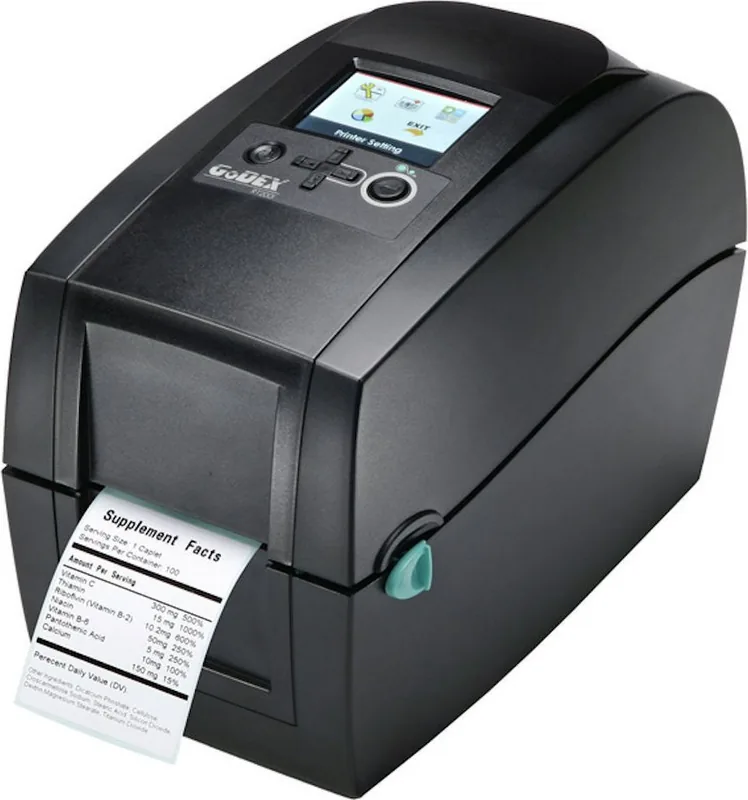
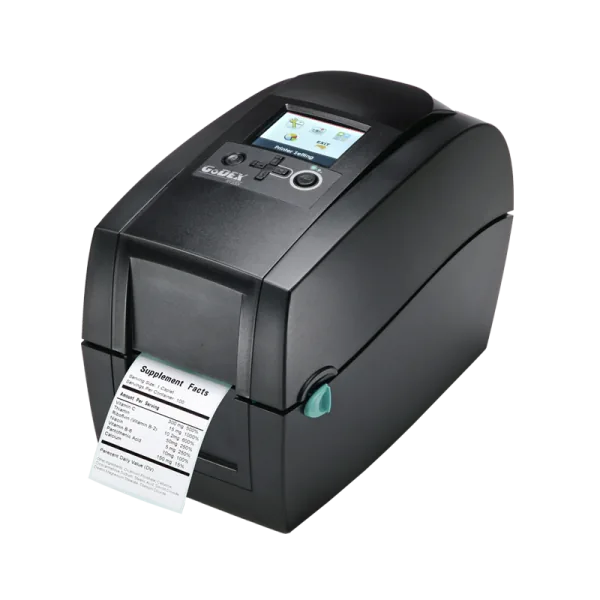
The GoDEX RT230i Thermotransfer printer represents a pinnacle of efficiency and reliability for businesses requiring high-quality label printing. Designed with advanced thermal transfer technology, this device ensures crisp, durable labels suitable for various industrial and commercial applications. Whether you are managing inventory, shipping logistics, or retail product identification, the RT230i delivers consistent performance that keeps your operations running smoothly.
At the heart of the RT230i is its impressive print resolution of 300 dots per inch. This high density allows for the clear reproduction of small text, complex barcodes, and detailed graphics. The printer supports a maximum print width of nearly 2.25 inches and can handle roll lengths up to 762 millimeters. Its robust build quality, combined with an intuitive interface, makes it accessible for users of all skill levels while offering the power needed for demanding environments.
Setting up the GoDEX RT230i is a straightforward process facilitated by the included Super Wizard software. This tool guides you through driver installation and configuration, ensuring a seamless connection between your computer and the printer. The device features multiple connectivity options, including USB, serial, and Ethernet ports, allowing for flexible integration into existing network infrastructures. For those requiring remote management, the NetSetting software provides comprehensive control over network configurations and alert systems.
Maintenance is simplified with easy access to internal components. The top-loading design allows for quick ribbon and label replacement without tools. The printer includes an automatic calibration feature that detects media gaps and black marks, reducing setup time and preventing waste. Regular cleaning of the print head is essential for longevity, and the manual provides clear instructions on how to maintain optimal print quality over time.
Key Features and Benefits
The GoDEX RT230i stands out due to its versatility and user-friendly design. It supports a wide range of media types, including gap, black mark, perforated, and continuous rolls. The built-in LCD display offers real-time status updates and error diagnostics, helping users resolve issues quickly. With support for various barcode symbologies and scalable fonts, this printer adapts to diverse labeling needs effortlessly.
Important Notes
- Always ensure the printer is powered off before installing accessories like cutters or dispensers.
- Use only recommended ribbons and media to prevent damage to the print head.
- The default network password for NetSetting software is 1111; change this immediately for security.
Search for 67,706 Manuals online


Type-in Brand or Model