
GoDEX MX30 Manual
PDF manual · 45 Pages
English



Quick check
Incorrect answer, please try again.
Chat with your GoDEX MX30 manual using AI
Get instant AI answers from your GoDEX MX30 manual
Ask anything about the GoDEX MX30. Answers come from this manual, with the pages they are based on.
Ask a Question
Do you recommend MX30?
Yes NoFrequently Asked Questions
Insert on rear, align hook, push until click sound, charge 3 hours minimum before use.
Is this answer helpful?
Turn off, open cover, use soft cloth with alcohol to wipe head gently to avoid damage.
Is this answer helpful?
Windows, Mac, Linux, Android, and iOS are supported via GoLabel software drivers.
Is this answer helpful?
Turn off printer, press and hold feed button, turn on printer until buzzer sounds twice.
Is this answer helpful?
No, only use exclusive GoDEX chargers to avoid battery overheating and safety risks.
Is this answer helpful?
MX20 is standard, MX30 adds power, MX30i includes WiFi module for wireless networking needs.
Is this answer helpful?
Connect to WiFi or Bluetooth device, ensure printer is in pairing mode, send job.
Is this answer helpful?
Advantages and Disadvantages
Advantages

- Supports Bluetooth and WiFi connectivity for versatile wireless printing options across multiple devices.
- Includes GoLabel software for comprehensive label design and management integration on various platforms.
- Battery installation is tool-free with a secure sliding mechanism ensuring stability during movement.
- Self-calibration feature automatically detects label height reducing manual configuration errors significantly.
- Durable build quality withstands daily industrial use with protective case and strap accessories available.
Disadvantages

- Battery requires three hours for full charge which may cause delays during emergency printing needs.
- Third party chargers are not recommended due to potential overheating and safety mechanism voids.
- Direct thermal only limits ribbon usage which restricts longevity for certain label material applications.
- WiFi module installation requires careful internal access which may void warranty if performed incorrectly.
- Weight is heavier than basic models when including battery and accessories reducing portability slightly.
Product Specification
Type
Mobile Bond Printer
Technology
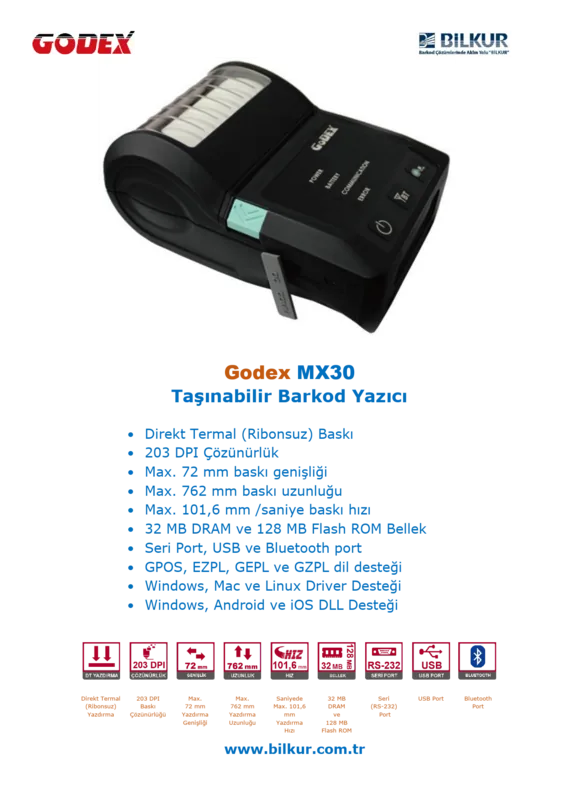
Direct Thermal
Print Resolution
203 dpi
Roll Diameter
1.18 in
Paper Thickness
2.0-6.5 mil
Print Width
2.83 in
Print Length
30 in
Print Speed
4.02 in/s
Memory
32MB (RAM), 128MB (Flash)
Connections
USB 2.0, serial
Network
Bluetooth 2.1, AirPrint
Display
N/A
Emulation
GZPL, EZPL, GEPL
Dimensions
4.49 x 3.11 x 6.73 in
Weight
1.46 lbs
Features
Black Mark Sensor, Gap Sensor, IP54 Certified, Battery (Li-Ion)
Manufacturer Warranty
1 Year
Product Description
Revolutionizing Mobile Labeling Solutions
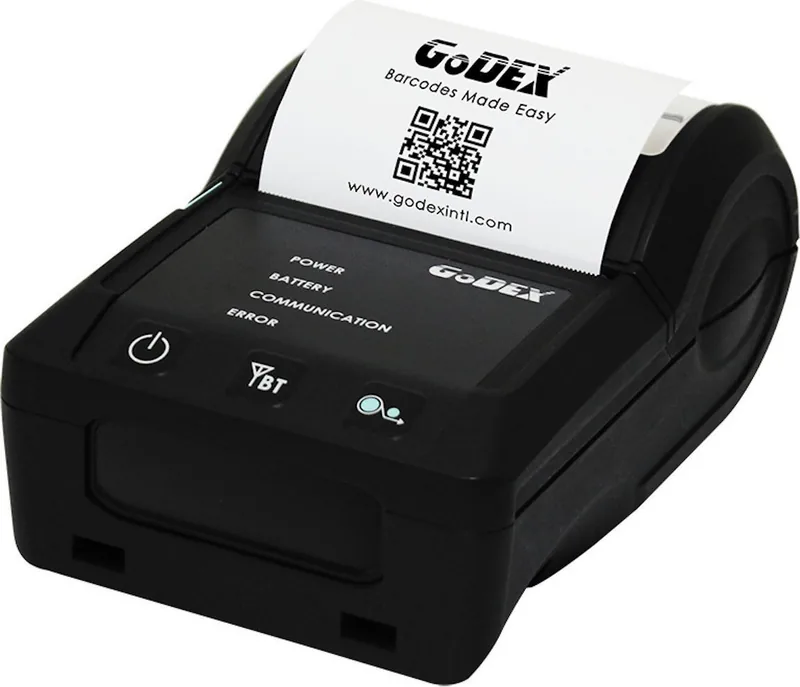
When it comes to efficient on-site printing solutions, the GoDEX MX30 Thermo Direct stands out as a robust choice for professionals requiring reliable mobility. This device integrates seamlessly into workflows where flexibility is paramount. Whether you are managing inventory, shipping logistics, or event access, having a portable printer capable of handling diverse media types is essential for operational success.
Ease of Setup and Operation
One of the key aspects highlighted during initial configuration involves the guidance found in the GoDEX MX30 Thermo Direct Manual regarding physical setup. Installing the rechargeable battery requires simply aligning the hook on the rear side and pushing until it clicks. Paper installation is equally straightforward, ensuring minimal downtime during shift changes. The interface features a clear LCD screen paired with membrane buttons, allowing users to navigate through settings without needing a computer connection. Belt and shoulder straps ensure hands-free convenience during high-volume tasks.
Connectivity and Software Integration
Connectivity options vary across the MX series, offering Bluetooth for wireless printing from smartphones or tablets. The MX30i model additionally supports WiFi via a modular setup, expanding its utility within networked environments. Users typically install the GoLabel software provided on the wizard CD to streamline label design and management. This software supports multiple operating systems including Windows, Mac, and Linux, ensuring broad compatibility. The Wizard CD simplifies installation.
Maintenance and Longevity
Maintaining print quality is critical for these thermal devices. The print head requires cleaning using a cloth and alcohol to remove residue. A self-test function verifies printer status without external software. Understanding power management modes helps extend battery life. Sleep mode conserves energy when idle. This automation saves time and reduces configuration errors significantly.
Troubleshooting Information
Operational issues can be resolved through the troubleshooting information. Common problems such as paper jams have specific solutions. Calibration adjusts to media dimensions, eliminating manual input. This saves time and reduces configuration errors significantly. Self-test function verifies status.
Model Variants and Selection
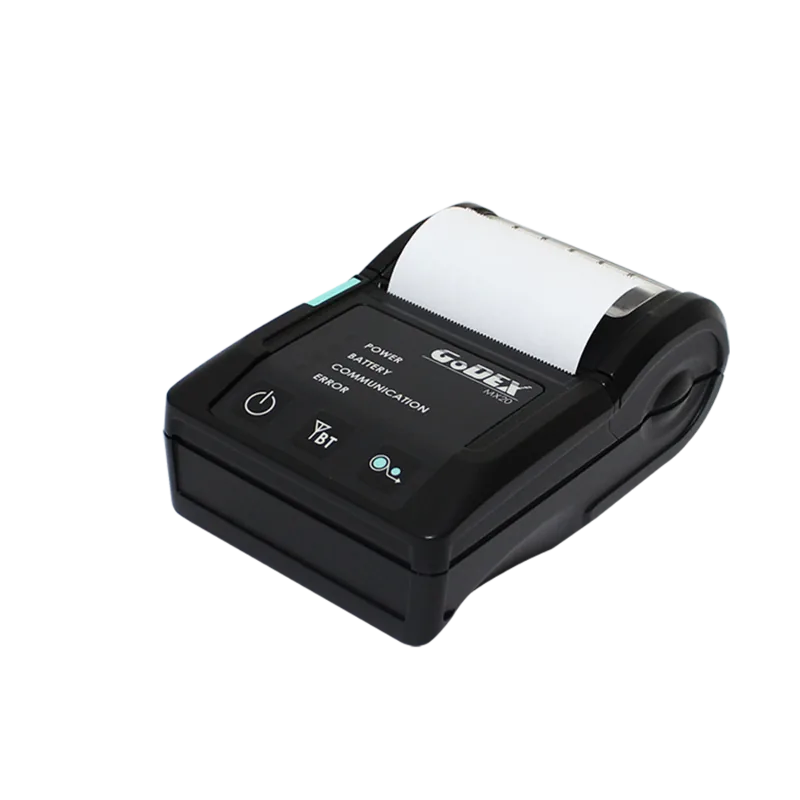
Distinguishing between MX20, MX30, and MX30i models helps select the best fit. The MX20 is lighter. The MX30 and MX30i offer more power and connectivity options. Ultimately, these portable printers deliver speed and clarity. Durability ensures they withstand daily handling. Users appreciate the balance between robust hardware and controls. Investing in this hardware ensures consistent output quality while maintaining high mobility standards.
Search for 67,706 Manuals online


Type-in Brand or Model