
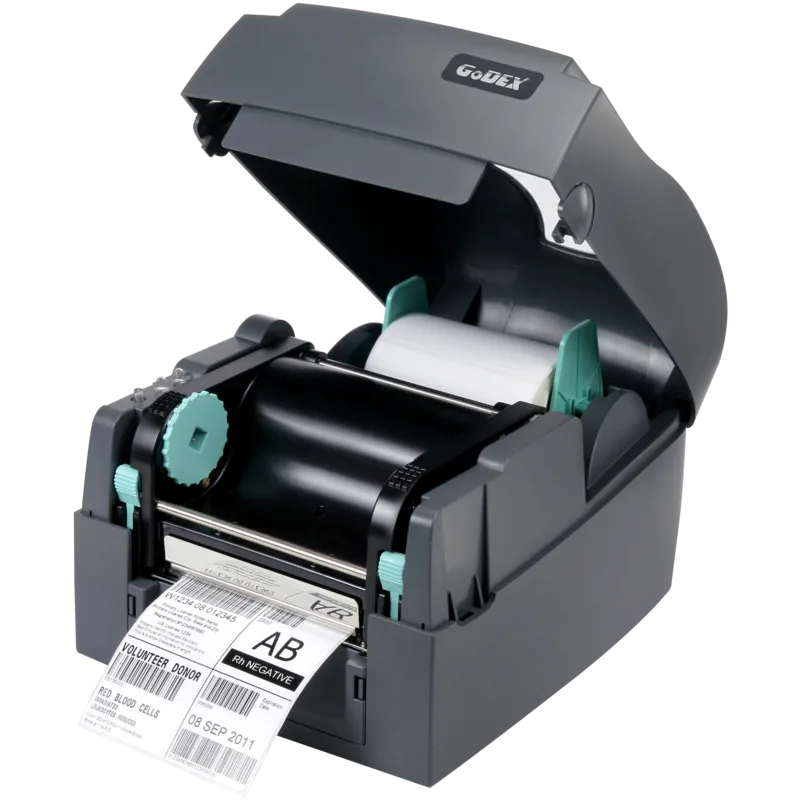
GoDEX G500-UES Manual
PDF manual · 45 Pages
English



Quick check
Incorrect answer, please try again.
Chat with your GoDEX G500-UES manual using AI
Get instant AI answers from your GoDEX G500-UES manual
Ask anything about the GoDEX G500-UES. Answers come from this manual, with the pages they are based on.
Ask a Question
Do you recommend G500-UES?
Yes NoFrequently Asked Questions
It uses direct thermal printing, which means labels are produced without a ribbon in compatible applications. This is convenient for fast, everyday labeling where simplicity and reduced consumables are important.
Is this answer helpful?
The printer supports USB, serial, and LAN connectivity. That makes it suitable for both direct computer connection and shared network use in office, retail, or warehouse environments.
Is this answer helpful?
Yes. It includes automatic label size calibration and a self-test function. These features help the printer detect label height correctly and verify that it is working normally.
Is this answer helpful?
Yes. Optional accessories include a label dispenser and a cutter. These add flexibility for peel-and-apply tasks or jobs that require clean, automated cutting.
Is this answer helpful?
Yes. The NetSetting software is used for Ethernet configuration, allowing users to manage IP settings, alerts, printer settings, and firmware updates over the network.
Is this answer helpful?
Regular print head cleaning, proper media loading, and occasional adjustment of pressure or print line are recommended. These steps help preserve print quality and reduce label feeding problems.
Is this answer helpful?
Advantages and Disadvantages
Advantages

- USB, serial, and LAN connections make integration flexible in many work environments.
- Direct thermal printing keeps operation simple and reduces consumable handling.
- Auto label calibration and self-test features help speed up setup and troubleshooting.
- Optional cutter and dispenser modules add workflow versatility.
Disadvantages

- Class A compliance means it may create interference in home or residential settings.
- Print head cleaning and calibration are needed regularly to maintain quality.
- Cutter use has media limits and is not recommended for adhesive labels.
- Network and accessory setup can be technical for first-time users.
Product Specification
Type
Label printer
Technology
Direct thermal
Print resolution
203dpi
Roll diameter
2.68in
Paper thickness
60-250µm
Print width
4.25in
Print speed
5.00in/s
Memory
16MB (RAM), 8MB (Flash)
Ports
USB 2.0, serial
Network
LAN
Display
N/A
Emulation
GZPL, EZPL, GEPL
Dimensions
8.90x6.73x11.22in
Weight
6.00lb
Special features
Tear-off bar
Manufacturer's warranty
1 year
Product Description
GoDEX G500-UES: Compact Label Printing with Flexible Connectivity
The GoDEX G500-UES is a practical choice for teams that need reliable label output without unnecessary complexity. Built for direct thermal printing, it is well suited to shipping labels, warehouse tags, retail marking, and everyday identification tasks where speed and simplicity matter. Its combination of USB, serial, and LAN connectivity makes it easy to fit into both standalone workstations and shared network environments.
What makes this model appealing is its balance of usability and control. The printer supports automatic label size calibration, a self-test page, and clear LED status feedback, which helps reduce setup mistakes and speeds up routine operation. It is also designed with maintenance in mind: print head cleaning, pressure adjustment, and print-line alignment are all documented as part of normal care, making long-term use more predictable.
For users who need more than standard printing, the G500-UES can be expanded with accessories such as a label dispenser or cutter. That flexibility allows it to adapt to different workflows, from peel-and-apply jobs to on-demand cutting. The NetSetting software adds another layer of convenience for Ethernet-based management, including IP configuration, alerts, and remote firmware updates. In practice, that means the printer can grow with the needs of a small office or a larger production setup.
The direct thermal approach keeps things efficient by removing the need for ribbons in compatible applications, while the interface options help the printer stay connected in mixed hardware environments. It is a dependable solution for users who want straightforward printing with room for customization.
Notes
- Best suited for labels that do not require ribbon-based thermal transfer output.
- Regular cleaning and calibration help maintain consistent print quality.
- Optional accessories can improve workflow speed and finishing options.
- For network use, the manual emphasizes proper setup and password protection.
Keyword focus: GoDEX G500-UES, USB, serial, LAN, direct thermal Manual
Search for 67,706 Manuals online


Type-in Brand or Model