
Glyph Blackbox Pro Manual
PDF manual · 5 Pages
English



Quick check
Incorrect answer, please try again.
Chat with your Glyph Blackbox Pro manual using AI
Get instant AI answers from your Glyph Blackbox Pro manual
Ask anything about the Glyph Blackbox Pro. Answers come from this manual, with the pages they are based on.
Ask a Question
Do you recommend Blackbox Pro?
Yes NoFrequently Asked Questions
Yes. The drive ships pre-formatted for Mac (Mac OS Extended Journaled) so macOS users can use it immediately. Windows users should format the drive via Disk Management, choosing NTFS for Windows-only use or exFAT for cross-platform compatibility.
Is this answer helpful?
The Blackbox Pro includes a USB-C (3.1 Gen2) to USB-C (3.1 Gen2) cable and a USB-C (3.1 Gen2) to USB-A (USB 3.0) cable, plus an international AC adapter. Note the USB-C to USB-3.0 cable does not support USB 2.0 ports.
Is this answer helpful?
The drive is rated for a maximum transfer rate of approximately 220 MB/s when connected via the USB-C (3.1 Gen2) SuperSpeed interface. Actual speeds depend on the host system, file sizes, and interface used.
Is this answer helpful?
The Blackbox Pro includes a three-year hardware warranty, a two-year free basic data recovery attempt (not guaranteed), and a one-year advance replacement service within the 48 continental U.S. states. Support is available by phone, email, and web support channels.
Is this answer helpful?
Connect the drive, open Computer Management > Disk Management, locate the unallocated partition, create a New Simple Volume, and follow the wizard. Choose NTFS for Windows-only use or exFAT for compatibility with Windows and macOS; enable Quick Format for faster completion.
Is this answer helpful?
Always properly eject the drive before unplugging to prevent data corruption. Keep the silicone cover on for added protection and retain the original shipping materials if you need to return the unit under warranty.
Is this answer helpful?
The Blackbox Pro supports Mac OS X 10.4 and later, Windows 7 and later, and is compatible with many modern Unix-based systems including Linux and BSD. Formatting options may differ by OS.
Is this answer helpful?
Advantages and Disadvantages
Advantages

- Fast USB-C (3.1 Gen2) interface with up to ~220 MB/s throughput for media workflows.
- Pre-formatted for Mac for immediate out-of-the-box use by macOS users.
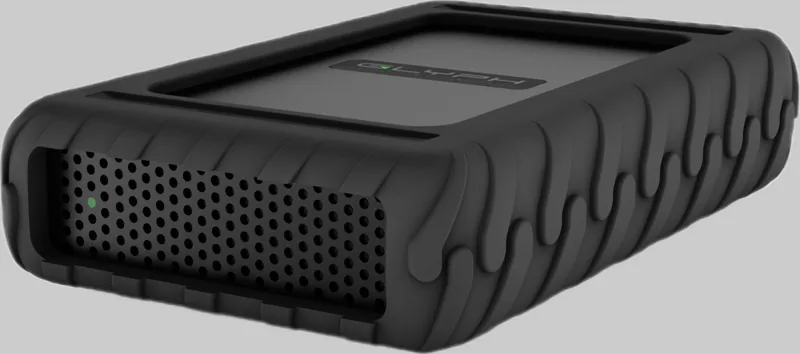
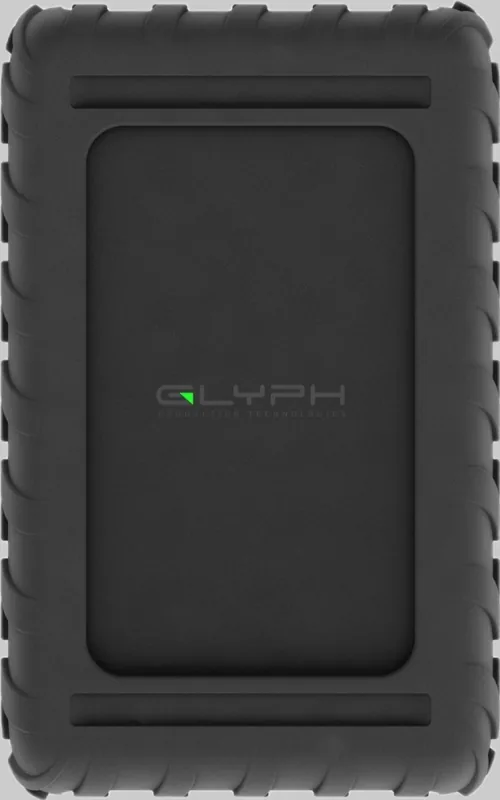
- Rugged silicone protective cover for added physical protection during transport.
- Comprehensive support package: 3-year hardware warranty and 2-year basic recovery attempt.
- Includes both USB-C to USB-C and USB-C to USB-A (USB 3.0) cables plus international AC adapter.
Disadvantages

- USB-C to USB-3.0 cable is not compatible with USB 2.0 ports, limiting older system support.
- Requires reformatting for optimal Windows use (NTFS or exFAT) which may confuse some users.
- Advance replacement warranty limited to continental U.S. states for the first year.
- Performance depends on host interface; older ports will bottleneck transfer rates.
- Data recovery attempts are not guaranteed to succeed despite the complimentary service period.
Product Specification
Form factor
3.5"
External port
1x USB-C 3.1
RAID level
N/A
Fan
N/A
Dimensions
8.31x5.10x1.75in
Color
black
Special features
Aluminum housing, external power supply, incl. USB cable (USB-C), incl. USB cable (USB-A), formatted for Mac
Manufacturer warranty
three years
USB notation
Link
Product Description
Glyph Blackbox Pro External HDD — Rugged, Fast, Reliable
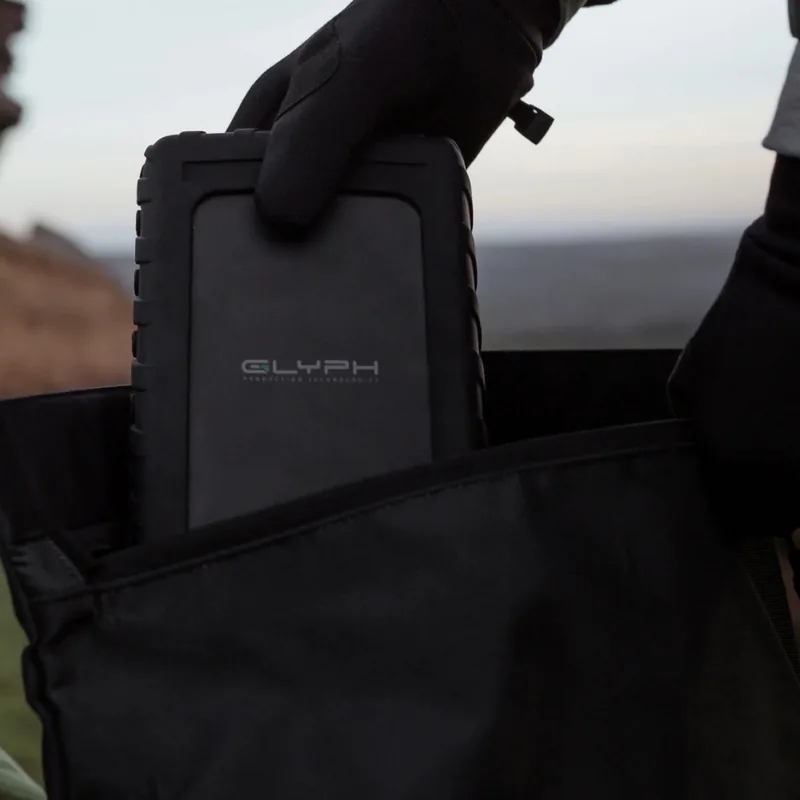
The Glyph Blackbox Pro External HDD is a rugged desktop storage solution built for creative professionals and users who need dependable, high-capacity backup and media workflows. Encased in a silicone protective cover and designed with a USB-C (3.1 Gen2) SuperSpeed interface, the Blackbox Pro delivers practical performance and durable construction for everyday studio and field use.
With a maximum sustained transfer rate around 220 MB/s, the drive is well-suited for video editors, photographers, and content creators moving large files. It arrives pre-formatted for Mac (Mac OS Extended Journaled) and includes both USB-C to USB-C and USB-C to USB-A (USB 3.0) cables, alongside an international AC adapter. The package is ready to plug into modern Macs, Windows PCs, and many Unix-based systems; Windows users can follow the supplied Disk Management steps to format to NTFS or exFAT for cross-platform compatibility.
Setup is straightforward: connect via the provided cable, use Disk Utility on macOS or Disk Management on Windows to partition or reformat if desired, and always eject before unplugging. The unit’s compact dimensions make it a space-efficient desktop drive while the protective sleeve helps guard against bumps during transport.
Warranty and support are core strengths of the product offering. The drive comes with a three-year hardware warranty, a two-year complimentary basic data recovery attempt, and a one-year advance replacement option (continental U.S. only) if issues cannot be resolved through technical support. Glyph provides phone and email support and recommends keeping serial and system information handy when contacting service.
Whether used as a primary project drive, archival storage, or a fast backup target, the Blackbox Pro balances speed, ruggedness, and practical connectivity choices. It’s particularly attractive to users who want an out-of-the-box Mac-ready experience but need simple instructions and cables to integrate with Windows or mixed environments.
Notes
- Pre-formatted for Mac; reformatting for Windows is straightforward via Disk Management (use exFAT for cross-platform use).
- Always eject the drive properly before unplugging to avoid data loss.
- Keep shipping materials if returning under warranty.
- Warranty requires proof of purchase; RMA procedure necessary for service.
Search for 67,706 Manuals online


Type-in Brand or Model