
GLP Streamer Deluxe Manual
PDF manual · 16 Pages
English



Quick check
Incorrect answer, please try again.
Chat with your GLP Streamer Deluxe manual using AI
Get instant AI answers from your GLP Streamer Deluxe manual
Ask anything about the GLP Streamer Deluxe. Answers come from this manual, with the pages they are based on.
Ask a Question
Do you recommend Streamer Deluxe?
Yes NoFrequently Asked Questions
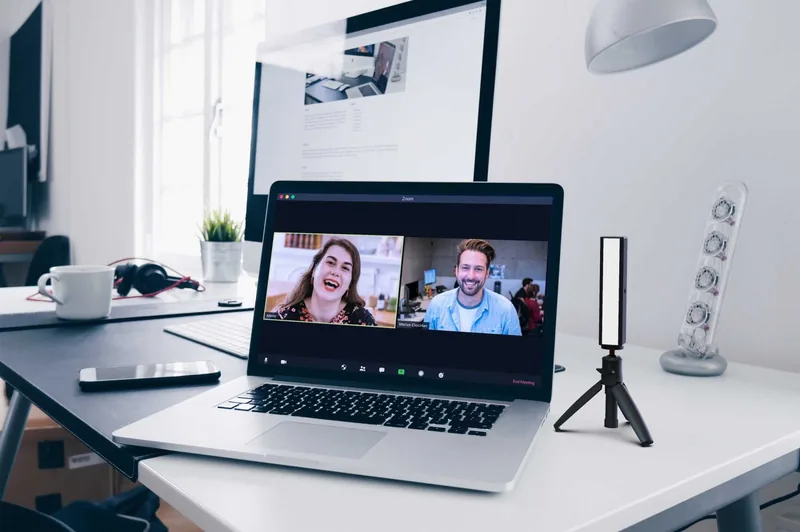
Position the Streamer at least an arm's length away to illuminate your face evenly. Avoid having your monitor cast a shadow on your face. Adjust color and intensity until you look your best, then save these settings as a custom preset for quick future access.
Is this answer helpful?
No, the Streamer application for both Mac and PC is completely free. You can download it directly from the official website streamer.rocks. There are no hidden fees or subscription costs associated with the software.
Is this answer helpful?
Yes, you can share control with a meeting organizer. They will need your 8-digit Device ID number. Once they enter this ID on the remote.streamer.rocks webpage, they can adjust your light settings to ensure everyone in the group looks professional.
Is this answer helpful?
The Streamer draws power from your connected device, so it will consume battery if you are not plugged in. However, it is designed for maximum efficiency. You can reduce power consumption by lowering the light intensity using the sliders or onboard buttons.
Is this answer helpful?
By default, the Streamer returns to its last saved setting. To ensure this, press and hold the PRESET button for two seconds before unplugging. This saves the current configuration so the light resumes exactly where you left off next time it powers on.
Is this answer helpful?
Yes, the remote control website uses encryption to protect data transferred between the server and your desktop application. While Windows may occasionally flag the installer as a warning, the application is safe and does not pose a security risk.
Is this answer helpful?
Advantages and Disadvantages
Advantages

- Offers three distinct control methods including remote cloud access
- Variable color temperature from 1900K to 5600K for perfect skin tones
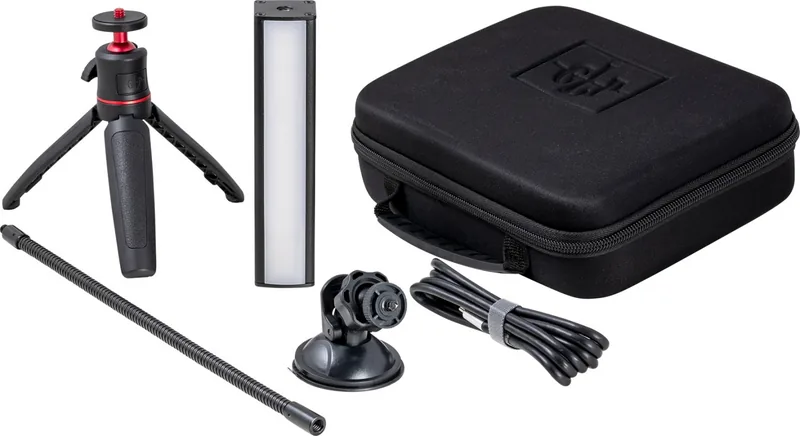
- Includes versatile mounting options like tripod, suction cup, and gooseneck
- Free software download with no driver installation needed
- Customizable presets allow users to save preferred lighting settings
Disadvantages

- Cannot control multiple Streamers simultaneously from a single computer
- Requires a USB power source capable of supplying 1.3 amps for max output
- LED light source is not user-replaceable if it fails
- Remote control requires the host to have internet access and the app
- USB-A to USB-C adapter is not included in the package
Product Specification
Light Output
392 Lux (0.5m)
Color Temperature
1900-5600K
Power
7W
Base
No
Tripod Mount
1/4"
Features
LED
Dimensions
5.9x1.3x1.3in (WxDxH)
Weight
7.1oz
Product Description
GLP Streamer Deluxe Control Kit: Elevate Your Video Presence
The GLP Streamer Deluxe Control Kit represents a significant leap forward in personal lighting solutions for the modern digital workspace. Designed by German Light Products, this compact yet powerful USB-powered light bar delivers high-quality adjustable warm and cool lighting tailored specifically for online meetings, live streams, and content creation. Whether you are hosting a critical business presentation or engaging with an audience on social media, the Streamer ensures you look professional and polished.
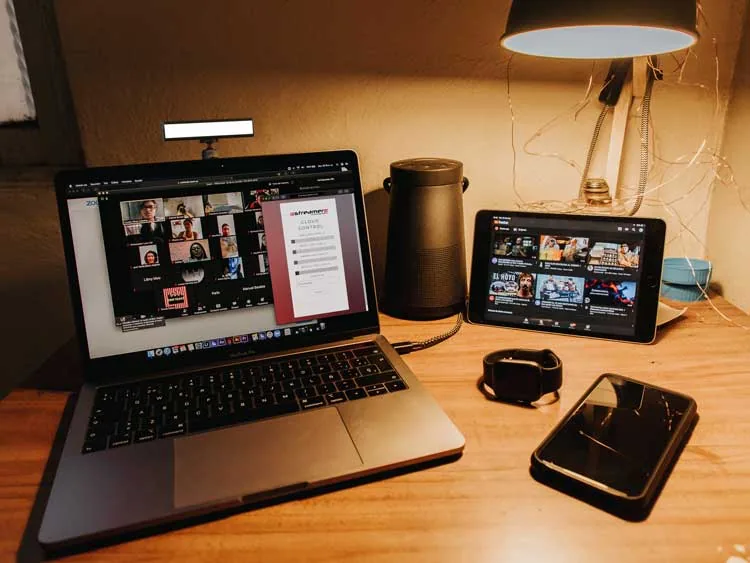
One of the standout features of this kit is its versatility in control methods. Users can effortlessly manage their lighting through intuitive onboard buttons, the free downloadable GLP Streamer application for Windows and Mac, or via remote control by a meeting host using the secure GLP control cloud. This flexibility allows for seamless integration into any workflow, ensuring that your lighting setup adapts to your specific needs without friction.
Installation is straightforward, requiring only a standard USB-C port or a USB-A adapter if necessary. The kit includes a comprehensive mounting system featuring a telescopic tripod, a suction cup mount, and a flexible gooseneck, all compatible with standard 1/4-inch camera threads. This means you can easily position the light to eliminate harsh shadows and achieve even illumination across your face. The device offers variable color temperature ranging from 1900 to 5600 Kelvin, allowing you to match the ambient environment perfectly.
For those who value security and customization, the Streamer supports creating custom User ID numbers to restrict remote access, ensuring that only authorized individuals can adjust your lighting during a session. With four fixed presets and the ability to save four additional custom settings, finding your perfect look becomes a matter of seconds. The sleek black powder-coated aluminum housing not only looks premium but also dissipates heat effectively, guaranteeing long-term reliability.
Key Notes
- The Streamer requires a minimum of 1.3 amps from the USB power source for maximum intensity.
- Remote control is facilitated through an encrypted web interface at remote.streamer.rocks.
- No drivers are required; simply install the desktop application for full functionality.
- The LED light source is integrated and non-replaceable, designed for longevity.
Search for 67,706 Manuals online


Type-in Brand or Model