
Geemarc Large Print Keyboard V3 Manual
PDF manual · 2 Pages
English



Quick check
Incorrect answer, please try again.
Chat with your Geemarc Large Print Keyboard V3 manual using AI
Get instant AI answers from your Geemarc Large Print Keyboard V3 manual
Ask anything about the Geemarc Large Print Keyboard V3. Answers come from this manual, with the pages they are based on.
Ask a Question
Do you recommend Large Print Keyboard V3?
Yes NoFrequently Asked Questions
Geemarc provides a two-year guarantee from purchase for UK customers covering repairs or replacements free of charge. Keep receipt for claims.
Is this answer helpful?
Yes, connect the USB to a free port and restart the computer. No drivers are needed for installation.
Is this answer helpful?
Works with Windows 10, 8, 7, Vista, XP, 2000 and Mac operating systems for universal usage.
Is this answer helpful?
There are 105 keys on this enhanced Windows layout keyboard for standard typing needs.
Is this answer helpful?
Do not bin it. Use a WEEE skip or return to retailer if buying a new one.
Is this answer helpful?
The operating force sits between 48 and 62 grams for comfortable typing without fatigue.
Is this answer helpful?
No, only authorized Geemarc representatives are allowed to repair or open the device.
Is this answer helpful?
Advantages and Disadvantages
Advantages

- Large bold print for visual assist
- Plug and play setup
- High profile modern design
- 10 million life cycles switch durability
- Two year guarantee coverage
Disadvantages

- Warranty applies to UK only
- Non-mechanical membrane switches
- Requires computer restart to activate
- Not suitable for low profile desks
- No backlight illumination included
Product Specification
Layout
UK
Type
Rubber Dome
Lighting
N/A
Keycap Level
Standard, with frame
Keycap Shape
Flat
Keycap Dome
Straight
Numpad
Standard
Arrow Keys
Standard
Control Keys
Standard
Enter Key
Standard
Delete Key
Standard
Status Indicators
Capslock, Num, Scroll
Wrist Rest
N/A
Case
Plastic
Connection
Wired, USB-A 2.0
Power
USB
Features
Uppercase Keys
Product Description
Improving Visibility with the Geemarc Large-print Keyboard
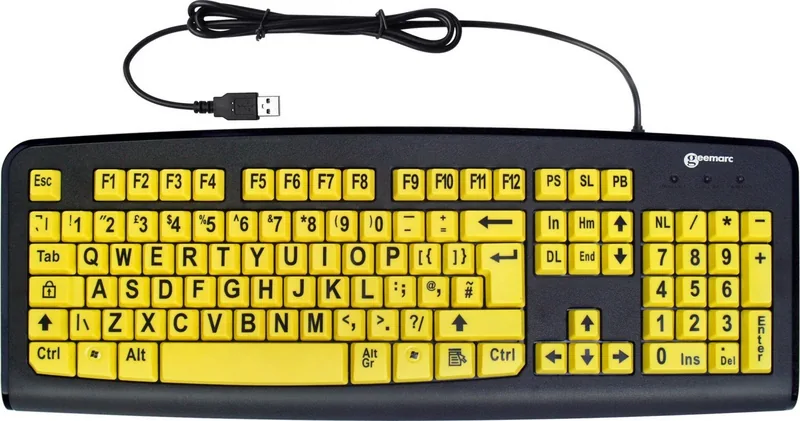
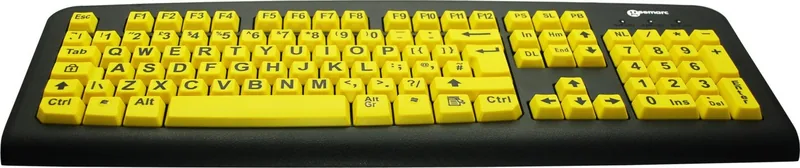
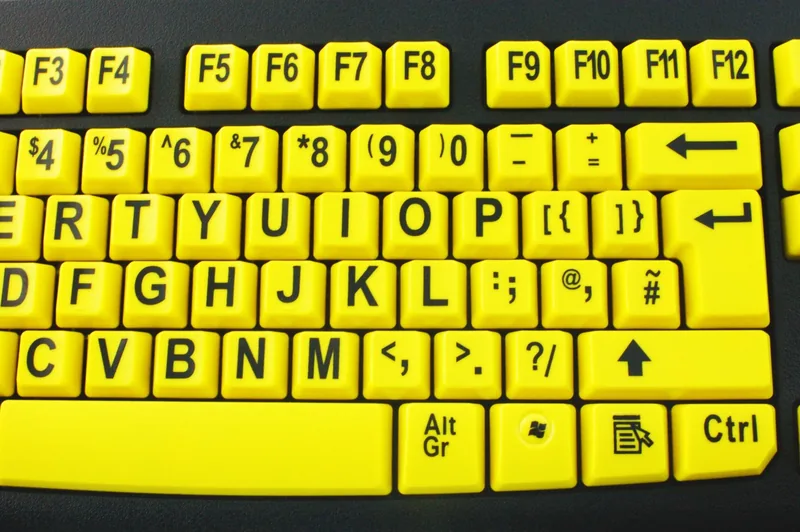
Typing on modern technology can be difficult for those who struggle to see small letters clearly. Many standard keyboards fail to provide the necessary support for users with visual impairments daily. The Geemarc Large-print Keyboard V3 Yellow, USB, UK Manual provides a practical solution to enhance your computing experience significantly. This keyboard features large, bold characters printed on every single key. This unique design allows you to locate the correct character quickly without straining your eyes during long typing sessions. It is an excellent choice for elderly users or individuals with specific vision needs seeking independence.
Design and Compatibility Features
The device utilizes a high profile, modern keyboard design with 105 keys arranged logically. It follows an enhanced Windows layout which is familiar to most users globally without confusion. Despite the large print, it remains fully functional across various operating systems and devices worldwide. You will find it compatible with Win 10, 8, 7, Vista, XP, 2000 and Mac devices with ease. The membrane tactile switches offer a satisfying feel during every typing session comfortably. They are built to last with a lifespan of ten million cycles reliably. The operating force requirement is between 48 and 62 grams ensuring gentle keypresses for users.
Installation and Support Coverage
Setup is incredibly simple with this plug and play device requiring no extra drivers. You do not need complex software installations or configurations before using the hardware. Simply connect the USB connector of the keyboard to your computer USB port directly. After restarting your computer once, you can start using the keyboard immediately for work. Geemarc supports its products with a robust two-year guarantee period fully. This covers repairs or replacements at no charge from the date of purchase officially. Customers in the United Kingdom should retain their receipt as proof of purchase for claims.
Environmental Responsibility Standards
The manufacturer encourages proper recycling through WEEE directives regarding all electronic products. When your product reaches the end of its useful life, please do not discard it in domestic waste bins. Deposit the product in an appropriate WEEE skip or hand the old product to the retailer easily. Following these instructions helps protect human health and the environment effectively for everyone. Contact the helpline for further product support or visit the official website for compliance declarations and help.
Notes
- Warranty applies to United Kingdom only for standard models.
- CE and RoHS compliant standards met for safety.
- Do not attempt to take apart the unit yourself ever.
Search for 67,706 Manuals online


Type-in Brand or Model